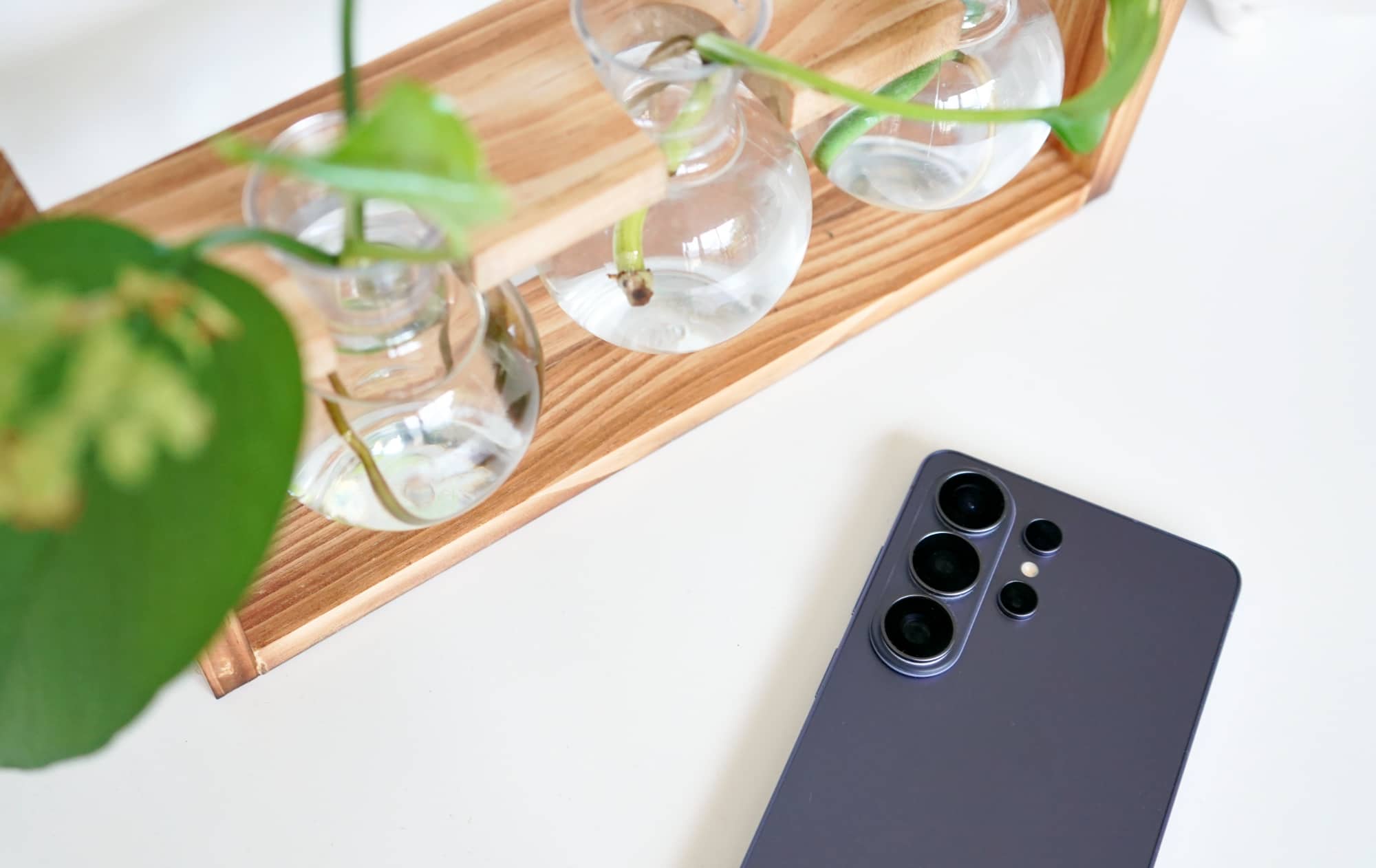
Quick review
The good
The not-so-good

Samsung’s biggest phone, the Galaxy S26 Ultra is premium in almost every way, missing the magnets in chargers, but getting a lot of AI, too. Is it the best Android around?
Your phone can do a lot of things, transcending simply what the humble phone was designed to do — from web browsing to emails to music playing to so much more — you may simply wonder: what next? As in what can your phone do next?
The hardware and software already makes the mobile look more like a little computer, and these days, that means capabilities go simply beyond the original design.
So you’re carrying around a properly mobile computer designed for more, so what else can it do? How can it stand up to be something different?
Over in the world of Samsung, those questions may be prompting the company to try something different, to build a phone that delivers everything we’ve seen prior and then some. And in an age where AI seemingly finds its way into everything, Samsung is trying to bridge that gap by making AI do a little more.
Does the S26 Ultra stand up as a phone that does more than other phones?
Design
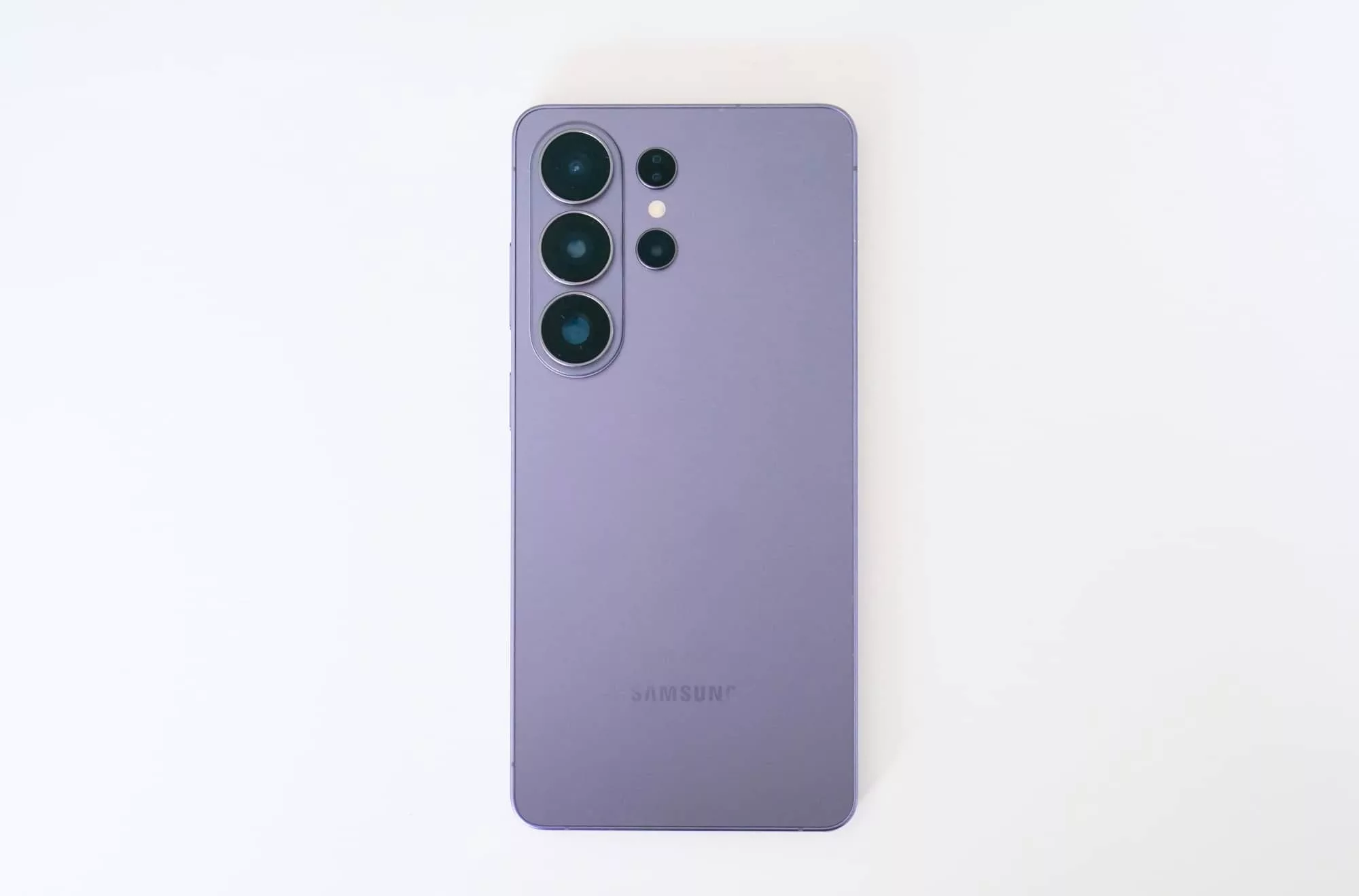
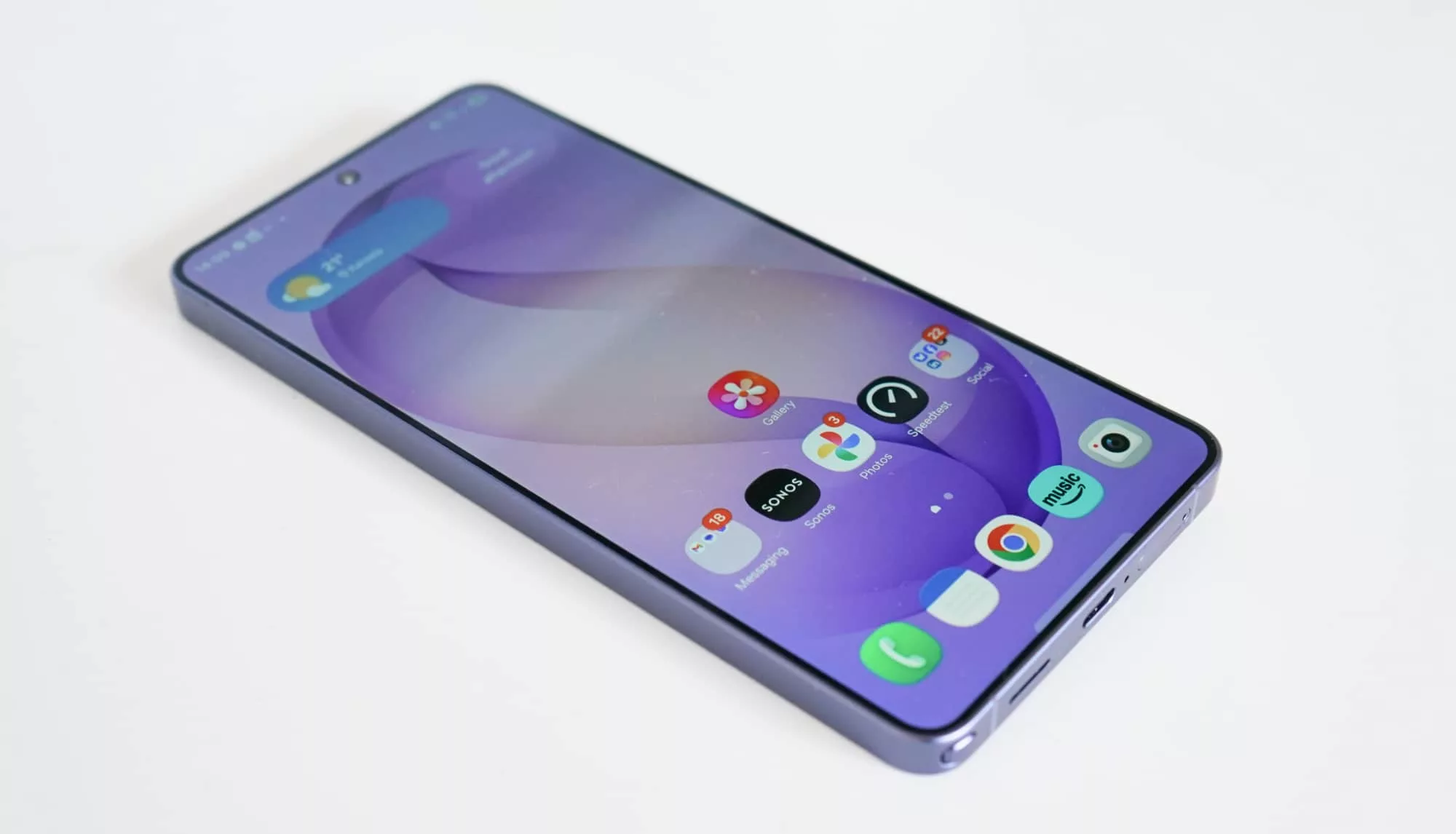
We’ve seen a few versions of the Galaxy S flagship, and the S26 Ultra might be one of the most polished yet.
Made from a combination of aluminium and glass, Samsung appears to have done exactly as Apple did with the 17 Pro Max, and moved back from titanium, sticking with aluminium for this model. While there’s a slight degree of durability technically that’ll make the difference, you’d never realise.
An aluminium frame is just as premium and polished as it was on its titanium predecessor, and metal is only in the one place it needs to be: a band holding together the glass of the front and back of this otherwise lovely looking device.
It’s basically the most minimal a flagship Galaxy can get without being the S25 Edge, last year’s slimline model that did away with the S-Pen and large battery, and also only came with two cameras. This flagship offers four, and even manages to lose a little bit of thickness compared with last year’s comparative flagship, the Galaxy S25 Ultra.
While the aptly named 2025 S25 Ultra was an 8.2mm thick phone, the slight change to the design makes the also-aptly named 2026 S26 Ultra 7.9mm, shaving some thickness and even losing a few grams, dropping from 218 to 214 grams.
All in all, it’s a sleek looking phone made with premium materials, focused on glass and alloy and being slick and slim.
Features
Inside, the feature list reads out about as well as you’d expect a high-end phone to be in 2026. Given it’s Samsung’s highest end phone to date, that should come as little surprise.
As such, you’ll find the latest Qualcomm processor inside, the Snapdragon Elite Gen 5, complete with a few little tweaks here and there from Samsung, plus either 12 or 16GB RAM dependent on the storage option you choose: owners of the 256GB and 512GB S26 Ultra will get 12GB (which is what we’re reviewing from), while 1TB S26 Ultra models see 16GB RAM.
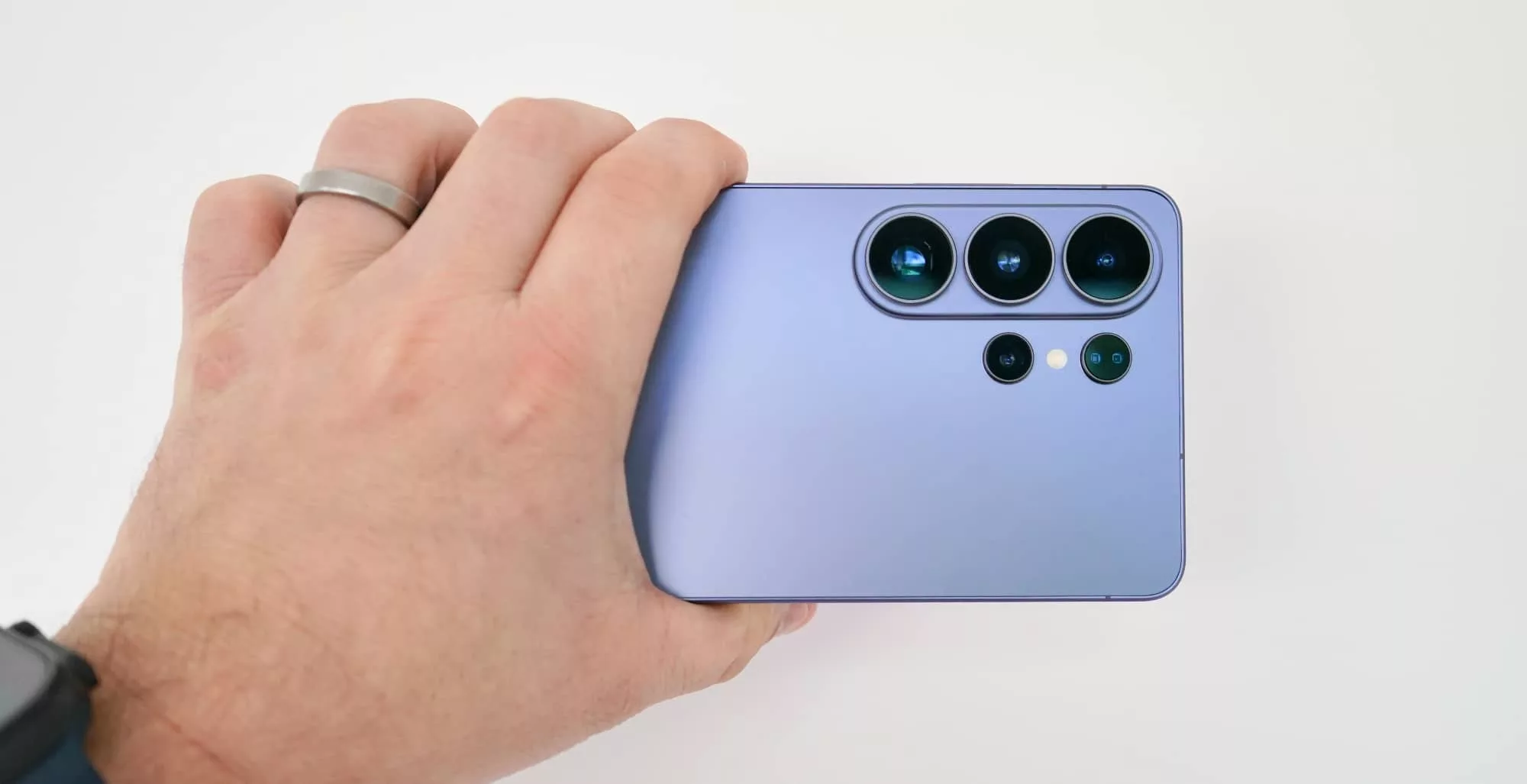
Four cameras are found on the back, covering a 200 megapixel F1.4 wide, 50 megapixel F1.9 ultra-wide, 10 megapixel F2.4 3X camera, and a 50 megapixel F2.9 5X telephoto, while the front-facing camera is a 12 megapixel F2.2 wide camera, as well. Lots of camera, and also lots of wireless connections.
As such, you’ll find 802.11a/b/g/n/ac/ax/be WiFi 7 with support for WiFi 6E as well, Bluetooth 6, GPS, Near-Field Communication (NFC) for Google Pay and Samsung Pay, and even ultra wideband radio support. A single USB-C connection can be found at the bottom of the phone, the only wired port on the handset, support data, sound, and high-speed wired charging.
Wireless charging is also a part of the package, with Qi2 25W technically supported, but without the magnets commonly associated with it.
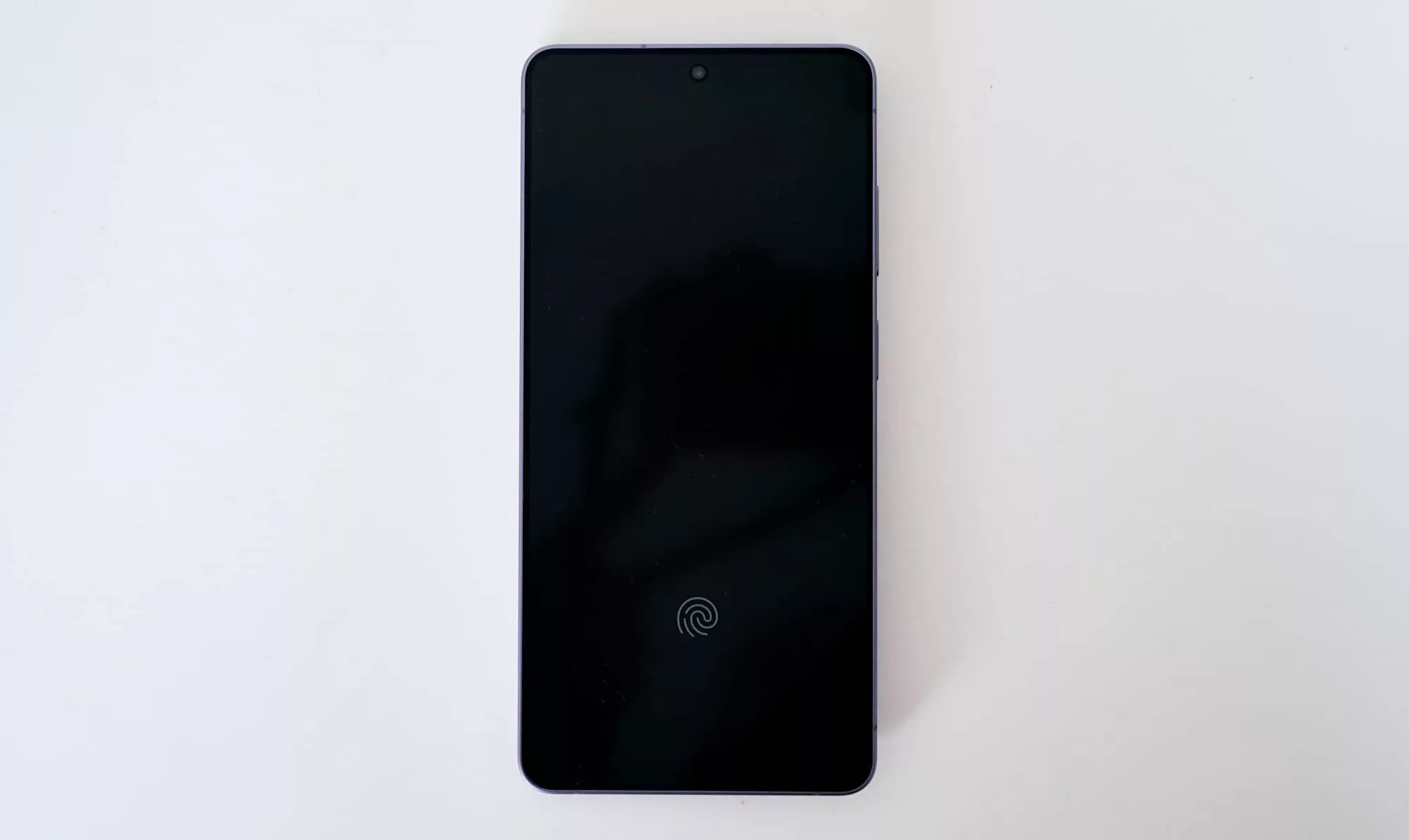
There’s also a fingerprint sensor built into the screen, the S-Pen stylus at the bottom, and the IP68 water resistance rating, all sitting atop a 5000mAh battery. And that’s before we get to what sits on top: the screen.
Display
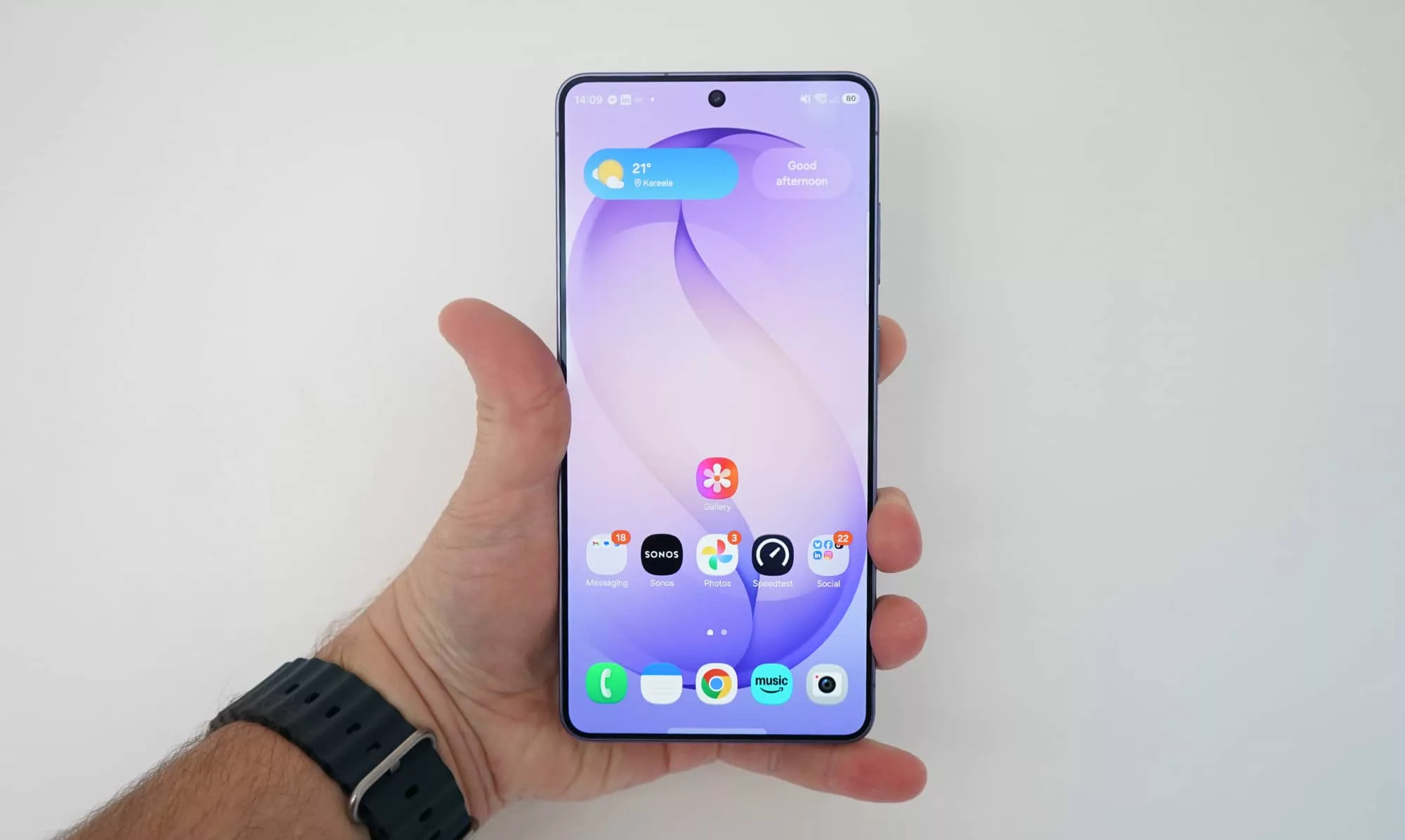
One of the big deal features in any Samsung phone, the S26 Ultra display is both massive and premium. You’d expect that from a flagship handset, and that’s exactly what you get, delivering 6.9 inch Super AMOLED display.
For the most part, it’s another fast and sharp screen, ideal for browsing, email reading, picture taking, and just general watching of anything you want on it. The 3120×1440 resolution is sharper than Full HD, running at a slick 120Hz, and protected by Corning’s Gorilla Armour 2, complete with an anti-reflective coating.
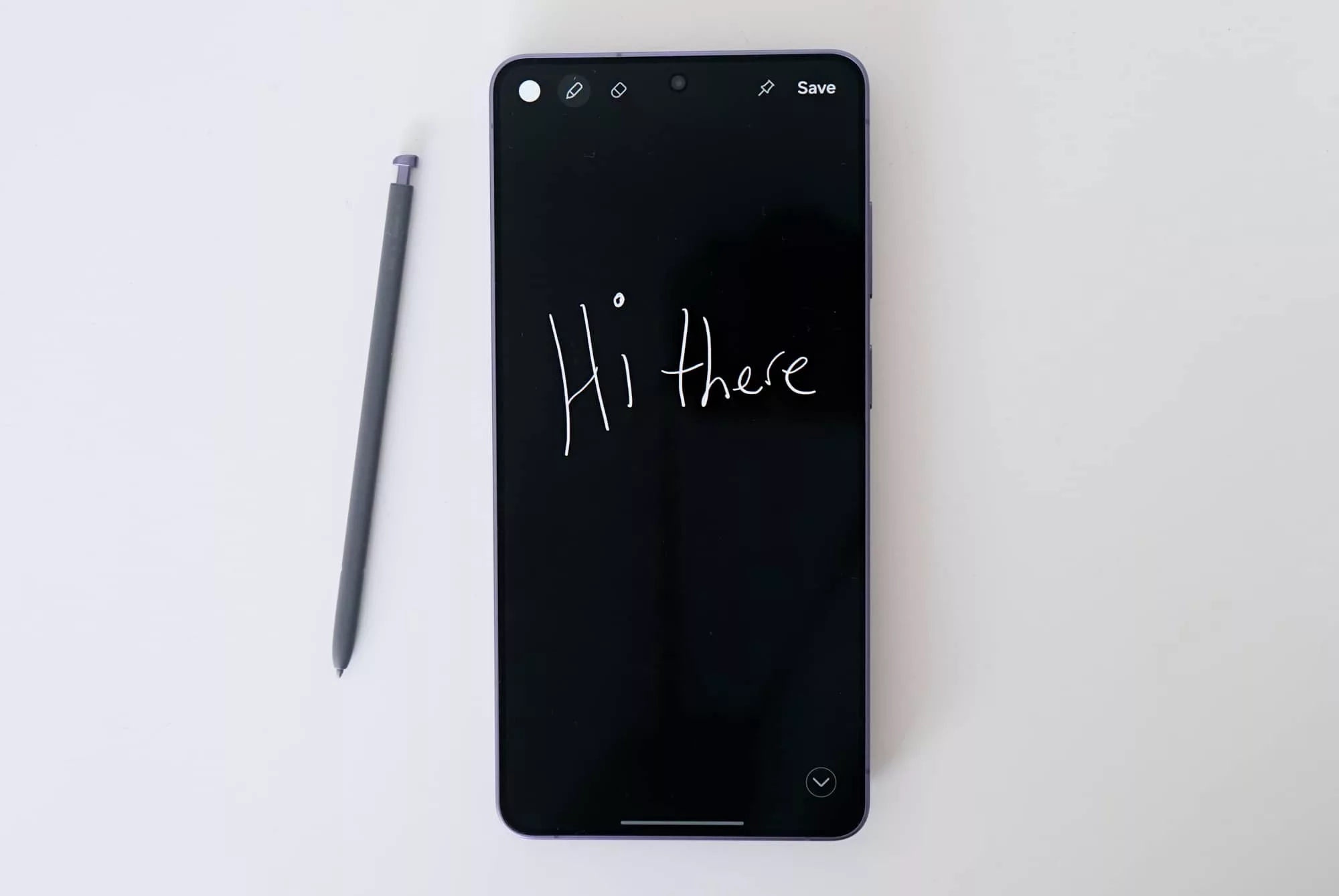
Support for the included S-Pen stylus is also here, complete with the pen resting in the body at the bottom left edge of the phone. You can scribble when the screen is on standby, giving you a monochrome display to work with, or you can use the thing in full colour. Dealer’s choice.
All of that is largely the same as the screen from the S25 Ultra, except for one majorly new feature that could be a game-changer for people: the privacy screen.
Privacy screen
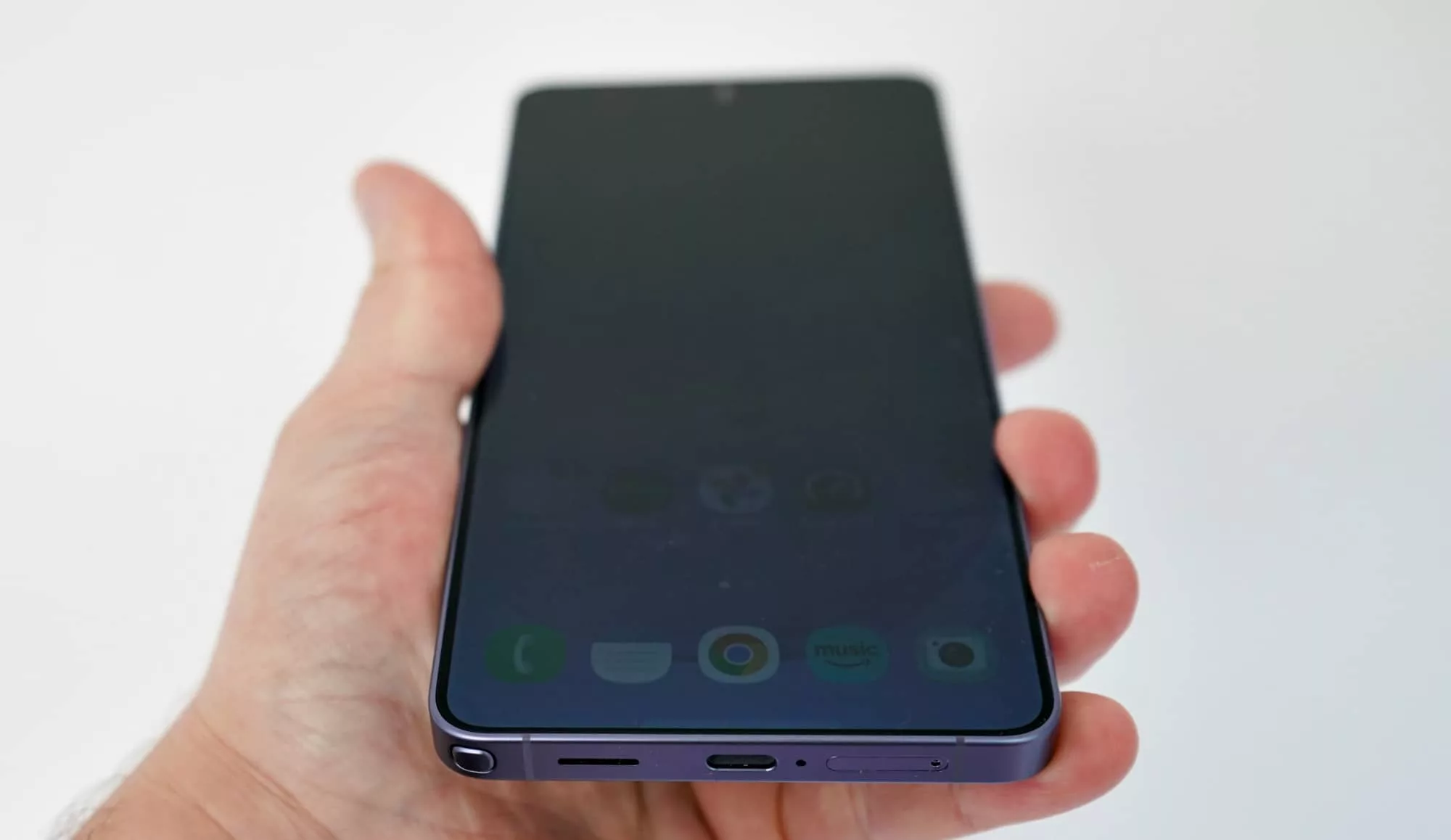
The display is impressive enough on its own, but Samsung upped the ante this year with the customisation of OLED in its “Privacy Screen” feature, a rather clever take on how viewing angles can change based on pixel control.
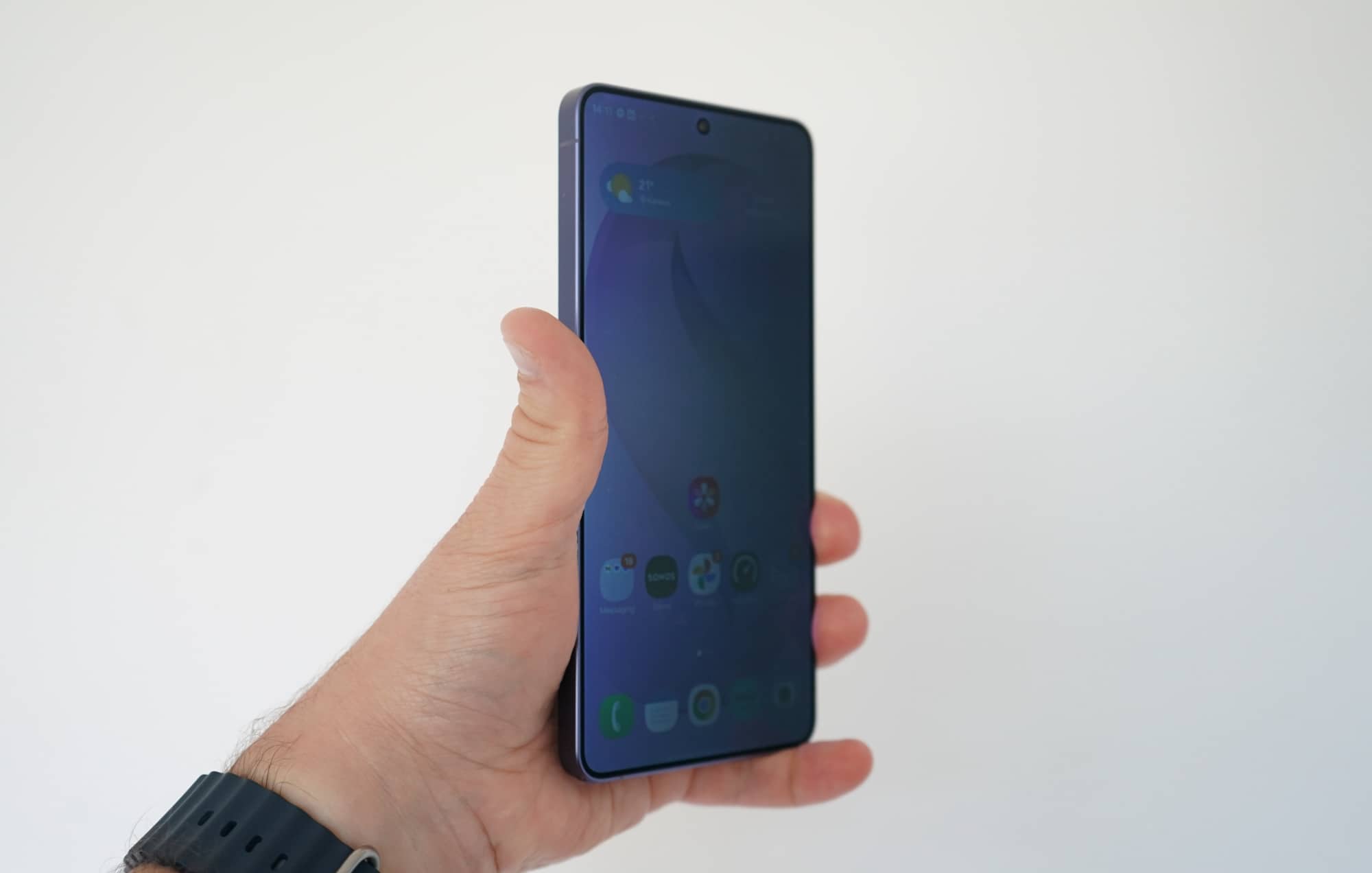
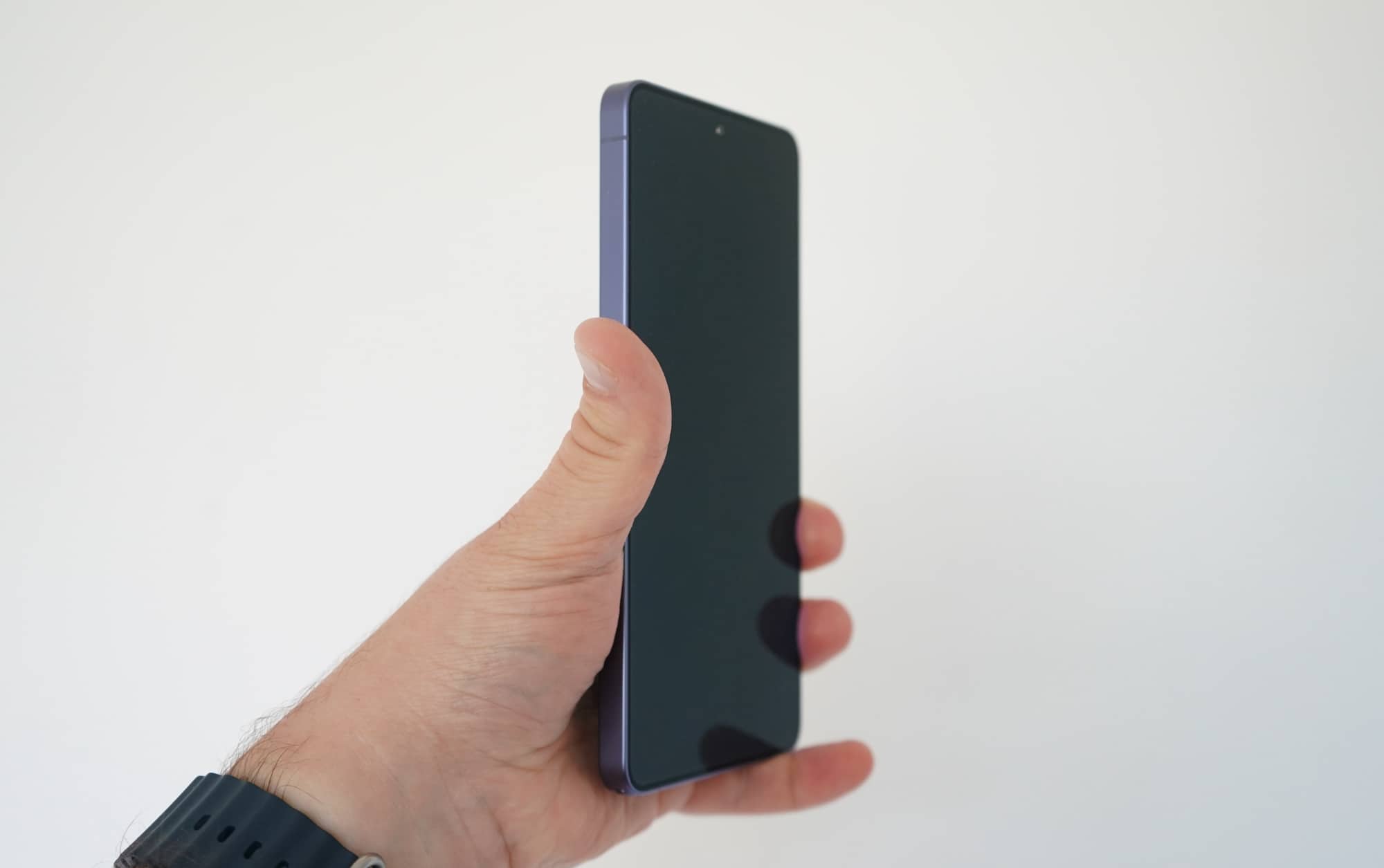
There are a few ways to trigger this, but the most obvious is to proactively turn the feature on all the time, and have various pixels switch off, limiting the angle of what you see. It doesn’t change the colour significantly, more-so just making it more difficult to view the screen from the sides.
Samsung actually offers degrees for this. There’s the regular privacy display mode, and then there’s the “maximum privacy protection” option, which limits the screen angles more, and might affect regular viewing.
Perhaps the most useful approach is with conditions, which allows you to trigger when the display or even parts of the screen adopt this approach, such as when you’re viewing text messages or punching a PIN into the screen.
It doesn’t yet support an API, so app developers can’t suddenly integrate it, as clever as it would be on your banking app. But it’s a neat inclusion, and one that kind of works like Apple’s Dynamic Island on the iPhones, providing notification alerts that can only be seen dead-on, rather than letting that person next to you on the train crane their head over to see all of your business.
In-use
Samsung’s Privacy Screen is one of the clever usability features of the S26 Ultra, but it’s not the only one. This is a big phone with lots of features on its massive screen, complete with the included and aforementioned S-Pen.
Android 16 is what you’ll be using out of the box, though the S26 Ultra supports up to seven major OS releases, meaning you should be using this phone until at least Android 23, handy if you want to keep it in action for longer.
As it is, Android is close to stock here, with a few touches of Samsung’s One UI here, supporting the company’s own password and wallet options, though they’re more optional rather than obligatory.
A fingerprint scanner is part of the in-screen package, as is a facial login using the camera built into the front of the phone. At times, you may find the facial camera is faster, but at least you have two options.
Particularly handy is the IP68 water resistance, which basically means the phone will survive more than a chance encounter with the elements.
Performance
Once you start getting into the nitty gritty of what makes the phone tick, you really see this thing has the power to keep you using it for years. That’s good, because expensive phones should be held onto for a while, and because you also want to feel like you’re getting your money’s worth.
With the Galaxy S26 Ultra, it’s a feeling that’s difficult to ignore, the phone using some proprietary modifications to the Snapdragon Elite Gen 5 chip for the performance, and the results actually being faster than other models with the same processor.
| Device | CPU Single Core | CPU Multicore | GPU |
|---|---|---|---|
|
Samsung Galaxy S26 Ultra
|
3660
|
11200
|
24842
|
|
Oppo Find N6
|
3590
|
9880
|
23066
|
|
Leica Leitzphone
|
2943
|
7853
|
22317
|
It’s kind of surreal that the speed from the S26 Ultra is faster in general, but to put it into perspective, Samsung’s 2026 flagship just delivers plenty of performance.
Compared against every major Android, the phone wins on every battleground, even taking on some of the other recent Samsung phones with ease.
While it won’t be an upgrade path for anyone with a recent Samsung flagship from the past couple of years, the fact that the Galaxy S26 Ultra pulls ahead in performance this much should tell you everything you need to know: this thing is fast.
| Device | CPU Single Core | CPU Multicore | GPU |
|---|---|---|---|
|
Samsung Galaxy S26 Ultra (2026)
Qualcomm Snapdragon 8 Elite Gen 5
|
3660
|
11200
|
24842
|
|
Samsung Galaxy S25 Edge (2025)
Qualcomm Snapdragon 8 Elite
|
3139
|
9808
|
20132
|
|
Samsung Galaxy S25 Ultra (2025)
Qualcomm Snapdragon 8 Elite
|
3051
|
9727
|
18514
|
|
Samsung Galaxy S24 Ultra (2024)
Qualcomm Snapdragon 8 Gen 3
|
2200
|
6706
|
16491
|
|
Samsung Galaxy S23 Ultra (2023)
Qualcomm Snapdragon 8 Gen 2
|
1551
|
5090
|
10512
|
|
Google Pixel 9 Pro XL (2024)
Google Tensor G4
|
1990
|
4711
|
6580
|
|
Samsung Galaxy S22 Ultra (2022)
Qualcomm Snapdragon 8 Gen 1
|
1198
|
3078
|
6116
|
|
Google Pixel 10 Pro XL (2025)
Google Tensor G5
|
2306
|
6280
|
3182
|
The system performance is fast, but so, too, is the mobile performance, which delivers excellent 4G and 5G speeds when you’re in reach of a decent tower.
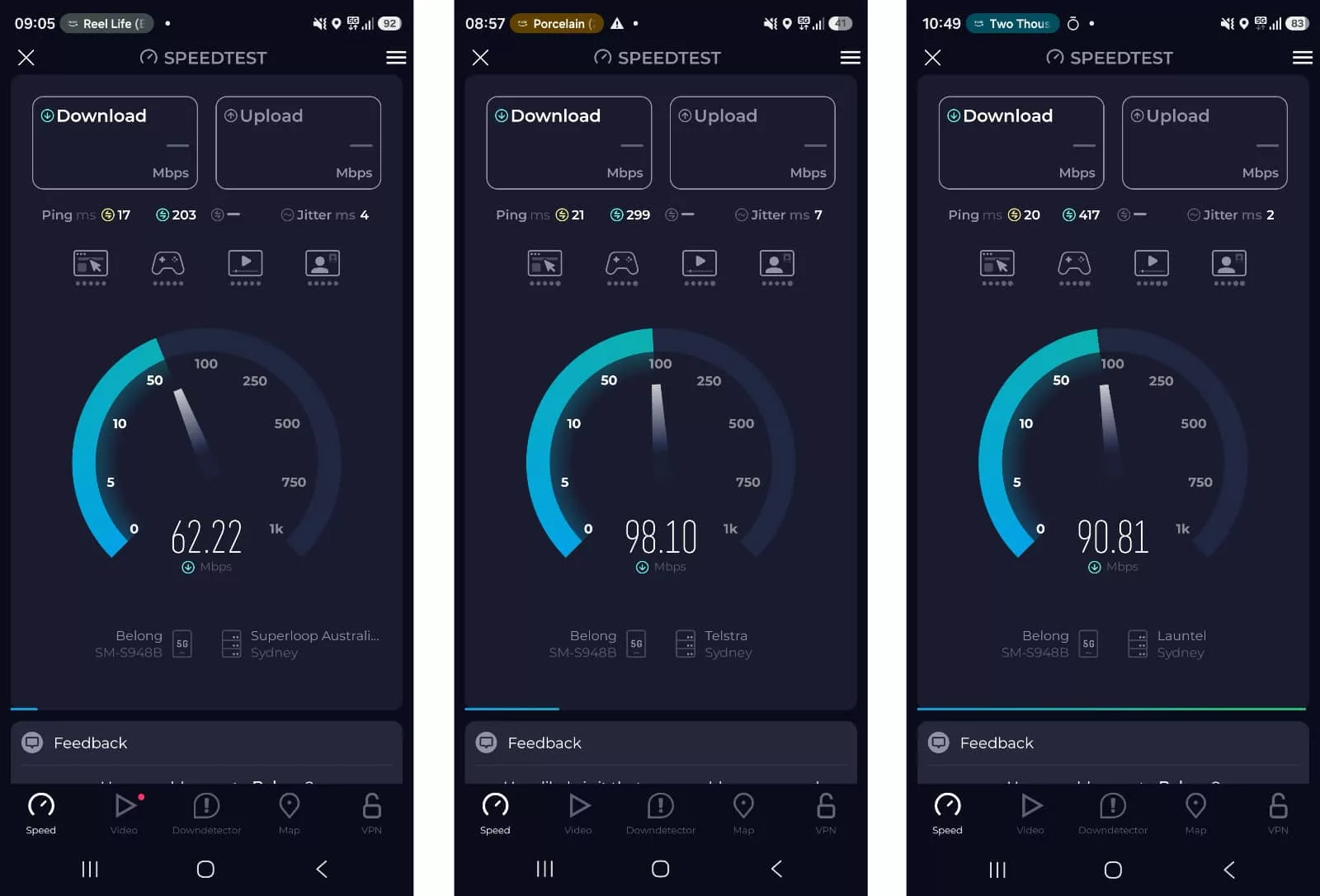
Tested using the Telstra Wholesale network by way of Belong in Sydney, Australia, we found speeds hitting a maximum of 102Mbps throughout our review, really telling us that there’s plenty to work with in this phone provided the network is being good.
Sufficed to say, you shouldn’t really have any problems connecting when using the S26 Ultra. It’s built for speed now, and for a while from now. Given it has seven years of Android updates, that should last you from here until 2033, give or take. Just in time for 6G to become a well and truly established thing.
Camera
Performance is an upgrade, sure, but so too is the camera, even if you’d never realise it looking at the back.
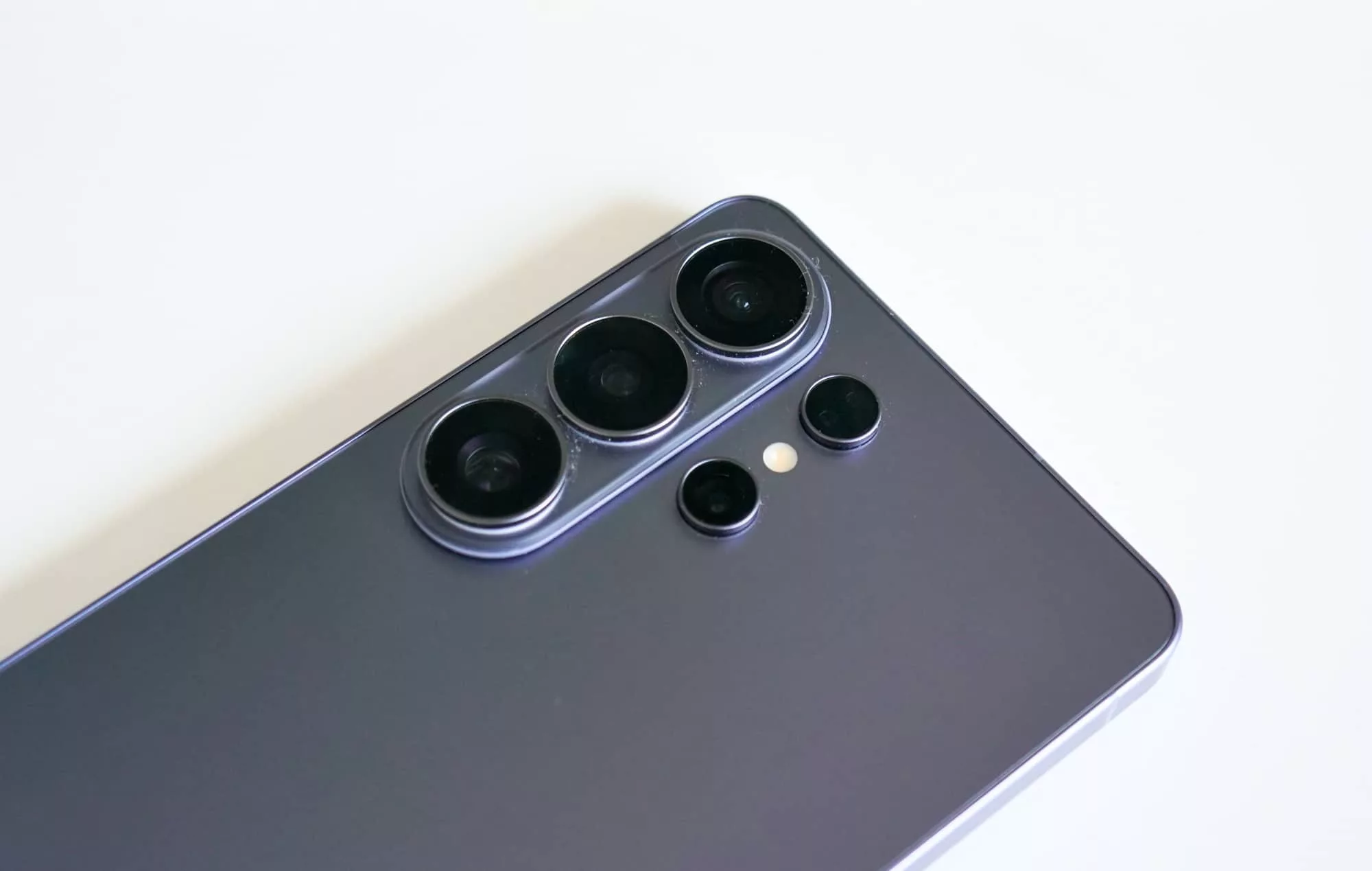
Samsung has been using a four camera system on its flagship in a slightly wider traffic-light style for a while now, and this one looks kind of the same, but the camera is a little more etched out. If anything, it helps to make the Ultra model fit more with the rest of the range, because they all only have three cameras, and this thing has four.
Technically, they’re similar, though the new model has a little more to work with.
For starters, the megapixel count is all the same, with a 200 megapixel wide camera, 50 megapixel ultra-wide, 10 megapixel 3X telephoto, and 50 megapixel 5X telephoto. There’s nothing obviously new.
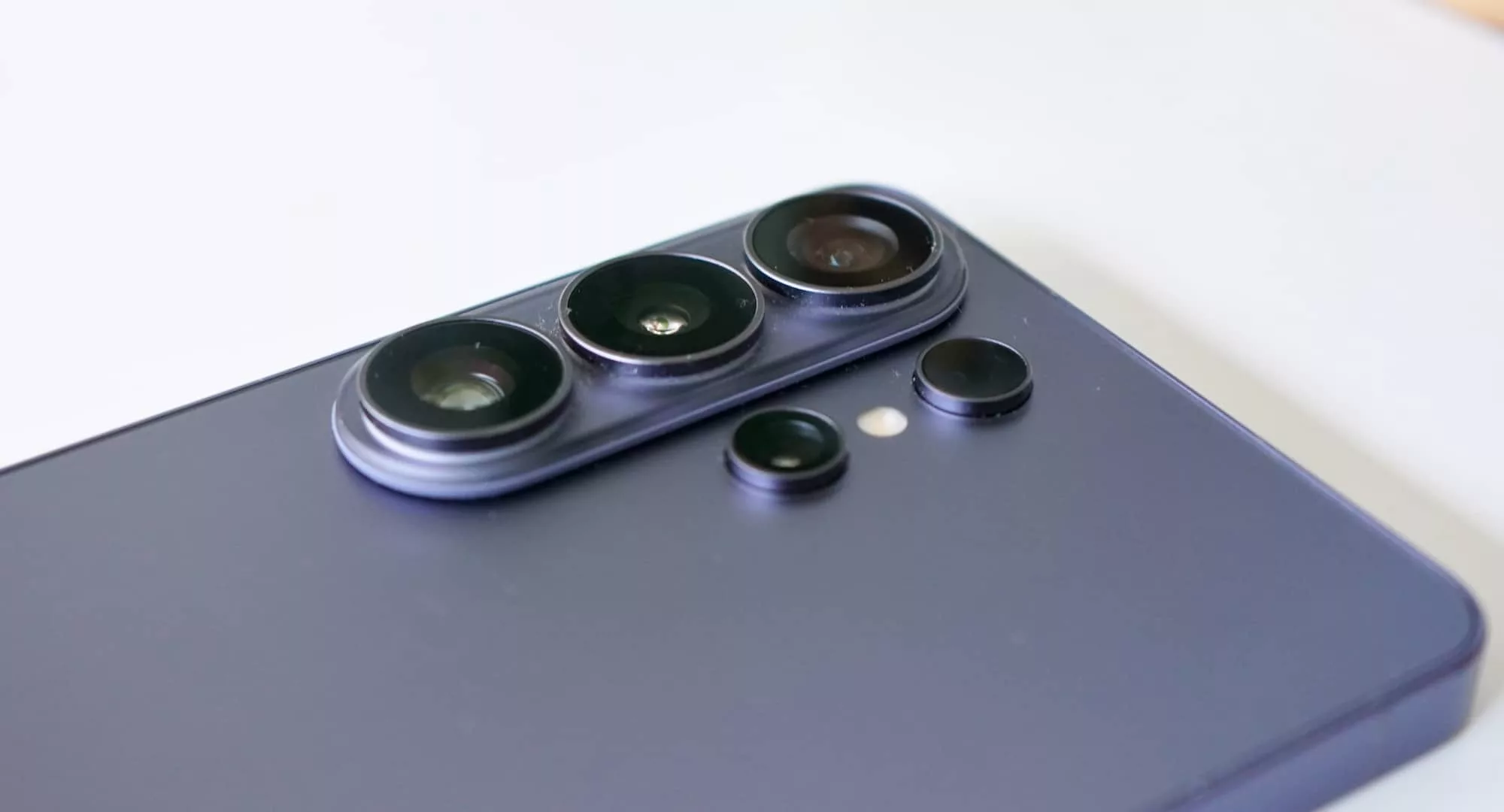
However, the S26 Ultra is also different, with the 200 megapixel now rocking an F1.4 lens over the F1.7 of last year, and the 5X telephoto getting the S25 Ultra’s F3.4 aperture now down to F2.9 on the S26 Ultra.
Both are little differences, sure, but they’re also big deals when it comes to light.
If you’re not familiar with how light on cameras works, the lower the aperture, the more light can come in, which makes for a brighter images where it matters. And it matters here.
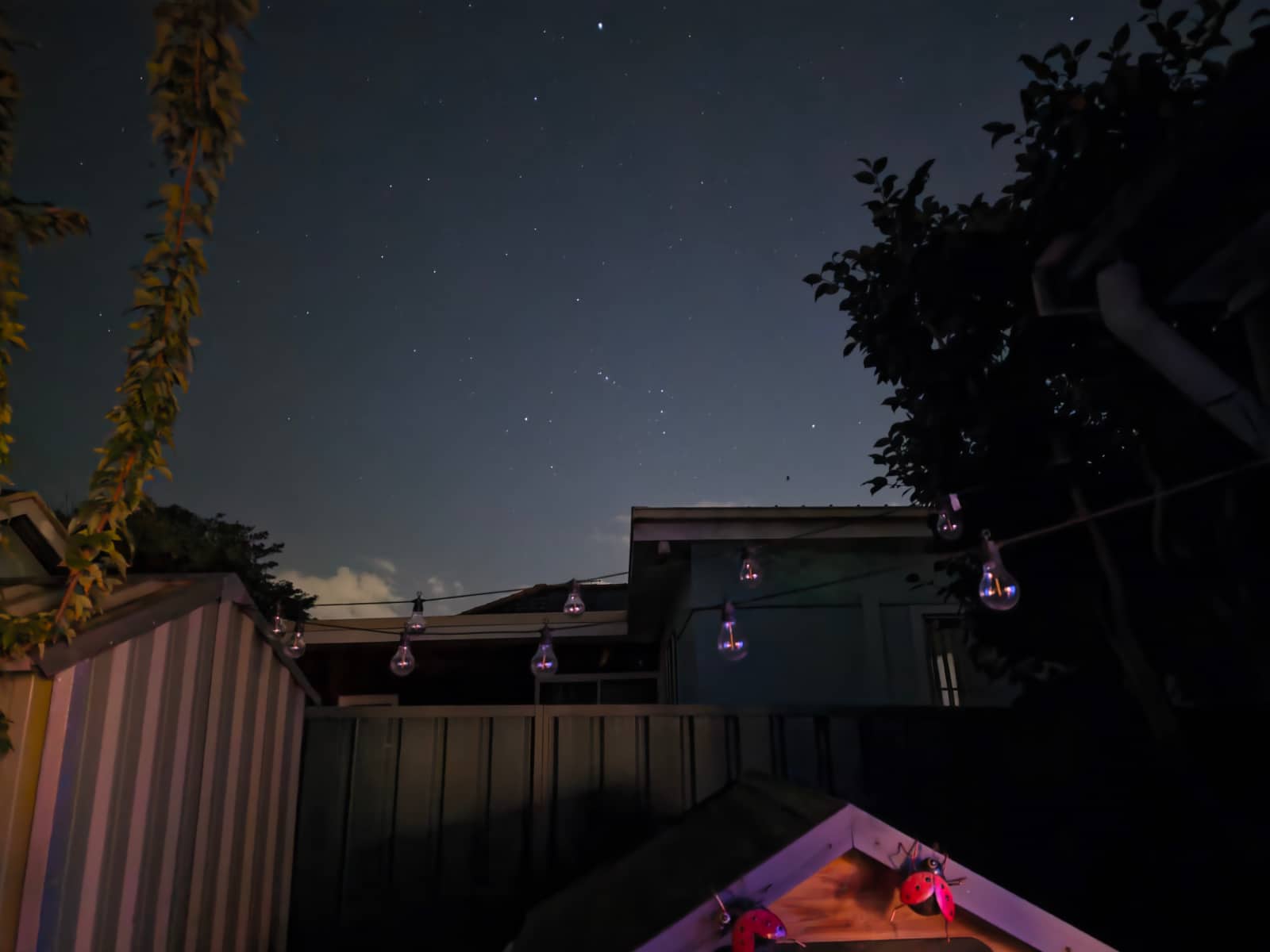
Images shot on the S26 Ultra are bright, clear, crisp, and easy to view. Whether wide or close, you’ll find great pictures, and the low light isn’t bad, either.




Samsung has also been working on the software side of things, and that’s where things get particularly interesting.
Most of the modes are basic and designed to be easy, but you also get two pro photo modes and one pro video mode, all of which afford a little more control.
In fact, it’s in Pro Video where things become really interesting, especially with regards to how you can make the look of videos that much more dynamic and film-like.
The power of LUTs
There are preset colour settings in photos, of course, but outside of images, there are also tweaks to what you can get out of videos to boost the colour or even shift its feel entirely.
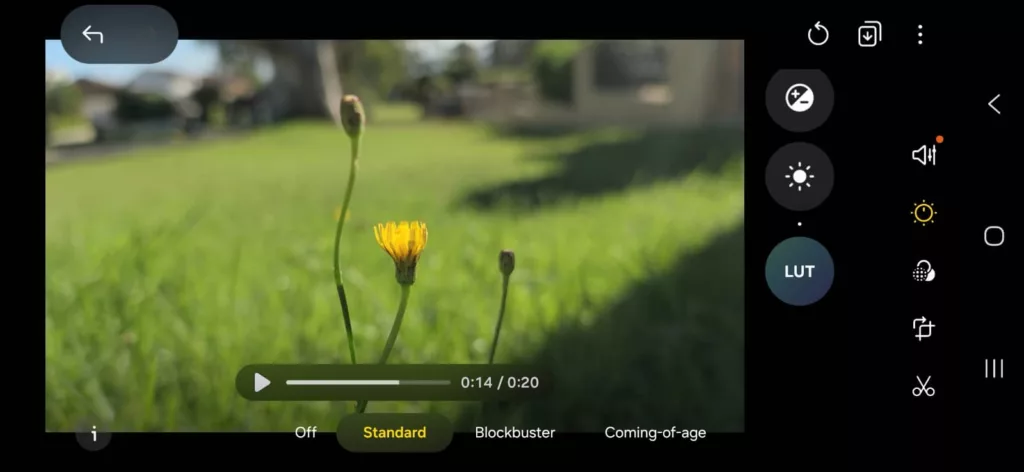
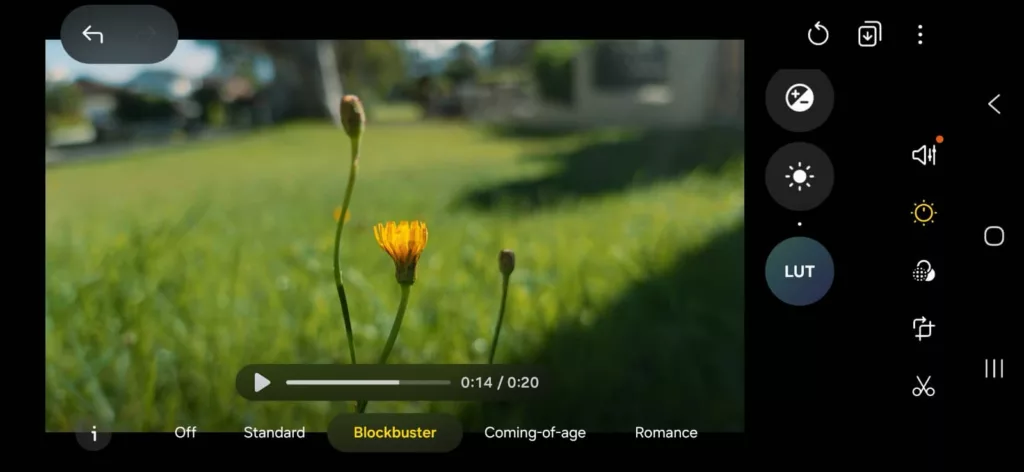
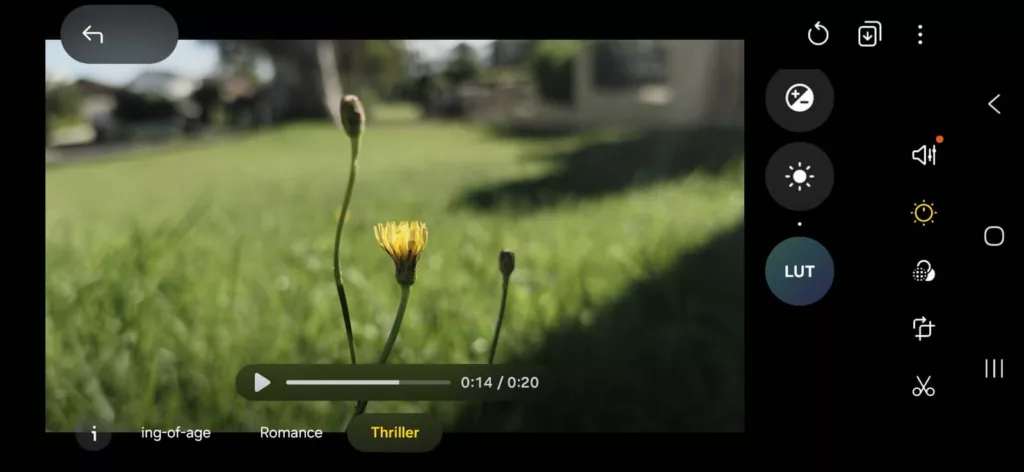
In professional video editing, it’s an area known as “colour grading” and uses a format called a “lookup table”, what is ostensibly a set of numbers that represent colour and how they should be applied to a picture. Also known as a “LUT” (which stands for lookup table), it’s kind of like wearing special sunglasses for a picture or frame, changing the look entirely.
Filmmakers and colour specialists do it to change the look of scenes, imparting a new look on a more raw video, and while it seems like the sort of thing you’d only get on a proper camera, Samsung has brought it to the S26 Ultra.
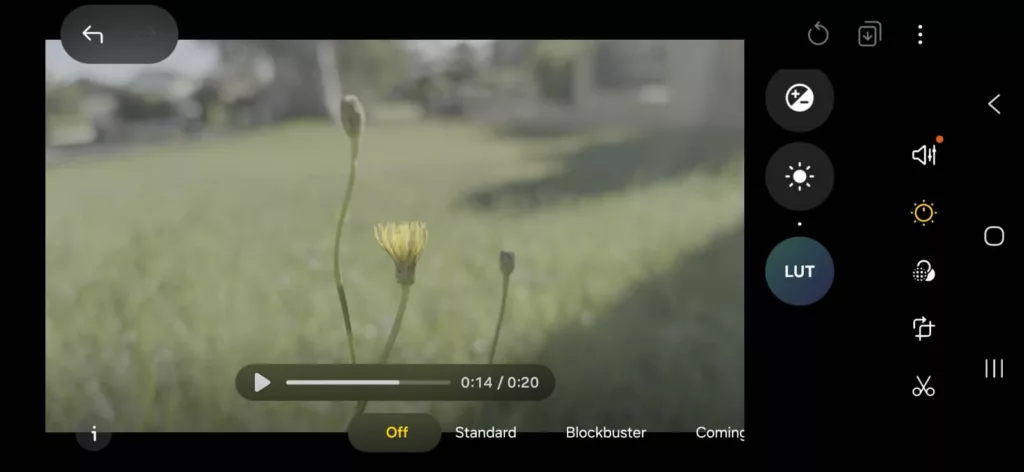
You’ll find it in the Pro Video mode, where you can turn Log video on, and change your lookup tables, switching between standard and blockbuster and romance and others. It’s not a complete colour grading solution, but it does bring some of the RAW functionality to a phone, and it’s definitely a clever start.
A super steady cam
It’s not just colour grading that gets a win in this phone, but also the power of steady cam.
If you’re tired of all the times when a camera is blurry or motion-heavy because you’re trying to nail the perfect shot, you may have turned to a gimbal. This clever little gadget typically comes in its own accessory, and allows a phone camera to hold its centre of gravity even as you move it.
The problem with a gimbal, however, is it costs extra. And yet here on the S26 Ultra, Samsung has kind of built one into the hardware.
It’s a bit of a trick, but it’s a clever trick all the same. Instead of using a hardware gimbal, Samsung’s Super Steady basically captures at a resolution lower than 4K, and resamples the video so that instead of seeing motion, your video image is changed to keep things motion-free.
Overall, it means that when you run Super Steady in video mode, you can get by without blurry motion disrupting the flow of what you capture, and instead get a sharper and clearer video. It’s not going to be for everything, but like the Privacy View feature, it’s a genuinely clever addition that could make capturing videos regularly better, and you a happier content creator, to boot.
AI powerhouse
The other impressive feature to really grab is the sheer amount of AI in this phone, an addition which could divide, but also manage to draw some people in.
If you love the idea that AI could make your photos better, or even make them something they weren’t, you’ll love just how much extra the Galaxy S26 Ultra has.
And if you’re more of a purist and don’t fancy anything in AI, you may just well, not. Basically, you don’t have to use it.
But if you are into the AI world, you’ll have the control to send practically any photo you capture and even elements of the photo to an AI model to add and edit parts.
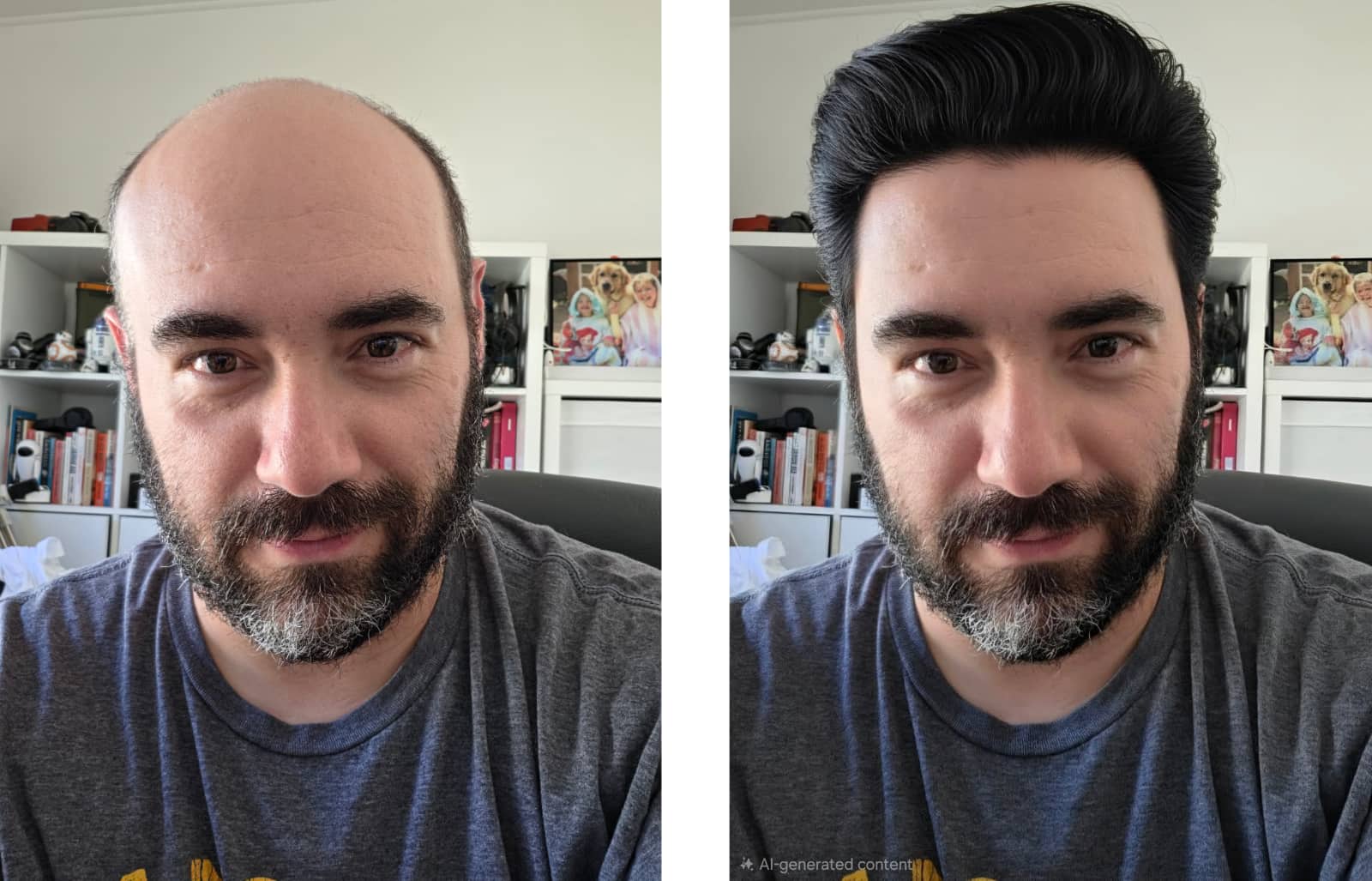
That means you can change the whole image and describe how the image should look, warping a photo by letting AI add some magic and making it something else. Or you could grab the S-Pen and draw a place where something should be: a bird on your shoulder, a hat on your head, a cake on a table, and so forth.
Much like how AI tools like Midjourney can make history appear different and images out of seemingly nothing, so too can the Galaxy S26 Ultra, with the AI features basically expanding on what a real photo looks like.
The result is both good and bad, and really has the power to divide. Some people will love the sheer amount of creative flex that it affords, while others will try it once, simultaneously squint and frown, and decide to never do it again.
You can also use other features to turn scribbles from the S26 Ultra into AI art, such as a napkin scribble or a drawing from a child into stickers or wallpaper, or maybe just a new character.
Like the photo manipulation, the AI image editing isn’t something everyone will like, but it is offered as a stock standard on this phone, and does a little more than the usual “make generative AI wallpapers” and “circle to search” that AI in phones has largely become.



Battery
It’s not just the camera that scores points, but also the battery, which delivers some clear wins.
While most people will likely want to charge it nightly, our time reviewing the S26 Ultra showed you didn’t have to plug it in every night, and could survive close to two days of actual life. That’s a win, though it didn’t quite match up to what the S25 Ultra achieved in our bespoke Battery Bench app, and sits below where Apple’s iPhone 17 Pro Max scored.
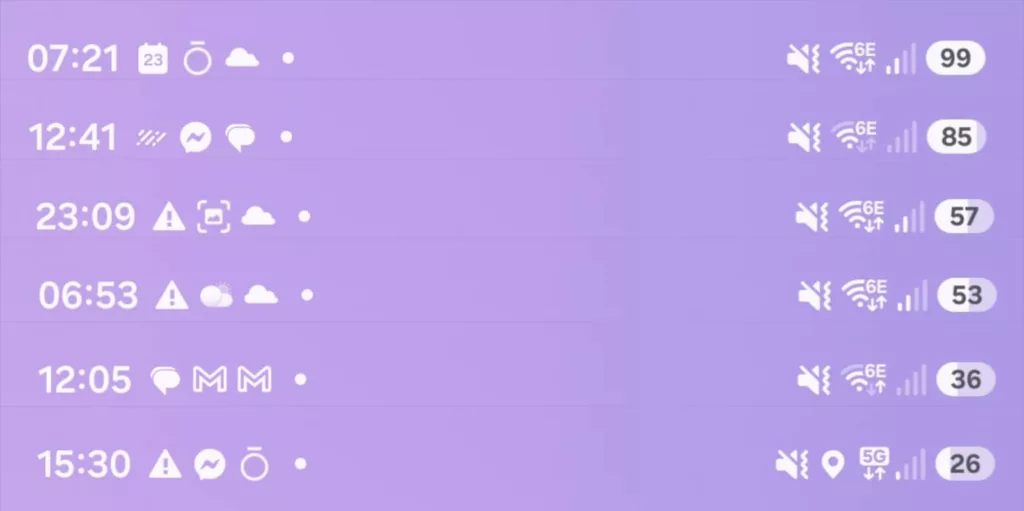
Where things need a bit of work are in the category of wireless charging, which this phone does support, but misses out on built-in Qi2 magnetic charging.
One of those odd omissions, the absence of Qi2 25W magnetic rings comes down to size: to get the phone slimmer (and possibly more compatible with the stylus-supported screen), there are no magnets. That means if you do want to connect it to a MagSafe or Qi2 charger, you need a case, though that comes with its own problem.
Every charging stand we tested — including the recent Journey Summit and the Belkin UltraCharge Pro — held the S26 Ultra in its Qi2 case, but only at an angle. That’s not a problem of the case or even the charger, but rather the phone; the camera configuration is so large that it gets in the way of the charging panel.
Sufficed to say, while Qi2 can technically be supported on the Galaxy S26 Ultra, you’ll likely want to keep charging it using a cable, or even a flat wireless charger the likes of which Samsung makes. The regular Qi2 fare just doesn’t cut it.
| Device | Battery |
|---|---|
| Apple iPhone 17 Pro Max |
25:49
|
| Samsung Galaxy S25 Ultra |
23:04
|
| Samsung Galaxy S26 Ultra |
22:09
|
| Google Pixel 10 Pro XL |
20:51
|
Value
While the Qi2 thing raises eyebrows, especially because Google does support Qi2 using PixelSnap, the price is one of the key parts that can be difficult to forgive.
You can probably thank a combination of the AI memory and storage crunch, as well as a higher standard of living, because this year’s Ultra is ultra-pricey.
Officially, the S26 Ultra starts at $2199, making it an expensive flagship, especially when you consider that it’s different from the rest of the S26 range.
Almost every aspect is different about this phone compared to its S26 and S26+ siblings, separated by screen, size, pen, processor, battery, and camera.
There’s a reason why the S26 Ultra is the flagship, but it’s not like how it is between the iPhone 17 Pro and 17 Pro Max. Those two phones were practically identical save for screen size and battery, and it made the 17 Pro affordable by comparison.
The S26 Ultra is the only proper flagship for Samsung so far in 2026, and while its price isn’t substantially different from its iPhone 17 Pro Max’s $2199 starting price, the value feels like it needs a little more in the kitty, as well.
It’s an expensive Android, that’s for sure. If you make use of all the features, you’ll find value, but we doubt everyone will. We’re not really sure anyone will.
What needs work?
There’s a lot to the S26 Ultra, so much that it’s next to impossible to cover everything. But there are also obvious points that are impossible to ignore once you’ve seen them, or in some cases, not even found.
Like the omission of magnetic rings for Qi2 charging, which don’t make an appearance on yet another generation of Samsung Galaxy S flagship. They’re simply not here, even if Qi2 technically can work for charging. It won’t magnetically snap, but it will work.
The problem is this technology isn’t new. It’s found on every current iPhone, including the budget iPhone 17e. You can even find Qi2’s magnetic charging rings in a Google incarnation, in the PixelSnap-supported Pixel 10, Pixel 10 Pro XL (and Pixel 10 Pro), plus the foldable Pixel 10 Pro.
It’s not as if Samsung would be alone if it supported Qi2; rather, it’s more alone in not supporting magnetic charging.
You can get a case, sure, but it’s not the same, and not every case supports the magnets, either.
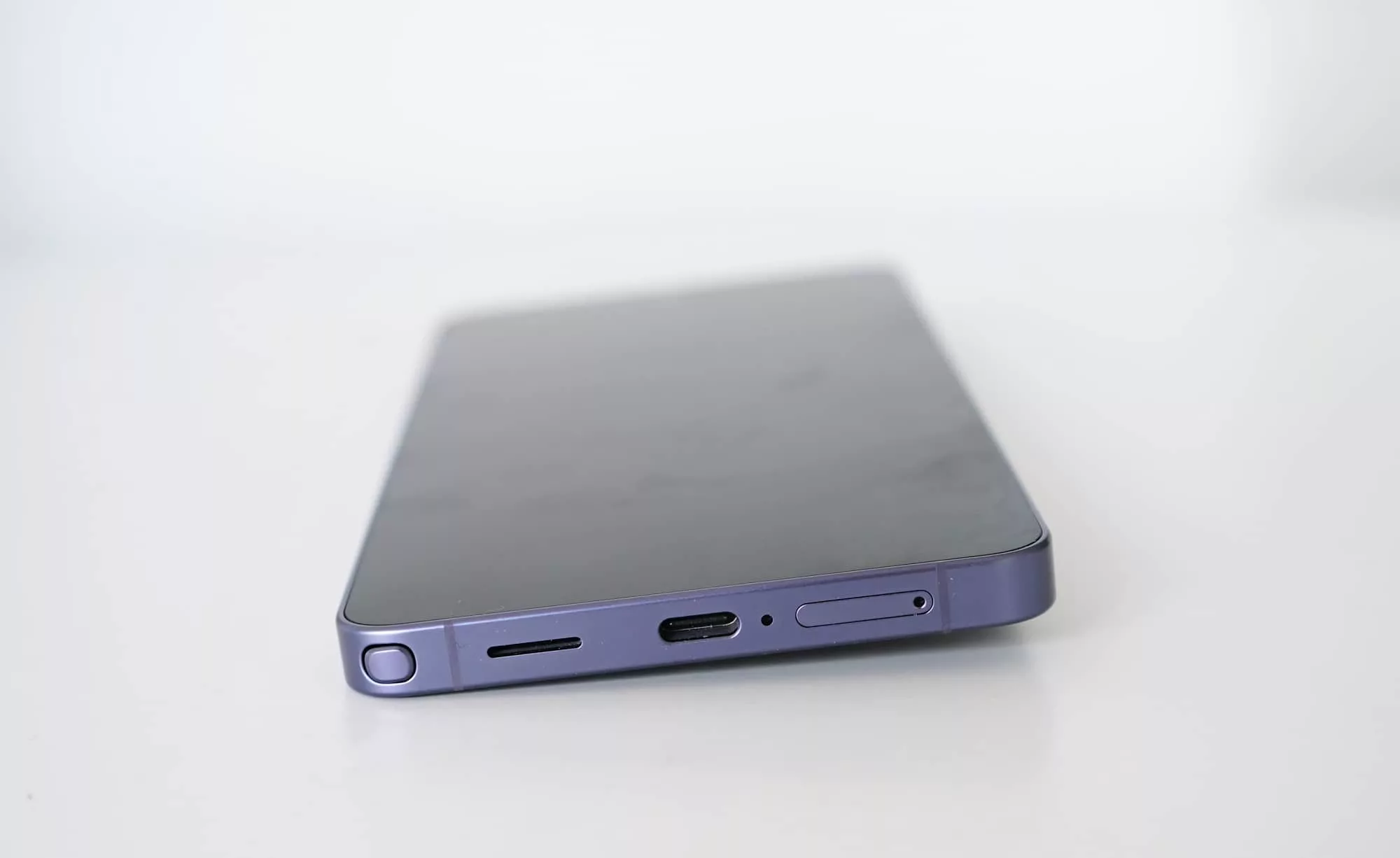
And then there’s that S-Pen, which is a nice inclusion, but now comes part of the soft corner design of the S26 Ultra, and means the back technically only fits properly one way.
In this generation of Samsung flagship, you can actually insert the S-Pen into its chamber any way, but do it the wrong way, and the back will jut out slightly.
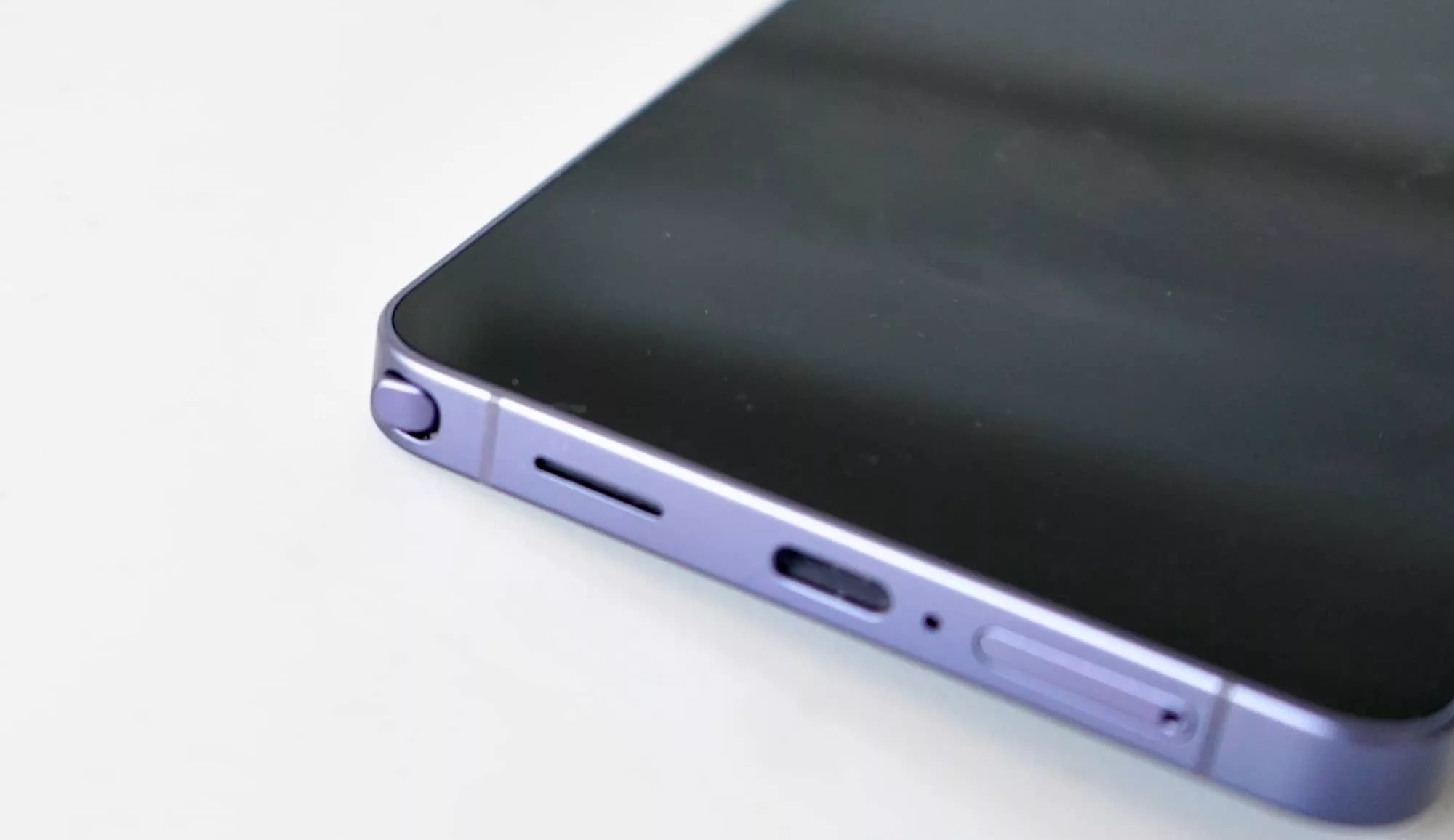
On the one hand, you can see why Samsung curved the frame as it makes everything look pretty. And yet on the other, the S-Pen is curved in a way where it’s just a little weird, and it doesn’t fit nicely.
That all culminates in a feeling of polish, which the S26 Ultra gets close to, but never really nails it.
You can feel it in the software, which delivers so much, but also seems like it pulls a punch or two. Even the fact that the expert RAW camera is an extra that doesn’t really integrate with the rest of the system is an example of the whole thing not really gelling together.
Sometimes the camera just feels flat and dull, too, though if this happens, make sure Privacy Mode isn’t switched on as it seems to be the culprit (and something the app doesn’t warn you about).
It’s even there in the hardware design, such as when you leave the phone on a surface face up, and it doesn’t sit remotely flush, sitting at an awkward angle. The niggling aspects of the S26 Ultra actually jut out in much the same way as the S-Pen sitting at an awkward angle, which is a shame.
Fortunately, there are aspects we love.
What we love
Such as the privacy filter screen, which is a genuinely clever aspect and approach to screen technology. It’s actually interesting that no company has thought of this sooner, and that switching off certain pixels can make the screen that much more difficult to view while still being on the whole viewable.
We probably shouldn’t be surprised that a company famed in building screens has come up with the idea, but it’s surprising all the same. It’s a genuinely cool feature.
As is the support for LUTs in the video mode of the camera, which while locked down right now, sounds like a dream for eventual expansion and extra capability.
These might seem like little features, but they’re clever because they expand on what a phone can do. The phone may not feel finished, but it does manage to try new things in a way few phones dare to.
It’s a phone made for more with content creators at the heart. That’s not a bad thing.
Final thoughts (TLDR)
Not everyone will agree with everything the S26 Ultra stands for, and that’s fine. Samsung is clearly trying a different approach in the S26 Ultra.
No longer content with simply being an alternative Android for folks who don’t want either a premium Google Pixel or the alternative iPhone Pro Max, the Samsung Galaxy S26 Ultra tries to stand out with AI features beyond the basics and extra bits no one has thought of. It’s bold and clever, though it won’t be for everyone.
The good news is the parts you mightn’t like are optional, as is everything else. It’s a phone, and you can use it as you see fit. The bad news is those extra bits feel like they need more polish overall, and sometimes you can feel it.
If you can forgive the occasional bug, Samsung’s Galaxy S26 Ultra delivers a package that aims to stand out, and even gets quite a bit of the way there.