Beyond your keys, there’s probably one thing you can’t leave the house without. It always needs to be charged, topped up, and kept with you at all times: your phone.
It’s your wallet, your map, your communicator, your email, your music player, your camera, your menu, your mirror, your way to catch a ride, your research buddy, and more.
Your phone is your way to connect with everything and the world in this day and age, and it is probably on your person or near it at all times of the day when you’re clothed.
But did you know that what you do on that device isn’t always secure and isn’t always private?
Things are getting better, but there are scores of ways advertisers and marketers and websites can track what you’re doing.
What’s going on?
Everything wants in
What makes your phone unique isn’t just that it’s your phone, but rather that it’s reflective of your life. That’s important and key to understanding privacy settings on the whole, because your life and your data are both unique to you.
It’s about you. It’s about the things you do, and it’s probably stored on your phone.
Whether entirely or partially, your phone acts as a source of truth specific to you, detailing information that’s important to you and things you’re planning to do.
That sort of data is lucrative to companies who want it, and it can be sold or sent freely to people with little bits of code that monitor it for use later.
It can include and reflect your location data and GPS information, your camera, microphone, calendar, call logs, contacts, health, and more. If external third party apps can take advantage of any information in your life gleaned from any of the features available on that device, you can bet someone will have a script, a cookie, or a part of an app keen to do just that.
Every time you see something important on your phone and wholly relevant to you, that’s sensitive data potentially built to be guarded. You probably won’t realise it, but your phone sees sensitive information at lots of times throughout the day, from writing and reading and talking and listening.
Whenever it does any of these things, the source of truth that is your phone is expanding what it knows.

For other apps, this data can be a treasure trove and gold mine of information. It can be used to market to you, to help develop products, and ultimately tell people and companies things that you mightn’t have given them permission to take from you. It might even be used and send to the seemingly never-ending influx of scams.
Think of it as telling lots of places about something that you were unaware of in the first place. Congratulations, you’ve just signed up to be a rodeo clown, and your data is being fed to the bulls. Hooray for you.
It can be a mess, and is why privacy settings exist.
What privacy settings do
They’ve changed a lot over the years, but these days, your phone not only acts as the holder of all this information, but also the safeguard of it, as well. Information is under lock and key, provided you’re aware of what’s being locked up and what the key says.
Found inside your phone’s settings on both iOS and Android, you’ll have a privacy dashboard that shows what apps are doing these things, and to turn them off. As in you can deny the access, disable the feature, and hopefully the app will work just the same.
Effectively the gatekeeper of the mobile world, privacy settings allow you to place a lasso and fence over the bulls that are excess trackers attempting to leave the rodeo of your life.
To illustrate this, imagine your phone simply being used as your phone. You use it as you normally would, but leave your privacy settings off.
Without any settings in play, you browse the web as per usual, and little bits of code designed to track your life arrive. They sit in the background, reading your details and source of truth, and transmitting them to the world.
You can stop them, but you have to know how.
Our example (above) shows what happens when you do just that. If you use your privacy settings, you can prevent third-party trackers from getting your data, essentially locking out unnecessary gunk.
There are some exceptions, however.
The operating system gets in the way
If you have an Android phone, your mobile might actually get in the way. Google can require some access for apps, and its trackers tend to be fairly useful for a complete mobile experience — location, movement, etc.
That being said, you might yearn for more control over your privacy. If that’s the case, you have options.
Fans of Android may want to consider security-focused versions of Android instead, such as GrapheneOS or /e/OS, versions of Android that are essentially unwrapped from Google and focused on privacy.
They’re a little more arduous to upgrade to, and you mightn’t find it an easy install, but it can work.
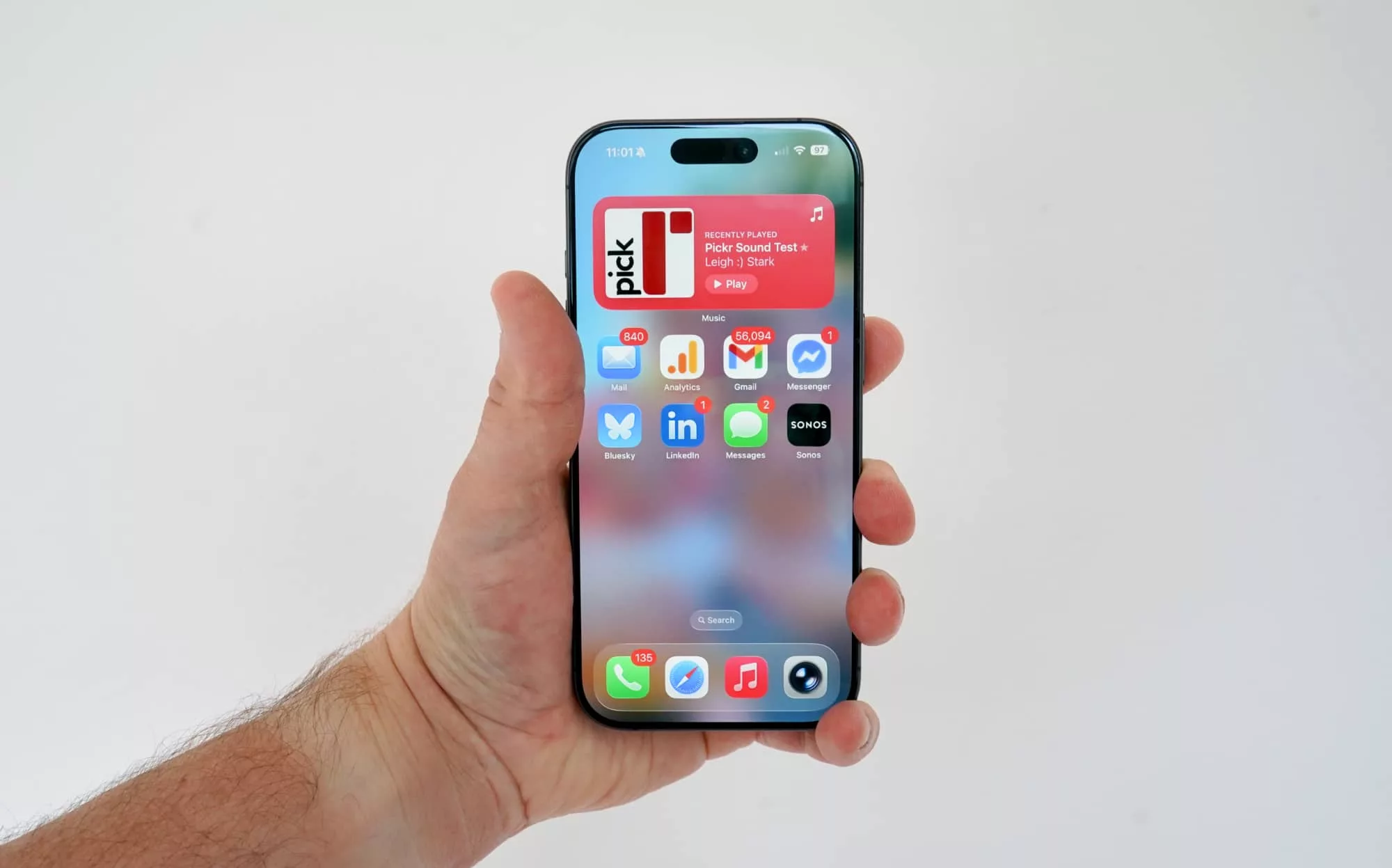
Alternatively, Apple’s iOS is considered to be quite private, with plenty of control extended to the app controls. Chances are that any privacy issues that pop up here will likely come from apps you might have installed, though the App Store tends to do a pretty good job at detailing what information is used with each app and whether it is linked to you.
Do the privacy controls work?
The big question is whether privacy controls work at all and limit tracker activity, and the answer appears to be yes, though it can take time to see the results.
You might see fewer advertisements specific to things you search or use inside apps, but still see ads aplenty. These are two different issues; the first is about privacy filters doing their job, while the second is about websites and apps trying to make money.
Privacy filters aren’t designed to block all ads, just prevent your information being used for the ads you receive, but it can be difficult to untangle that mess.
However, your device can provide a great indication for whether privacy filters are doing what they’re intended for: preventing tracking across your experience.
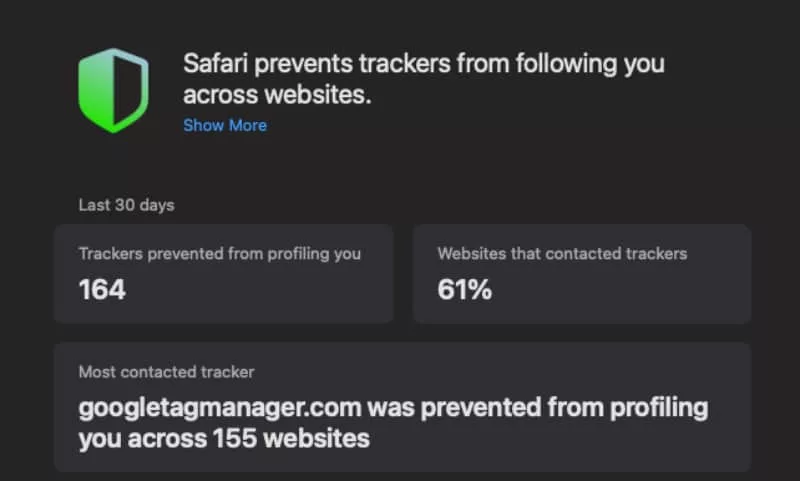
Take how Safari considers things, accessible on macOS when you trigger the “Privacy Report”. This report flat out tells you not just how many trackers were prevented from profiling you or how many websites tried contacting trackers, but also which websites they were and the number of trackers that were on them.
A privacy dashboard of sorts exists on iOS, as well, but it tends to offer direct access to the apps that purportedly need your permission, and you can cancel their access there if need be.
Ultimately, though, you can rely that your privacy settings are typically doing something, even if it feels like they’re not.
And if it feels like too much is getting through or from your source of truth to somewhere else, consider diving into the app list in your privacy settings and taking a more active interest. You might find there’s just a bit more control than you expected.