
Quick review
The good
The not-so-good
They say two heads are better than one, but what about two screens? The Asus Zenbook Duo is better than it should be, though the $6400 starting price really stings.
Laptop design changes in look here and there, what with different chassis materials, lid designs, accents and colours, and a general look, but on the whole notebook design is pretty consistent.
A notebook is a screen hinged to a bottom section with a keyboard and mouse sitting atop the rest of the hardware. This doesn’t really changed.
So what happens when a laptop decides to adopt a different style, and removes the keyboard entirely, replacing it with a second screen?
You get the Asus Zenbook Duo, a concept laptop that feels very much like it was meant to be a foldable, but saves money and maintenance by using two great screens as opposed to simply one foldable display.
Design
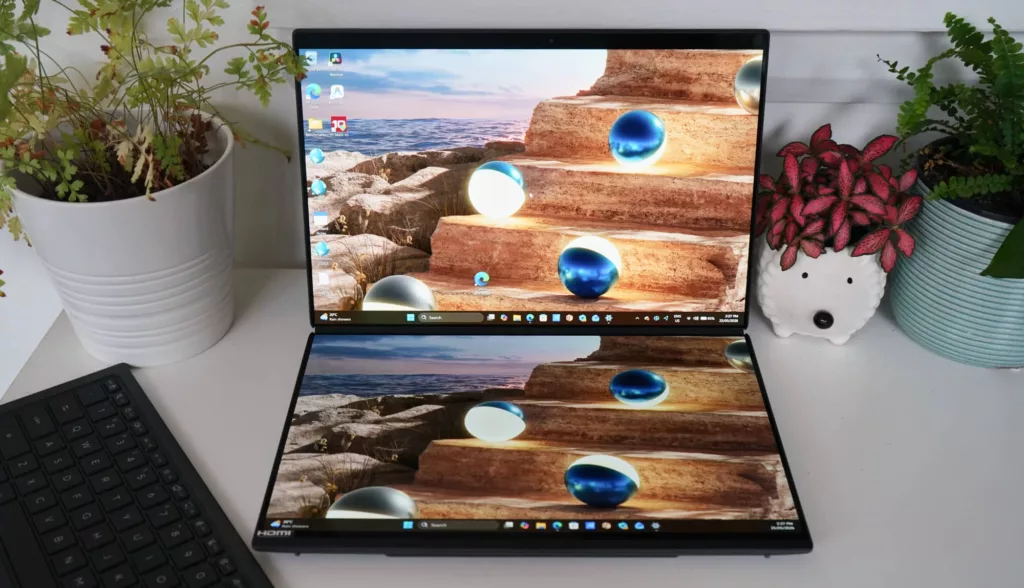
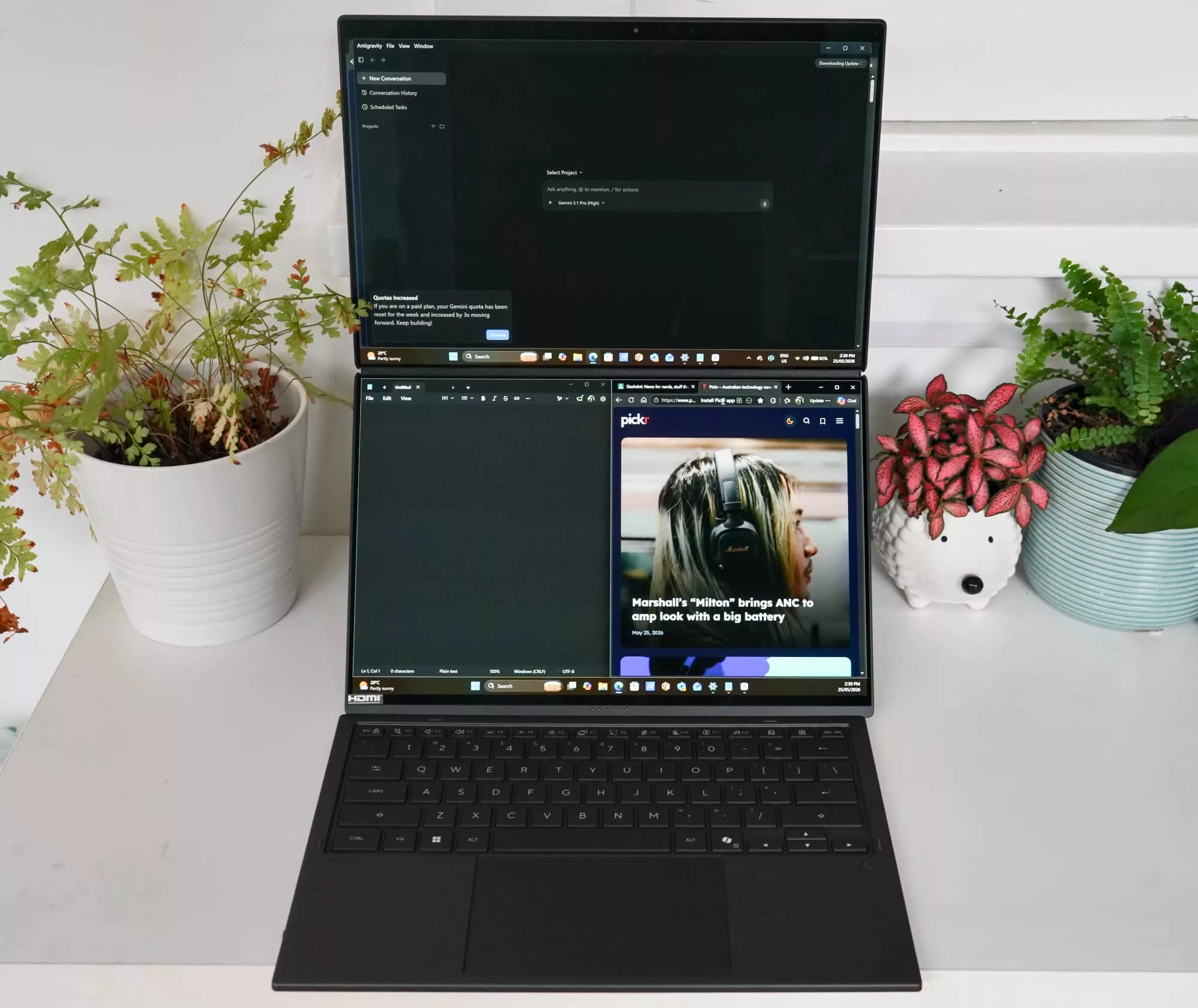
Are two screens better one? That’s the question the design of the Zenbook Duo asks almost immediately from the get-go, with one screen in the regular position and another where the keyboard should go.
That design trait makes the Asus Zenbook Duo immediately different from other laptops, though outside of this, it is largely also the same.
Also known as the UX8407, the 2026 Zenbook Duo comes in one colour in a composite material that feels like aluminium, but also apparently has ceramic in the build. The official name is “ceraluminum” — because it’s a combination of ceramic and aluminium — which helps make it a little stronger than the expectation of simply using plastic. You can expect this material on the hinge and kickstand, as well, giving it a nice firm and durable feel.
Outside of this material and the fact that two screens are present on either side, the Zenbook Duo looks like a conventional laptop. The only major difference is the aforementioned kickstand, which comes out of the back to stand the laptop up in different ways.
It all arrives in a laptop measuring 23.4mm closed and weighing 1.65kg all up.
Features
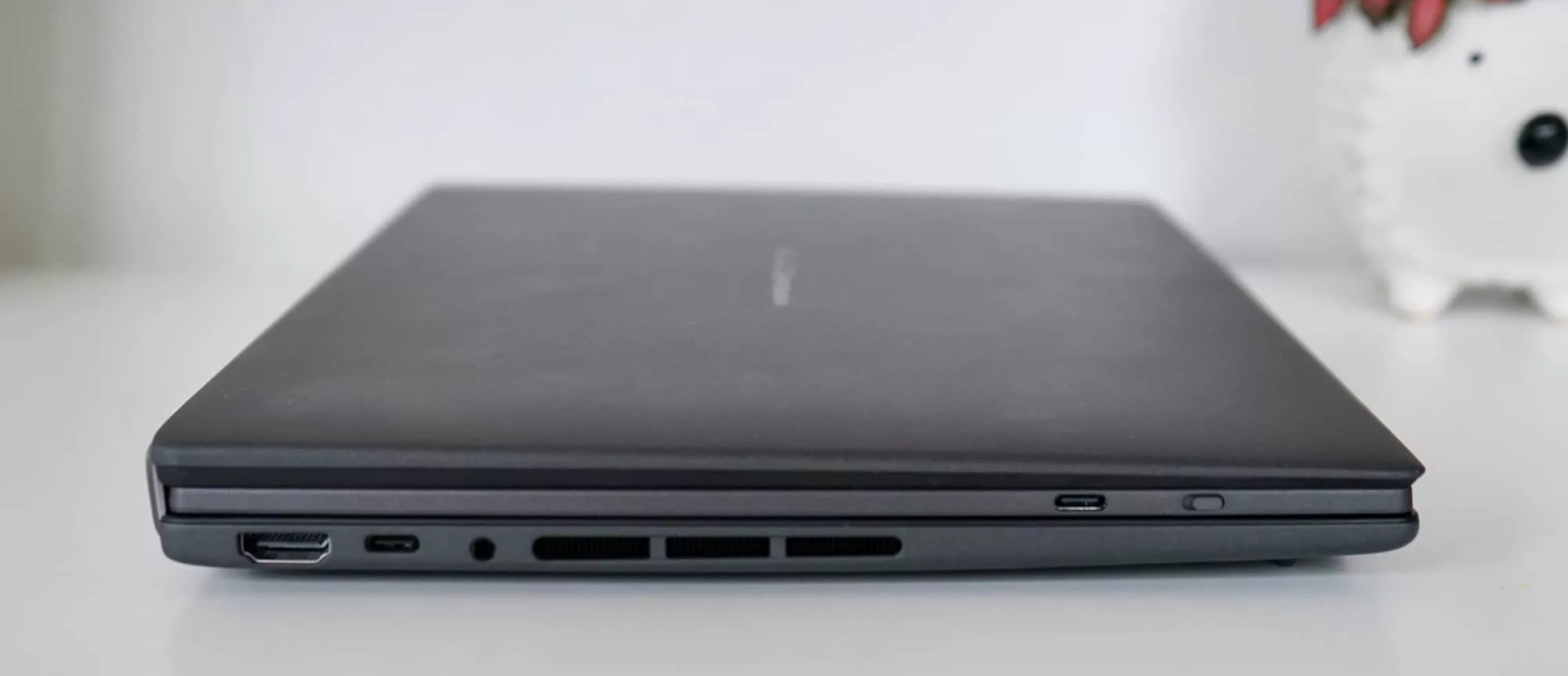
Go under the surface and you’ll find one of Intel’s latest processors waiting for you, either the Core Ultra X7 358H or the Core Ultra X9 388H. That’ll be matched with 32GB RAM — the most you can use on the laptop — and 1TB SSD. For the purposes of this review, we’re looking at the X9 edition, but all other specs remain the same.
You won’t find discrete graphics here, but you will find Bluetooth 5.4 and 802.11a/b/g/n/ac/be WiFi 7, while wired offers two USB-C compatible Thunderbolt 4 ports for charging and data, one USB-C, a 3.5mm headset jack, and a lone HDMI port.
There’s also a Full HD camera with an infrared system to let you log into Windows using Windows Hello, a microphone, speaker system, and support for a stylus, which is included in the box.
Displays
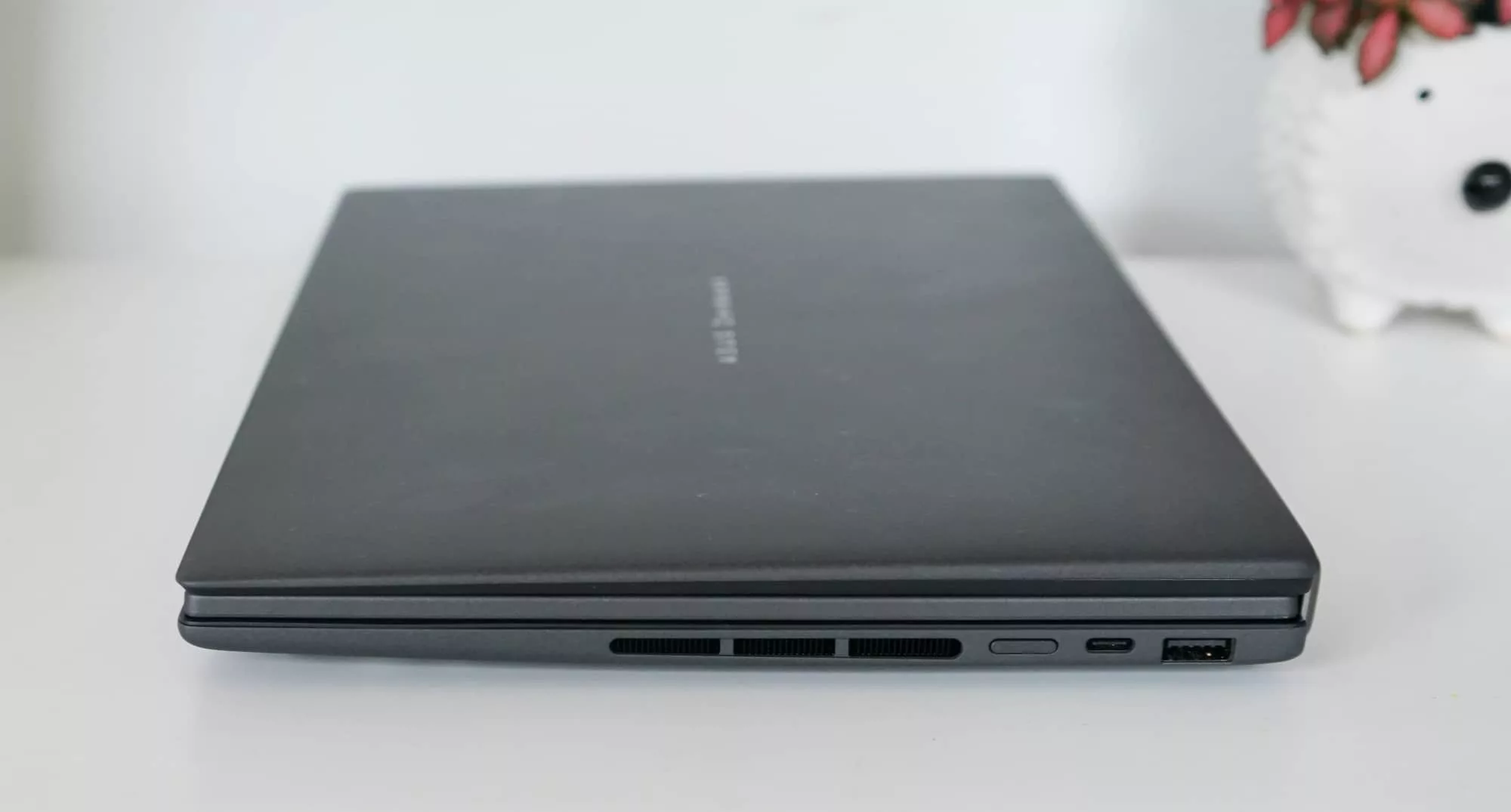
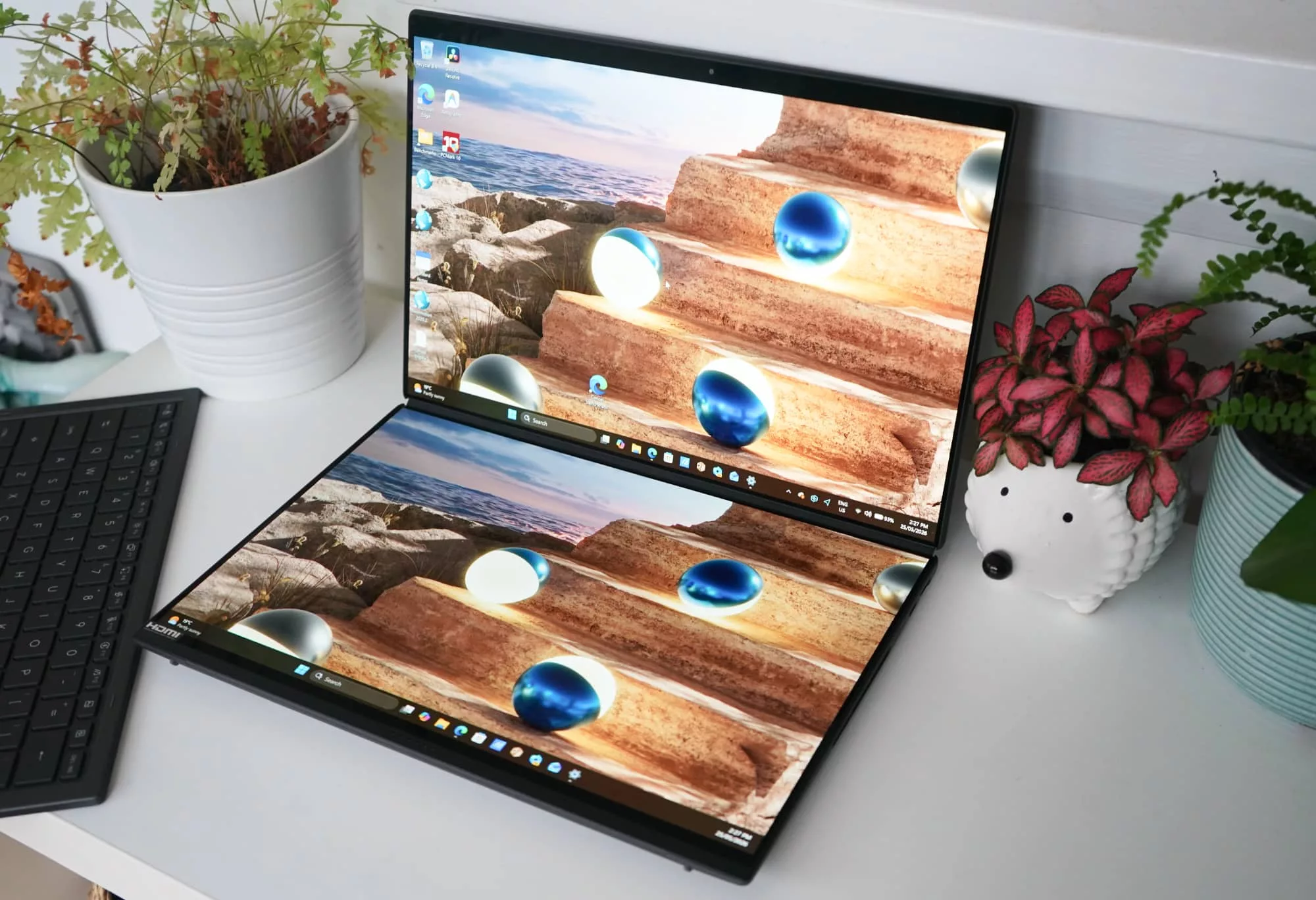
A bit of a first for Pickr reviews, the Zenbook Duo doesn’t just include one display, but technically two. Both appear to be similar, with 14 inch OLED panels supporting the 2.8K resolution of 2880×1800 (Asus calls it a 3K resolution), and both being touchscreens, as well.
Think of the same screen twice with the main in the typical top position, and the second being where the keyboard tray would be. They both support a stylus, which is included in the box complete with a charger, and they both cover the P3 colour gamut and run at 144Hz.
The 14 inch screens are basically the same, offering a bright, sharp, and clear screen in more places than one. And that makes how you use the Zenbook Duo a little different.
In-use
While all laptops typically follow a specific design — a keyboard on the bottom tray above the computer innards hinged to a screen on the other side — the Zenbook Duo follows a slightly different path. Not entirely different, but different enough to warrant a change in thinking.
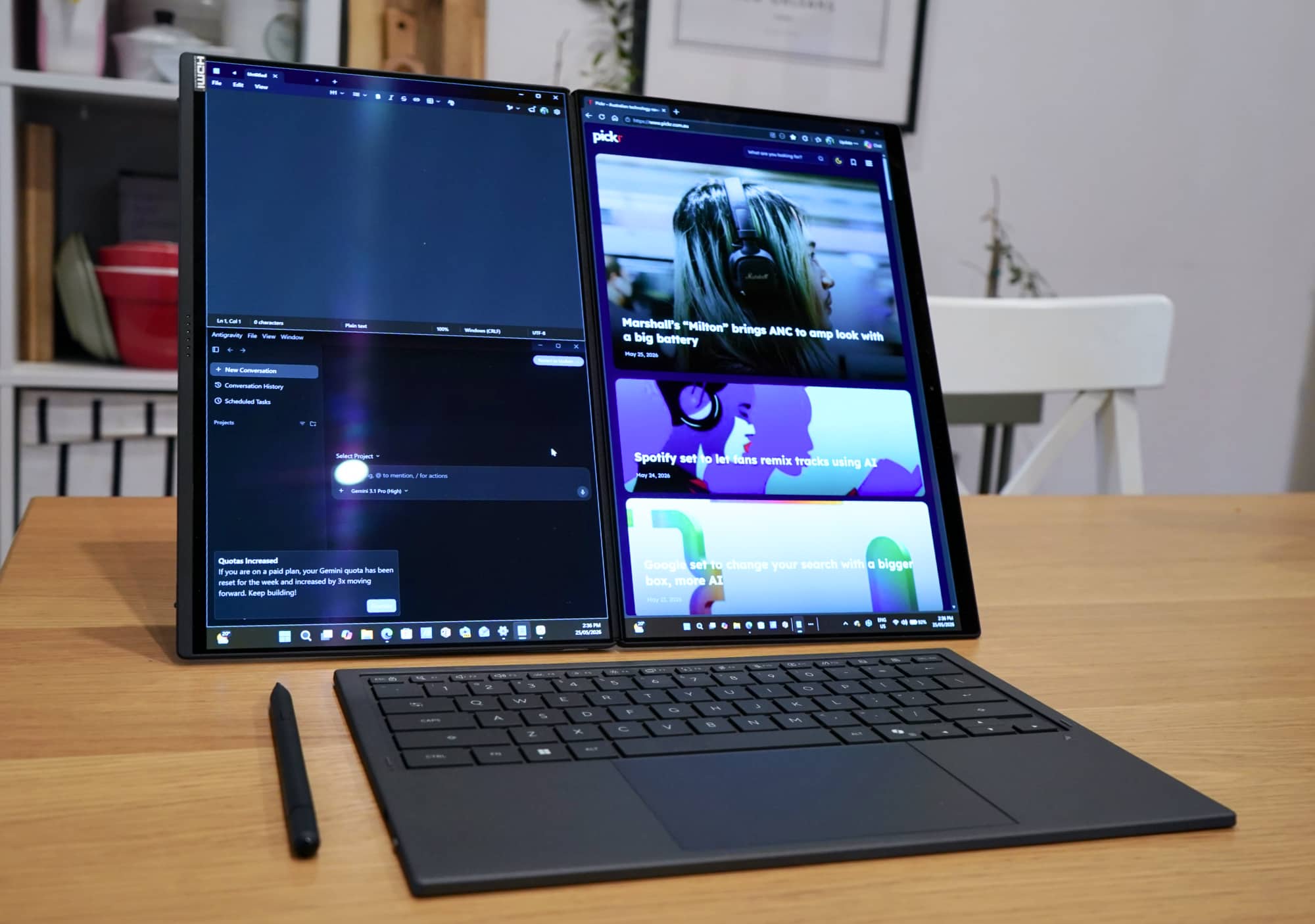
You do get a keyboard and mouse here, but it’s actually a slim tray almost like a portable keyboard and mouse because it is a portable keyboard and mouse. The keyboard magnetically connects to the bottom lip of the laptop, helped in part by some flat smart pins, which charge the laptop and keep it connected.
When the keyboard is in place, the secondary 14 inch screen powers down and runs the physical keyboard instead. And when the keyboard is disconnected, the screen switches on, giving you an extra display in a dual-screen laptop configuration, or in the wider desktop look.
Laptop mode
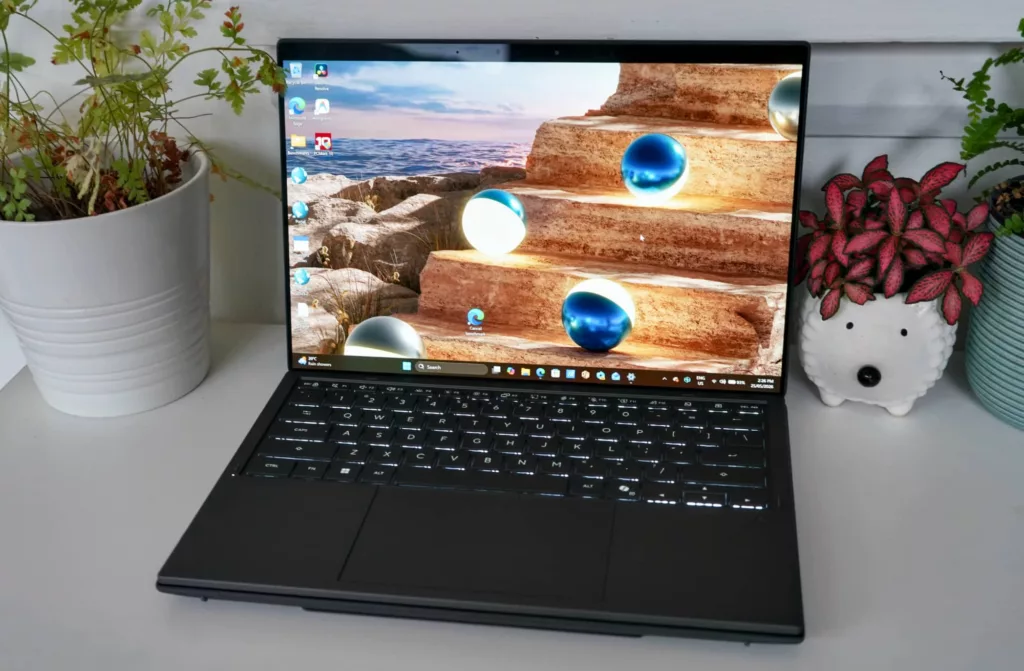
For most people, the keyboard and trackpad will be the main point of call for this laptop, rather than the touchscreens, though both are supported.
As far as keyboard usability goes, the Asus Zenbook key tray is better than expected. There’s not a lot of travel, but the keyboard is comfortable to use, the trackpad responsive, and it’s a better typing experience than the accessory has any right to be.
Typing this review on a somewhat cramped train in a 14 inch space wasn’t bad, and the relatively spacious keys responded well to this reviewer’s quick typing speed.
You also find a stylus in the box, complete with a stylus charger, and it can help you reach out and touch things with a little more fine control, though we didn’t spend as much time navigating using the pen.
That’s laptop life, but what about desktop?
Desktop mode
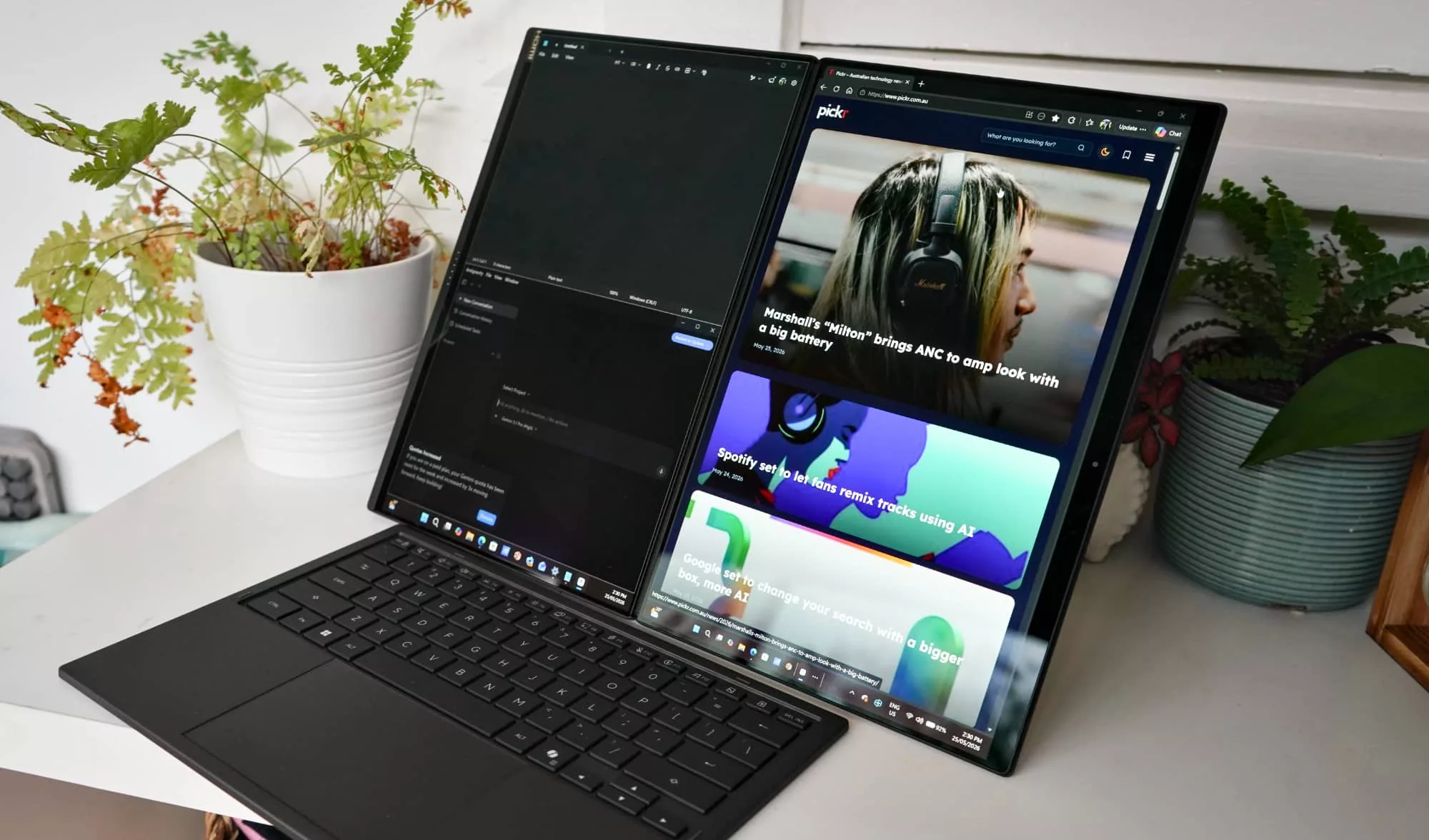
An option to transform the laptop into something else is definitely here in the Zenbook Duo, thanks to those two screens and hinged-stand at the back of the base.
When you’re in this mode, that keyboard tray becomes a Bluetooth keyboard sitting off to the side, and the two screens emulate the look and feel of a 27 to 28 inch desktop that just so happens to have a rather obvious line down the middle.
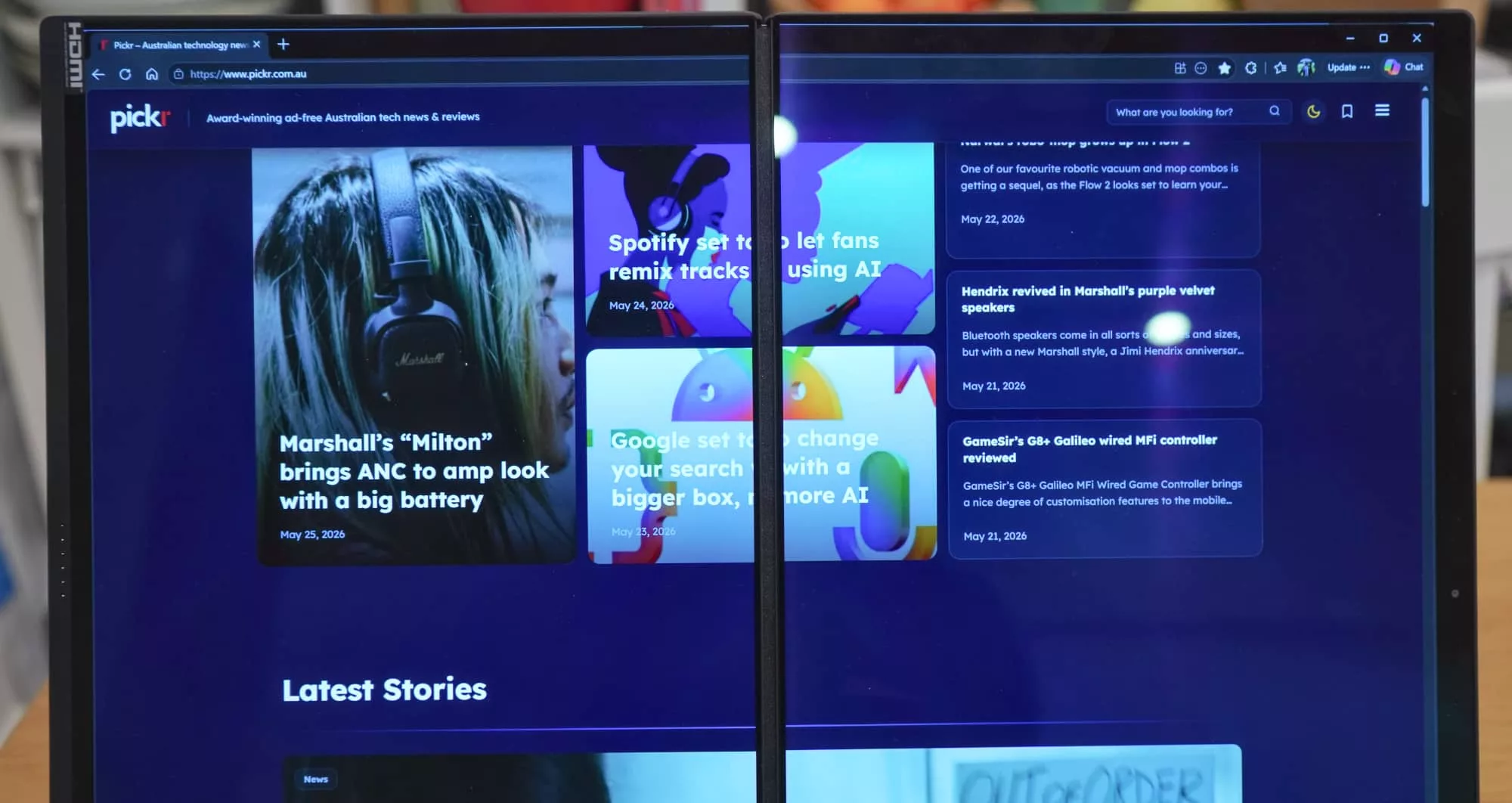
Interestingly, it’s not quite a desktop experience, because of the way the screens connect. Because you’re technically using two screens and not one large display, hitting the maximise button on Windows actually increases the window size for the screen you’re on. So if you’re on the left screen, it goes to the maximum width in portrait mode for the 14 inch screen on the left, and on the right you’ll get the picture.
To increase the size across both, you need to stretch manually, and Windows doesn’t make it easy. It’s almost like it understands that you’re not on a desktop, and are asking it to do something unusual. The result is that desktop feels like two screens merged together rather than the large monitor that it tries to recreate.
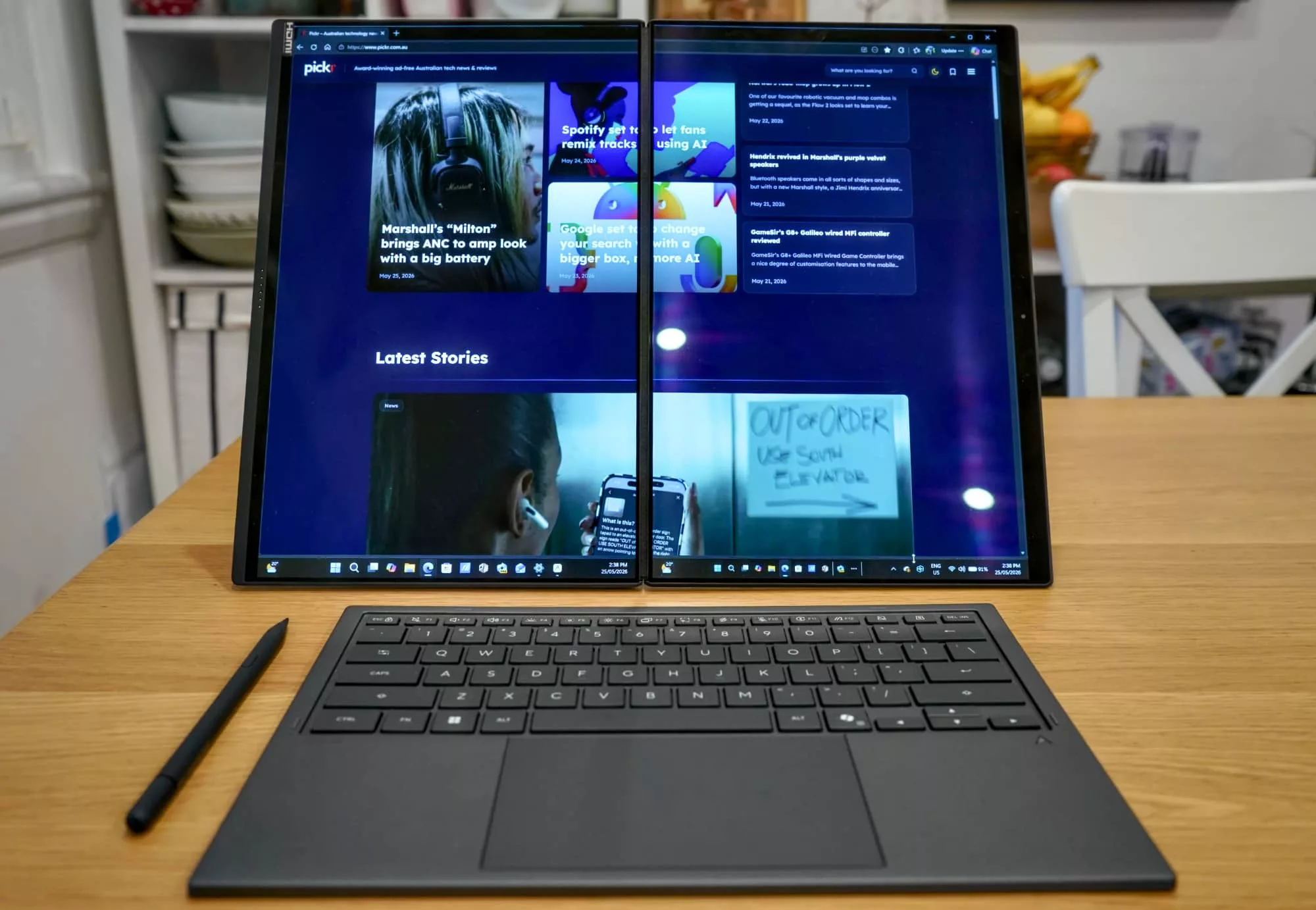
Overall, it’s not a bad experience, and replaces the idea of using a big desktop in a pinch, especially if you need more room in a hotel or somewhere that clearly isn’t home. Editing sound and videos on these two screens would be a whole lot more comfortable than a smaller 14 inch singular display.
But it’s not a true desktop in the sense of one, and Windows app won’t stretch automatically. Plus if you decide to watch films, you’re not going to get the full big-screen experience, because it’s not technically a big screen, but rather two displays held together by a hinge.
Performance
It all fits together well, however, and armed with one of Intel’s latest Core processors inside, there’s plenty to talk about when it comes to the performance of the Zenbook Duo.
Asus sent the Intel Core X9 equivalent of its Duo, so we’re basically benching the best Intel laptop chip for the year, the third generation of Core Ultra models.
| Device | CPU Single Core | CPU Multicore | GPU OpenCL | GPU Vulkan |
|---|---|---|---|---|
|
Acer Swift 16 AI
Intel Core Ultra 7 258V
|
2717
|
10482
|
26791
|
35822
|
|
Dell XPS 14
Intel Core Ultra X7 358H
|
2664
|
15462
|
55043
|
63137
|
|
Asus Zenbook Duo (laptop)
Intel Core Ultra X9 388H
|
2927
|
17029
|
56223
|
63915
|
Unsurprisingly, it’s faster than the Core X7 we saw in this year’s Dell XPS 14, and handles itself against other recent Windows PCs, as well.
Also not surprising is the hardware performance when there are more pixels to fire.
When you go to desktop mode, the graphics performance drops a little, likely because of needing more pixels to fire. As a laptop, the Zenbook Duo only has one 2.8K screen to render pixels to, but when the laptop becomes a desktop, all of a sudden those pixels multiply by two, and there’s more to do.
It’s no shock the graphical performance drops between the modes, though it’s not a super substantial amount, all things considered.
| Device | CPU Single Core | CPU Multicore | GPU OpenCL | GPU Vulkan |
|---|---|---|---|---|
|
Asus Zenbook Duo (desktop)
|
2977
|
14627
|
52220
|
51790
|
|
Asus Zenbook Duo (laptop)
|
2927
|
17029
|
56223
|
63915
|
What you won’t find in the Zenbook Duo is a discrete graphics card, so while the laptop can fend for itself with Intel Arc graphics, it’s not going to be the machine to rely on for any gaming, particularly if you needed to spread your experience over two screens.
In fact, the moment you compare the performance between laptops with dedicated graphics cards, the numbers go a little awry for Asus.
| Device | CPU Single Core | CPU Multicore | GPU OpenCL |
|---|---|---|---|
|
HP Omen 16
Intel Core i9-14900HX
|
2377
|
8871
|
50071
|
|
Asus Zenbook Duo (laptop)
Intel Core Ultra X9 388H
|
2927
|
17029
|
56223
|
|
Apple MacBook Pro 14
Apple M5 Pro
|
4267
|
27886
|
88053
|
|
Acer Nitro 16S AI
AMD Ryzen 7 350
|
2890
|
12866
|
103344
|
|
Lenovo Yoga Pro 9 Aura Edition
Intel Core Ultra 9 285H
|
1751
|
12452
|
109651
|
The result isn’t bad, and certainly better than we’d expect for the Zenbook, but this is no workstation-class machine or high performance PC, that’s for sure. It’s a worker with serious flex, delivering capability from its clever engineering, but it could definitely use that little bit more grunt.
Battery
It’s not just the clever design and engineering that the Zenbook Duo has going for it. The battery life is surprisingly capable, as well.
Because of the hybrid approach and it being both a laptop and a desktop, it’s difficult to define the Zenbook Duo as having an all-day battery. In either test, we couldn’t find all-day life was possible, but it still fared well. Better than we expected, even.
For instance, in laptop mode, it managed a good 16 hours from our PC Mark battery life test, while desktop mode was only a few hours shy, pulling in closer to 11 hours.
| Device | Battery |
|---|---|
| HP OmniBook 5 |
20:42
|
| Asus Zenbook Duo (laptop) |
16:45
|
| Acer Swift 16 AI |
13:55
|
| Dell XPS 14 |
12:29
|
| Dell Pro 14 Premium |
11:20
|
| Asus Zenbook Duo (desktop) |
11:17
|
Either test is admirable, achieving better battery life in laptop mode than most of the laptops we’ve benched in the past year, and a little less on the desktop side of things. The only laptop that managed to beat the life of the Asus was HP’s Snapdragon-powered Omnibook 5, and that’s made for portability.
When we put the laptop to the test in a real-life working environment, shifting between laptop mode and desktop mode, we found a battery life between 6 and 12 hours, dependent on what you were doing.
That’s not bad and not far off the claims of an all-day battery life, a claim that is thoroughly supported with a compact 100W power adaptor that’s likely using GaN (Gallium Nitride) to get the size down. The fact that you get a compact adaptor and woven cable helps add to the package, and manages to make it that wee bit more premium.
Value
The price, however, screams premium, and not entirely in a good way.
Sitting at $6499 for the Core Ultra X9 model we reviewed — or a hundred less for the X7 edition — the Zenbook Duo isn’t cheap. Not by a long shot. At this price, you’re paying for the clever form-factor, but not really the technology inside.
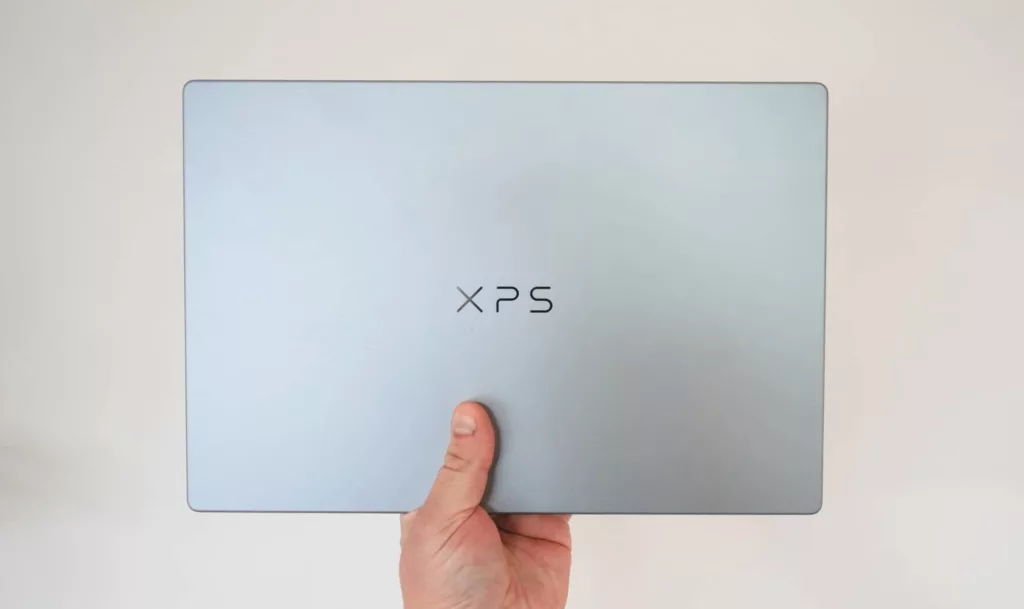
Take the Dell XPS 14 we reviewed earlier in the year, because if you get that with a 14 inch 2.8K OLED screen, 32GB storage, and 1TB SSD — what is ostensibly the same spec stack as the Asus Zenbook Duo — it’ll cost you $4600 for the privilege, nearly $2000 lower.
Compare Apples with oranges, and you’ll find your way to the M5 Pro MacBook Pro 14 inch, which when paired with more RAM at 48GB but without the touchscreen (because Apple doesn’t make a MacBook Pro with touch yet), the price sits around $4100.
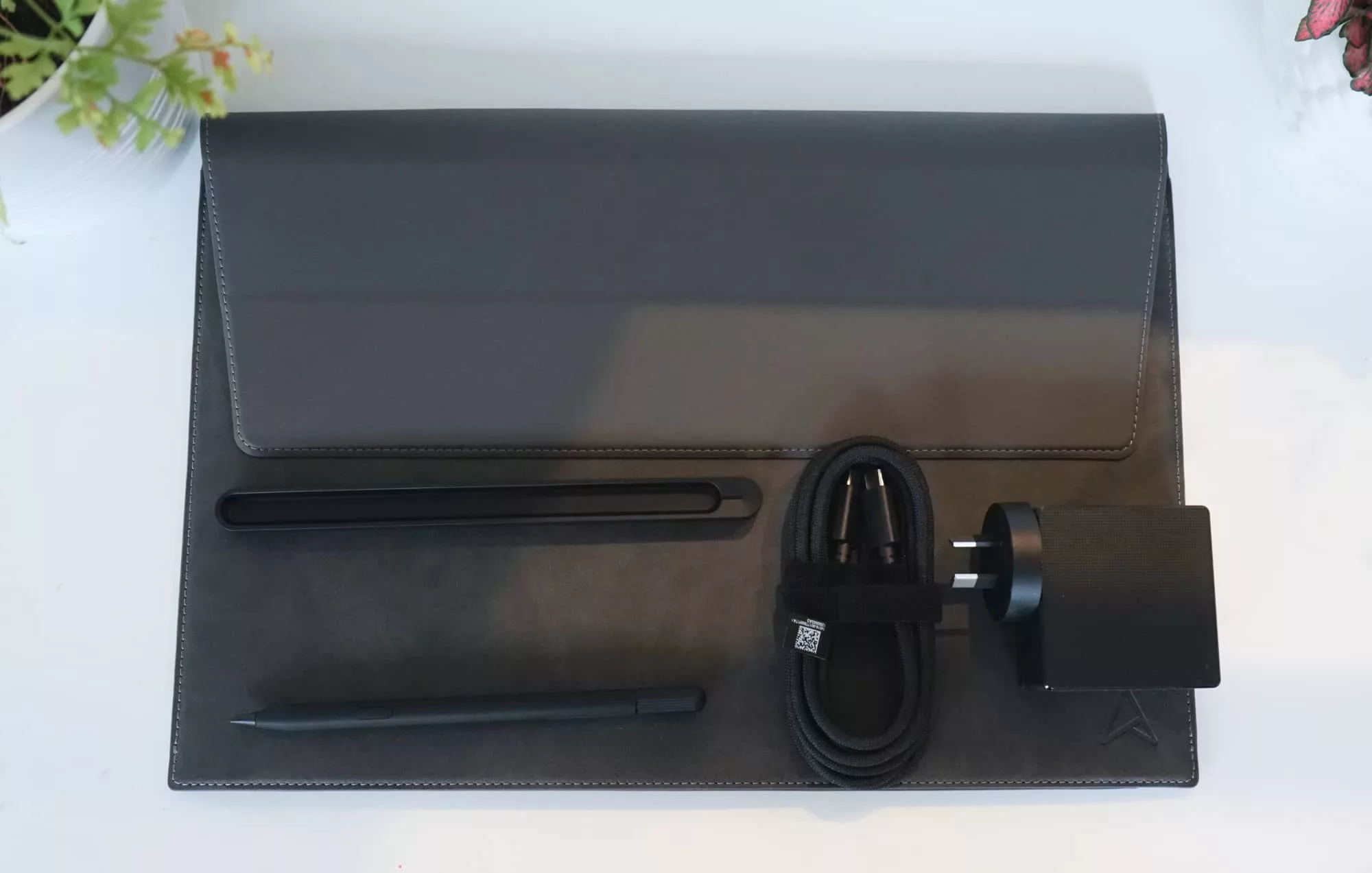
While these are all single screen options, you can easily grab an Espresso Display such as the touch-less $399 15 Lite or the touchscreen $1099 15 Pro, and you’re still saving money. At least Asus is kind enough to include a few things for the price, adding a stylus, stylus charger, and a magnetically-closed folio case, but it’s still expensive.
What needs work?
The price is just so severe for the concept, making it very difficult to recommend. It’s a better value than the $8500 HP Spectre Foldable from a few years ago, but it’s not that much better, charging extra for the gimmick of two screens that can go big.
With fairness to Asus, the price is high because of what you get: two screens. But you also miss out on things that feel like they’d matter, even in a 14 inch laptop.
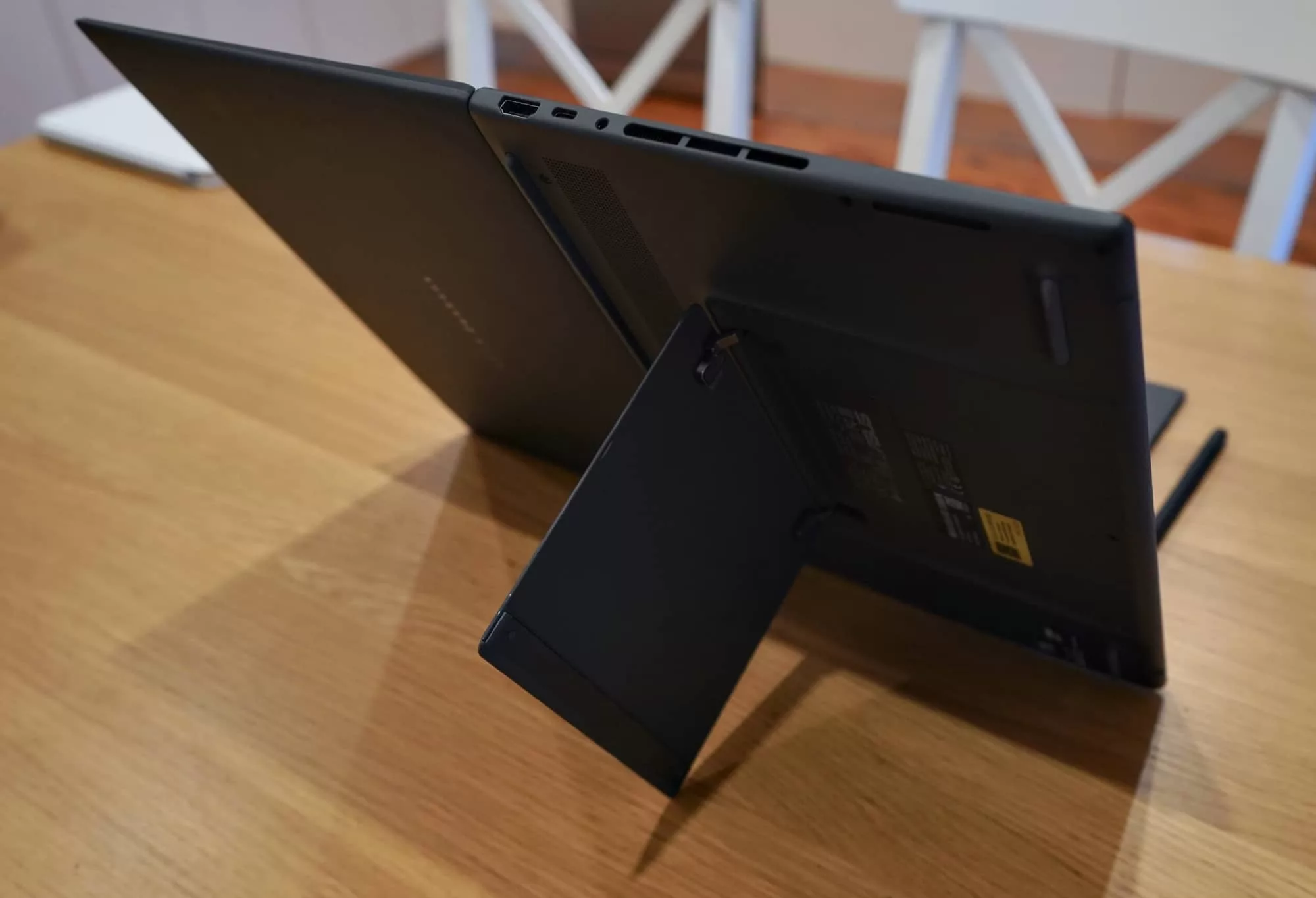
For instance, there’s an HDMI port which is handy, but no microSD or SD card slot, ports that would have made it easier to quickly grab photos and videos and edit them using that big screen.
It’s a minor issue, but one that stands out simply because you have all that screen real estate, you may as well do something with it. Especially after you’ve spent so much money.
Final thoughts (TLDR)
Being a laptop reviewer can be a complex business, but it usually means being able to guess what something will be like before you play with it. Without speaking for everyone, this one likes to have an open mind, but some things you can simply ready the specs and get a vibe from the guess.
With the Zenbook Duo, the specs tell one part of the story, as they always do, but the screens tell another. And that makes it an interesting laptop because of those screens.
One part laptop and another part desktop, the Zenbook Duo makes the case for a combo device for people who need that function desperately. Don’t want to carry a second screen with you? Do it in a machine that kills two birds with one slightly more expensive stone.
It’s clever and costly, and really impressive, too. If only it felt worth what you pay.
If what you want is something as clever as you, to give you all the screen you need in the smallest of spaces, the Asus Zenbook Duo is surprisingly compelling. Just be aware that the cost makes it more difficult to argue for, because $6K is a lot of money.
We’d consider switching ourselves, but that cost is hair raising, and that’s something in short supply.