


Quick review
The good
The not-so-good

You’d never believe the iPhone hardware was as powerful as it is until you see what the MacBook Neo can do. And its price makes it a deal many won’t pass up.
Buying a laptop is almost always a costly affair, but some laptops are clearly better than others. You can see it when you glance at how they were made, or feel it when you pick them up.
There’s just something different about a laptop where quality has been considered. It matters, though it can clearly affect the overall price you pay. That’s one of the more obvious problems with premium, because cost can be a big issue.
Here in an era where seemingly everything costs more, it’s a problem especially if you need to buy a new computer.
But what if something premium managed to cost less… is it even possible?
Apple has an experiment potentially worth checking out in the MacBook Neo, a low-cost laptop that manages to push the concept of premium without flexing too much of your wallet. Is it the perfect compromise?

Design
A little bit different from the standard super-slim with tightened edges that is the MacBook Air, the first time you see a Neo you’ll be reminded of a Mac, albeit possibly from a slightly older generation.
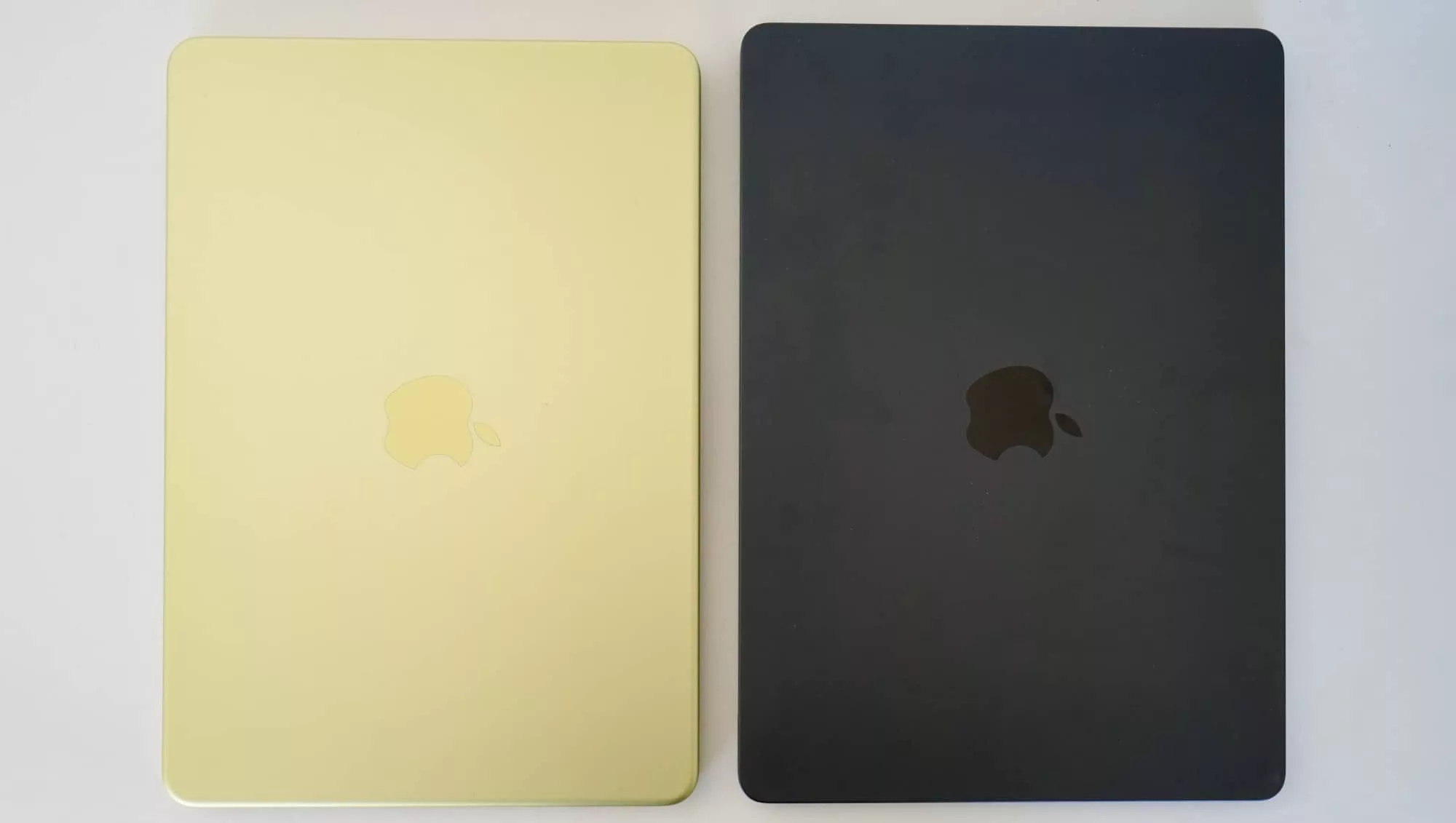
A little curvier, the style is reminiscent of an older MacBook Pro, that is until you spy the colours. They’re more like an iMac made portable. There are even more colours than simply silver and dark blue, with a pink and metallic green, too.
Take both into consideration, and you have the makings of a different class of laptop for Apple. While we’ve seen a light “sky blue” from Apple’s MacBook Air in recent years, not to mention some less orthodox phone and tablet colours, the design still sees aspects of Apple that are unmistakably on-brand for the company.
It’s sleek. It’s metallic. It’s aluminium. It feels… good. It feels premium.
That’s the feeling you won’t be able to shake when you pick up Apple’s $1049 MacBook Neo, a class of Mac designed to be less expensive, but still exude something more materially significant than you might expect.
You know how the iPhone SE and iPhone 17e were still just as solid as their full iPhone counterparts? It’s that, but for Macs.

Built to be slim, just not as slim as other models, the Neo weighs as much as the Air at 1.23 kilograms, but isn’t quite as thin. Measuring 12.7mm thick compared with the 11.3mm of the Air (and the 15.5mm of the MacBook Pro 14 inch model), it’s still thinner than you might expect.
It’s definitely not the feature set you expect from an inexpensive laptop, but it’s not the only feature that surprises.
Features
Of those key features, the most interesting could be the processor, because it’s straight out of the iPhone. Literally.
While every Apple computer uses a variation of Apple Silicon, every other Apple computer uses something from Apple’s “M” line of chips. This one doesn’t.
Instead, you’ll find the same chip used in the iPhone 16 Pro and iPhone 16 Pro Max, the A18 Pro chip, a spot of hardware that on the surface doesn’t seem like it was made for a Mac… and yet here it is.
You can probably thank the fact that apps made for macOS and iOS can be one and the same now, and macOS clearly has no problem running either thanks to special instructions and hardware that can handle it. That’s largely what makes this chip such a logical inclusion, and possibly a path for the future of Apple gear.
It’s paired with a relatively small amount of memory, maxing out at 8GB, though potentially not a deal breaker. There was a time only a couple of years ago that this was normal for Apple, and while the increase has a lot to do with AI and Siri, the neural processors found inside the A18 Pro could also end up assisting here.
Outside of memory and CPU, the MacBook Neo sports either 256GB or 512GB storage, two speakers, two microphones, and a 1080p FaceTime HD camera for video calls. Wi-Fi is covered using 802.11a/b/g/n/ac/ax WiFi 6E, and you’ll find Bluetooth 6 along for the ride, one of the few identical wireless standards found across the Mac laptop lines.

What you won’t find is Thunderbolt ports, because that high-speed data and video port is not found on the Neo. You will find two Type C USB ports, one running at USB 2 and the other at a faster USB 3, but anything designed for Thunderbolt will not work here. The port is the same, just not the technology. Something had to be left for the more expensive laptops Apple makes.
It also comes with a 20W charging adaptor, making it one of the lower power models you can find in an Apple box. That doesn’t mean it won’t charge from a faster or meatier power supply, but more the you can charge the Neo from something you can use to charge your phone.
Given that the processor is basically a phone processor, this doesn’t come as much of a surprise.
Display
The other big deal feature is the screen, which sees the Neo arriving with a 13 inch In-Plane Switching (IPS) screen running a resolution of 2408×1506. It’s a shiny screen, and not just a repurposed panel like you might believe.
You might think it’s a screen from a 2020 MacBook Air, and you’d be wrong: the 13.3 inch display Apple has long been using for its thin Air laptops is not what’s found here. This is something different.
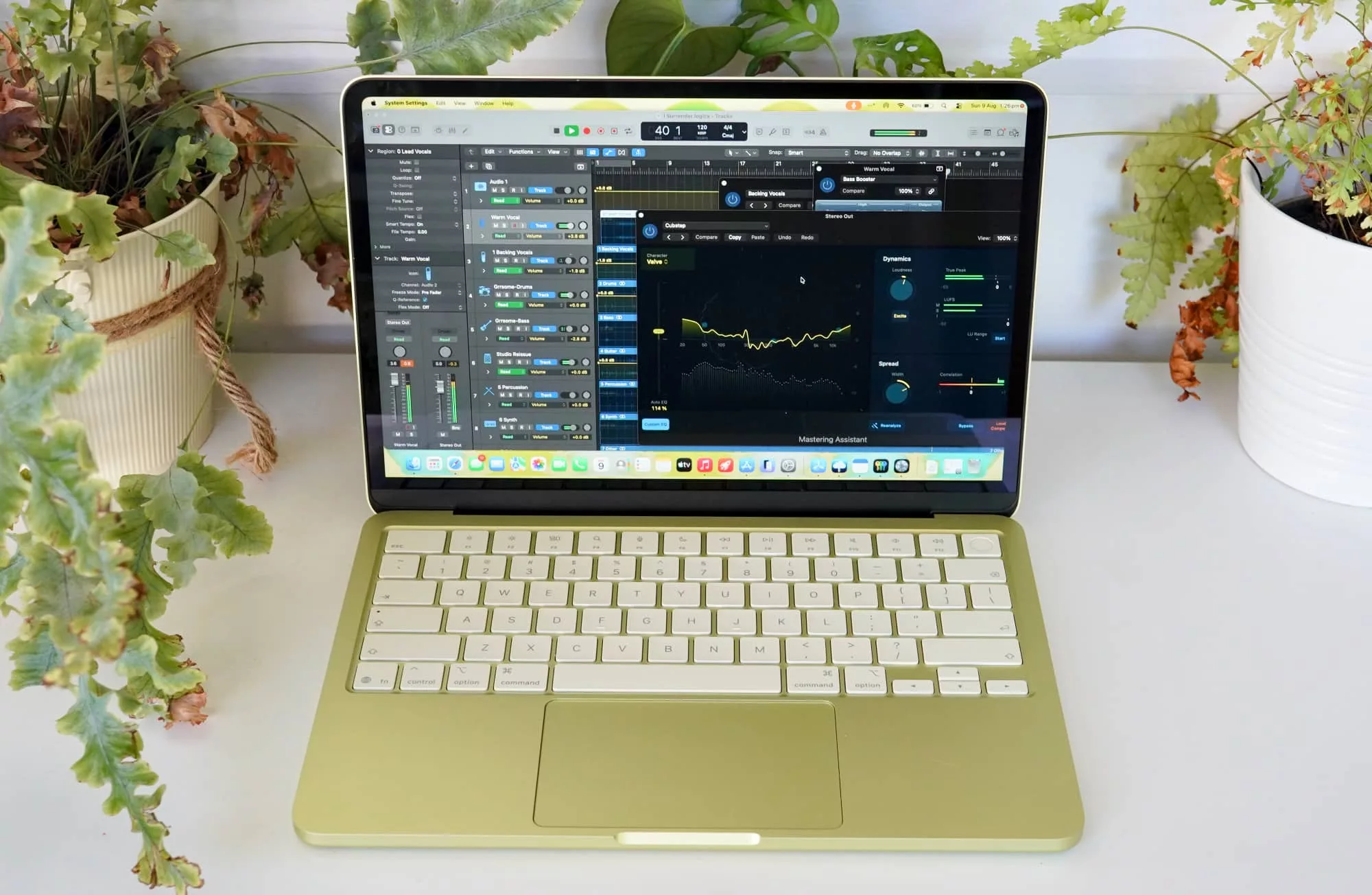
Rather, it’s bright enough, better than Full HD, supports a good billion colours or so, but just isn’t as good as Apple’s other screens. It’s as bright as the MacBook Air display technically, supporting 500 nits, but it lacks support for the P3 colour gamut and doesn’t use Apple’s white-balancing True Tone tech.
But you also won’t care, because it’s easy to look at and delivers the colour and clarity people have come to expect from a laptop with an apple on the back.
In-use
One screen size in the Neo range means one size of keyboard, too, but it’s not a bad thing. Rather, it’s about the sort of quality you’ll want from a keyboard, even if backlighting isn’t here.
For folks who have come from another laptop, or even folks who haven’t, it means the MacBook Neo delivers a more than comfortable typing experience, and a choice of either fingerprint sensor or not depending on how much you pay.

There’s also a spacious trackpad in the mix, albeit one without Apple’s “Force Touch” feedback and pressure sensitivity. We don’t expect most people will care that this does or doesn’t exist, though some clearly will.
It is a different laptop from Apple’s other offerings, and not just different in how you use the thing.
Performance
A different chip inside also makes the MacBook Neo very different from what’s out there, though it’s not different bad, at all.
It’s actually more like a surprising kind of different.
Testing the A18 Pro against other MacBook models, you can quickly see that while it doesn’t quite have the edge against the M5 processor found in either of the MacBook Air or the MacBook Pro, it still manages to hold its own.
| Device | CPU Single Core | CPU Multicore | GPU OpenCL | GPU (Metal) |
|---|---|---|---|---|
|
Apple MacBook Air (2021)
Apple M1
|
1751
|
7761
|
17289
|
19304
|
|
Apple MacBook Neo (2026)
Apple A18 Pro
|
3612
|
9265
|
19725
|
30947
|
|
Apple MacBook Air 13 (2022)
Apple M2
|
1950
|
8733
|
26218
|
31182
|
|
Apple MacBook Air 13 (2023)
Apple M3
|
2899
|
11312
|
30371
|
47433
|
|
Apple MacBook Air 15 (2025)
Apple M4
|
3613
|
14162
|
35946
|
54308
|
|
Apple MacBook Air 13 (2026)
Apple M5
|
4129
|
16906
|
40545
|
66361
|
In fact, testing the Neo’s A18 Pro chip against older Macs can show the Neo actually out ahead. Graphics performance is more like Macs from a few years ago, but the system’s CPU handles more like a machine from past couple of years. Not too shabby.
Meanwhile, testing the hardware against what else is out there in the world of Windows also shows there’s a reasonable amount of performance to play with.
There are clear differences against this laptop and others, and not just thanks to the usual apples and oranges argument. Rather, it’s the fact that this level of chip is very different
| Device | CPU Single Core | CPU Multicore | GPU OpenCL |
|---|---|---|---|
|
Apple MacBook Neo (2026)
Apple A18 Pro
|
3612
|
9265
|
19725
|
|
HP OmniBook X 14 (2024)
Snapdragon X Elite
|
2419
|
13882
|
20590
|
|
Lenovo Yoga Slim 7i Aura Edition (2025)
Intel Core Ultra 7 258V
|
2690
|
11007
|
27090
|
|
Acer Swift Go 14 (2024)
Intel Core Ultra 7
|
2307
|
12400
|
34621
|
|
Dell XPS 14 (2026)
Intel Core Ultra X7 358H
|
2664
|
15462
|
55043
|
Battery
An area we expected to work out well is the battery, largely because it’s a spot Apple tends to do quite well in.
Between sizeable batteries and processors that work well with them, Apple laptops usually fare well when it comes time to giving them a good run for their money in battery life, and the MacBook Neo was no different.
Testing using Pickr’s Battery Bench app, we found a little over 13 hours from the battery, besting the Dell XPS 14 and delivering one of the better results from a similarly sized laptop in our tests.
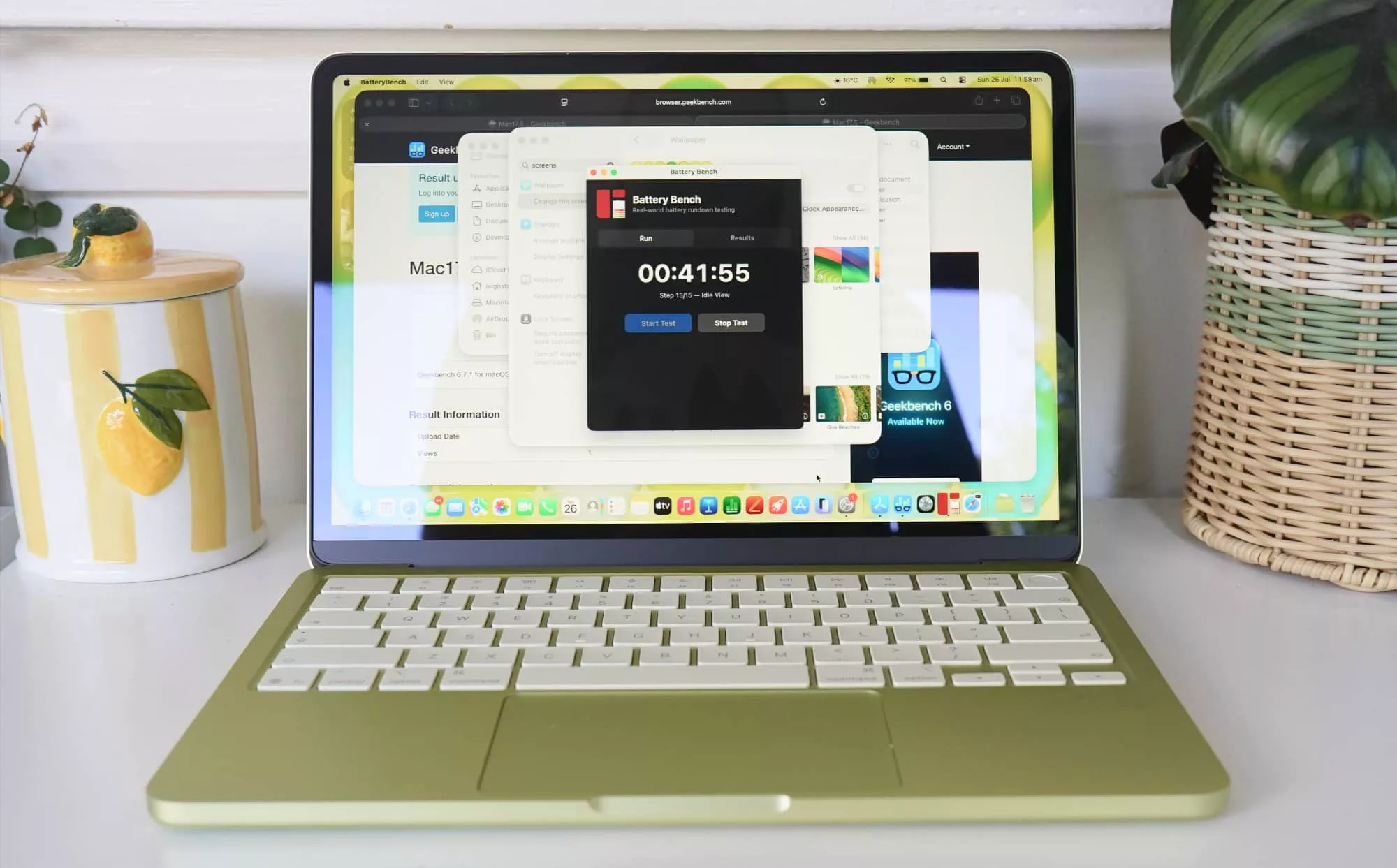
Real-world battery performance showed the MacBook Neo could be relied on, as well, achieving between 6 to 10 hours of stable use, which in our case meant web surfing on Safari, typing, emails, video watching, music listening, and even doing a little bit of coding for good measure.
That is about as normal a runtime and use as you could expect from a laptop, which is to say this laptop should survive the day-to-day for battery usage all too easily.
| Device | Battery |
|---|---|
| Apple MacBook Neo |
13:35
|
| Dell XPS 14 |
12:29
|
| Dell Pro 14 Premium |
11:20
|
| HP ZBook Ultra G1a 14 inch |
6:40
|
Value
Aside for the processor, the price could well be the most intriguing part of the package. While higher in this back half of the year than when it launched, the $1049 MacBook Neo starting price is still genuinely compelling, while the $1249 price point of the model we reviewed — the 512GB model with a Touch ID fingerprint sensor — is also equally curious.
This MacBook Neo review covers that last model — 512GB with Touch ID — and for $1249, it’s actually not a bad effort. Good luck finding the equivalent in Windows Hello and 512GB storage in PCs below the $1500 mark. That alone makes this particularly model intriguing.
Still, that entry-level price point is the one worth keeping in your head. It’s just kind of surreal, especially in the world of Apple.
Back when the Neo first launched, the price was actually unbelievable.
In March, the MacBook Neo started at $899, making it not only the most cost effective Apple laptop ever, but a genuinely premium take on the sub-$1K laptop work. Parents would have been lining up to buy them for the kids, particularly students in high school. You wouldn’t be able to undersell the value argument there.

A few months later, the cost is a little more thanks in part to AI, the chestnut that keeps beating us with the memory stick and making us pay more for the privilege. Apple has had to change prices accordingly across its computers, and that means the Neo is no longer as budget-focused as it once was.
But it still genuinely delivers on that budget argument because every other laptop maker is going through the same AI memory and price crunch.
As it is, the $1049 price for a 256GB 13 inch laptop in aluminium is practically unheard of, let alone being a Mac. By comparison, you can find lower power 14 and 15 inch laptops nearing the $800 price point, and similarly-spec’d 14 inch laptops for above the $1049 starting price.
You just won’t find laptops that scream this level of premium for the sort of money Apple is charging for the Neo. It’s confusing, but in a good way.
If you’ve never thought the word “value” and “Apple” could go together, the MacBook Neo will make you think different. That’s a slogan we don’t see used around these parts very often, though it is quite familiar.

What needs work?
In terms of what needs work with the MacBook Neo, it’s less about what should be there and more about what Apple takes away for the sake of the cost
For instance, there’s no backlit keyboard here, a feature that doesn’t feel like it should be so much a “feature” these days, and more simply just “standard”. Apple has offered this as a standard feature in the MacBook Air since 2011, and so 15 years on to see this feature removed (or simply left for the Air) is a bit of a surprise, to say the least.
You can weirdly live without the backlit keyboard because the screen is bright enough even in low-light. Turn down the brightness and it can be an issue, but not enough that it will prevent you from spinning out several articles, or may even a novel.
However potentially a bigger problem is the memory, limiting it to a maximum of 8GB RAM.
Apple’s hardware is excellent, but there are still limitations that even Apple Silicon can’t overcome, and that’s memory capability. If you need more memory because you’re starting to work with bigger image files, large spreadsheets, or heaven forbid you’re doing some of that localhost AI thing, the MacBook Neo may not be for you because of that memory maximum.
While 8GB is definitely a start, and up until recently was technically more than enough, these days it just won’t cut it for intense activities. You may as well know that going in.

What we love
Fortunately, you can think beyond these niggles. You can think in the frame of mind where you realise (quickly, might we add) that the MacBook Neo represents a total stunner of a bargain. An impossibly clever play from Apple, too.
While most inexpensive laptops feel cheap and flimsy, and rarely offer the hardware and performance you’ll actually want in a laptop, the MacBook Neo doesn’t end up feeling much different from other Macs.
It looks different, but it doesn’t feel any different. Not in a majorly noticeable way.
The design is great, the durability strong, the keyboard comfortable, and the screen easy on the eyes. You’ll miss out on a few things, but truth be told, they won’t matter as much as the overall result and its price point.
It looks and feels like a premium machine, only one at a more affordable price point. It’s just too hard to pass up.
Who is the MacBook Neo for?
And sure, the niggles are definitely there, but they’re also not major issues.
That’s possibly because of where this laptop sits: in a less expensive spot than even the MacBook Air.
The MacBook Neo isn’t for enthusiasts looking for the best all-rounder laptop that can do pretty much anything. You’ll now need to spend a little more to get that in the MacBook Air. And if you need more power and memory, you’ll want to consider the MacBook Pro. Alternatively, if you need even more, you may want a desktop incarnation because, well, they can go bigger again.
No, the Neo is for anyone spending less.
Specifically, that’s parents of teens, university students, and anyone who wants or needs a Mac and wants to spend roughly half of what the MacBook Air retails for.
It is clearly not the same computer, but it doesn’t have to be. It’s near enough for jazz and it’s now one of the more obvious choices if you’re considering a student laptop.

Final thoughts (TLDR)
Macs definitely have their fans, but anyone contemplating entering the world of Apple laptops (and indeed pretty much anything else the company makes) typically knows that its gear is not inexpensive. Not that it’s necessarily priced to be expensive, it just also tends to be premium.
Aluminium casing, fast custom processors, solid keyboards, and excellent battery life are just some of what you can expect in its laptops, and it’s a similar sort of expectation in phones and tablets, too.
Pretty much everything Apple makes follows the pattern of premium, and the MacBook Neo is no different. Its price might suggest the Neo is cheap, but the hardware is anything but.
Make no mistake, the MacBook Neo is not an Air replacement. While it is definitely more pricey than it ever has been, the MacBook Air is still the laptop for most Apple owners to consider, simply because of how long it will likely last for.
But the Neo is for someone who wants a Mac and doesn’t want to pay that near $2K price the Air is asking. It’s made for people who don’t want or care about expandability using Thunderbolt peripherals, or mightn’t care that 8GB RAM is not enough for big apps.
Rather, it’s made for parents of kids who are screaming out for one, and for anyone else who wants a Mac on a budget. For someone who is frustrated they need to sacrifice buying a Mac because they’re on a budget, and ends up on a PC or Chromebook that merely does the job. It’s not the same, but it’s fine for their purposes. They will live with it.
That isn’t everyone, but it is a lot of people.
Apple has never really done this, either. Sure, the Mac Mini is an inexpensive desktop Mac (or was before AI took over), but Apple hasn’t made laptops like this for a long time. We’re not even sure if the iBook qualifies as the same sort of thing.
But that doesn’t matter, because what matters is now. And right now, the MacBook Neo is one of the best laptops you can find at its price point. It is exactly what PC makers have been trying to make for ages, and all the Mac you need to start out.
It probably won’t be a MacBook for use in five years time, but for students right now or anyone simply after a laptop that just delivers, this Mac is well worth a look.
The Neo is an almost perfect entry that Apple could have ever made, and an almost perfect compromise, at that. It’s practically priced premium.
Good luck finding reasons to not consider it. Highly recommended.