
Quick review
The good
The not-so-good

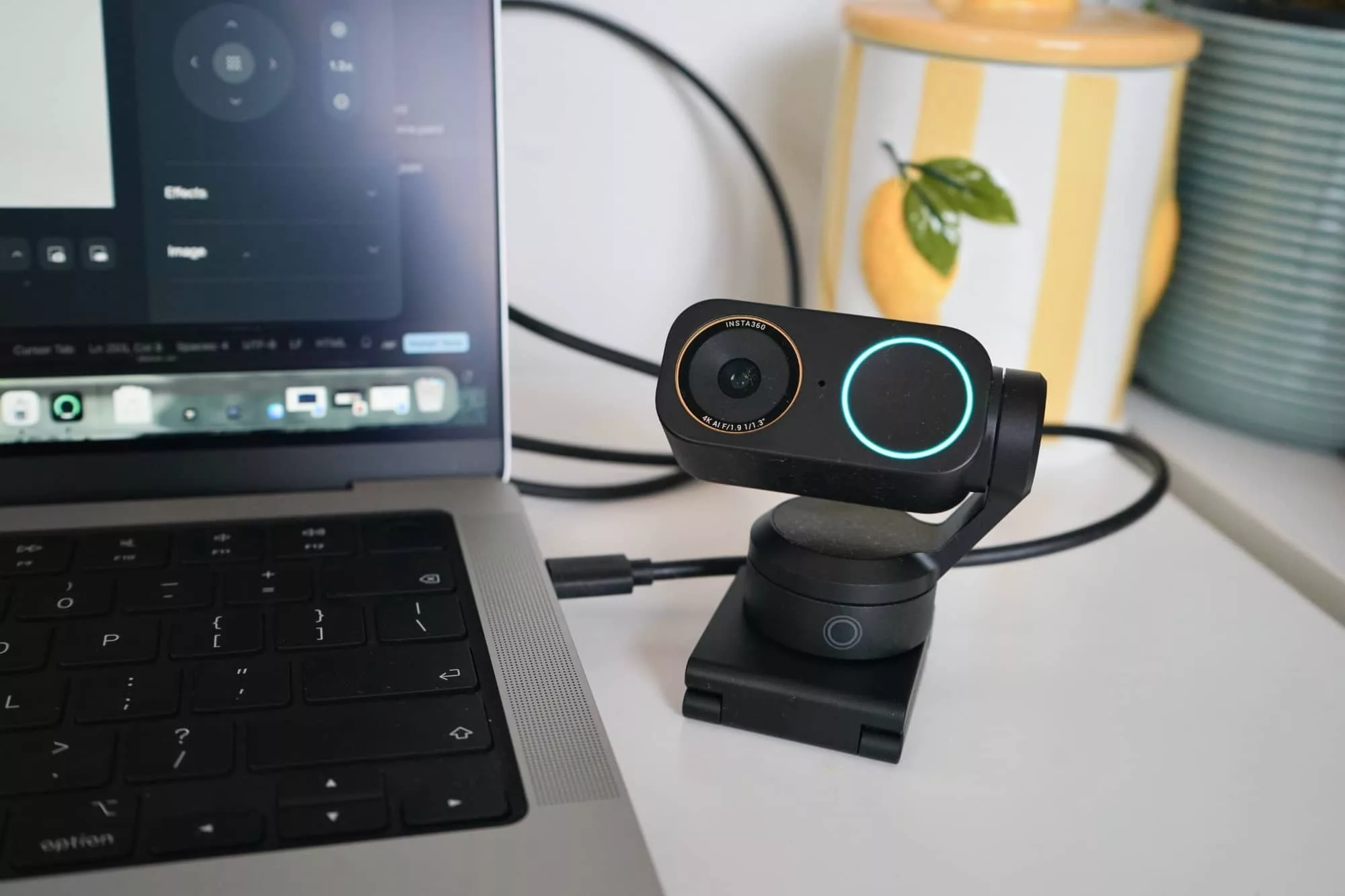
Need a better webcam for that WFH experience? Compact cameras get properly clever with an all-out AI-fest in the Insta 360 Link 2 Pro camera.
The world may have gradually woken up from a largely work-from-home world, but for many of us, we won’t go back. The genie out of that bottle, and we’re glad. Work life balance will never be the same, and that’s a good thing. It’s now better for many people, particularly with employers that have embraced the improvements WFH brings.
Webcams are necessary in these settings, but they’re also handy in other places, as well.
If you’ve moved beyond work from home for the 9-to-5 and now work from home making content for social networks, you too likely rely on cameras, as well. Granted, they’re possibly more high-end than a webcam, leaning into a great phone camera or a dedicated mirrorless or digital SLR, but you also might have a webcam you’re pushing hard for your content, too.
Essentially, we’re all leaning on webcams more than many of us expect, and most of them are garbage.
They work and certainly do the job, but are they the sort of imaging systems we can rely on to always get the best colour, the best clarity, and to not make us look like a pixelated mess? Probably not. Webcams are typically merely functional.
It’s no wonder those aforementioned content creators are opting for a better camera, like from a phone or proper camera.
That could be why Insta360 has been dabbling in webcams, expanding on an area we’ve only typically seen from the corporate world.
In the past, proper webcam improvements have come from the likes of Epos and Jabra, brands made for business with models that matched. Insta360’s approach is less for that and more for everyone.
And that could be part of what makes the Insta360 Link 2 Pro so compelling, offering tech that evolves and improves the webcam to be that little more capable overall, and not merely functional.
Design and features
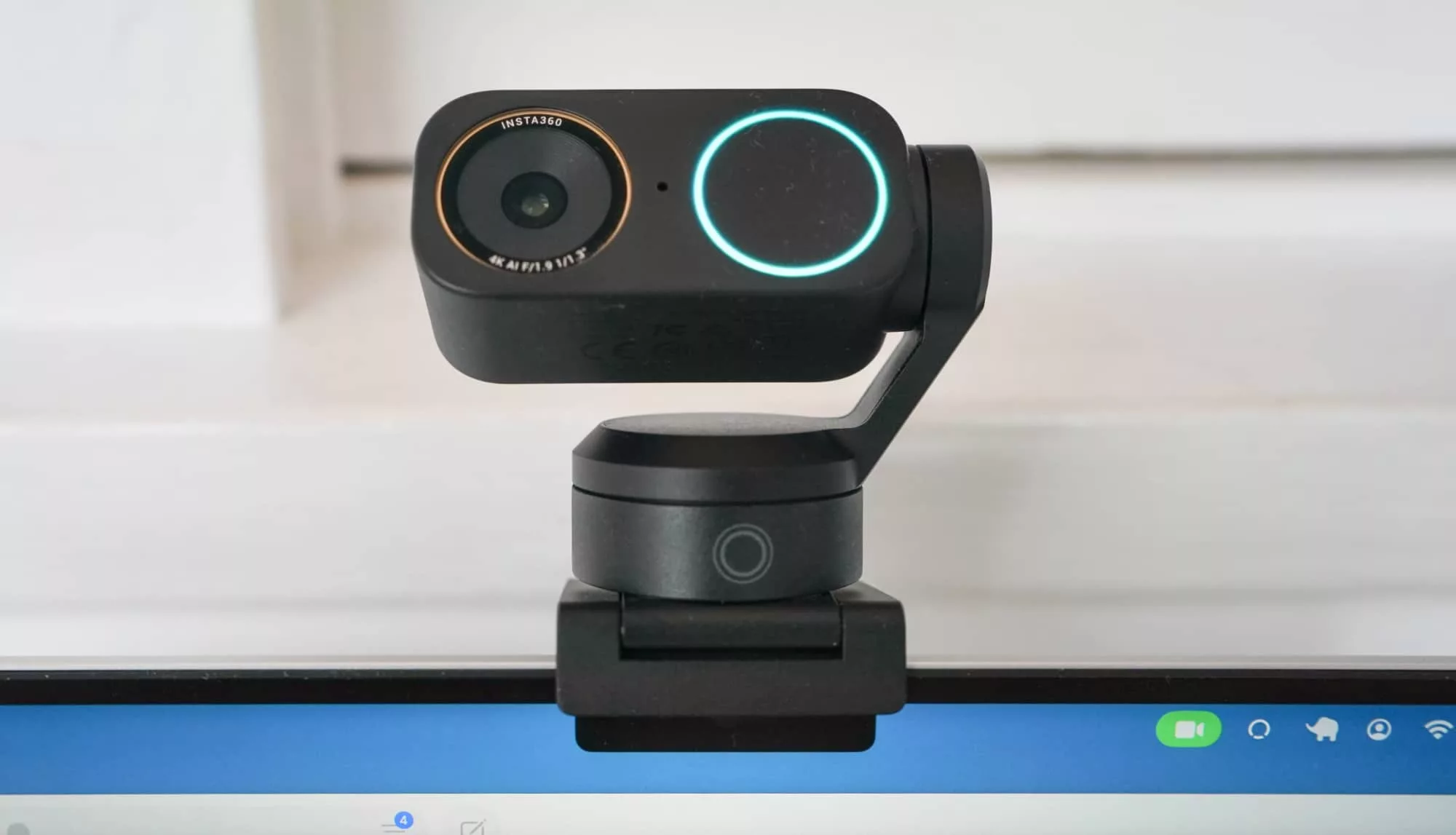
One of those gadgets you don’t really need to think about design for, Insta360’s Link 2 Pro compact webcam is more something you’ll want without thinking about design.
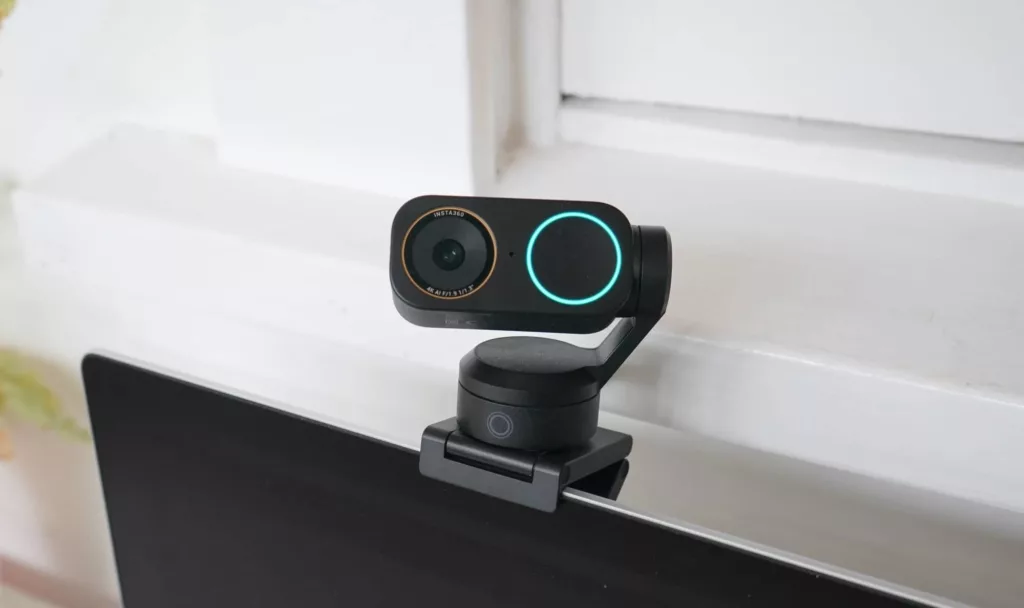
Yes, it’s a webcam, and webcams don’t invariably need much design going for them. They’re a camera hooked to a mount, and that mount either sits, clips, or props everything up.
In that way, the Insta360 Link 2 Pro is exactly what you think it is: a camera on a mount. Nothing really out of the ordinary there.
Where it gets interesting is the hardware it’s connected to, and the hardware that drives it.
Inside, there’s a 1/1.3 inch sensor, a larger sensor than what your webcam might normally have, possibly a 1/2 inch, which its predecessor in the Insta Link 2 offered. That sensor allows more light to come in, and provides a maximum of a 4K Ultra HD image and video with a max of 30fps, while a 1080p Full HD capability can pull it back to a maximum of 60fps.
Two sets of sensitivity are in this camera, covering low light and bright light across ISO 100 to 3200, and the aperture letting light in comes in at F1.9.
There are two microphones covering directional (in front) and omnidirectional (around the mic), essentially catering for better audio alongside better video, which is what the sensor and lens are there for.
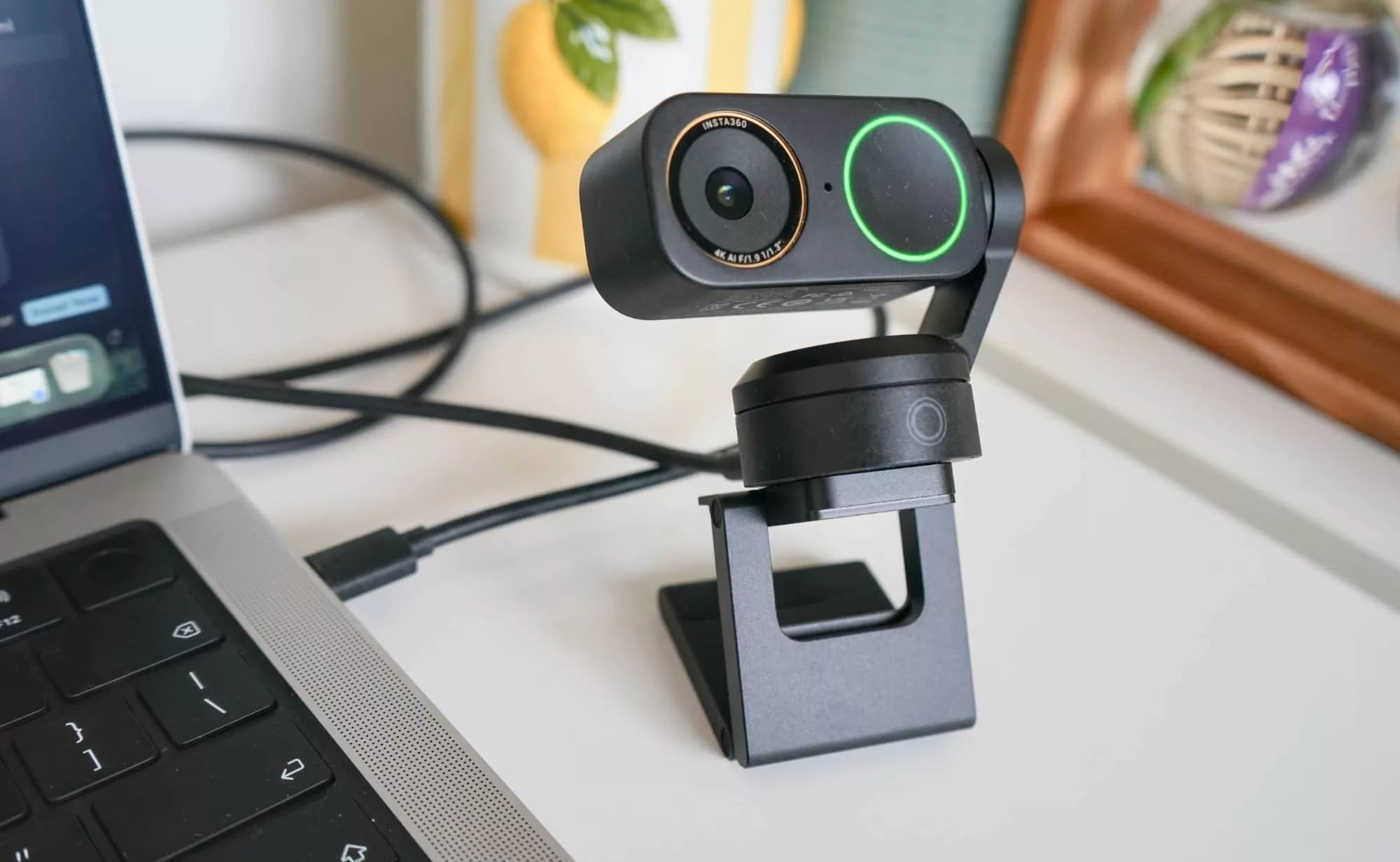
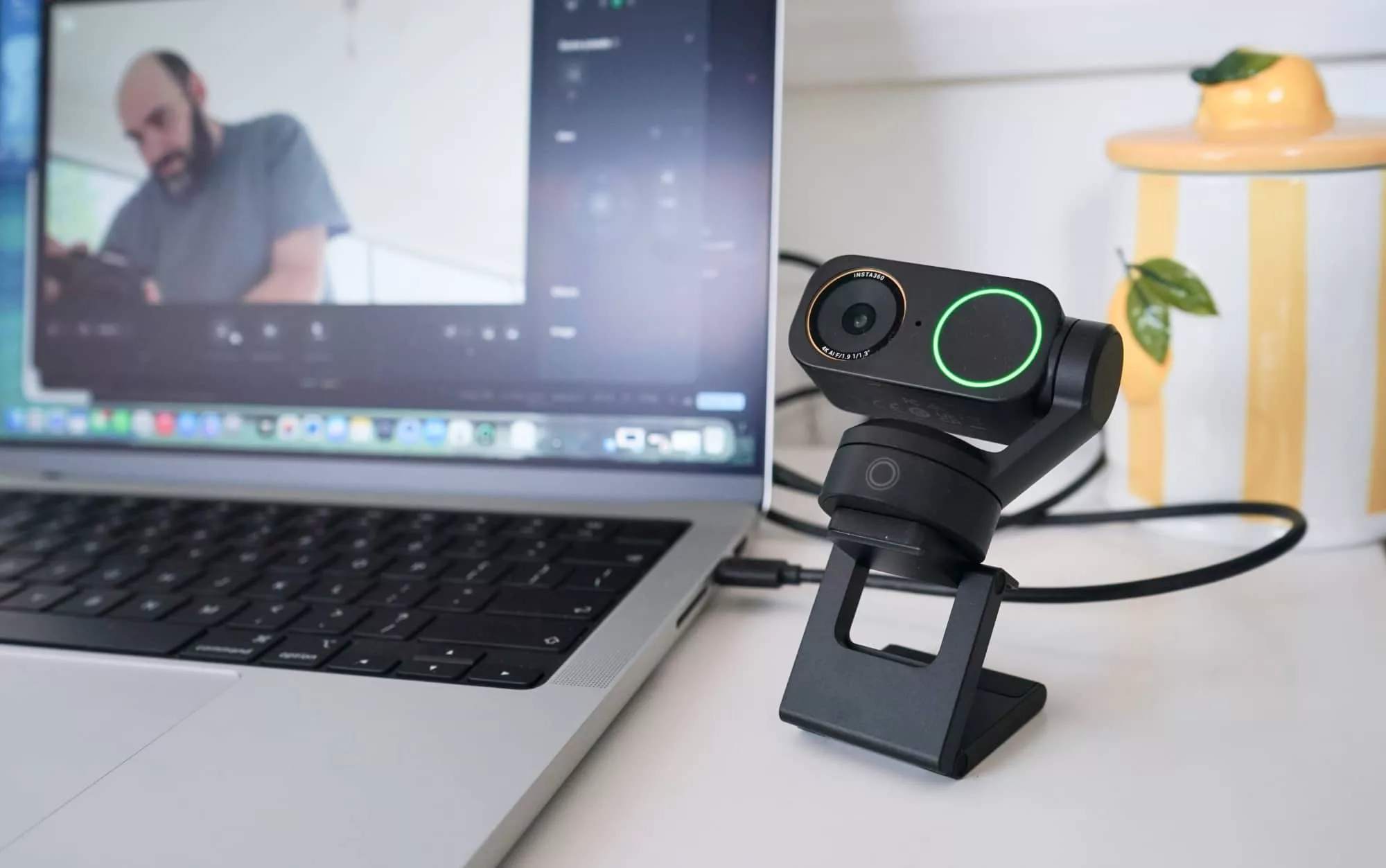
The outside is interesting, too. The mount is actually magnetic and turns into a foldable almost-origami tripod of sorts, complete with a tripod screw mount at the bottom to attach it to a real tripod or quick-release (QR) plate.
But there’s also a part of the camera mount that’s intriguing, with a gimbal attached.
For those playing along at home who don’t know what a gimbal is, that’s one of those clever mechanical objects that can hold something straight even while it moves. It’s less important for a fairly stationary object lIke a webcam, but the gimbal has another purpose in the Link 2 Pro: tracking.
Using some artificial intelligence, the Link 2 Pro can track a person’s position inside a space. When that’s happening, a light will blink on the camera to let you know roughly what it’s doing, and that gimbal will move the camera left and right and up and down, all to keep you or anyone important in frame.
In-use
Using a webcam is likely going to come down to your software, and specifically your video conferencing tool. Every browser and chat tool we played with supported the camera, but things were different in video editing world.
Almost nothing would touch the Link 2 Pro, largely because it wasn’t a standard camera in the way a DSLR or mirrorless might have been. Even CapCut wouldn’t go near it on the desktop.
Fortunately, Open Broadcaster Software (OBS) would, and so we found a way to link it up to capture for social and the like.
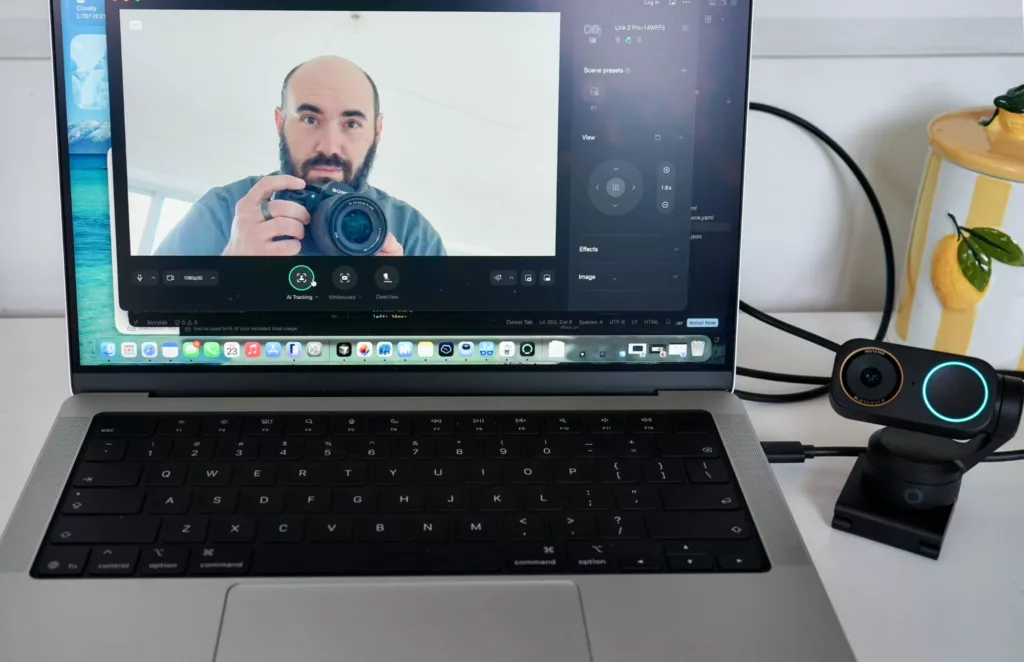
Insta360’s software also provides a way to capture, and more importantly, a way to control the camera, with movement, zoom, AI tracking, and focus controls. Your phone can even act as a remote, which can be handy.
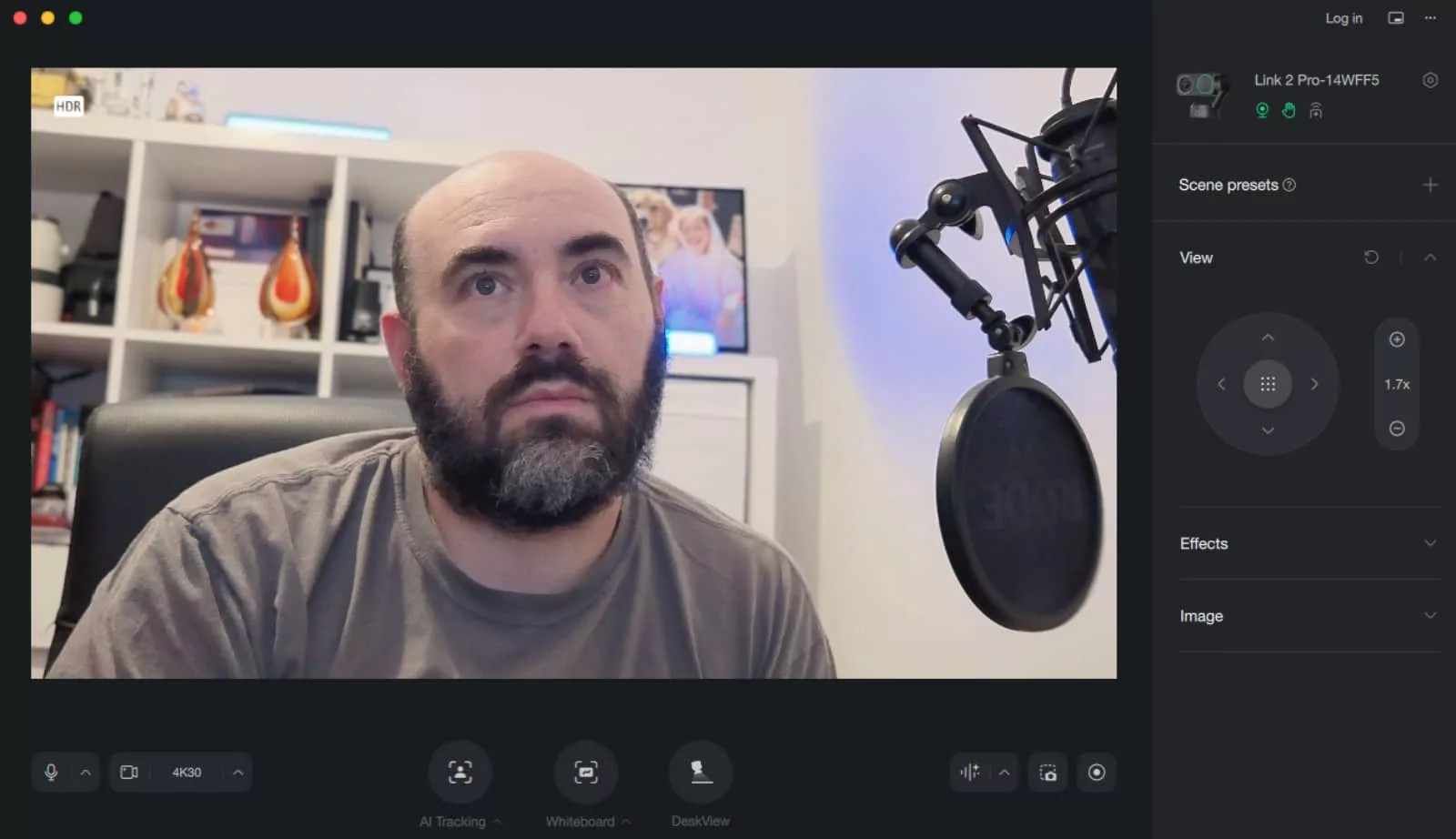
There are backgrounds, blur modes, a bokeh simulation, and even a make-up mode. Using a little bit of software trickery, you can change the size, shape, and colour of lips and complexion using your camera. It’s kind of crazy.
Using the make-up mode does kind of pull the camera back to a maximum of Full HD video, but it’s not a major issue. The Link 2 Pro is mostly 4K if you want to stay inside Ultra HD.
Watching the camera is interesting, though.
While a webcam is definitely facing you and able to track you, there’s a light on the side to kind of keep you focused, giving you a green light when it’s on and working and a blue light when it’s AI tracking.
You can trigger the AI modes by holding your hand up, and gestures can help you control the camera simply by changing fingers.
That tracking physically moves the camera on its gimbal, rotating and tilting alongside zooming, making it a PTZ camera complete with auto-focus as you walk or move or simply sit still and shuffle about in your spot.
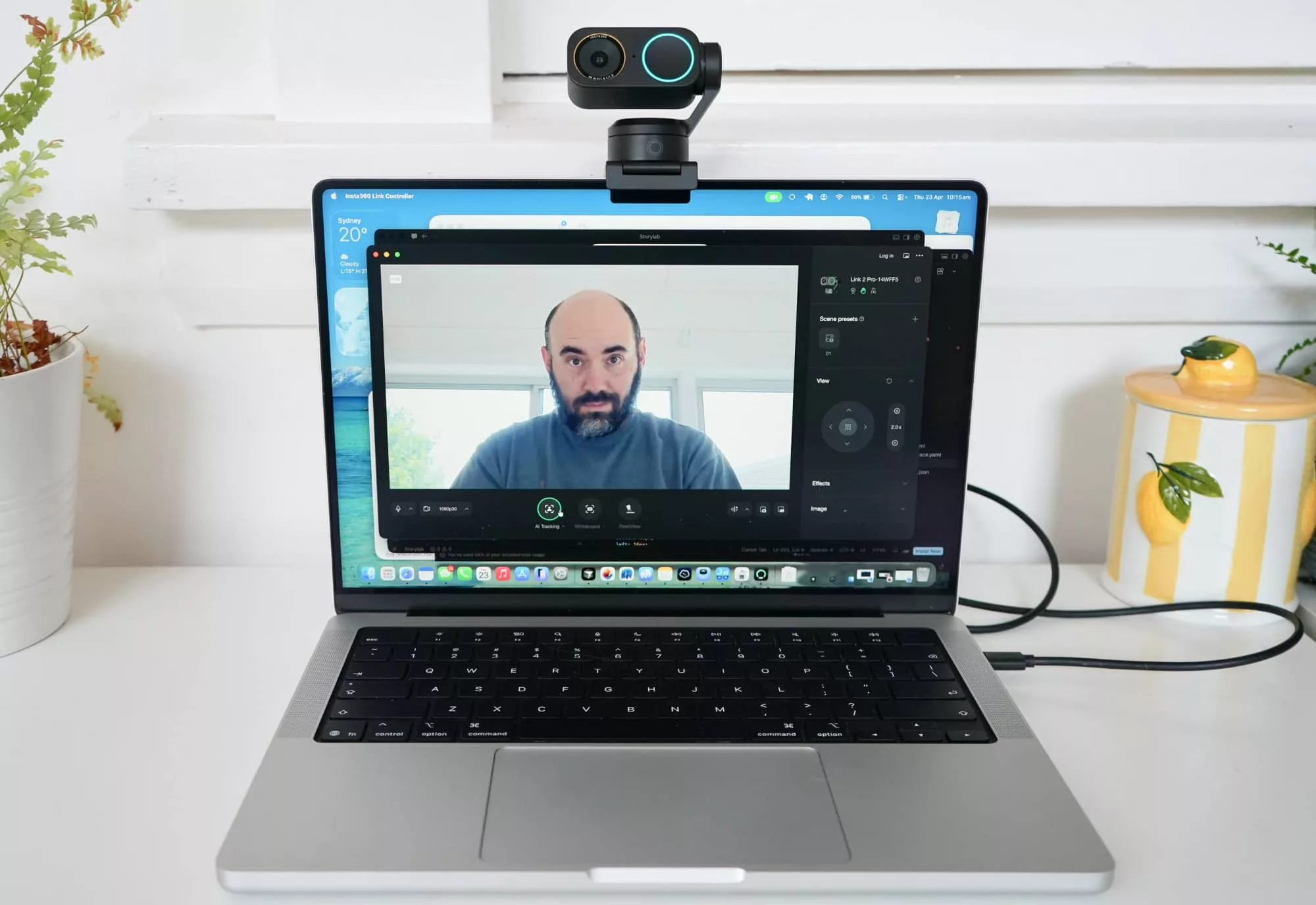
The software also provides support for a whiteboard mode to crop to whiteboards when you’re near one (if you have one) and a desk mode to reposition the camera to aim at your hands and desk.
You can even save presets to quickly switch between settings easily. Handy.
Performance
Given that this is a webcam, the most important aspect is really going to be video performance, so let’s cover that first, and that’s really a choice between Full HD’s 1920×1080 and 4K Ultra HD’s 3840×2160.
In video, with a 4K sensor on the camera, you shouldn’t be left with any obvious pixelation as you capture, and you can downsample back to Full HD, which will likely be what most apps do.
It’s not that 4K is bad — who doesn’t love a higher quality Ultra HD image? — but more that most apps don’t need to capture or transmit in a resolution quite that high.
Webcam chats over Meet, Zoom, and Teams aren’t going to need to touch that level of resolution, and will likely default to Full HD 1080p, and chances are your NBN upload speed will thank you for it, as well.
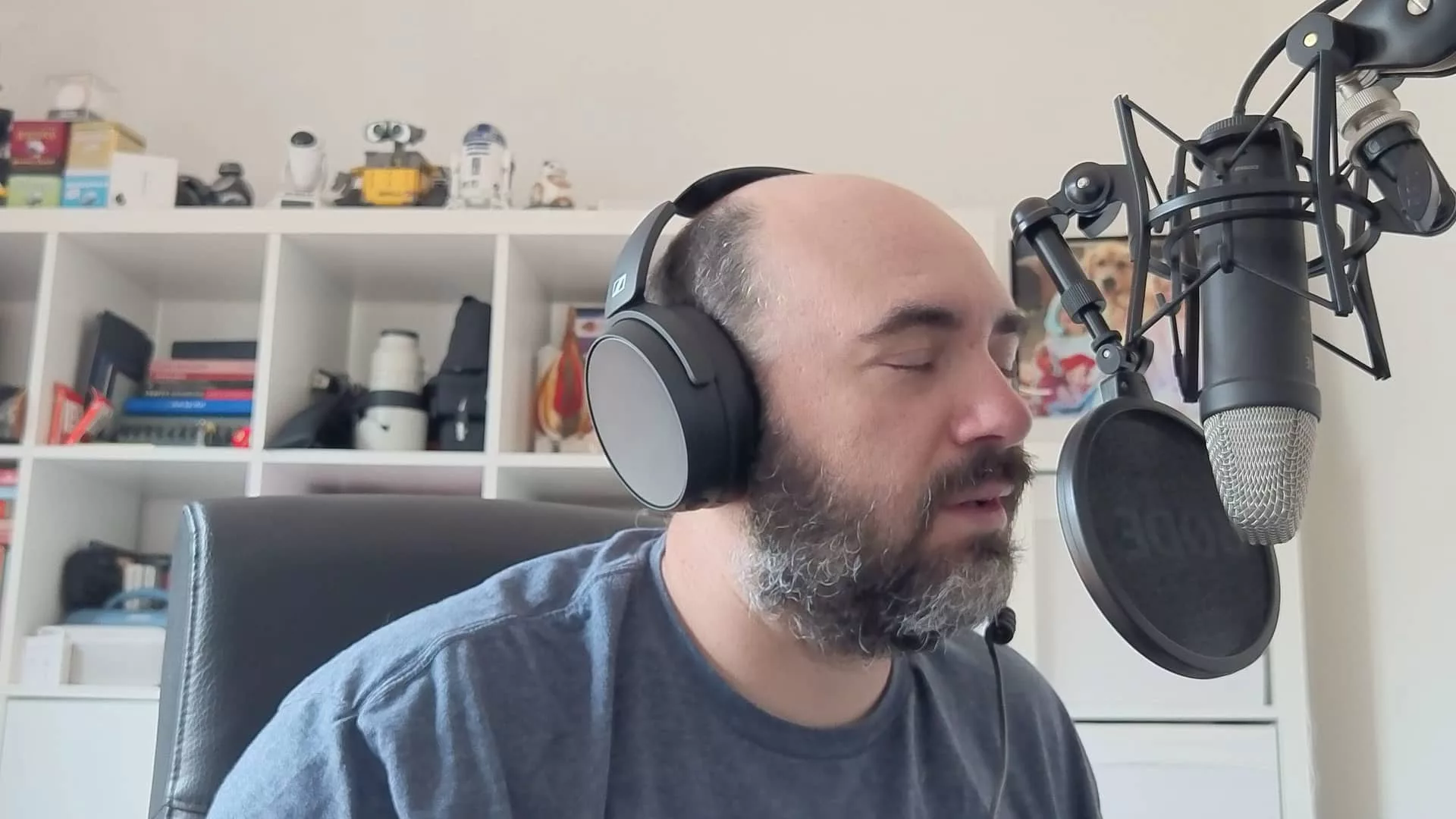
But if you do want to capture in 4K, the support is technically there, and the quality isn’t bad at all. That’s obvious pixels behind the portrait it’s tracking, but the result is clear, and the audio isn’t bad either.
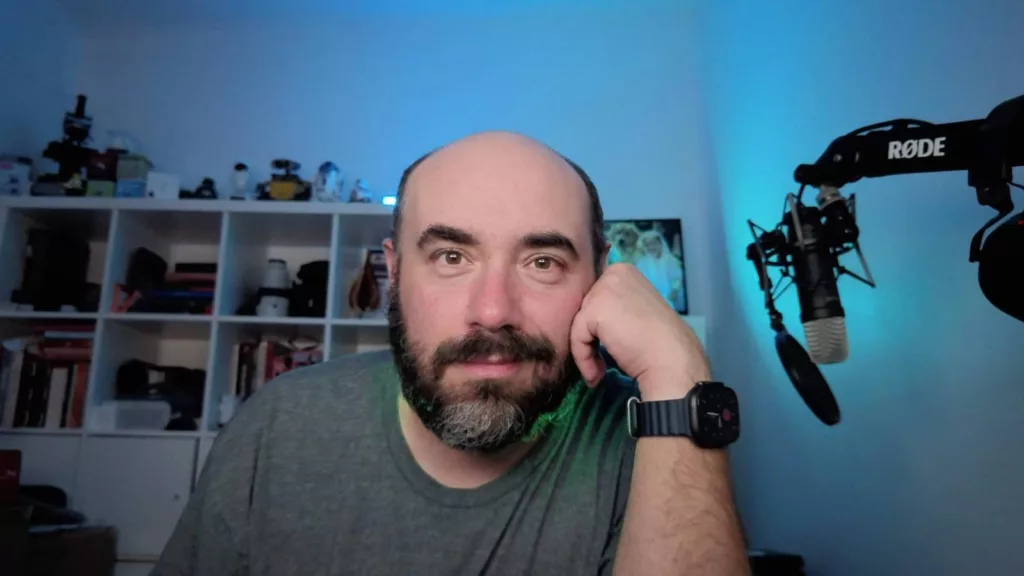
At night, however, the reasons to be impressed go up significantly, with quite a lot more light than we’d expect from a webcam.
Granted, in the test below, this reviewer is wearing a glow stick around his neck (because kids), but even without that the amount of light able to be picked up by the sensor is very good.
It’s a similar situation when it comes time to look at the images, which in the Insta360 app are basically taken as screenshots saved to the desktop.
Snapped from the camera, the screenshots are more or less identical to what the video recording will deliver, but you can also really give that camera a good solid test.
With an abundance of light always entering the Pickr reviews desk in daylight, it means most of our TikTok and social media appearances have been in broad daylight because the cameras have been better suited for daylight. We’ve just not been able to capture video for night time.
But with the Link 2 Pro, we might actually be able to switch things up a bit. The results in low light are excellent, with the camera seemingly able to punch holes in the dark and find the light that shouldn’t be there.
It is exceptional at that.
Value
The price is where things get complex. You’re essentially replacing your regular webcam (or none at all on a desktop) with a capable and versatile camera, complete with some AI features.
That alone isn’t going to be cheap, and truthfully, it’s not, attracting an RRP of $439 in Australia, unless you want to add a bunch of accessories for the privilege, bringing the price to $528, many of which you probably don’t need.
Just under $450 is not an inexpensive price to pay for a webcam, but this isn’t really a simple replacement for a webcam. It’s not a minor upgrade at all.
There’s a sizeable sensor, AI tracking, and a little bit more capability than most external webcams we’ve seen, even from some of the work-ready brands.
By comparison, Jabra’s 4K Panacast 20 is now down to around the $299 mark, while the Epos Expand Vision 1 4K webcam from 2023 is also now around the same price, as well. Both offer a fixed approach to tracking and basically crop as they track, zooming but not offering quite the same picture quality. They’re also both a few years older.
You can also find a variant of the Link 2 Pro with a slightly smaller sensor in the standard Link 2, and that tends to come for near the same price, with street values between $259 and $329 when we looked.
But what potentially gives the Link 2 Pro a sense of value is there’s really nothing in the webcam space that competes, at least not based on our look.
It’s also worth keeping in mind that at the time we reviewed the Jabra Panacast 20 back in 2022, it was a $559 webcam. It was more expensive than this one, and nearly four years later, it’s simply not. So comparing a new $439 Insta360 Link 2 Pro to a four year old webcam that’s a little less isn’t a fair comparison at all.
That would be like saying an older iPhone is less expensive and just as good, and likely to be untrue.
We’re not entirely sure if the $400 mark is a sound price for value in the Link 2 Pro, but what you get for the price isn’t bad. This isn’t just another webcam. This is way more capable.
What needs work?
The problem is Insta360 still needs work. While DSLR quality is advertised, we didn’t feel the clarity was quite on par with sharp glass.
The sensor is definitely capable, and the tracking is impressive, but this isn’t as good as say 50mm or 85mm glass like you can find on a larger camera. It’s a fair sight better than your webcam, that is definitely true, but comparing the quality to a DSLR feels a little misleading.
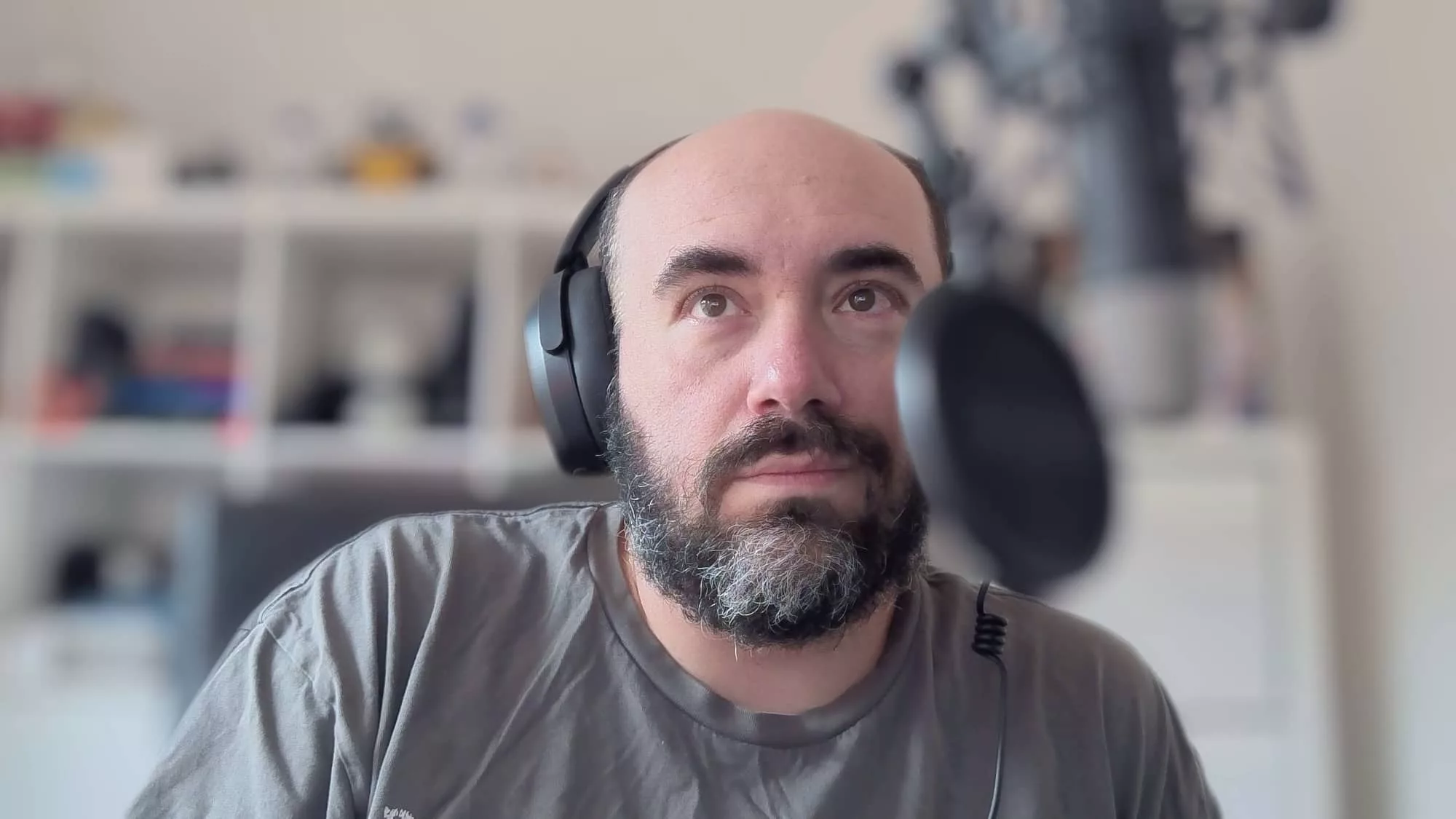
At night, the low light is definitely impressive, but the bokeh simulations often get foreground wrong entirely, ending up blurring an oversized microphone, while working out the difference between your head and a background can also go awry.
There’s AI support, sure, but it’s not as if you’re actually training the AI to work out the difference between two points. It’s fairly fixed.
Likewise the support for vertical portrait capture seems a little off, as well.
If you dive into the camera settings in the Insta360 Link software, you’ll find a setting for portrait mode. Insta360 notes that the mode is only supported by specific apps, and unfortunately, its own camera software isn’t one. You’ll need OBS or rival app Camo if you really want to try this, as even Final Cut Pro won’t pick up the Insta360 Link 2 Pro as a camera.
But even more interestingly, the Insta360’s software only rotated when OBS rotated the camera for it. While that sounds like a bug, it’s the sort of lack of polish that tells you aspects of the Link 2 Pro are great — sensor, tracking, smarts — while others are less refined.
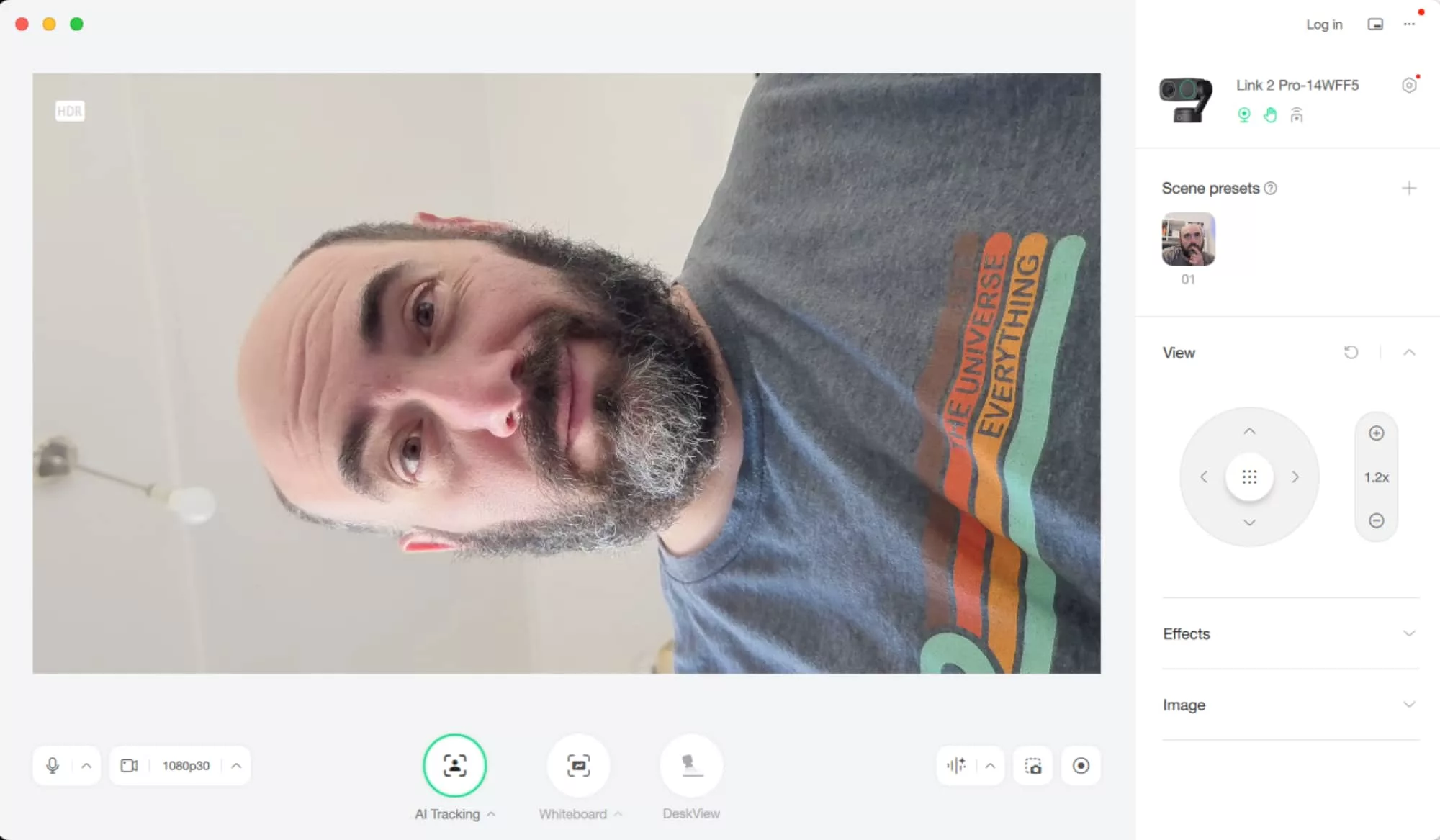
A little like desk mode, which can flip the camera down and show your hands working, such as reviewing a gadget, or unscrewing a product. The idea is neat, and theoretically replaces a second camera.
The problem is it’s unreliable unless you have specific settings. You need the right camera position, the right height, the right set of aspects and then to basically find if you can use that position as a webcam aimed at you for everything else.
Some influencers and product trainers rely on features like a desk mode to teach you how to do something, and it makes a lot of sense. But here on the Insta360, it never seems to work unless you have the right combination.
What we love
While desk mode feels a little like a failure, we love that Insta360 tried something different.
Outside of this, the camera does feel like it tries to solve a problem we’d never really considered: how do you make the webcam better than simply being a webcam?
It’s a problem a few companies have tried to solve, such as Jabra using AI with a 4K work-focused model, one that until the Insta360 arrived was still sitting at the top of this reviewer’s widescreen monitor, and one Apple tried with Center Stage, its machine learning approach to using your face and movement to track and focus the frame.
Insta360’s approach to frame using a gimbal is smart, and combined with the AI tracking and large sensor, means you’re getting a clever webcam system.
Final thoughts (TLDR)
There are easily things Insta360 could do to improve its webcam, and a better app is one of them, but on the whole, this a seriously capable upgrade.
The good news about what could be improved is most of it could probably be handled in software and firmware, with driver updates and such. That’s good, and bodes well for owners of the camera over time.
It’s not your ordinary webcam, that’s for sure. The Insta360 Link 2 Pro is largely in a league of its own with a more impressive webcam. Recommended.