

Quick review
The good
The not-so-good
Keeping your kids on track with homework and chores and life isn’t easy, especially when everyone has lots of things to do. Can the Skylight Digital Calendar keep everyone on track?
Life is difficult, there’s too much on, and keeping the family unit focused is a clear challenge. You have stuff on the fridge and emails and regular mentions, and short of constantly nagging everyone that something is happening that day, the chore of making sure everyone is aware of what’s going on can feel exactly what it feels like: a burden.
Wouldn’t it be great if technology offered a solution? Crazy as it might be, it does, but it’s rarely seen as that.
The humble calendar is typically the obvious solution, but whether a simple yearly planner you keep in your bag or the printed copy you buy every year, it may not be the thing that keeps the family motivated.
For parents, the calendar can be the source of truth for everything, but whether physical or digital, it tends to also be deeply personal, and only one person usually sees it. It’s mum. It’s dad. It’s whoever does the planning for the home and makes sure everyone is on track.
But it’s also entirely possible to give that responsibility to everyone, to impart the power to parents and kids alike, and to showcase it in screens.
That’s what Skylight aims to bring to homes with a rather aptly named “Digital Calendar”, a tablet that is mostly that and curiously not a lot more.
What is the Skylight?
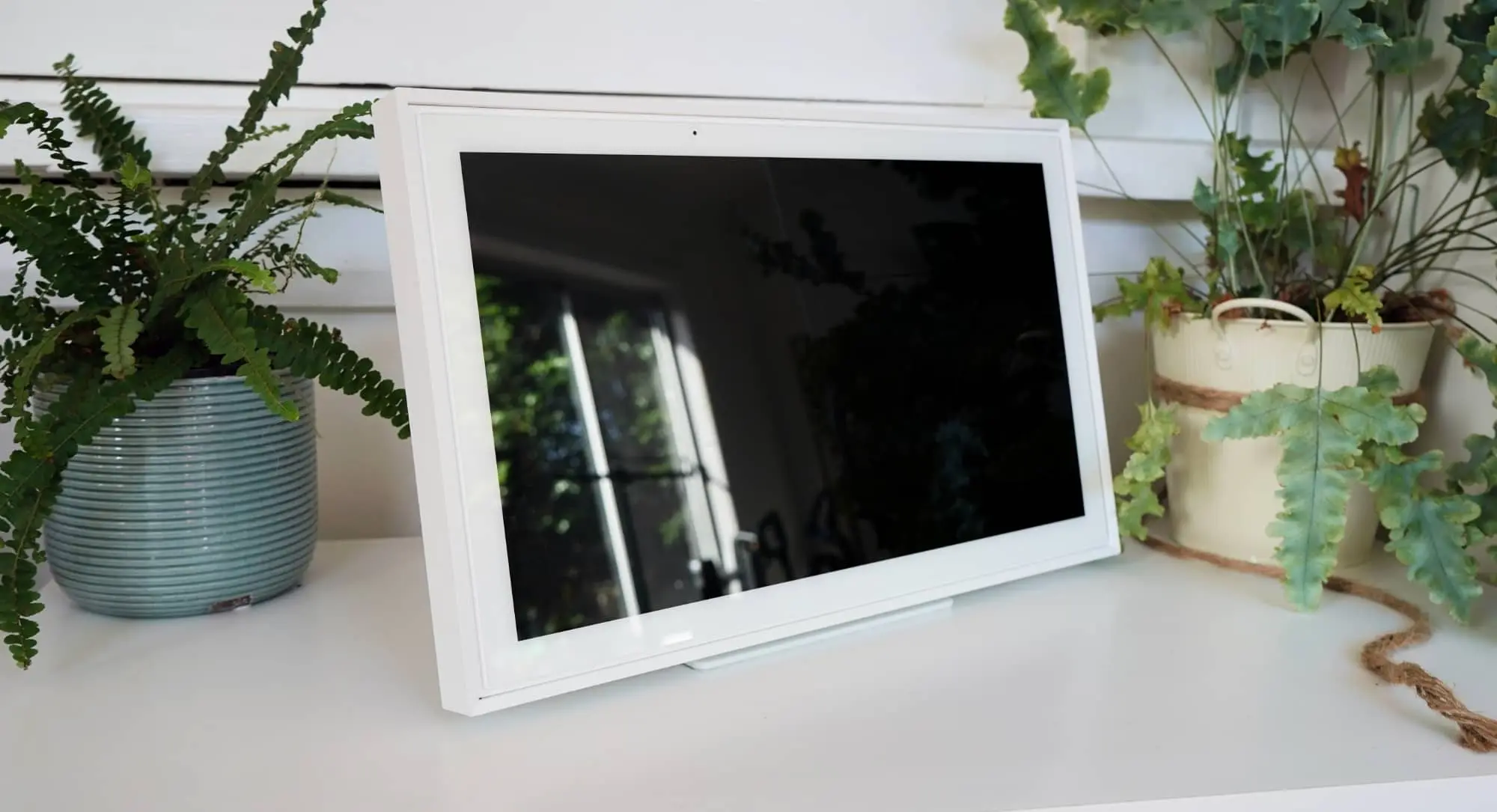
Combining the concept of a digital photo frame, a tablet, and a calendar, the Skylight is a highly specific device focused on the family, or more specifically, families intending to keep everyone aware of what’s going on. Anything that’s going on.
Technically, the hardware is a tablet, offering a device sized as small as 15 inches (which isn’t small) or as big as 27 inches (which is massive) inside of a frame that looks an awful lot like a desktop picture frame. All that’s needed is a photo of a family, and possibly yours.
There’s a white border much like a matte print, and then a white frame, and there are also speakers, but only really for calendar alerts and the clicks of a keyboard typing. This isn’t a conventional Android tablet in any way you might have seen prior.
But there’s no way to find out what hardware the Skylight runs on like any other Android tablet, nor can you find out the operating system version obviously. It is clearly Android, but this runs an overlay, and it’s not your usual version.
It is Skylight’s software with a rather simple interface, and a direct raison d’être: organise your life.
What does it do?
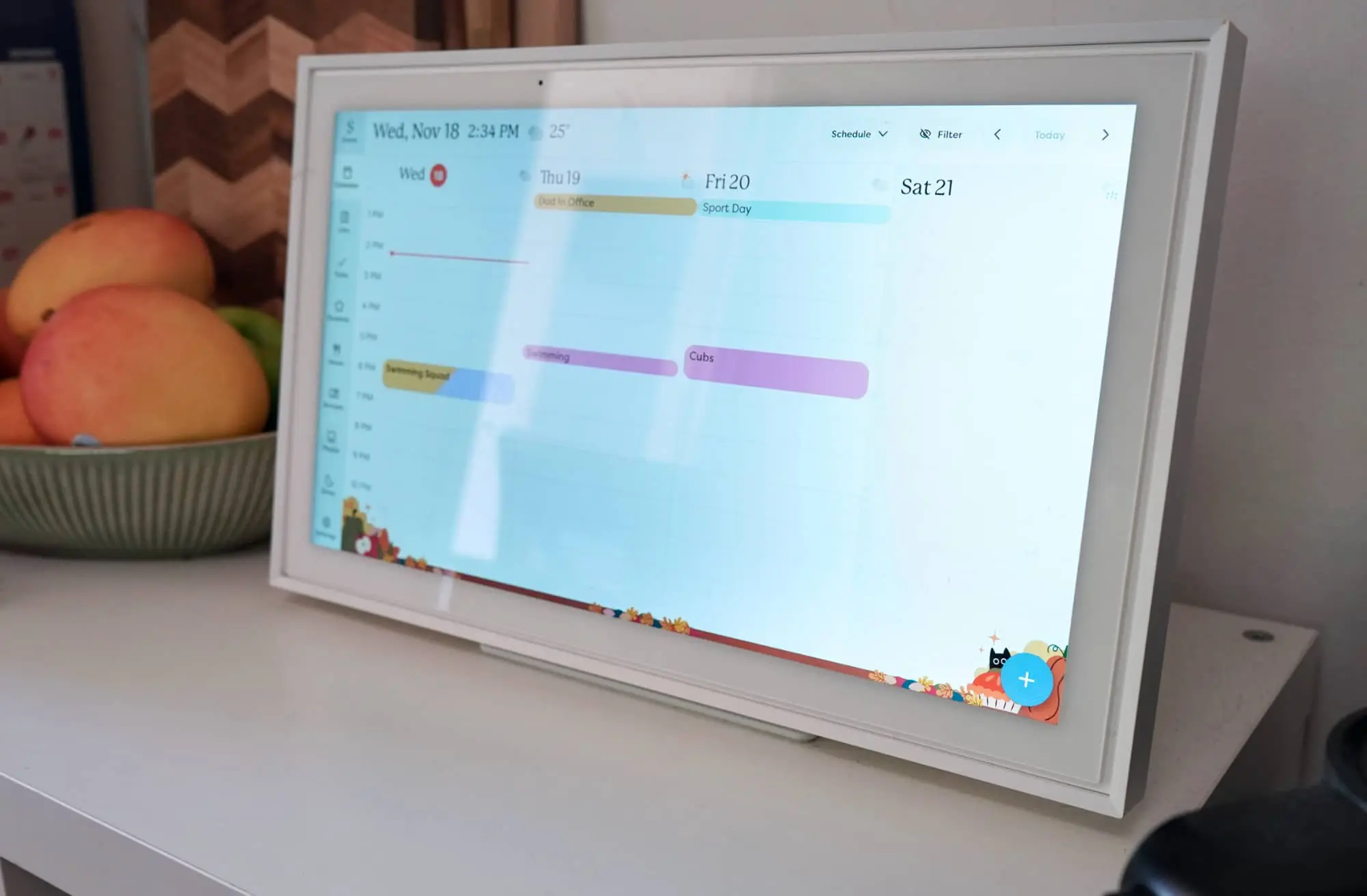
To do that, the Skylight Calendar works a little differently from other tablets you might have seen. A 15 inch screen in a picture frame powered by Android sounds a lot like an Android tablet made to sit on a table, but this isn’t your standard everyday Android tablet.
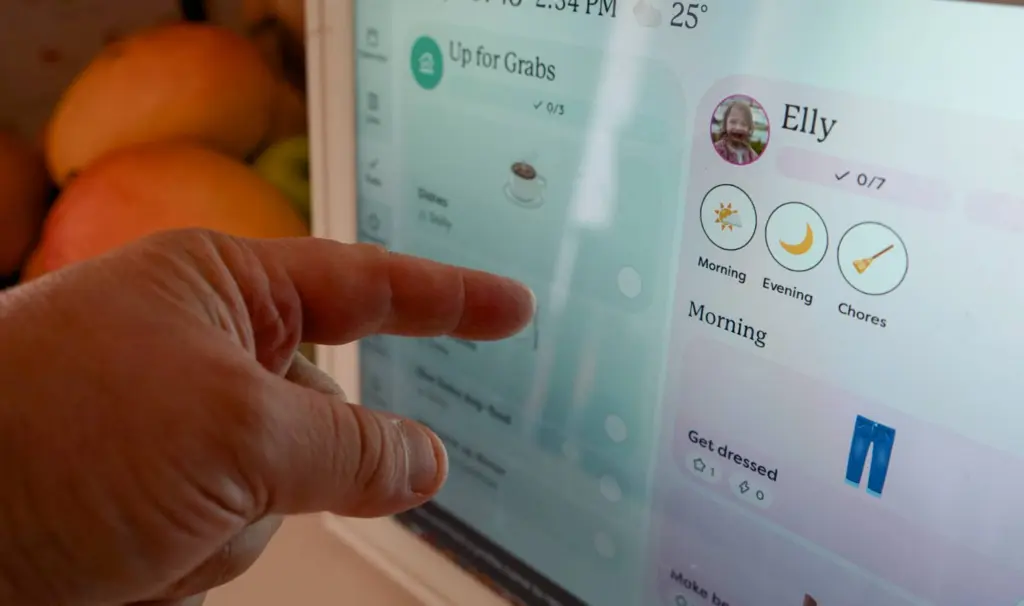
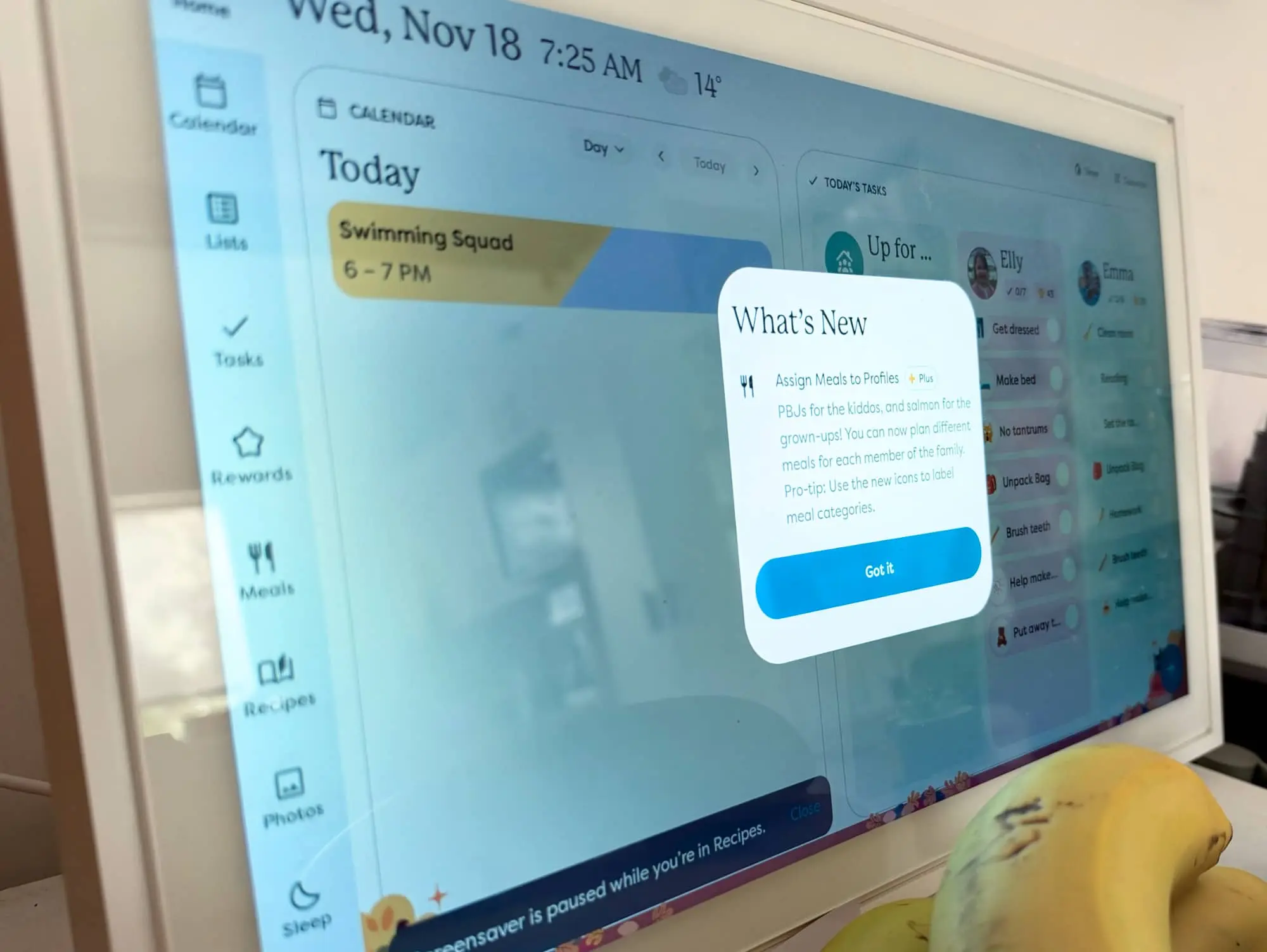
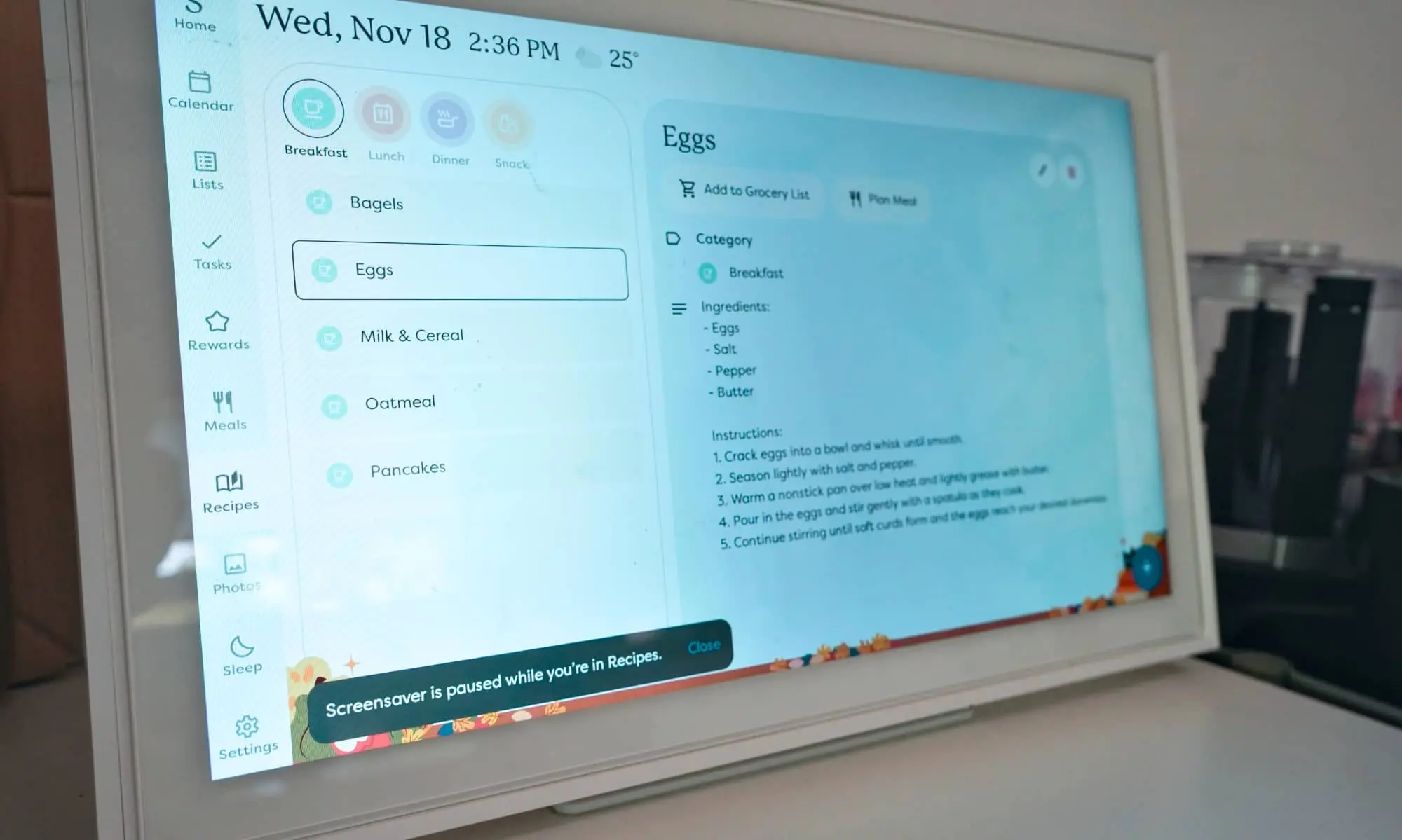
You can find your converged calendars in a tab clearly named “calendar”. You can find items for people to do and check off in “lists”. There are also tasks, meals, recipes, photos, and rewards. It’s supposed to be your life in a digital sense that anyone in your family can see, and provide a sense of structure for your kids to follow.
It is, in short, the digitisation of the everyday paper calendar so that everyone can follow it. If this were a business, it would be a form of digital transformation, albeit simply for explaining the day-to-day.
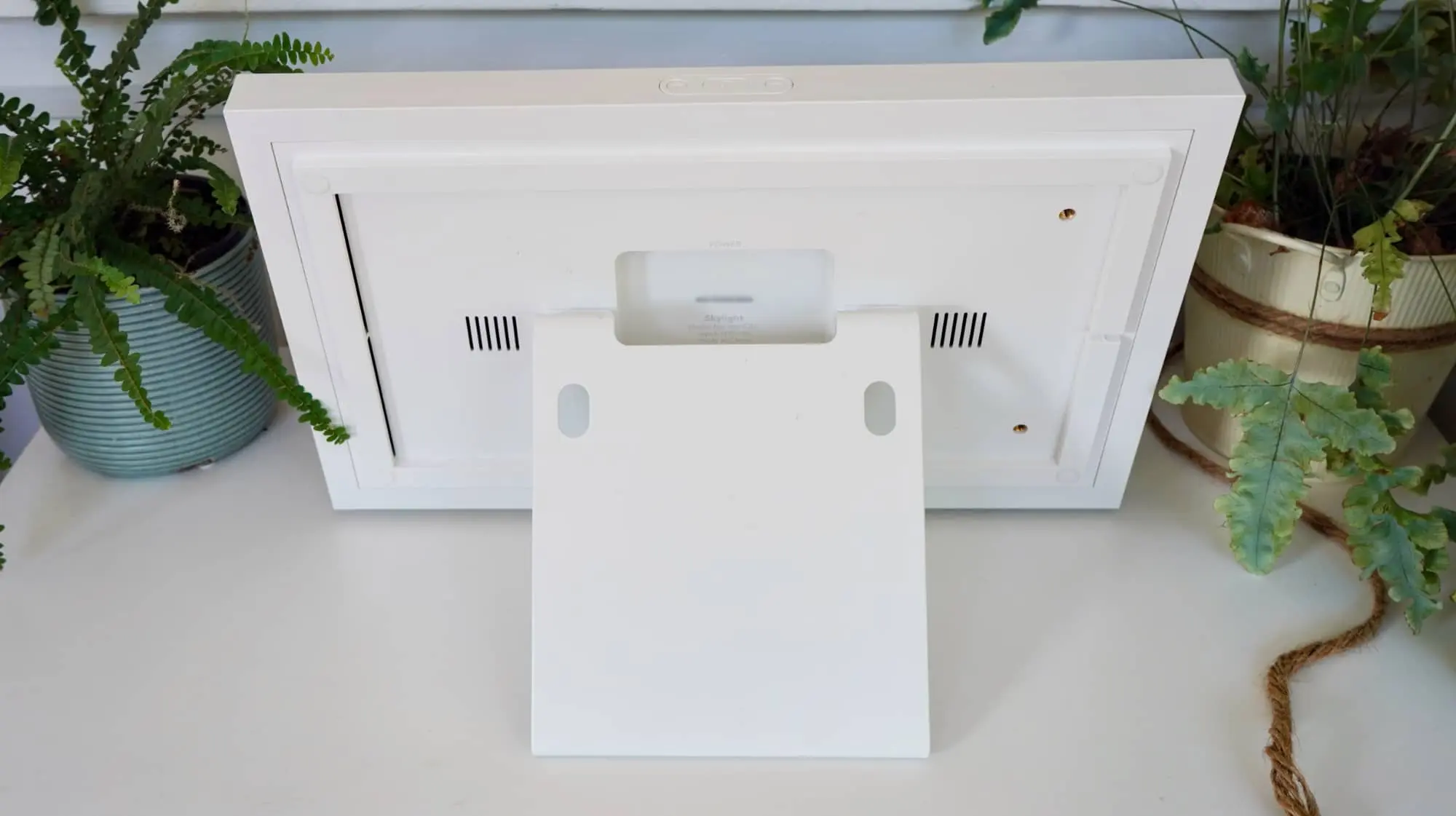
The mechanism to do that is clearly a tablet shaped like a picture frame, and one that genuinely feels like it was built for battle. This thing is heavier than an iPad, that’s for sure.
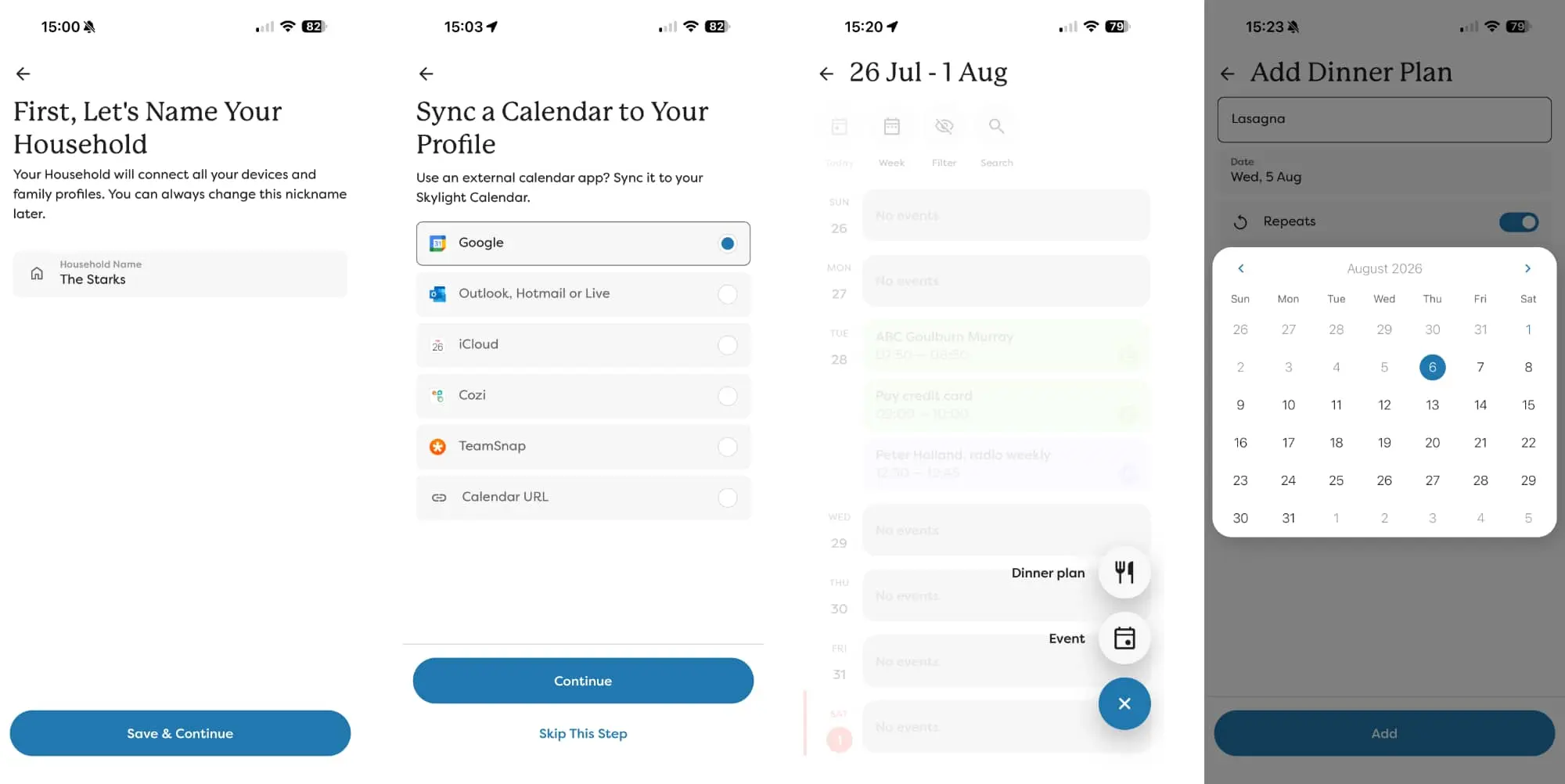
It does come with an app — the unsurprisingly named Skylight app — and that lets you be the admin to bring all of this together. Connect your calendars, create the chores, reorder your recipes and dinners for each day of the week, and so on and so on.
Parents can both log in and make changes, but it will likely always be just the one parent doing it, which means one of you needs to get into a rhythm.
Does it do the job?
You see the Skylight Digital Calendar can work by itself, but it does need an adult to actually maintain elements, to plan the weeks and months and add things where required.
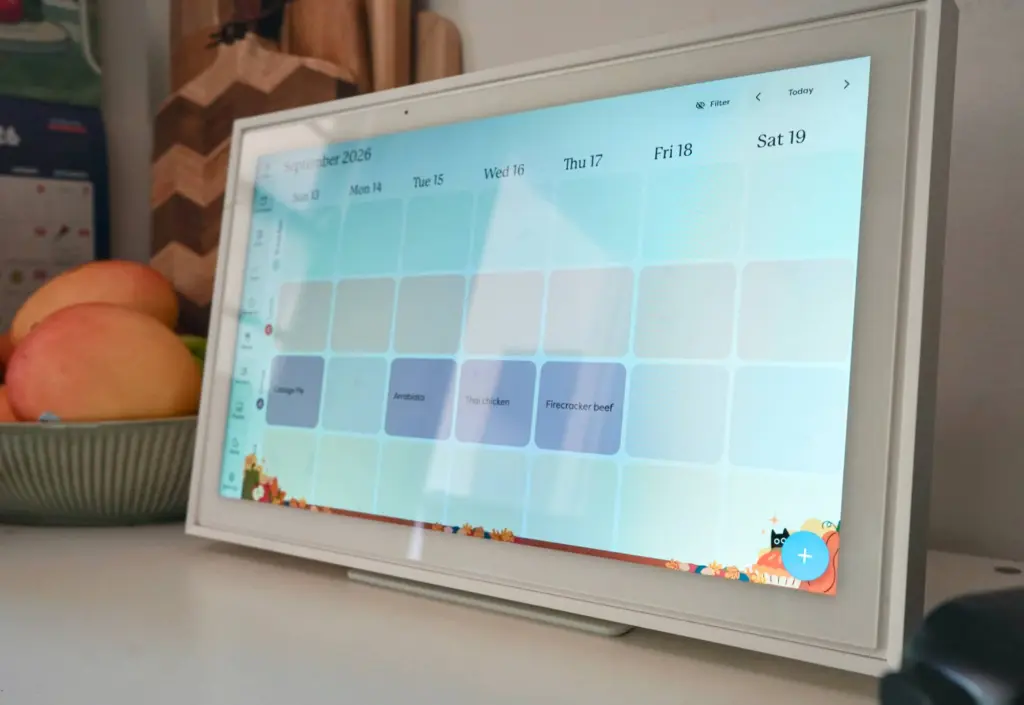
Think of it as an extension of your current digital calendar you might be already using; if you have a calendar in Gmail or Outlook, that same calendar can run here, keeping connected and showing the events you need everyone to know about, and you can set regular appointments and routines there to appear here. It’s the same calendar, so everyone in the family can know when you’re in the office, when you’re going out with friends, and so on.
But you probably need to go deeper than that.
If your kids have regular activities, such as soccer practice, ballet, piano lessons, and so on, you can add them to a calendar and have that calendar load. If you want to plan your meals for the week, you can have the app add them for the days they’d occur, and even have them repeat at time. It won’t do leftovers, but you can always write that.
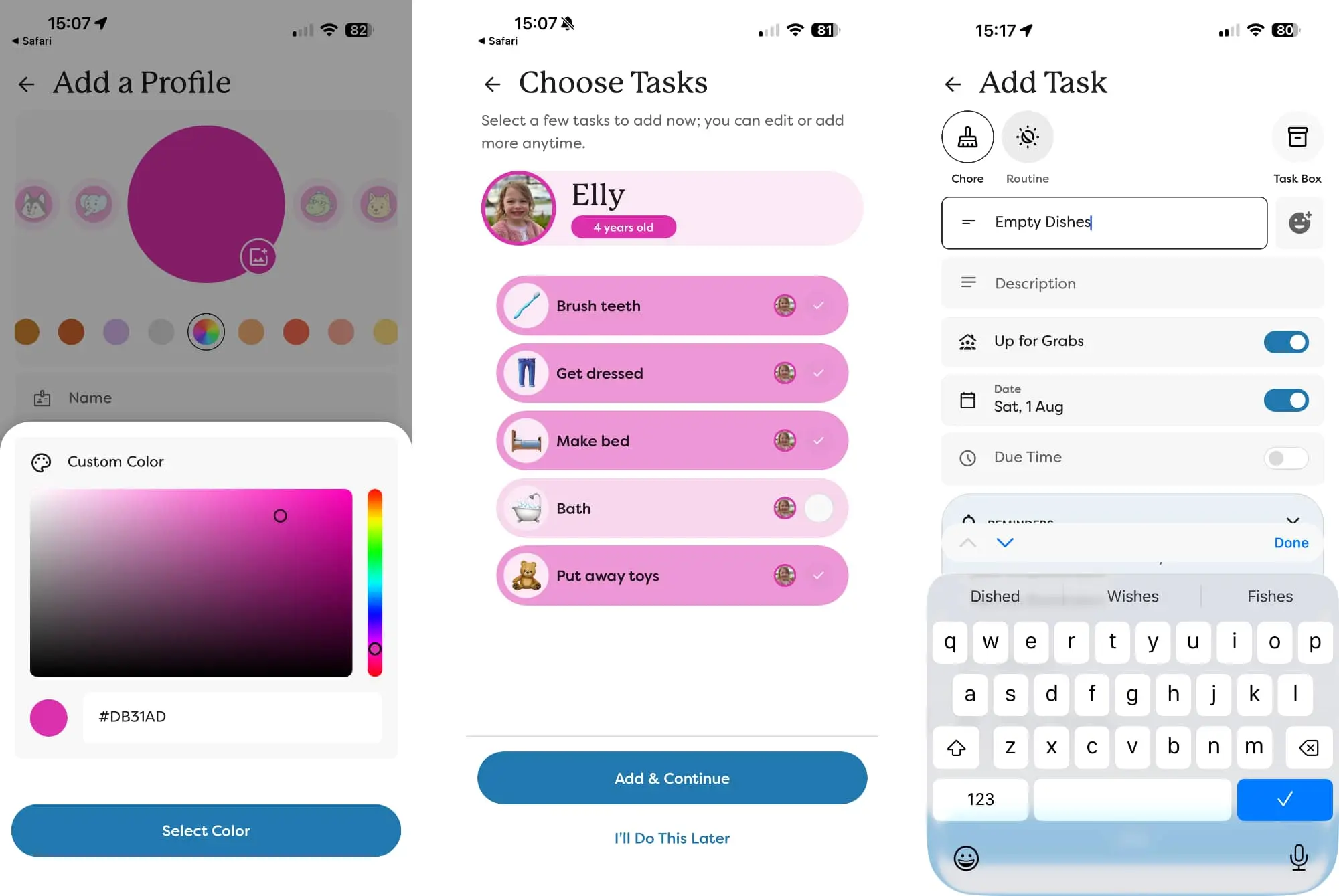
The Skylight app also allows you to set chores with regularity for your kids, which they can use to earn reward points to cash in for rewards. These are very much for you to set up, and can be personal for each family, though you do need to pay extra for the feature.
In our case, Ms 9’s rewards were trading in points for a book or a trip to her favourite sushi restaurant, while Ms 4’s rewards were a little more predictable, trading her chore points for a cupcake or a bubble tea, maybe even a Barbie.
If you’re struggling to get the kids to do their chores, adding a reward system could just push them over the line. You might even check on them from time to time.
Much like how you need to upload your own photos for a smart display, you also need to maintain your calendar. It’s your life, and you need to stay on top of that.
What does it need?
But the problem with the Skylight is that it can be a real effort to keep it in your life, and to keep the kids encouraged to continue using it.
Calendars can be added to the system all too easily, and you can keep on adding events to those calendars as you normally would, using your phone to change events. It’s basically a big share calendar. It’s easy enough to set up and maintain, but you need to be disciplined to keep on doing it, to keep on opening the app and making changes.
It’s in an app, sure, and you can also keep your calendar maintained through whichever calendar system you normally use. But some things, such as dinner planning, have to be done inside the Skylight app, which means remembering to do this every week, as well.
You need to be disciplined to keep pointing to the physical Skylight calendar when something is happening, to realise that it’s trying to tell you the family is busy at times. Leave it alone for too long, and the Skylight starts to resemble a screen with hints of what’s going on, but more just a whiff without any real relevance.
In our life of screens everywhere, it can be all too easy to forget that this actually does something.
And that discipline can be difficult at times, but it’s required to make the Skylight work well. Otherwise it’s just a calendar on a tablet in a central location.
Outside of the events and your discipline, the Skylight Digital Calendar doesn’t really do anything else well. It doesn’t really do anything else at all.
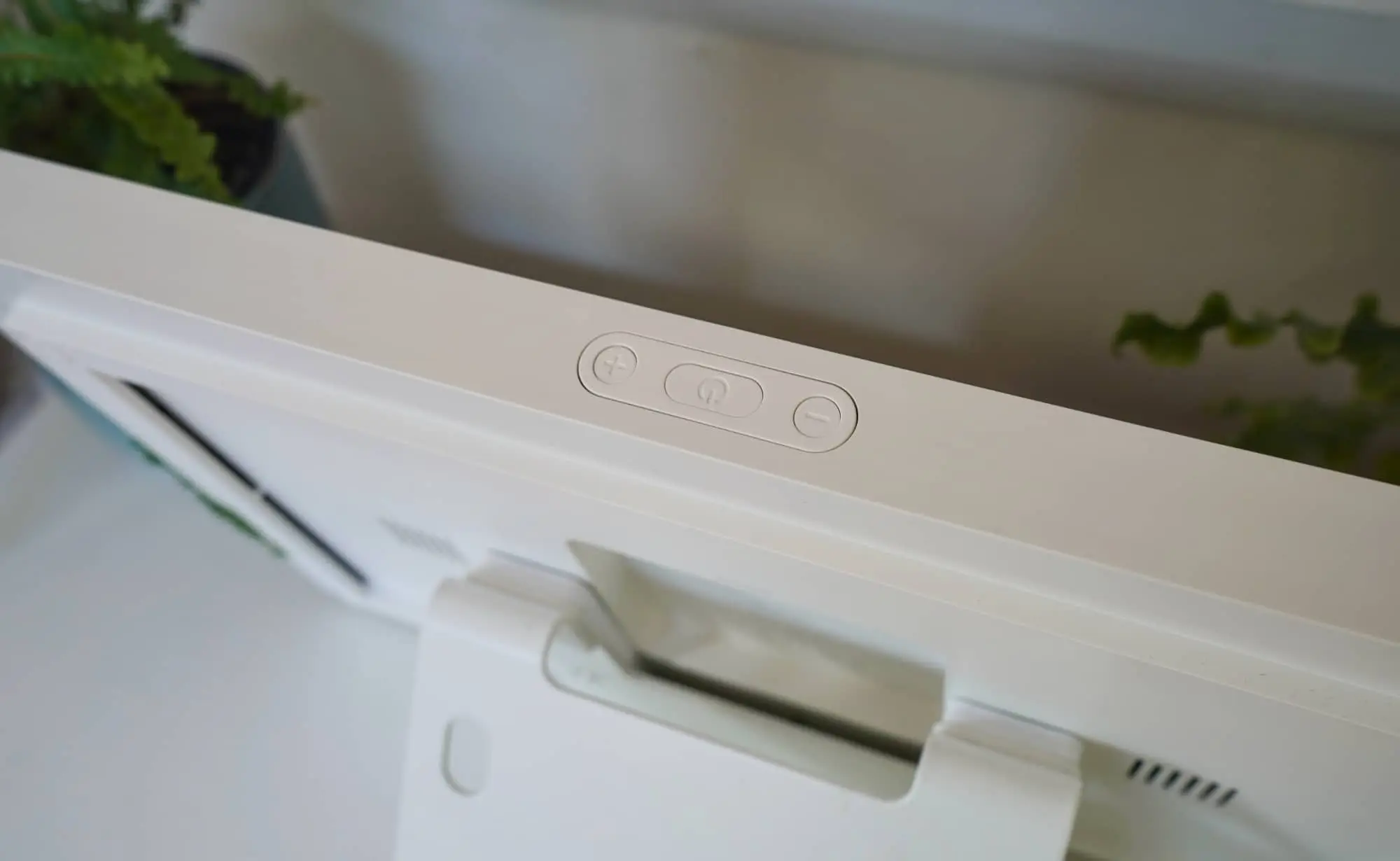
The Skylight isn’t a smart speaker and you can’t play music on it. Sure, it runs Android, but there are no apps, meaning no Spotify, YouTube, or Apple Music, even though it does have a volume controller up top.
While it technically supports photo uploads, it’s not a great photo frame either, losing out to smart displays with photo options. Here, you need to pay for an optional subscription just to add your photos, and then you have to upload them directly to the device.
It’s a surprise, simply because the whole point of the Skylight Digital Calendar is to assist with your day-to-day, and to make life that little bit easier to manage. And yet being forced to pick and upload individual image sets is hardly the realisation of that. It just doesn’t seem as well thought-out as it could be. It would be amazing if it could just connect to Google Photos or Facebook and use platforms you’re already using, but no such luck.
You can’t talk to it to add things, and it can’t talk back to you to say what’s on verbally. And even though it runs Android — and it clearly runs Android — there’s no Play Store for you to expand things.
It’s almost like Skylight has gone in the total opposite direction in the era of convergence, making a calendar that does one thing and does it well: build a digital calendar that’s entirely focused on the act of organisation.
Together with the app and Skylight system, it does organisation well. It’s a shame that’s all it does well. It is just an Android tablet made for organisation, even though it could be made to do more. Even a little more would be somewhat beneficial. If it were connected to the greater web, it might feel just that little bit easier to use.
Is it worth your money?
These days, everything has a degree of convergence inside. Your phone isn’t just a phone; it’s a media player and wallet and web browser and email client and camera and torch and so on and so on. Your tablet can be a computer, and usually vice versa, and your watch can help you track the time and your health.
Yet here in the era of clear convergence, the Skylight Digital Calendar is primarily a calendar and very little more. And that means its price is probably more than we’d pay for a device as single-use as the Skylight Calendar.
There are two options to consider, and they basically just change the size. There’s this model, the Skylight Calendar 15-inch, priced at $529 in Australia, and then there’s a massive 27-inch variant for a little over twice the price, selling for $1199.
Both do the exact same thing, but change the size, basically giving you a choice between normal and massive, or “table-friendly” and “just mount it to a wall”. Those are our words, not Skylight’s, but the vibe is definitely there.
There’s no cordless feature, either; both will need to stay plugged in. This isn’t your standard iPad replacement, that’s for sure.
As it is, the price can seem a little excessive for each, largely because the technology can feel fairly one-sided. In an age where convergence is the norm, having a device that’s basically just a corded (yet wireless) digital calendar hit over the $500 mark seems like overkill.
But there’s also another issue: there’s technically an ongoing cost in the form of a “plus” subscription model.
You don’t have to pay. You can simply choose to spend the $500-odd and move on with your life, using the Skylight the way it is without a “plus” account.
However, if you choose to pay $125 per year, your chore chart will be able to support those aforementioned rewards for your kids, something you can define and they’ll look forward to. But you need to spend on the plus plan to make that work.
There’s also meal planning and suggestions, with the Skylight app supporting the use of AI to let you snap pictures of your hand-written notes from your weekly shop-up and automatically translate that to your calendar. The Plus plan also supports photo and video screensavers.
It’s the sort of thing that feels like it should simply be a part of how the calendar works, though you’ll also get a “Disney mode”, which is another way of saying animation and photo-frame screensavers using frames form Disney, Pixar, Marvel, and Star Wars films and shows.
Perhaps frustratingly, the $125 annual purchase is something that actually helps make the Skylight Calendar feel much more usable:
- The rewards make the chores easier for kids to connect to, and they feel like they’re working up to something, trading in their jobs for something of value.
- The *Magic Sidekick* AI feature makes it faster and easier to map your weekly shop-up menu into dinner reminders for the entire week.
- A lack of food ideas can be generated by the system and added to the calendar, and
- School event paper drops can be translated to the calendar from your phone’s camera.
The app really opens up and becomes genuinely useful with the Skylight Plus service paid for, which in the case of this reviewer was handled by Skylight’s team. The Plus service makes the calendar easier to use in general.
The problem is $125 per year is a difficult ask when the calendar is already pricey, and when there’s a further risk of your kids losing interest.
A few months into using the Skylight, that’s exactly what happened with Ms 4 and Ms 9, kids who were initially eager and checking off every chore, but who lost interest some months later.
The rewards weren’t the problem; rather, it just didn’t feel like it mattered. And frustratingly, the parents also needed to keep themselves using it, updating it, and generally making the time to keep the Skylight useful.
Yay or nay?
Some parents and families will find the Skylight Calendar a bit of a godsend, especially if organisations is already troublesome and cumbersome and full of some frustration that’s driving the parents to breaking point. It might just solidify the personal planning and calendar of the family unit for the people it matters to.
And it could have an absolutely intended side effect: it might make your kids more aware of what’s going on. More aware of chores and responsibilities, and all the things they have on that don’t rank because, well, they’re kids. It’s a form of digital awareness made for the home.
It’s just that you also risk having it be another gadget they don’t care about.
With that in mind, we have a difficult time justifying the high price tag for the Skylight Digital Calendar, and we suspect a few other families might, as well. A starting price of $500 was never going to make this one an easy buy, and the extra $125 yearly cost on top of that obviously won’t help. That’s an ongoing annual cost for the Plus service, too; deactivate it and you’ll lose features.
But for family units struggling to keep on top of everything with parents who can easily keep the focus and the time in tact, the Skylight might just make sense.
Any parent can have a calendar, and any family unit can have several to work from. One for school and one for life and one for, well, you get the point. We could be here for ages pointing out the various calendars you might need in your life.
Skylight simply brings it all together. For some families, it will make total sense.