
Quick review
The good
The not-so-good
Built from aluminium and featuring one of the biggest trackpads you’ll find in a laptop to date, the Acer Swift 16 AI clearly has something going for it. Is value one of them?
Everyone has different likes and dislikes, and there’s not one device that fits every person. That could be why there are so many choices for gear, covering big devices, little devices, and everything in between.
It’s like that in laptops, where you can find small devices sized between 10 and 12 inches (which are normally tablets, but some laptops exist), more normal sized models sitting between 13 and 14 inches, and then the bigger options that are 15, 16, and 17 and higher. In fact, once you hit the 16 inch mark, you’re veering into desktop replacement territory because of just how much you can throw into a big laptop.
In fact, the bigger the laptop, the more impressive it tends to be. You’ll find a nice, big screen, plus a lot of memory and storage, and often a more spacious keyboard. It really can be everything you might want a laptop for over the several years you plan to own one for.
Around this mark, they can get pricey, but what you get also tends to be built to survive a longer time with. After all, no one wants to spend big dollars only to have the tech fizzle out after a couple of years.
Is that where the Acer Swift 16 AI is: a laptop built to survive several years in a premium sort of way? For the near $3K price, you better hope so.
Design
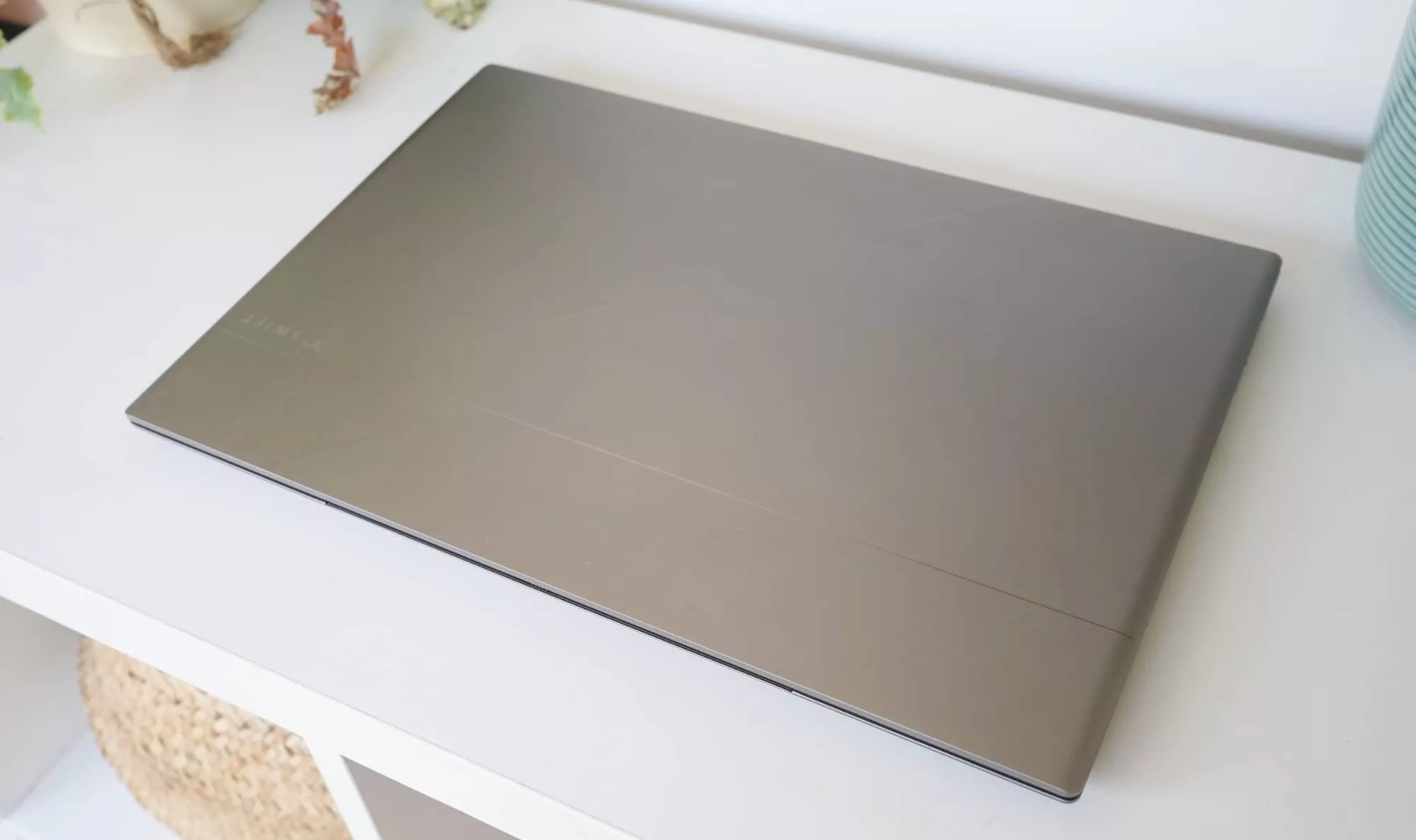
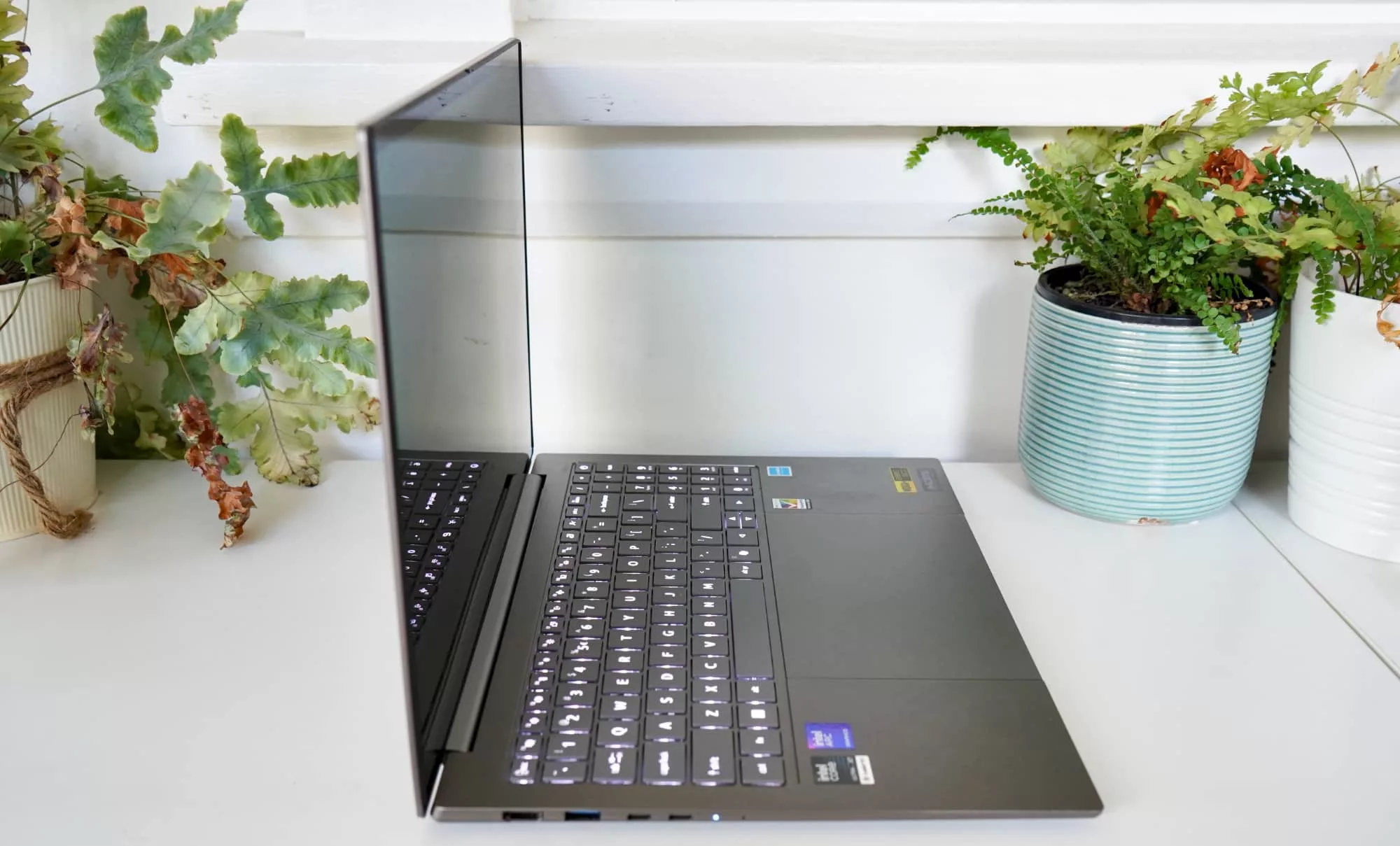
Designed with an obvious angular wedge made from aluminium, the Swift 16 AI appears almost like a new direction in quality for Acer. It’s been a gradual shift, and last year’s Swift 16 was actually military spec’d, so you know it’s something Acer is definitely vying for in its laptops.
This year’s take doesn’t seem as strengthened, with Acer replacing the magnesium-alloy for aluminium instead, but upsizing other things.
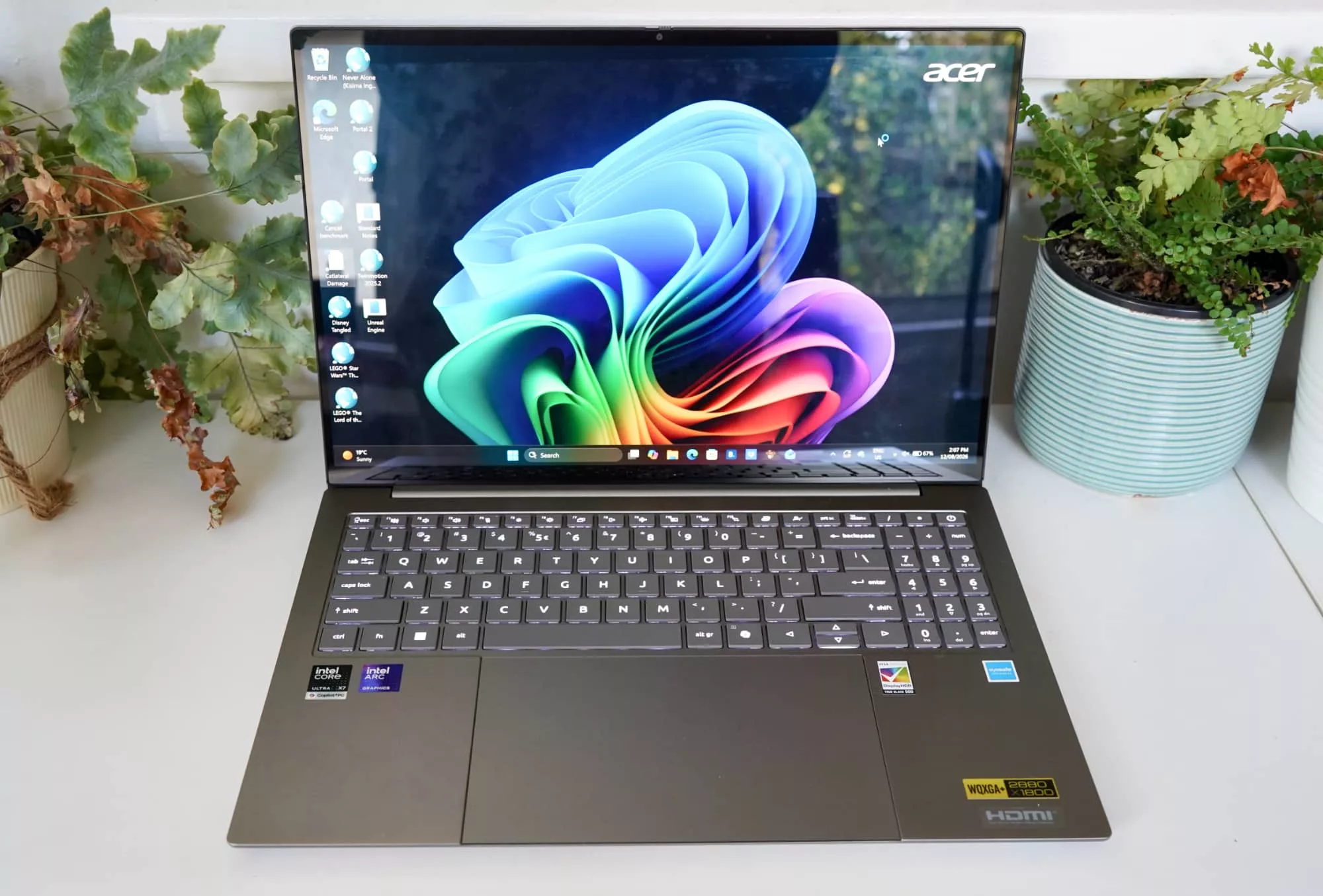
For starters, the trackpad is now massive taking up most of the palm rest that isn’t the keyboard, and basically standing out.
The laptop looks pretty premium, offering a slick metallic look and lines on the top and weighing around 1.55 kilograms in a roughly 1.48cm edge (closed).
This isn’t just a MacBook clone, and Acer is making sure of it.
Features
Inside, the hardware will be pretty familiar if you’ve seen any other of the best laptops from the year, thanks in part to Intel’s latest and greatest inside. Yes, this is Intel’s third-gen hardware in another laptop, with the Intel Core Ultra X7 358H chip, matched alongside 32GB RAM and 1TB storage.
Unsurprisingly, Windows 11 Home arrives on the laptop out of the box, as well as a bunch of Acer software (more on that shortly), and support for 802.11a/b/g/n/ac/ax/be Wi-Fi 7 and Bluetooth 5.4 over wireless.
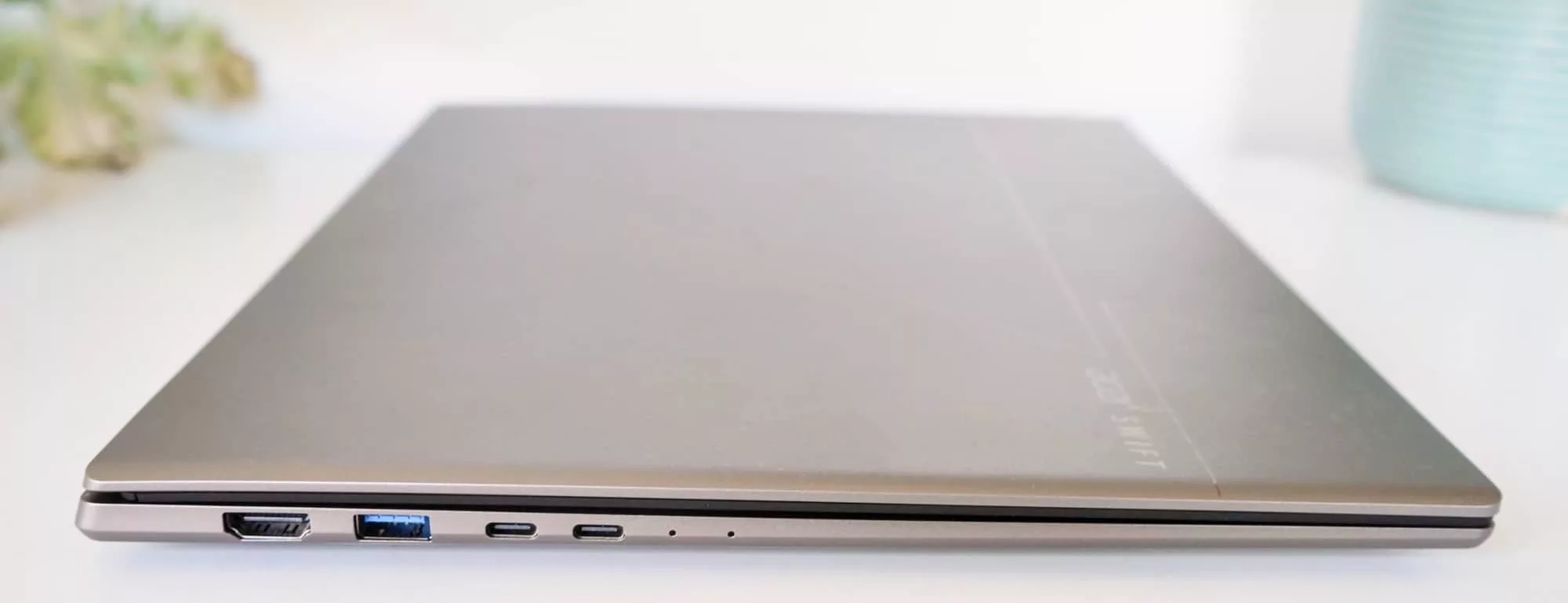
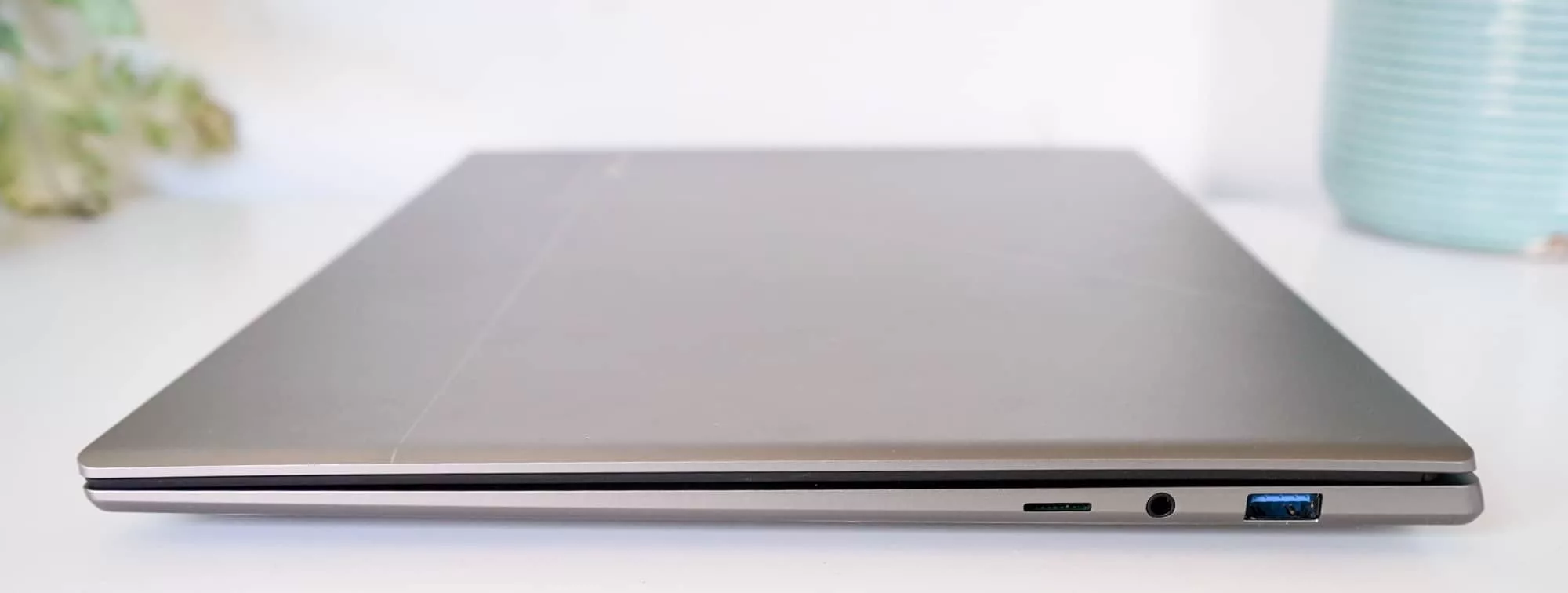
There are even more ports in the world of the wired, with two rectangular old-school USB-A ports, two USB-C ports complete with support for Thunderbolt 4, a 3.5mm jack, a lone HDMI port, and even a microSD slot, something that you don’t always see on laptops these days.
That is a lot of connectivity options for a laptop today, especially in an era where it’s normal to only get two USB-C ports with Thunderbolt on-board. To say you’ll be able to plug stuff in is an understatement for sure.
It also means the Swift 16 AI is definitely more media-focused than a lot of other laptops out in the world. Adding to this, you’ll also find two speakers, a microphone, and a Windows Hello compatible infrared security system next to the webcam above the screen.
Display
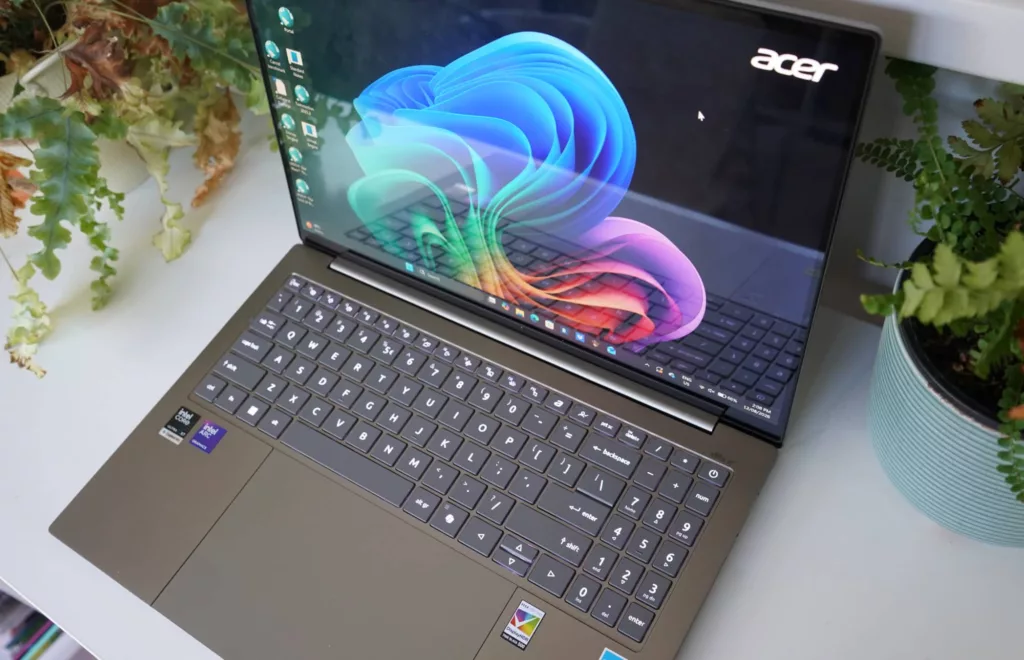
One of the better features is that screen, which is a massive 16 inch OLED offering a delightfully glossy display you can touch if you need to, though this isn’t a tablet.
The hinge will let the Swift 16’s screen lie flat, but it won’t flip around and isn’t a hybrid, so your reasons for touching the screen probably won’t be enormous in number.
However you can, and the relatively bright 16 inch 2880×1800 OLED display will be more than accommodating, provided you get used to how shiny and glare-filled it can be. Just don’t sit near with the sun aimed at the screen.
In-use
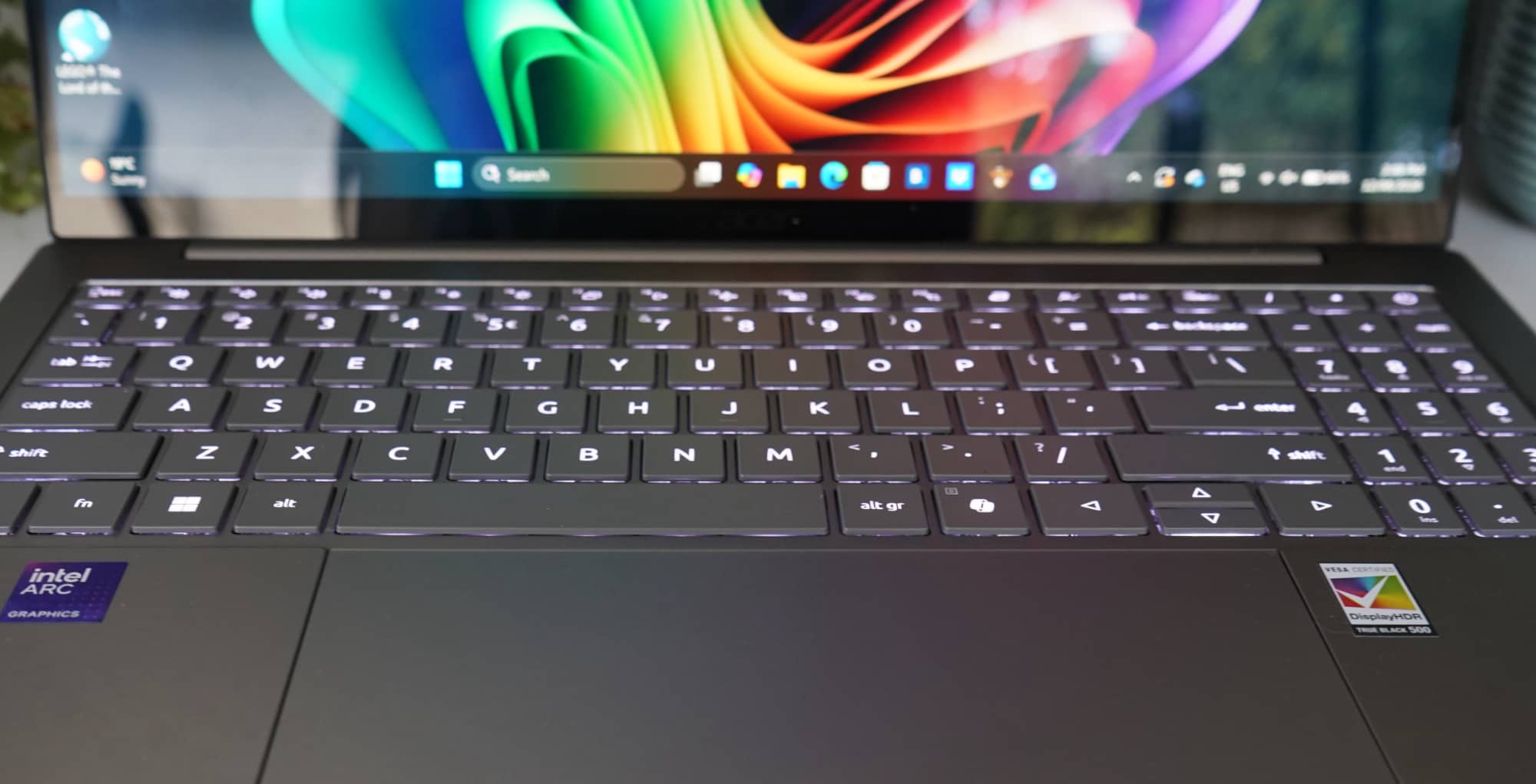
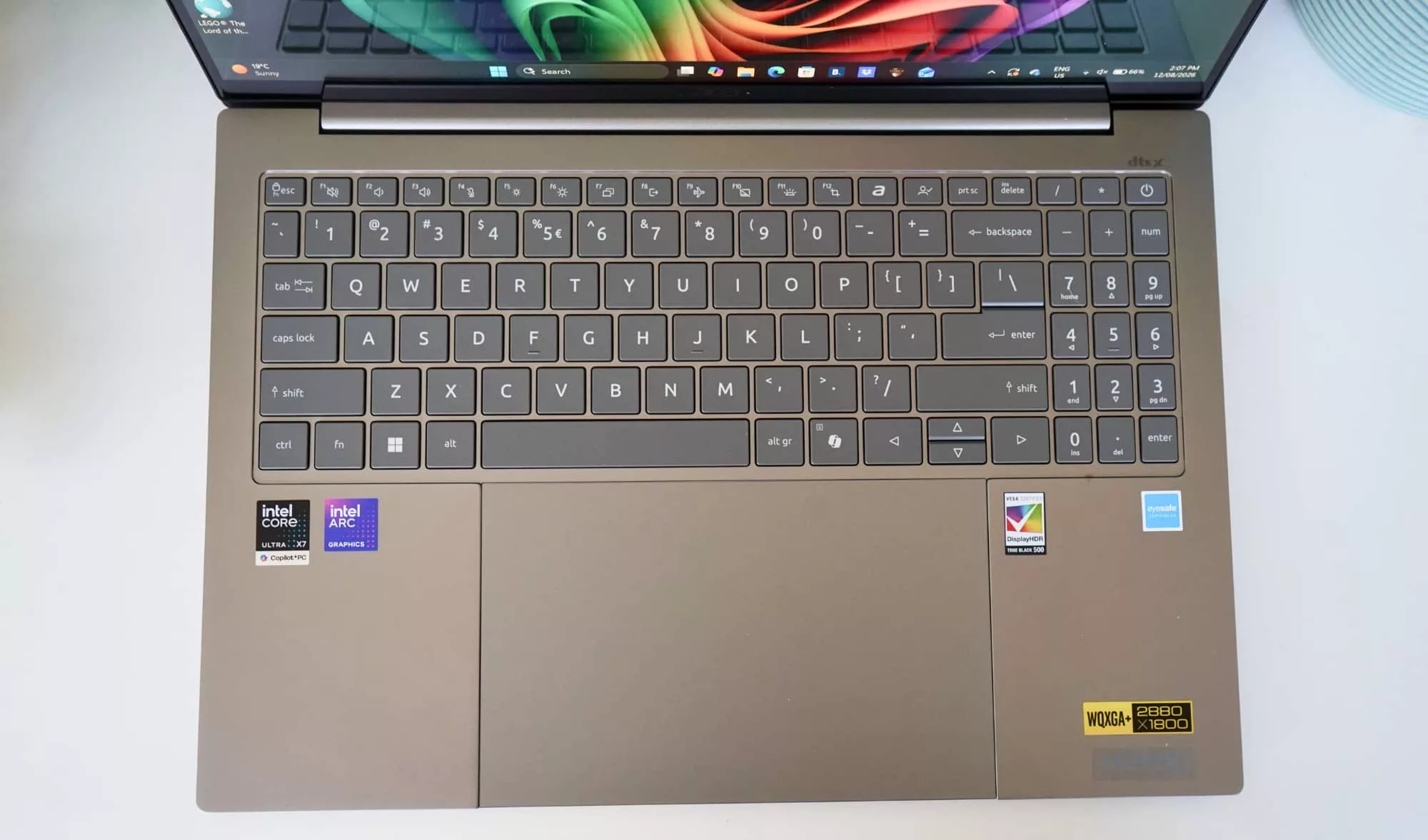
With a touchscreen, there’s one way to use the laptop, and there’s also a massive trackpad, as well. The trackpad is a good 21 centimetres diagonal making it one of the biggest trackpads in the world. It even magnetic and supports a stylus, though no stylus is in the box.
However, as big as it is, that massive trackpad can feel quite shallow. Clicks don’t quite feel satisfying, which is interesting because the keyboard is very different.
By comparison, the keyboard tray is near enough to being full-size, complete with a numeric key pad, the travel isn’t bad, and the keys are comfortable to type on, too. It’s not quite as firm as the best keyboards from the likes of Apple, Dell, or Lenovo, but it is easily one of the better keyboards from Acer, and it even sports two levels of backlighting beyond simply “off”.
You’ll also find the Copilot key here, handy if you lean on the AI built into Windows and that manages to be found in the name.
AI features
If you’re curious exactly what makes the Swift 16 AI work with artificial intelligence, the answer is it’s built into the Intel Ultra X7 processor, but also that Acer comes with software for it.
There’s another creepy image generator for wallpapers and the like, and also a new “Intelligent Space” that is basically a shortcut for AI-specific apps. Select “Creativity AI” and you’ll be given the opportunity to help drawings and media management — the same Acer Media Assistant is actually in there twice — while productivity sees an Acer AI Agent to help you talk to your computer, plus an extra meeting assistant app you probably didn’t know you needed (or wanted).
In fact, if you skip the start screens for each, you will find Acer offers nine specific apps to cover what AI can do on this computer, including a burn-in protection system for the OLED and a game assistant that appears less focused on AI and more about improving the visibility of a crosshair in games.
The Swift 16 AI isn’t technically a gaming computer, but it will work with games, so it’s here for the answer of “just because”.
However, like those extra AI apps, there are a bunch of extra apps and bloatware shortcuts found on the Swift 16, something that’s become a bit of a thing on devices of late.
That includes the assortment of Acer-branded apps, alongside games and apps including Amazing Block Blast, an app explorer from Sweetlabs, a shortcut to Booking dot com, Elvenar, Forge of Empires, a shortcut to IrisGo‘s downloader, McAfee, NordVPN, and an extra version of solitaire you didn’t need from another company.
About two of these are worth having, and if you ever wanted proof that computer companies are paid to put apps in place, Acer’s app listing is the dead giveaway. We don’t like it on our phones, and we certainly don’t like it on our laptops, either. It’s just silly how much bloatware is here, or even how many of them are simply shortcuts that shouldn’t be here.
Performance
Thanks to the hardware, the performance is top notch, pretty much handling most day-to-day work, and even possibly a few games depending on your taste.
Granted, this isn’t a high-performance laptop in the way we’d normally describe them, and that’s thanks in part to the lack of a discrete and dedicated graphics card. You won’t find workstation or gaming prowess here, but in terms of competing with other thin-and-light machines, the 2026 Acer Swift 16 AI appears suited to that task.
| Device | CPU Single Core | CPU Multicore | GPU OpenCL |
|---|---|---|---|
|
Acer Swift Go 14 (2024)
Intel Core Ultra 7
|
2307
|
12400
|
34621
|
|
Acer Swift Edge 16 (2023)
AMD Ryzen 7 7840U
|
1811
|
7186
|
21712
|
|
Acer Swift 16 AI (2026)
Intel Core Ultra X7 358H
|
2420
|
16732
|
52600
|
|
Acer Swift 16 AI (2025)
Intel Core Ultra 7 258V
|
2717
|
10482
|
26791
|
Pushed against prior Acer Swift models (and then some), you can see some of the gains are there, with the new hardware delivering where it counts.
While you may not be upgrading from a previous Acer model, folks that are upgrading from laptops made a few years ago will find Acer’s Swift 16 AI has the performance where it counts. And that’s a good thing.
Tested against other laptops from 2026, however, and Acer has managed to unleash a reasonably impressive system spec, as well.
All in all, that’s a surprisingly solid performance worth thinking about.
| Device | CPU Single Core | CPU Multicore | GPU OpenCL |
|---|---|---|---|
|
Lenovo 10th-gen Yoga 7 2-in-1
AMD Ryzen AI 7 350
|
2773
|
12372
|
27336
|
|
Dell XPS 14
Intel Core Ultra X7 358H
|
2664
|
15462
|
55043
|
|
Acer Swift 16 AI
Intel Core Ultra X7 358H
|
2420
|
16732
|
52600
|
|
Asus Zenbook Duo (laptop)
Intel Core Ultra X9 388H
|
2927
|
17029
|
56223
|
Battery
Surprisingly solid performance is also matched with surprisingly solid battery life, which delivers both in real-world use and via our BatteryBench testing app.
Using the Swift 16, we found a good 6 to 10 hours was fairly easy depending on what you were doing, though the more hefty the hardware requirements, the more the battery went down. That’s more or less the norm for laptops, so there’s little surprise there.
Testing the battery in other ways, however, and the laptop stretched for over 15 hours, essentially telling you this is an all-day laptop, and possibly then some.
Like pretty much every other notebook in 2026, you can also top it up using a USB-C port, but be warned, it has some meaty power pack requirements, using a 100 watt charger that isn’t quite as slim or portable as some other laptop makers manage.
| Device | Battery |
|---|---|
| Asus Zenbook Duo (laptop) |
16:45
|
| Acer Swift 16 AI |
15:53
|
| Dell 16 Plus |
15:00
|
| Acer Swift 16 AI |
13:55
|
Value
All of this can be found in Australia for around the $2999 mark at its recommended retail price, though a simple glance does manage to find the Swift 16 AI for less. In fact, at the time this review was published, you could find the hardware a little lower, sitting closer to the $2699 mark.
At its RRP, the price about normal for a premium 16 inch laptop without hefty graphical prowess, as well as memory requirements going over the 16GB mark. You can thank AI for the increase in prices everywhere, but finding 32GB for under $3000 is still quite nice to see, and the OLED display makes a difference in the feature set.
The price is clearly even better when on sale, but at its suggested retail price, the value is about normal. Possibly a little better, but not substantially.
What needs work?
While the price is acceptable and about the norm, one of the problems is that the Swift 16 AI doesn’t end up feeling like quality. It’s just hard to shake, and you’ll note it every time you pick the laptop up.
Yes, it’s thin, and yes it’s light, and even though Acer has used aluminium in the design to deliver a light laptop, it just lacks the strength of other laptops featuring that same material.
That’s not to say the Swift 16 AI isn’t sturdy, it just doesn’t feel like it’s as sturdy as other similarly thin and light aluminium laptops.
Even so, that price made us expect a stylus in the box. And yet no, because this becomes an optional extra you’ll have to find on Acer’s site. You won’t find it, mind you; we looked, and at the time of publishing, it didn’t appear to exist locally. To Amazon you may need to go, it seems.
That just clearly lends itself to that vibe where the Acer Swift 16 AI can feel cheaper than it should. It’s a weird blend of budget and best, giving you an OLED and some fast hardware, but then opting for the inexpensive route at the last minute.
You just want Acer to finish the job and make the whole thing premium, and it’s just not there. Not yet.
Final thoughts (TLDR)
While the build leaves something to be desired, the Acer Swift 16 AI has something going for it: overall delivery of expectations and value.
It’s clearly not a perfect laptop, and Acer’s overall build quality needs work, as does the company’s insistence in giving you severe amounts of useless software that have no business being on a brand new computer. But you can actually forgive these because you can just as easily remove them. They’re an annoying inconvenience, sure, but not dire.
Overall, the Acer Swift 16 AI comes off as almost premium laptop. It’s capable but not cut from quite the same quality as other high-end options. And for some people, that will be totally fine.
If you are after the specs and strength of a solid system, Acer could have something worth checking out. It’s not as premium as it should be, but if you end up saving on the price, you may not care.