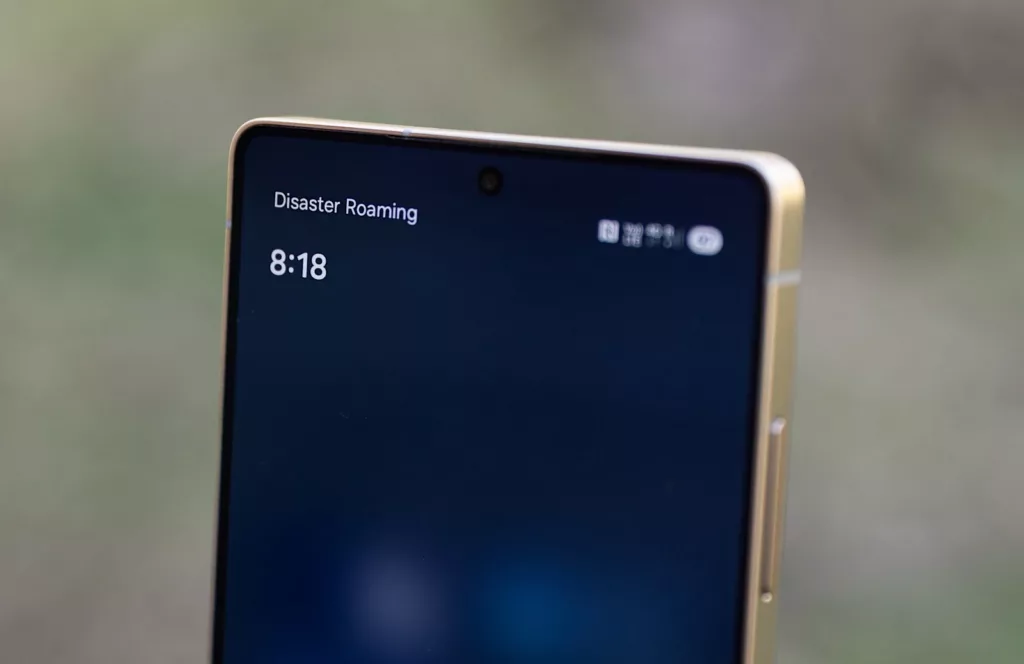

It’s happened to Optus this year and now it appears to be happening to Telstra: a mobile network has crashed and access isn’t working.
If you’ve woken up this morning (July 8) to a world without mobile access, you are not alone, as Telstra’s network is down. Properly down.
A regular winner of the “best in reliability” for mobile network award is showing today that it might not pick up that not this year, with an outage affecting anyone using it or smaller mobile virtual network operators this morning.
It’s a problem seemingly affecting anyone using the network, cutting access to Telstra’s services regardless of whether you use the primary carrier — arguably the nation’s biggest — or the smaller operators using its services, such as Belong, Boost, Mate, and others.
This journalist uses Belong, and mobile connections have become an SOS only, with no registrations occurring on the network. Any attempt at connecting simply blanks out, suggesting a problem with the carrier internally, shutting any phone out.
That means this isn’t your device; this is Telstra.
And it’s a problem lots of other customers are seeing, with Down Detector also showing a huge spike in reports.
So far, the telco hasn’t said anything regarding what has happened, though we are checking.
While there are definite possibilities for what has happened, such as an update on the network has possibly failed or hardware problems, for most people there is no answer, so what can they do?
Stay near a WiFi network
A down mobile network will affect all mobile connections, and interestingly will also stop Voice over WiFi from working, too. With no way to register on the mobile network, VoWiFi can’t work.
But if you have email or another messaging service still up, these will work. So sticking by a WiFi network at home should still work, provided your wireless connection is wired through the NBN or not being served through a broken mobile carrier.
Hit airplane mode on and off

About the only thing you can do to try and resolve this is to hit airplane mode on and off, and try to force the connection to re-register. That may work, and dependent on what has happened inside Telstra, the telco may eventually advise this step anyway.
This typically works if a carrier is having trouble because it forces a network to have the connection handshake repeatedly, rather than simply stay unconnected the entire time.
However, if the network is facing deeper problems, this won’t fix anything in the immediate future.
Hold tight
The most obvious thing is hold tight and wait. If you use Telstra or a smaller operator that does, waiting is about the best thing you can do.
With no network access for the nation’s biggest carrier, simply being patient is all you can do at the moment.
We’ve contacted Telstra and will update this story as time goes on.
UPDATE (7.49am): While Telstra’s spokespeople have yet to come back, testing at Pickr using both Belong and Telstra services is showing signs of life. Both have come back to life when going on airplane mode for a few seconds and coming out. The mobile network still isn’t totally alive, and reception is definitely patchy, but we are seeing connections to Telstra with a handshake.
If you are near a WiFi network, this should keep the connection alive enough to let you make and receive calls, once the network has registered you on it.