Quick review
The good
The not-so-good
If you’re after an Game Boy style experience when mobile gaming, the GameSir Pocket Taco will fit the bill nicely – but it’s not sadly unsuitable for most mobile games.
While it built on concepts that Nintendo first introduced with its classic Game & Watch lineup, there’s little doubting that the original DMG-01 Game Boy was a genuinely revolutionary device.
It wasn’t the first with interchangeable cartridges, or even the first portable, but it combined the technology of the time in a way that made it the gaming system to use.
As much as I loved my Atari Lynx back in the day, it couldn’t compare to the Game Boy’s battery life, and while the Game Gear had its charms (and its TV tuner!), Sega couldn’t compete with the Game Boy’s massive library of games.
Plus Tetris. If you ever needed just one reason to own a Game Boy, Tetris was IT. It still could be it.
Before you start thinking that I’m just reminiscing about retro handhelds for no reason, this is the reason that the GameSir Pocket Taco exists, hands-down.
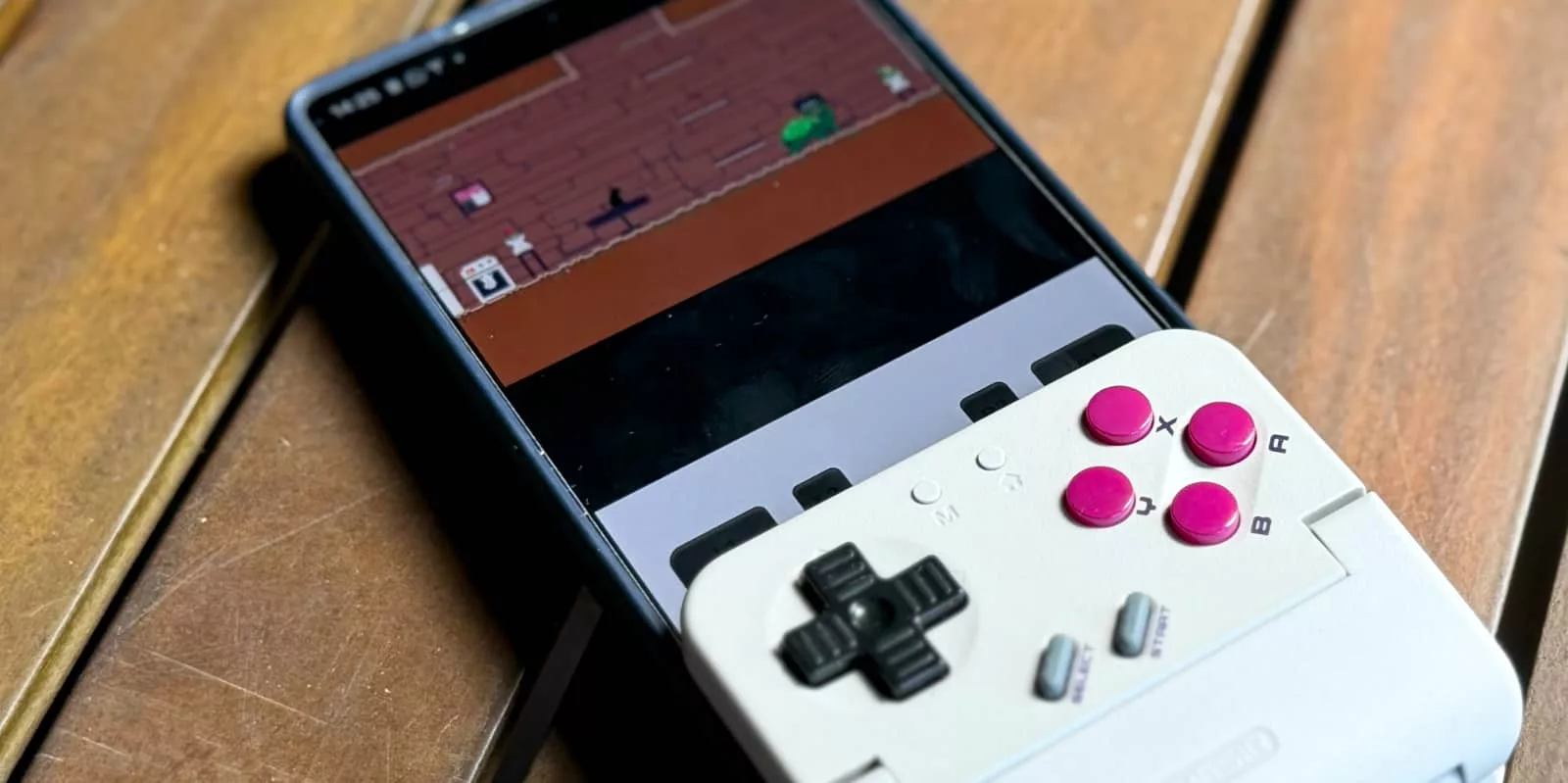
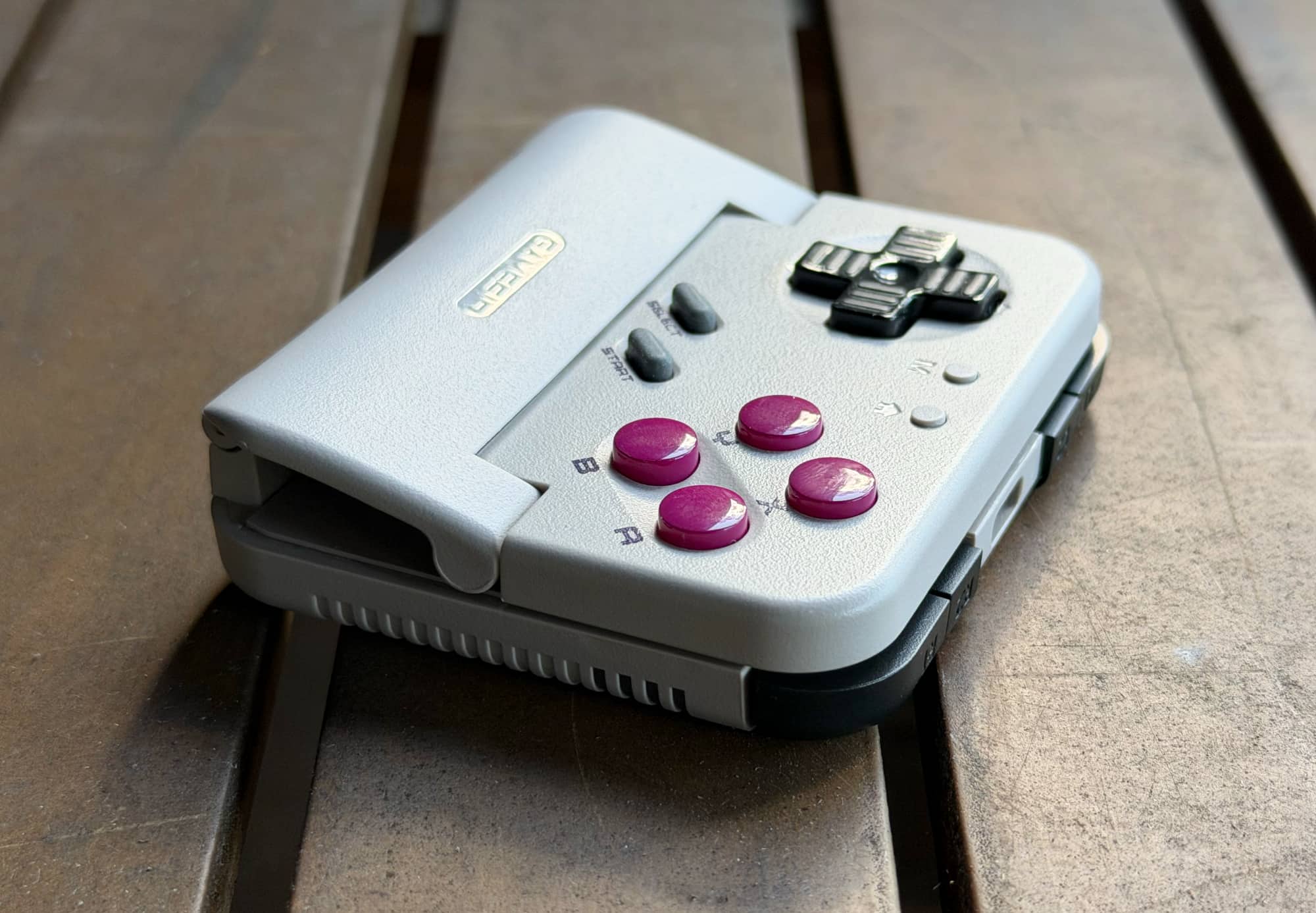
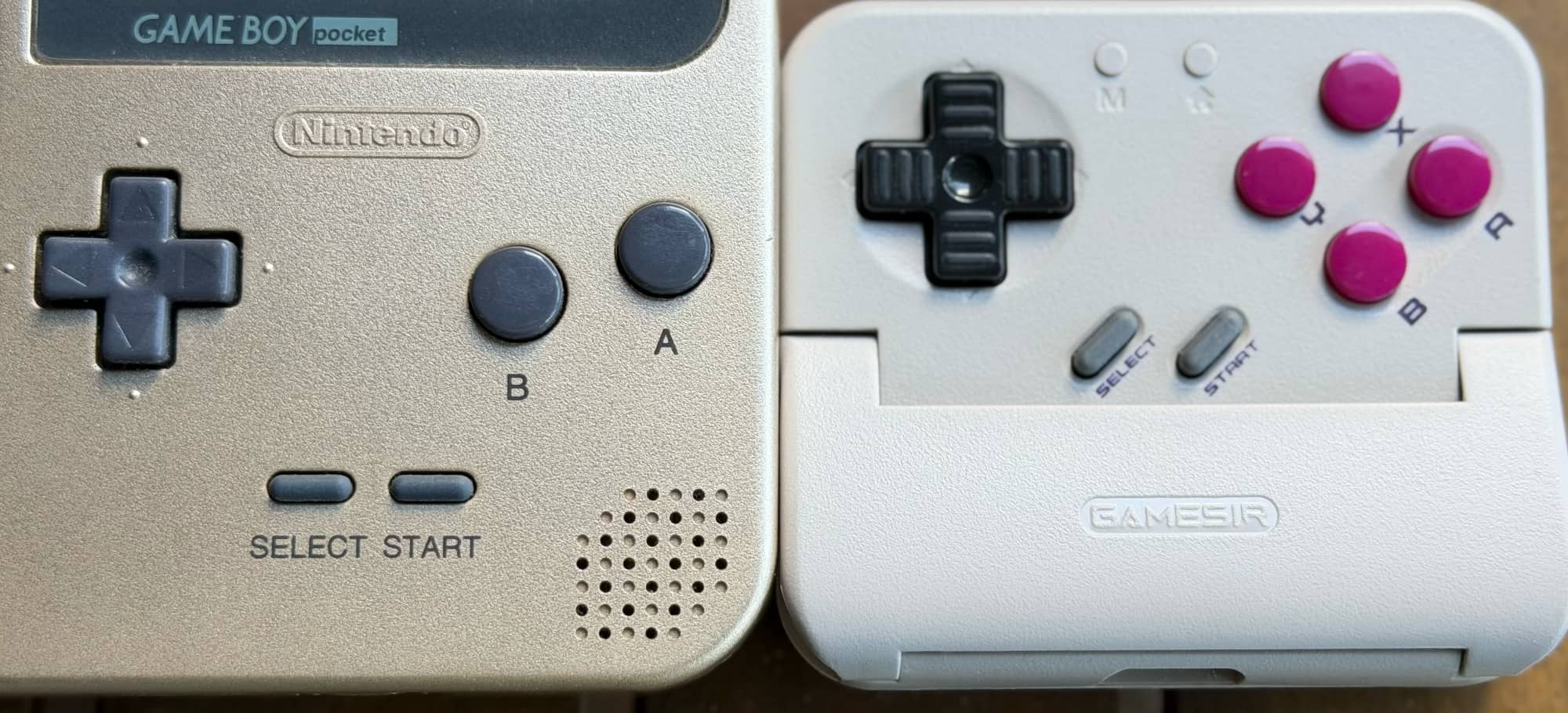
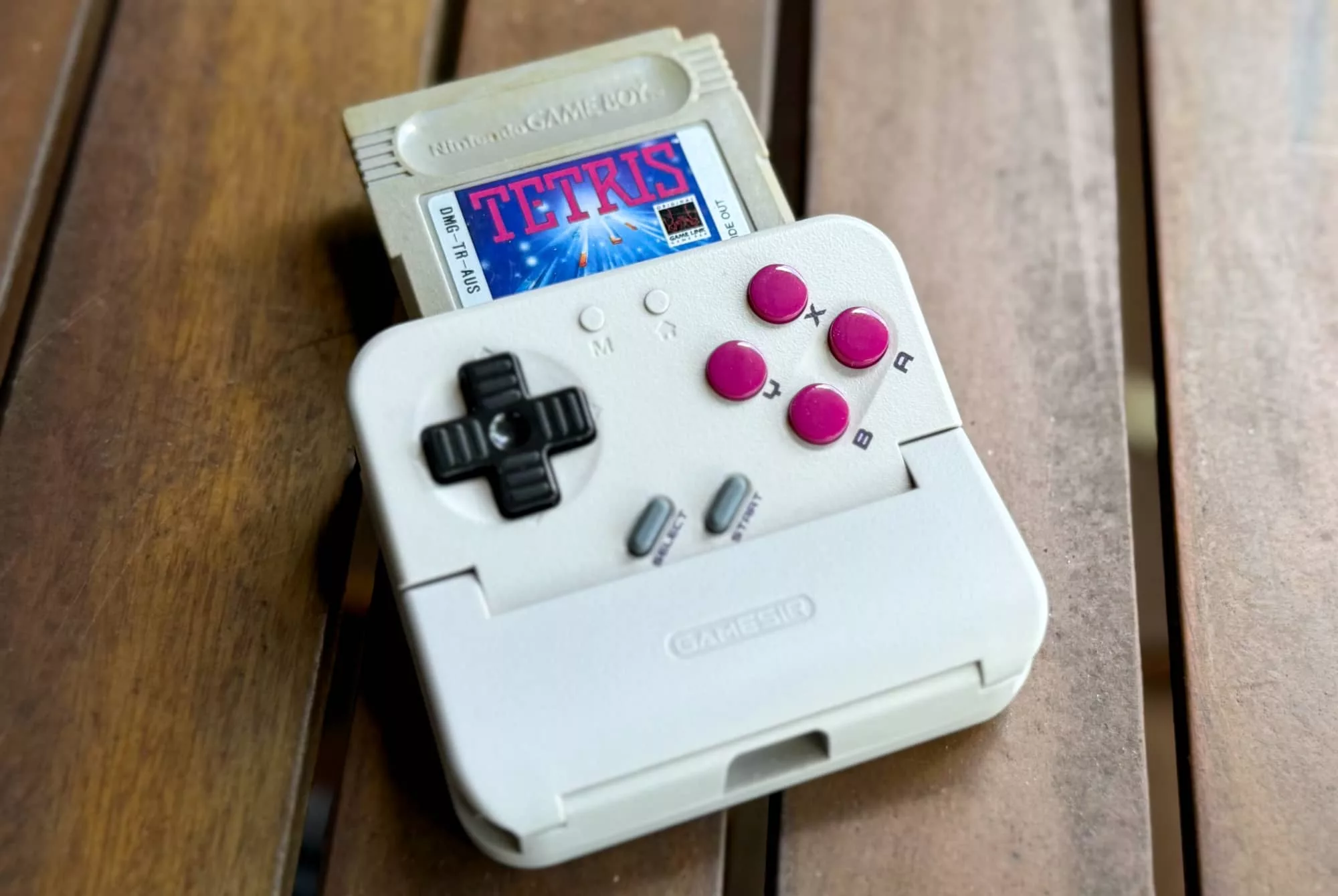
The GameSir Pocket Taco is a mobile gaming controller that’s also an absolute play for the Game Boy generation, built in a style that leans astonishingly close to that classic Game Boy design.
Design and Features
While there are plenty of other mobile game controllers out there, most of them tend towards either the split Switch and Steam Deck styles of working with a controller in landscape mode between them, or with a controller that sits beneath a suspended phone grip. Think of a screen flanked by controllers, either on the side or below, and you’ll have the majority of physical gaming controllers out there.
Both approaches have their benefits and drawbacks, but the GameSir Pocket Taco takes a different approach. A different approach because it’s a taco, albeit not of the type that you might stuff with delicious beans.
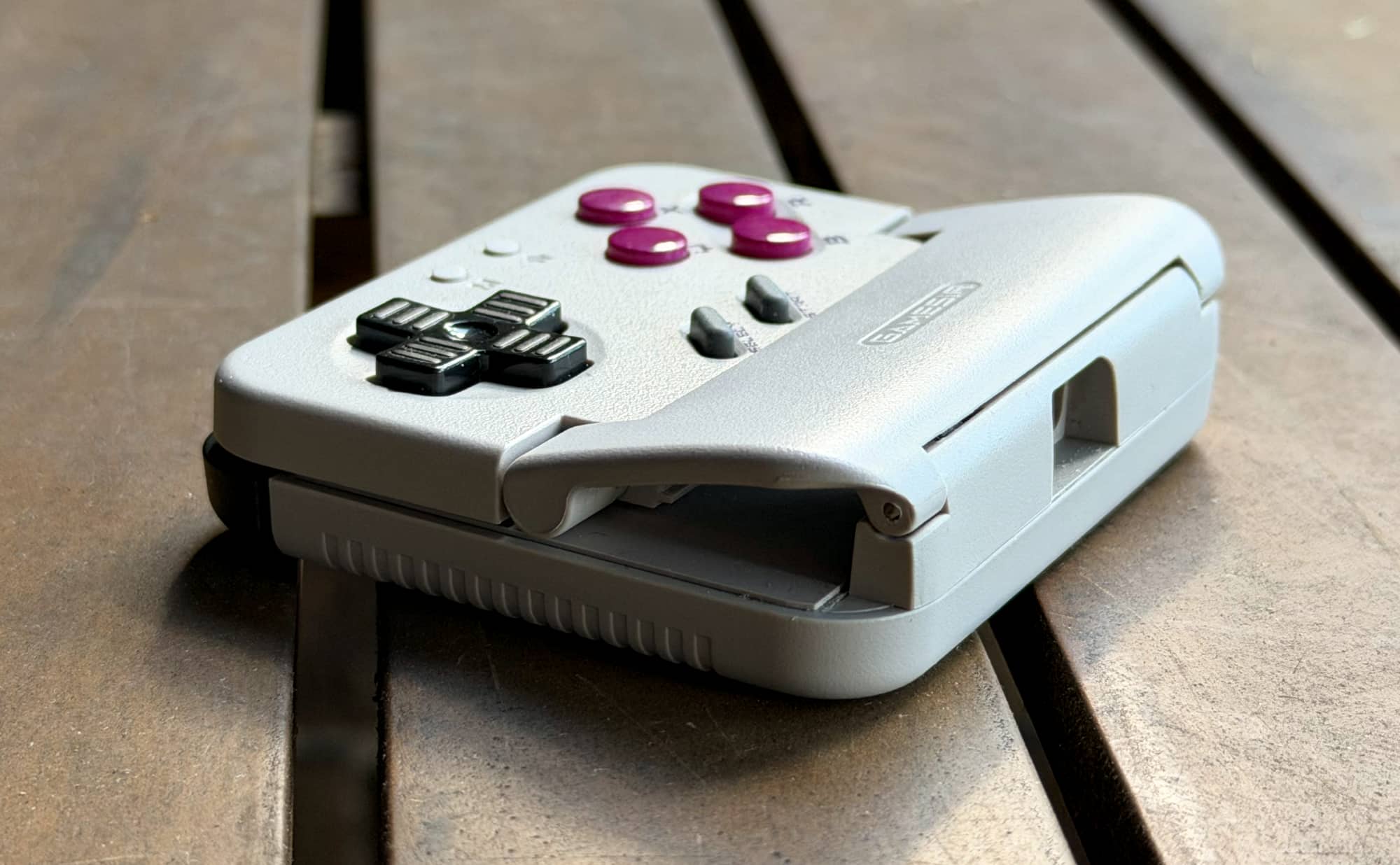
Instead, the bits that you put into this taco are contained within your smartphone, which slots into with a small fold-out hinge and a soft rubber interior that shouldn’t – in theory – scratch your phone’s screen.
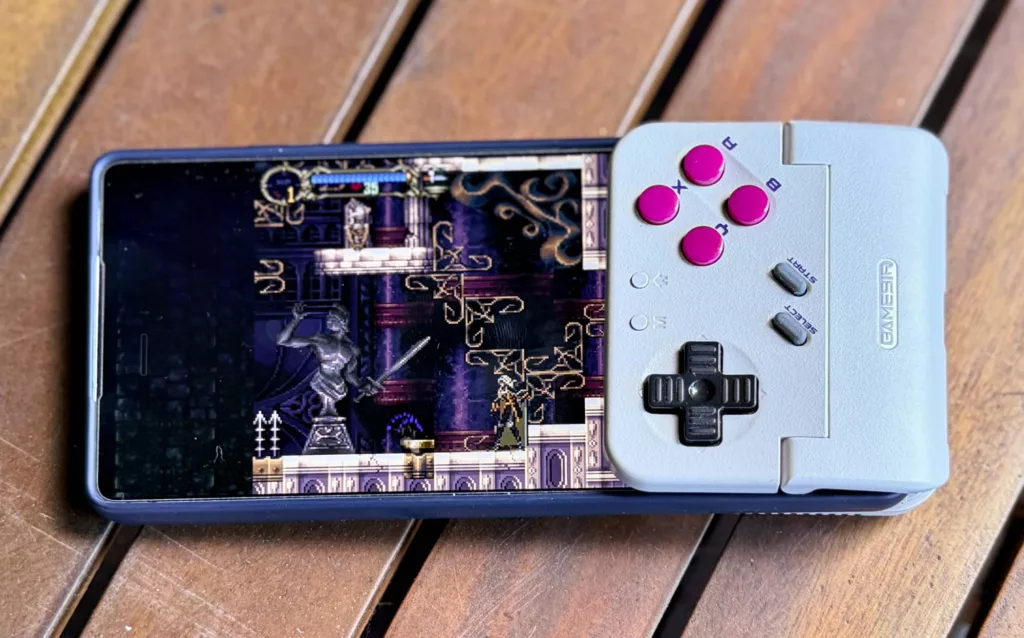
Controls are rather obviously mimicking the classic Game Boy style, albeit with four buttons rather than two, a single digital D-Pad and diagonal start/select buttons underneath.
The face also houses much smaller mode and home buttons, used for switching between connectivity modes for iOS, Android or Nintendo Switch.
PC/Mac support is not advertised, and while I could experimentally get it to connect via Bluetooth to an M2 MacBook Air, I couldn’t actually get it to do anything once connected, even though MacOS correctly identified it as a gamepad.
On the Windows side of the fence, I couldn’t even get it connected wirelessly, but then again, this isn’t what it’s sold for, because it would be ludicrous to slot the GameSir Pocket Taco to the bottom of a laptop anyway.
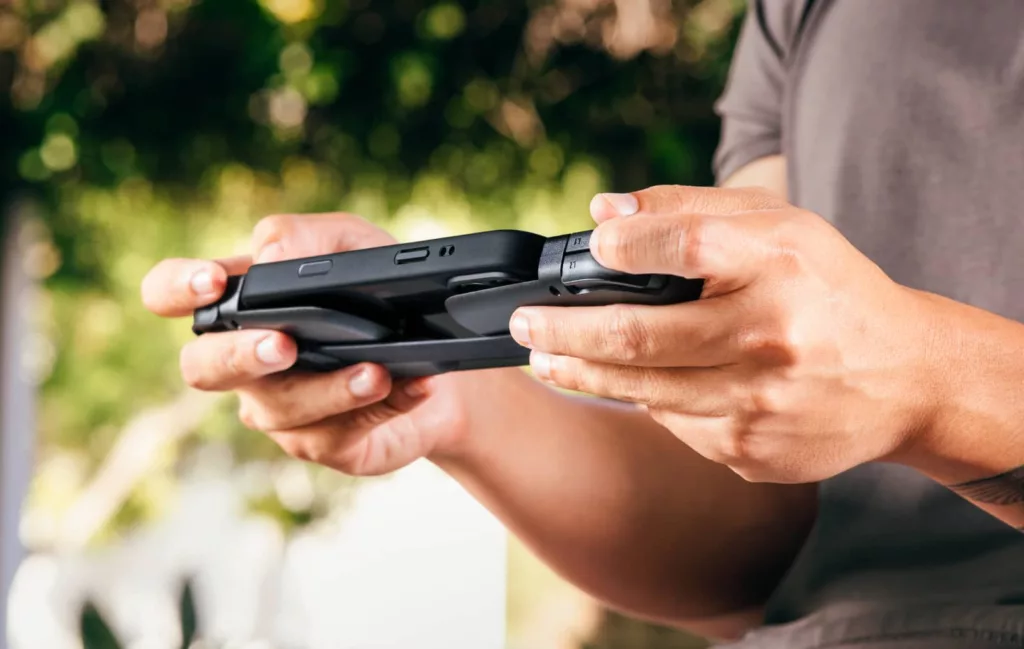
Like many of the emulation handhelds you can buy cheaply, the GameSir Pocket Taco also includes shoulder buttons with L1/R1 sitting next to smaller L2/R2 buttons at the top of the controller. The trick here is that because your phone slots into the middle of the Taco, those buttons are to be found at the back of the overall phone once installed.
One rather nice touch with the Pocket Taco is that it comes with its own hard plastic carrying case to protect its buttons while in transit. It’ll only slot in one way into that case, but it’s nice to at least have that kind of long-term durability catered for.
In-Game
Pairing to the GameSir Pocket Taco is a simple enough affair that follows the near-standard method of using the Mode button plus a directional button of the YX/BA axis to choose between iOS/Android/Switch modes as required.
When you open the Pocket Taco’s hinge up, it powers up, ready to pair with a device, and the idea here is that you’d pair it once with your phone, and thereafter all you’d need to do is open it up and drop your phone in to be ready for gaming goodness.
Because it connects over Bluetooth, GameSir’s Pocket Taco has its own onboard battery, rated at just 600mAh.
That’s not huge, but then the needs of Bluetooth controllers for power means that it does last a good long time.
For most of the game types you’re likely to play on a device like this, probably longer than you’d want to play in a single session. When it comes time to recharge, that’s via USB-C at the base of the controller.
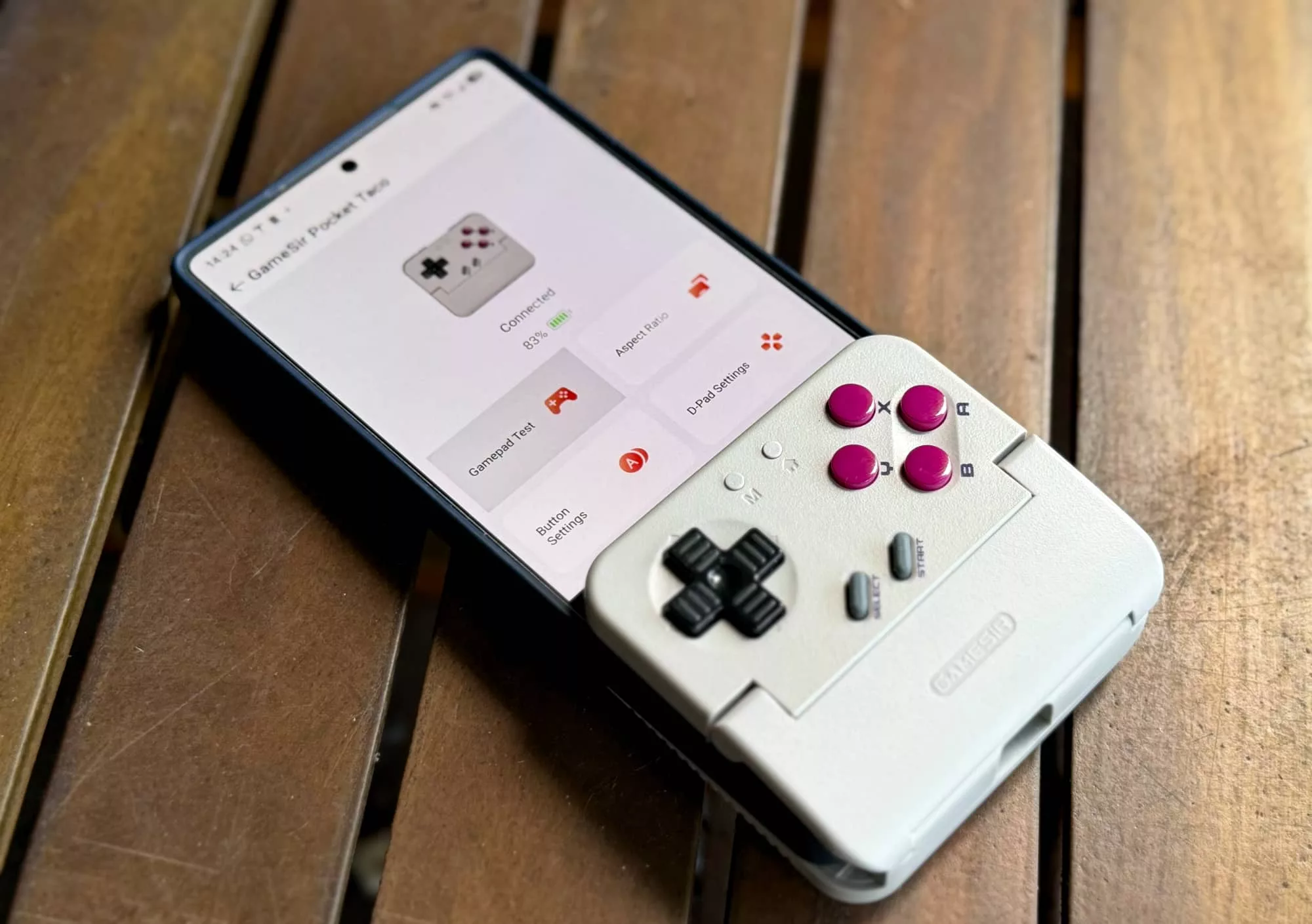
Like the recently reviewed GameSir G8+ Galileo, the Pocket Taco uses GameSir’s app for iOS and Android for basic configuration, but GameSir – or to give them their still-amusing-to-me developer name, Guangzhou Chicken Run Network Technology Co.,Ltd – also provides a secondary app specific to the Pocket Taco called GameSir Boy.
Subtle, GameSir. I see what you did there.
The GameSir Boy app offers up a small selection of free games in a classic retro style, as well as the ability to play your “own” games through an onboard emulator.
The included games are OK, with mixed value, but hey, they’re free, so there’s little to complain about there.
What about the quality of emulation? Well… there we hit a bit of a problem.
The Emulation Elephant in the room

From a practical viewpoint, it’s unlikely that anyone is going to buy the Pocket Taco and not use it with an emulator. It’s probably not even going to be the Gamesir Boy emulator to begin with, especially now that these apps can be easily found on the App Store.
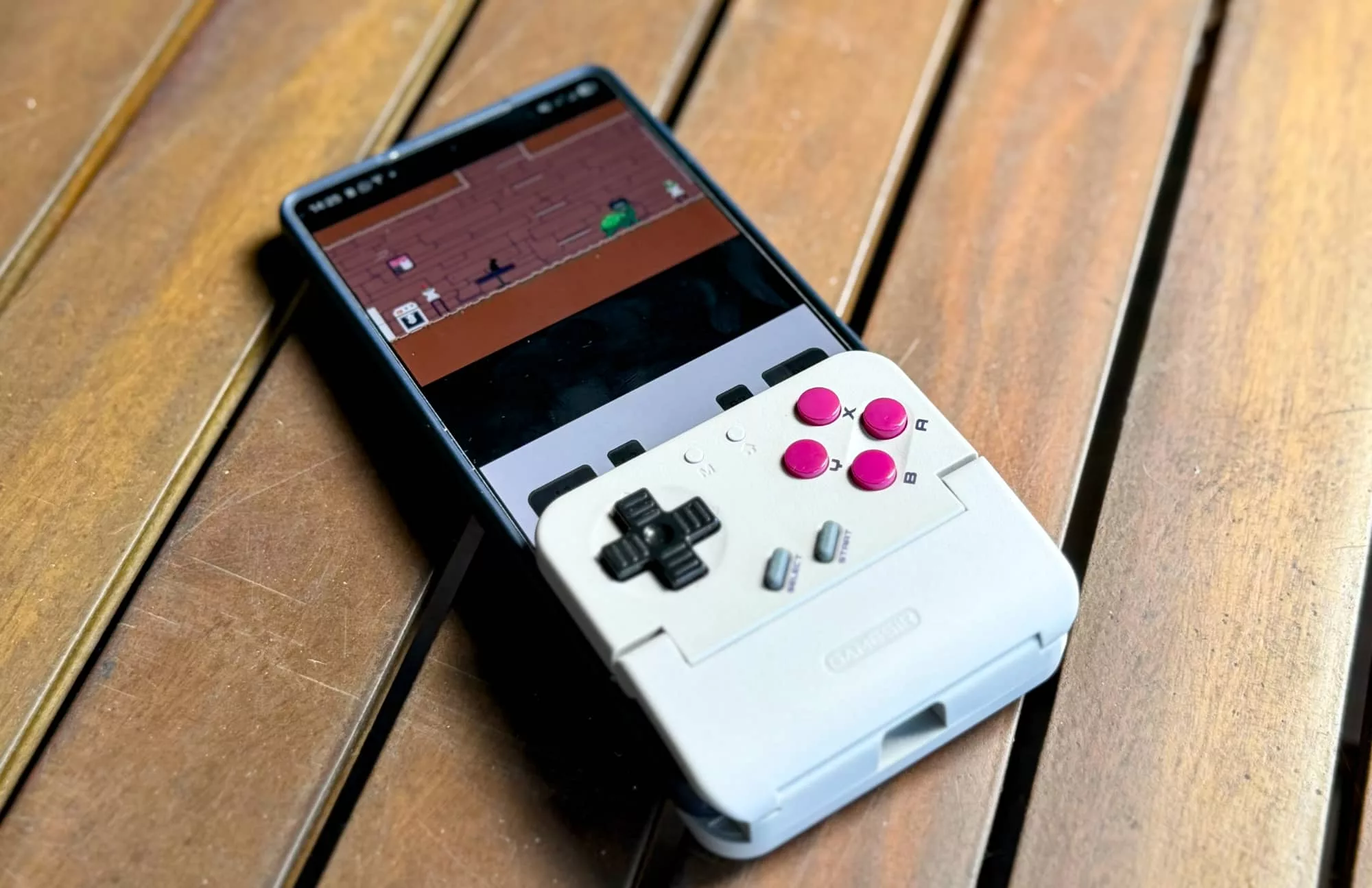
The nature of the controller means that it is best suited for 4:3 format games where the emulator places the display in the upper half of a standard phone screen, because clipping it in place does obscure the bottom half of all but the tallest of phones.
This is going to happen, but you’ll find no mention of how well it works with classic titles such as Tetris, Super Mario Land or Donkey Kong GB in this review.
Why?
While it’s pretty clear that this is going to be used as an emulation device, the way Australian copyright law works rather explicitly makes using emulators – and most notably any “ROM” images of console games – quite illegal.
Yes, that does apply even if you own the original game, because even back when the “format shifting” provisions were being added to Australian copyright law in 2007 games (and digital versions of video files) were specifically exempted.
Is that fair if (like me) you do still own the original cartridges?
Probably not, but despite repeated attempts to get it changed, that’s where the law sits in this case; it’s entirely feasible (and I’d say inevitable) that the Pocket Taco’s going to be sold to a community that’s going to use it entirely for illegal purposes.
I’m not a lawyer, and I’m not aware of anyone being personally pursued for individual emulation – sharing around game images would be a very different story, there’s plenty of precedent for that, but strictly speaking, it’s not permitted, which is why the photos in this review are only of the GameSir Boy related apps.
There are other both freely available legally produced homebrew games – and some that are sold as ROM images – and those might also pass the copyright sniff test, but I’m offering that up as unfounded opinion, not strict legal advice.
I’ll just let the elephant out of the room and we can continue.
What needs work?
Like the aforementioned GameSir G8+ Galileo wired controller, the Pocket Taco isn’t particularly suitable for use with folding phones, though for a slightly different reason.
I could only test with a larger form factor phone – in my case, a Google Pixel 9 Pro Fold – and with the phone folded down, its thickness meant that the controller part of the Pocket Taco swung forward rather than gripping the phone tightly.
It works, but it’s wobbly and less than optimal. I couldn’t test with a flip-style foldable, but there – and this would be true for the interior screen of larger foldable phones too – there’d be a concern with the softer plastic foldable screens being scratched over time by the Pocket Taco’s interior grips.
General control for the kinds of retro games that the GameSir Pocket Taco suits works quite well, and I was pleased that the D-Pad was of the more classic Game Boy style rather than the dipped-in-the-centre style D-Pad of the G8 Galileo.
However I didn’t love the shoulder buttons anywhere near as much.
You might not need them at all depending on your game style of choice, and hopefully that’s true, because they’re very thin and in the case of the R2/L2 buttons also very small. It’s quite likely that in trying to press either you’re likely to also press the corresponding L1/R2 buttons as well during gameplay.
There are a number of retro titles that have had full, legal releases on Android and IOS, but relatively few use the 4:3 screen ratio in a portrait style; most are landscape oriented, typically with some kind of bezel, or sometimes a virtual control pad taking up the additional space. These will “run” with the Pocket Taco, but with no screen flipping, there’s no flipping point!
Clearly, that’s not the precise fault of GameSir, of course, but it is an annoying limitation of trying to use the Taco in a legally compliant way.
Final Thoughts (TLDR)
The GameSir Pocket Taco is a truly niche mobile gaming controller, that much is clear. It’s not really suitable for general mobile gaming, and while it’s priced quite a bit lower than GameSir’s other premium controllers, that feels appropriate given its rather particular form and function.
I can’t help but feel that it’s rather squarely aimed at me, because it’s clearly trying to hook in fans of retro gaming, or at least those that yearn for the games of their youth. If that’s you, it’s a suitable enough controller, but one with rather limited purpose, and once again I do feel like I have to note that you can get a more general purpose mobile-suitable controller than this for less money.
If you’re a retro fanatic with (cough) a wide array of homebrew games you’re keen to play with real controls though, the GameSir Pocket Taco is a nice, albeit indulgent bit of gaming kit.