Quick review
The good
The not-so-good
A good assortment of customisation features make the GameSir G8+ Galileo one of the more interesting mobile game controllers, but it’s not all perfect for the wired gaming gadget.
Mobile gaming has come a very long way over the decades, with all sorts of innovations in the way that you can play games on the go on your smartphone, or even if you’re the type, a simple feature phone.
One aspect that has remained constant, however, is that touchscreens truly aren’t a replacement for physical buttons in any kind of game that wants precise input.
Even if you have all the time in the world to make your in-game selections, the odds are that you’re going to tap the wrong button or have a direction on a virtual D-Pad misinterpreted, leading to frustration.
The solution to this has, for some time been in mobile game controllers; dedicated devices in various styles that let you use actual buttons with mobile games, as long as those titles have inbuilt support for such features.
Just having buttons and a D-Pad is basic table stakes, and you should look for more, especially if you’re spending premium money on a mobile gamepad.
GameSir’s latest, the G8+ Galileo MFi Wired Game Controller definitely fits in the premium price space at $149.95, but if you’ve got the dough, it’s ready to go, no matter what mobile smartphone style or OS you prefer.
Except maybe Windows Phone owners, all ten of you. There’s probably nothing for you here, if you are even still out there.
Design and features
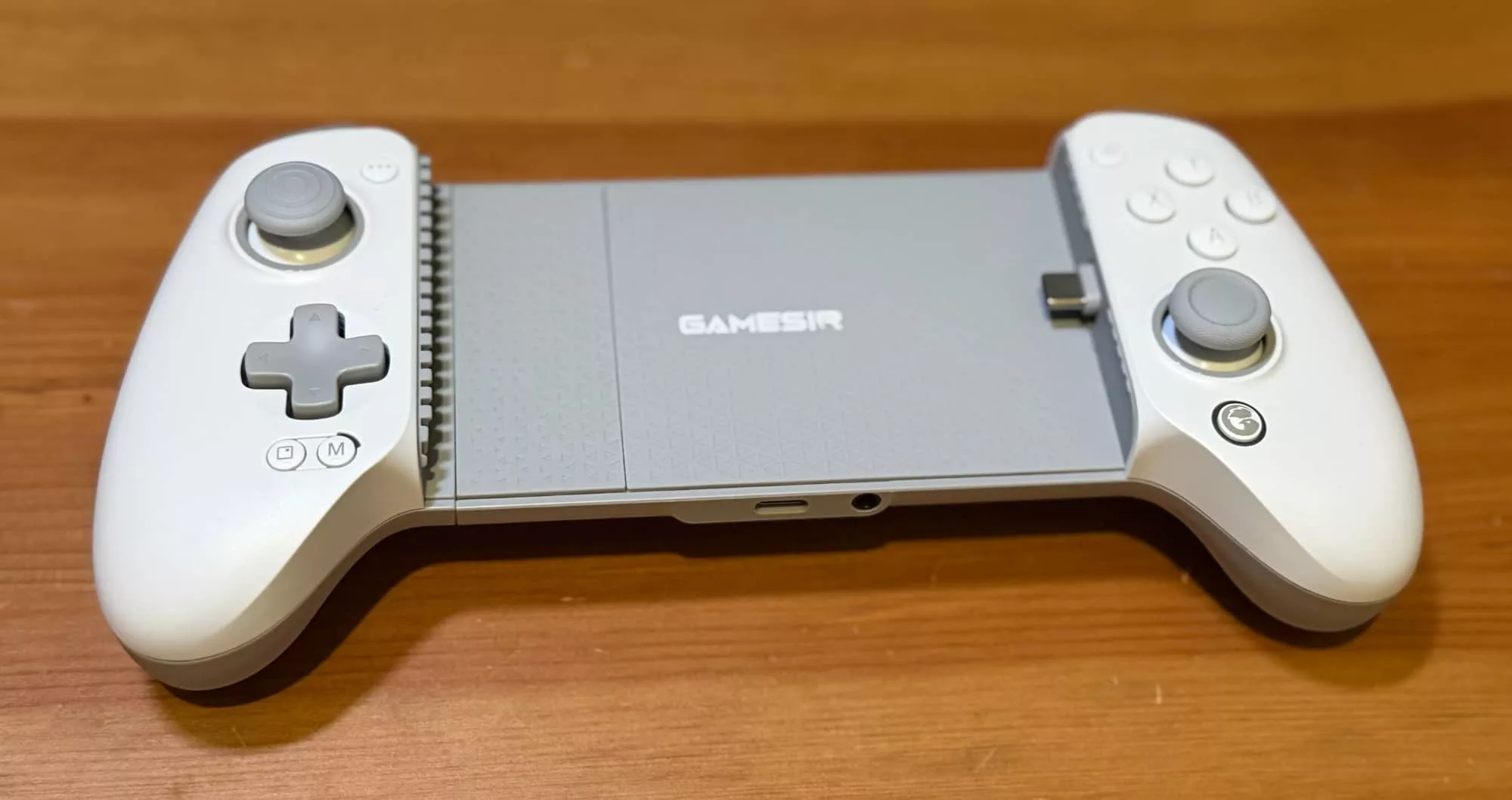
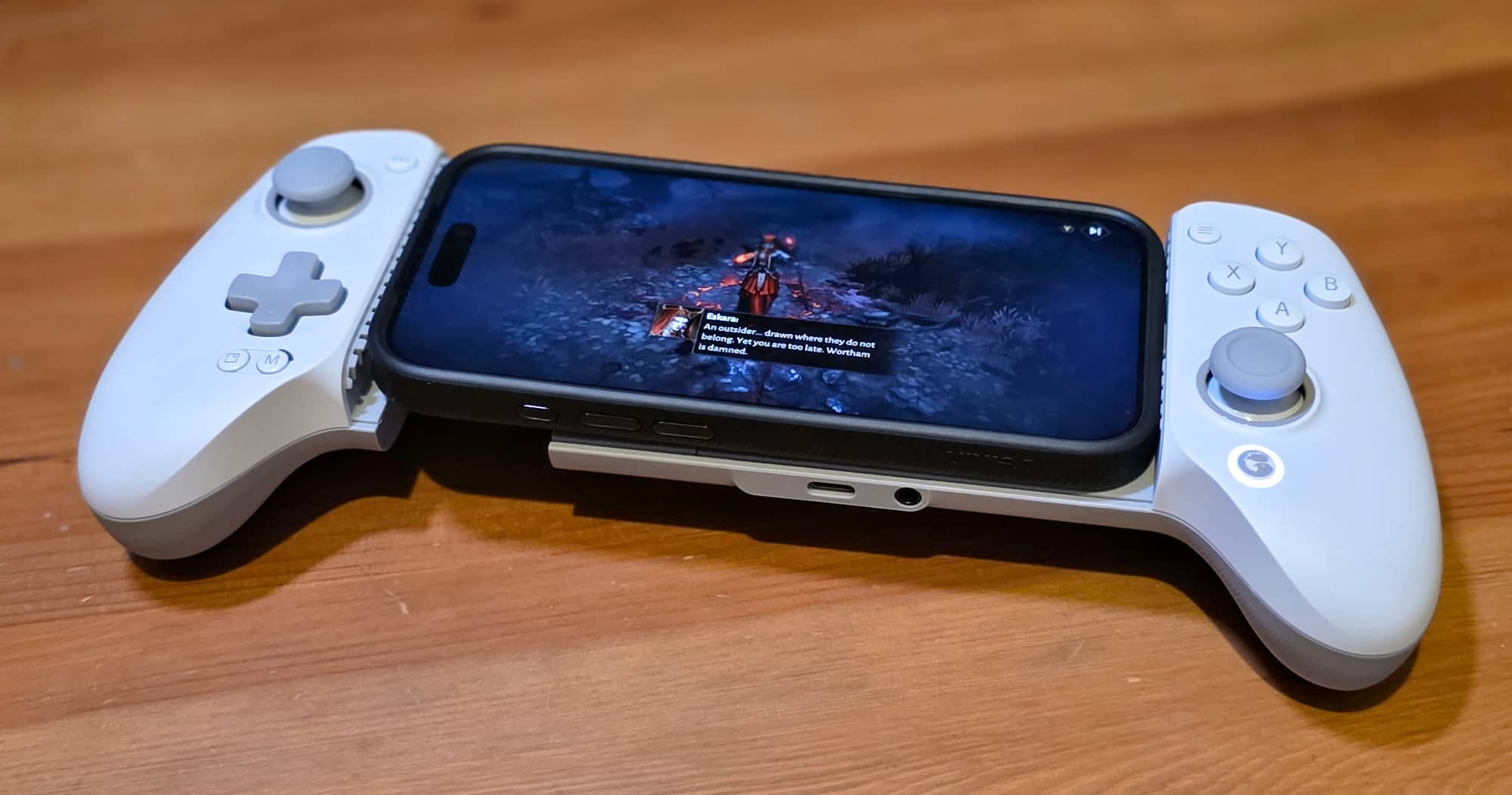
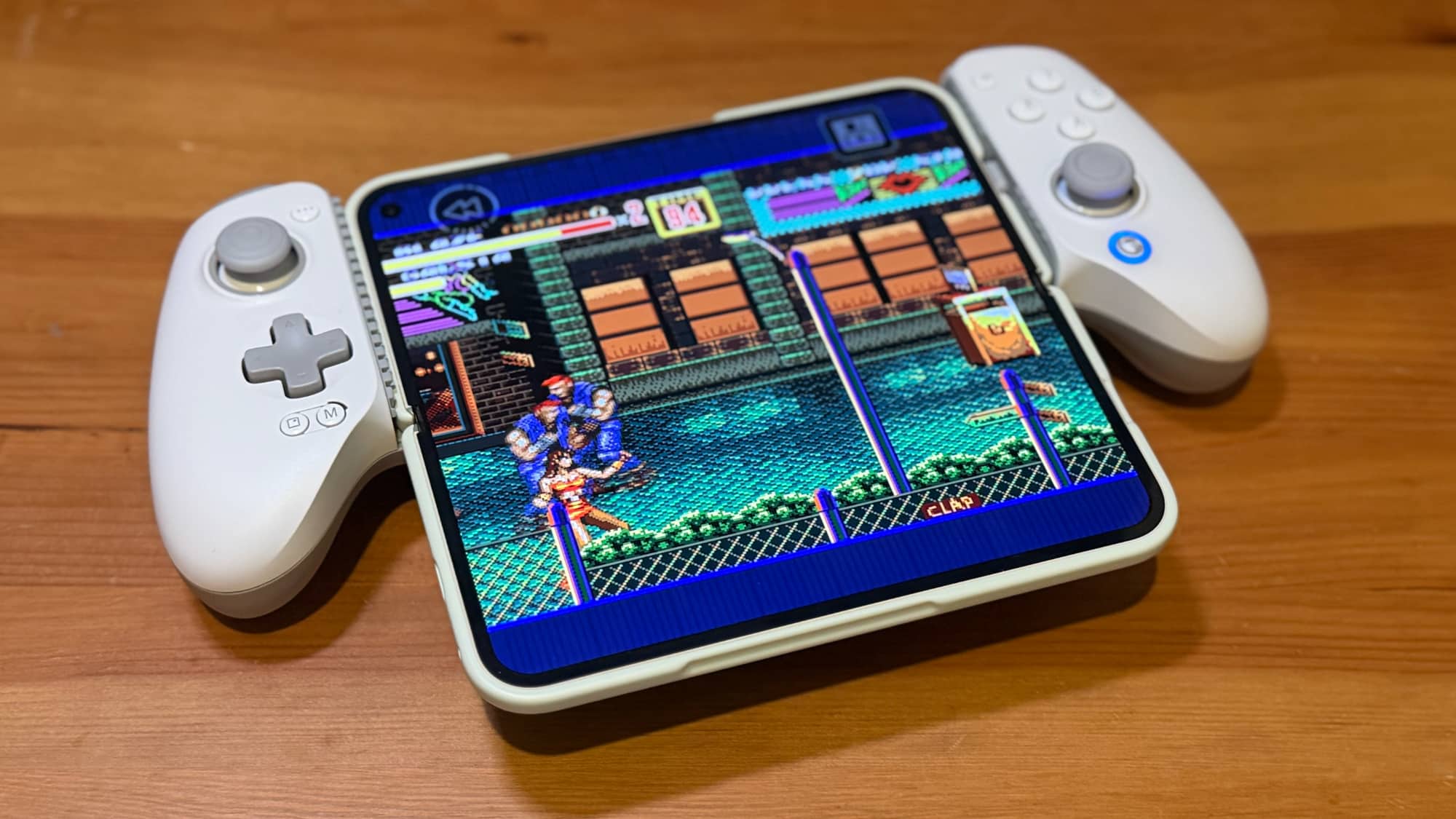
The GameSir G8+ Galileo MFi Wired Game Controller uses a landscape style design, holding your phone of choice within two side grips, giving it something of a hybrid Switch and Steam Deck style appearance.
GameSir only makes the G8+ Galileo controller in a single white/grey colour that it describes as a “clean, modern aesthetic”.
It’s not a bad looking controller, which is to say that I’ve seen way worse over the years, but I do feel it’s a pity that it’s only available in this white style.
That’s because white products that you hold in your hands almost inevitably end up showing any levels of grease, dirt, and wear and tear faster than darker hues. You might be the most pristine gamer out there, but this will happen, and that’s assuming no level of bleaching or colour change over time, too.
The white sides of the GameSir G8+ Galileo are magnetically attached, and in theory you could replace them, though GameSir at the time of writing doesn’t appear to sell faceplates for this particular controller in Australia.
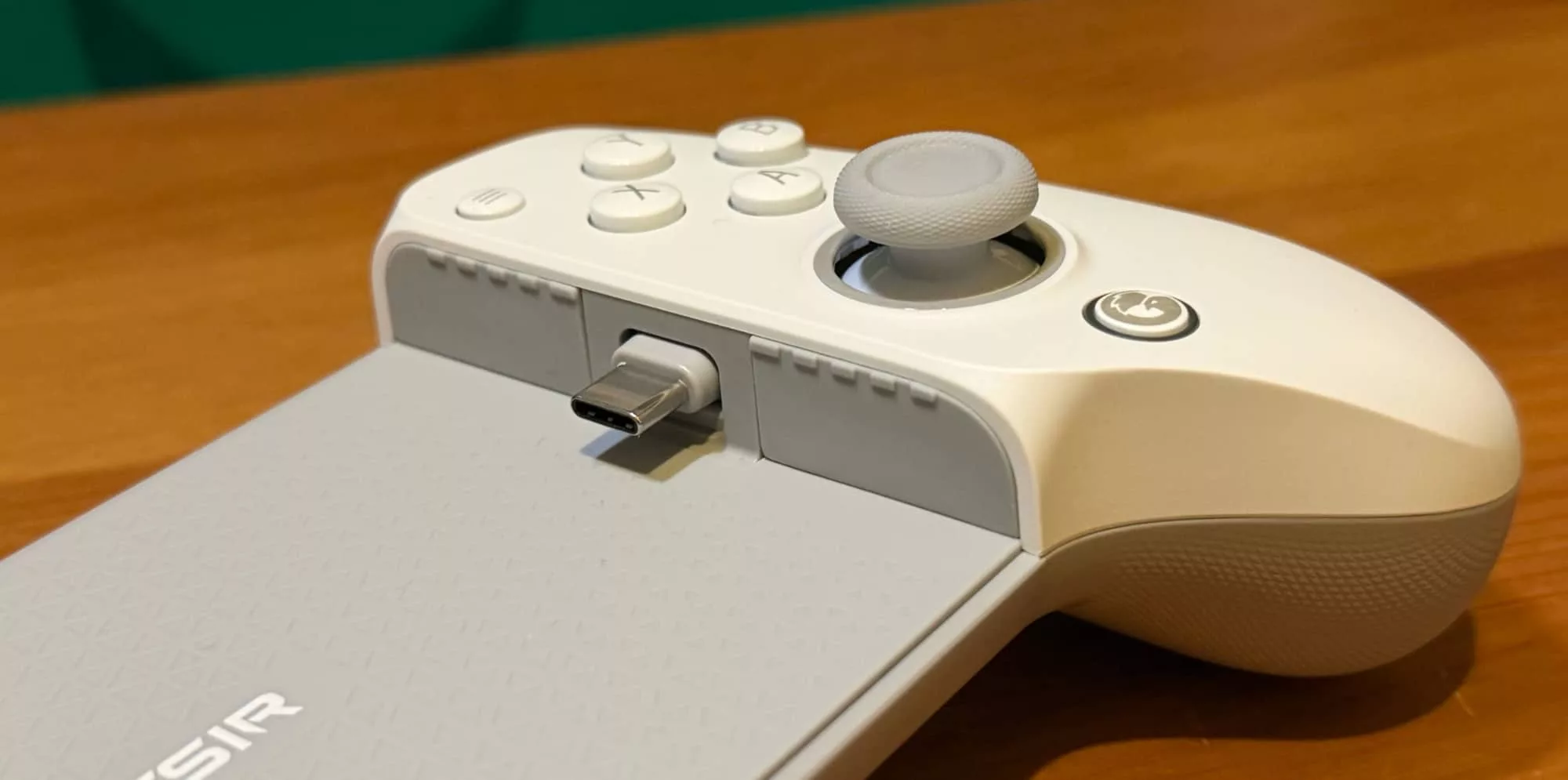
As the name suggests, the GameSir G8+ uses a wired connection, with a tilting USB-C plug on the right grip that plugs into your smartphone.
This does mean that the pad itself relies on your smartphone’s battery power when you’re out and about, though it does have a USB-C port at the base that can be used for passing power through from a wall plug or battery pack if desired. The USB-C power input plug sits to the left of a 3.5mm headphone jack.
I won’t lie, it feels downright weird to be plugging in a set of wired headphones into an iPhone after so many years where this wasn’t possible, but it does work if you fancy a little private gaming time with the audio jacked up to maximum settings, blowing out your eardrums in a way mobile gaming was clearly meant to.
Gaming controller layout has been standardised for a very long time, and for the most part GameSir doesn’t make too many radical changes here, with dual hall-effect thumbsticks on the left and right, a D-Pad on the left and buttons with a default ABXY layout. You get dual shoulder buttons and a pair of rear triggers to use as you see fit.
If that was all the GameSir G8+ Galileo did in design terms, it would be fine but somewhat unremarkable, another mobile game controller in a sea of them. However, there’s a degree of customisation at play here that does make the G8+ controller that bit more compelling.
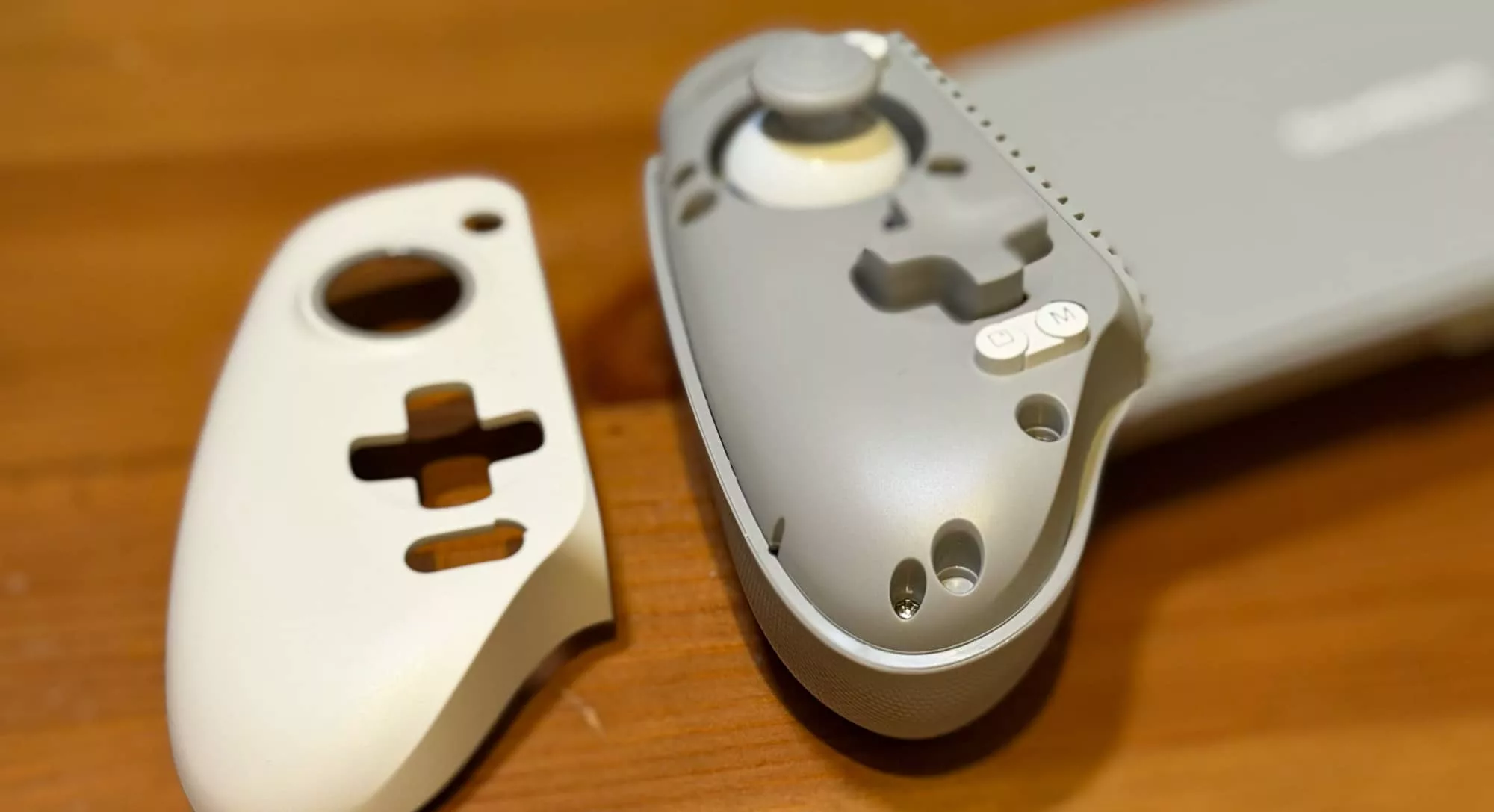
I mentioned above that the faceplates were removable, but that you couldn’t buy replacements for them… or at least not yet.
So why bother with making them removable? It’s because you can pop them off at will with simple magnetic force holding them in place.
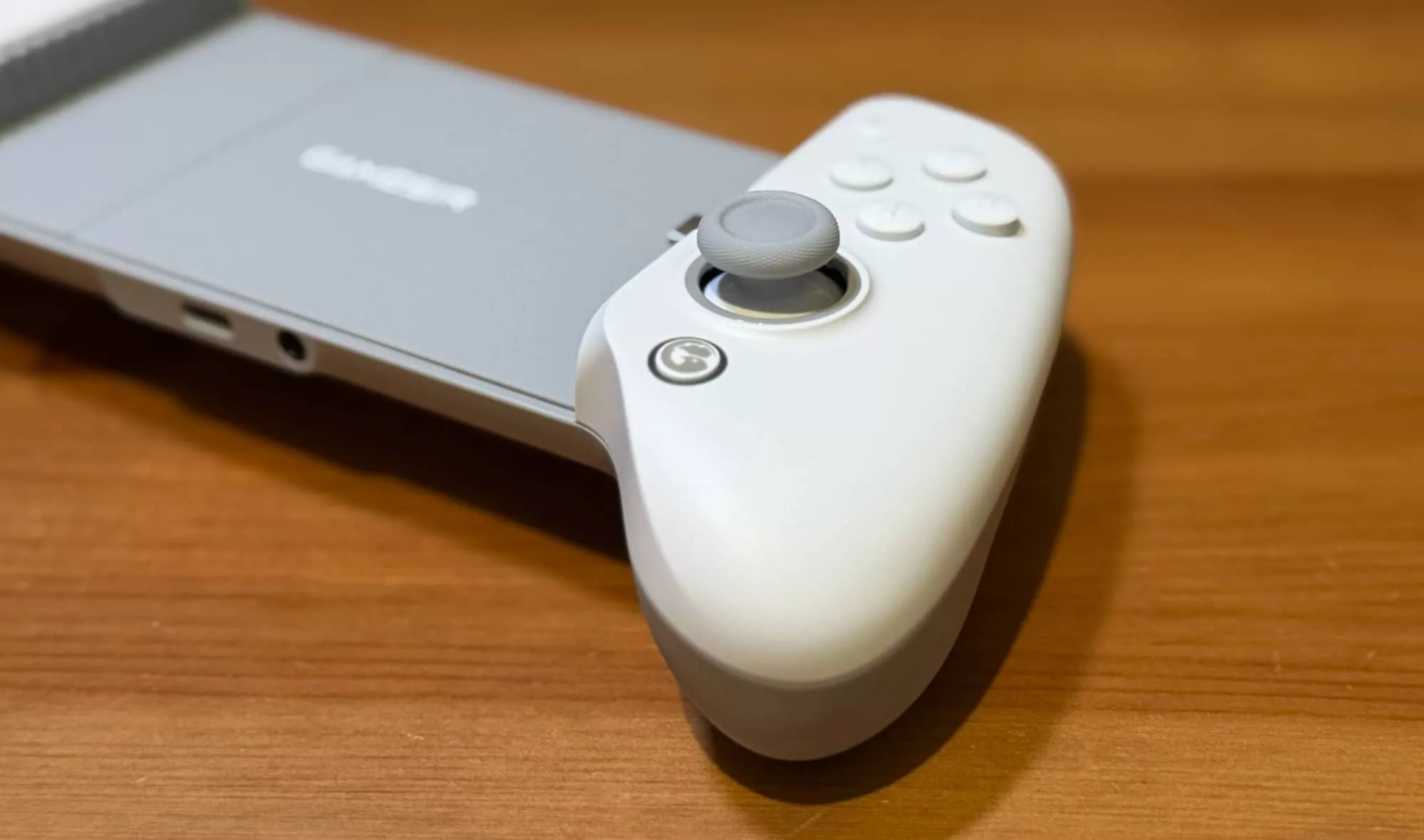
From there, you can replace the thumbsticks, with three included replacement styles on offer in the box. This gives you a choice between the installed round top style, the same style with a taller underlying stick section, a much smaller stick style or a concentric circle design reminiscent of an N64’s controller top.
This actually was one of the first changes I made to the G8+ game controller when it turned up for review, because I found the default left stick just felt a little uncomfortable under my fingers.
Not awful, I’m sure I could grow to love it, but why do that when I don’t have to?
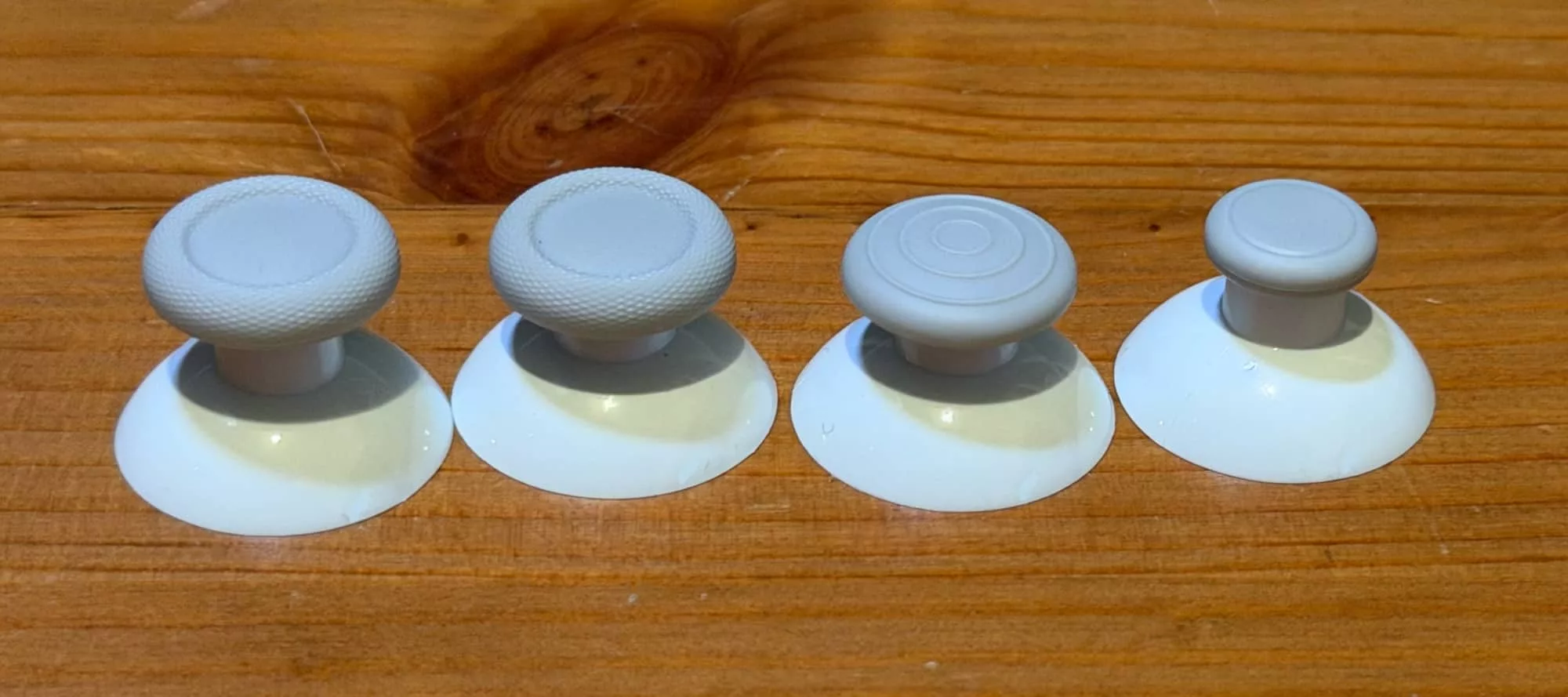
The only catch here is that you only get one replacement stick, not two, so you can’t match left and right unless you stay with the stock standard sticks.
The other configurable aspect here is that the face buttons can be swapped around at will, as well. The default configuration is ABXY, but if your preference (or in-game instructions) want BAXY, you can swap to your heart’s content.
Or do a Fleetwood Mac and go your own way, inventing YABX if you must. Just bear in mind that swapping the button tops doesn’t change button assignments, just the letters that sit on top of them.
We’re not done with configuration yet, however, because the other trick that the GameSir offered in the G8+ relates to a common cause of annoyance with this type of horizontal wired controller.
If you use a case with your smartphone – and I’m firmly in the camp that says you should – a lot of mobile game controllers struggle with the length of the USB connector getting past the case body while still fitting and connecting. Most just don’t play nicely, a fact we’ve seen previously in Backbone’s equivalent.
GameSir’s solution for this means more magnets, and specifically magnets with rubber tops that attach to the sides of the USB-C connection plug. Out of the box it has thicker rubber tops for caseless phones, but if you use a case, you can pop those out and replace them with supplied thinner models that make case attachment markedly easier.
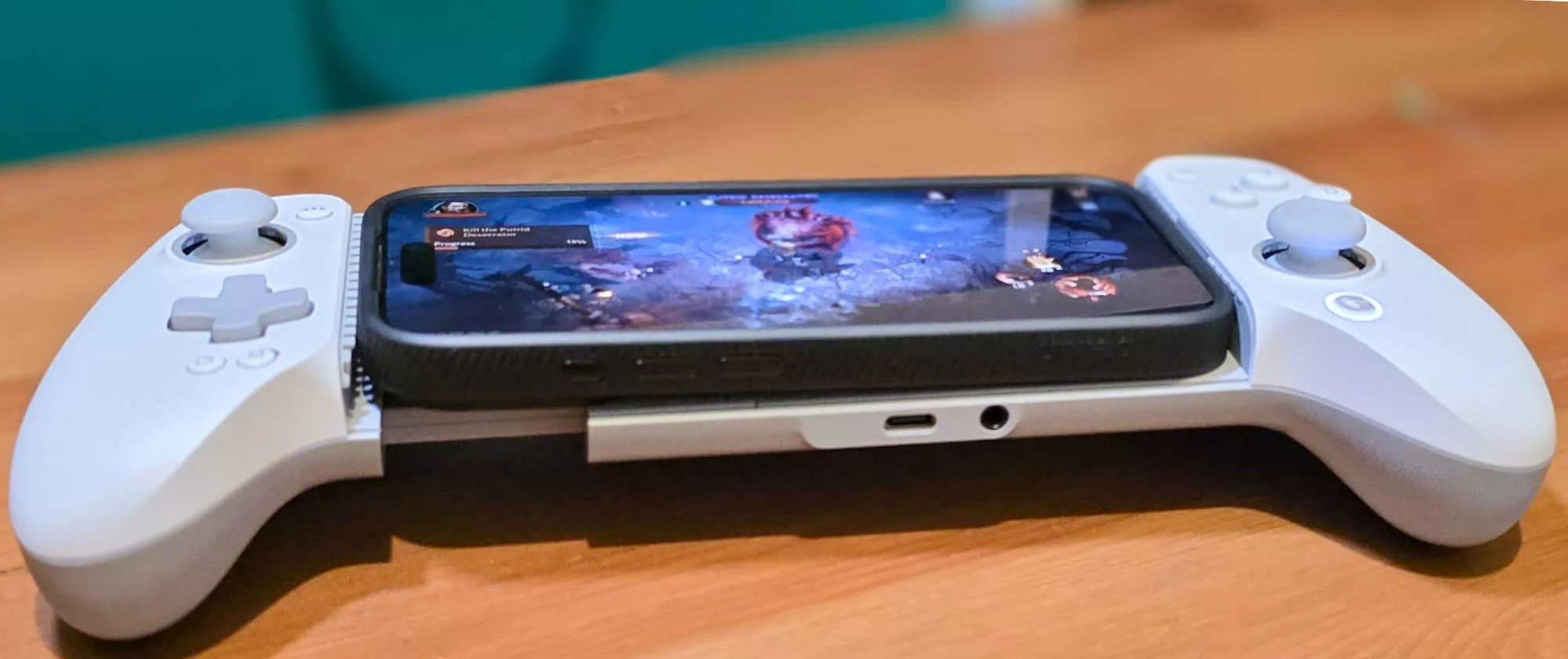
Will this work for every case and every phone type?
Probably not. If you’re a fan of those MIL-SPEC type cases that encase your phone in thick impenetrable fortresses, you’re probably still going to struggle, though those cases aren’t made for anything beyond ruggedised protection.
Foldables also don’t do well here, partly because the typical socket placement for those means that the expanded view for those puts half the screen below the controller, which is less than optimal. Even folded, I’ve hit a few issues where the GameSir’s G8+ Galileo wouldn’t always recognise that a phone was connected without a little wriggling around in place.
In-use
The basics of connecting up the G8+ Galileo are quite simple.
You tilt the plug towards your phone’s USB-C socket, connect it up, slide the controller body outwards to switch it “on” and then snap it back into place. While it does bear MFi markings – meaning that GameSir’s paid Apple money to certify that it’ll work with iPhones – it’s also Android compatible. That’s nice.
One other nice touch here is that there’s no messing around with mode button combinations to switch it to the “correct” connection standard. Just plug in and it’ll pick an iPhone from an Android phone without issue.
In this day and age, you can’t just have an accessory for a smartphone, however; you need an app, in this case the GameSir app for iOS or Android.
It’s a free app, and it’s one that made me smile – just the once – when installing it on Android devices.
That’s because GameSir has, at some point, made the decision that many Chinese brand companies do to include a little additional English into their brand name, presumably for reasons of staying entirely unique.
This can backfire spectacularly – I once reviewed a terrible projector from a company called “Sxhlseller” and I still don’t know how to pronounce that, or another from a brand that called itself NoEnName_Null (no, really!), whereas GameSir’s choice is more on the strangely specific-and-amusing side.
I can only assume someone at GameSir is a big Aardman fan.
Unfortunately that’s where the good times with the app started and ended, because this is not a good app.
A lot of GameSir’s controllers rely on Bluetooth connections, but that’s not what the G8+ Galileo controller does. As such, you have to go through a whole process of approving Bluetooth connections you’re never going to use, only to find that very often it won’t find the controller at all on first install.
I experienced this across Android and iOS and across multiple devices, and each time I had to plug, replug, restart both app and phone multiple times before it would finally register.
Once the app knew that I had a G8+ Galileo it was fine, but this is beyond clunky and into annoying territory.
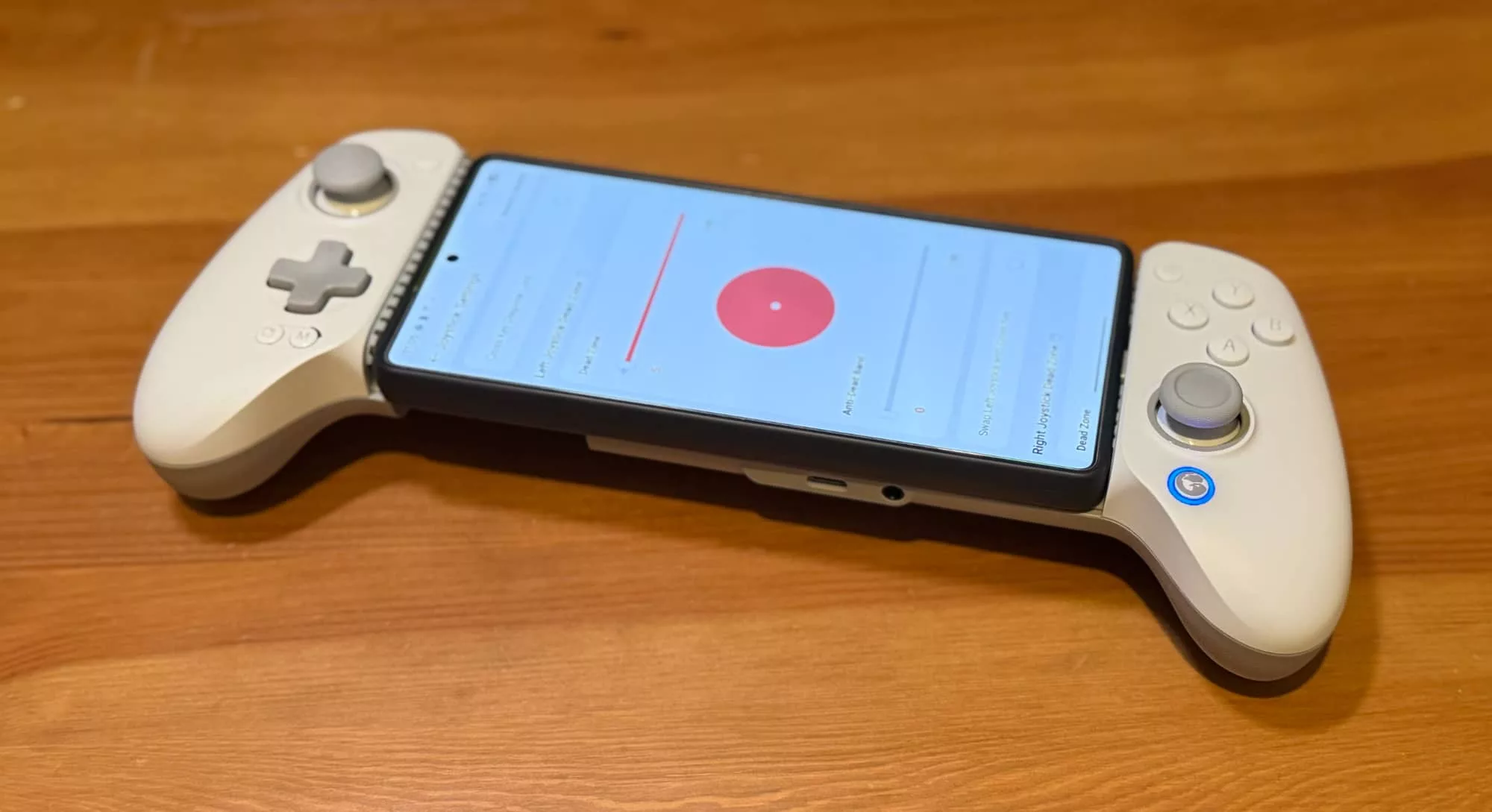
Once the app actually wants to work, it will allow you to upgrade the firmware, test buttons, and change button layout, so if you’ve physically switched to a BAXY layout, you can make the software inputs mirror that.
Despite having that MFi designation, however, there is one difference here that doesn’t favour iPhone users.
Android users with the controller can use the GameSir app to adjust joystick dead zones. If you’re wondering what those are, it’s the effective quantity of movement from the stick before it registers movement; some games and gamers prefer more or less of this for a more precise feel in specific game titles.
If you want that, you’ll need to connect it up to an Android phone for tweaking purposes.
The GameSir app also acts as a virtual storefront for other devices from the company, or indeed even this one. If I wanted another G8+ Galileo, I could have weirdly bought it using this exact G8+ Galileo controller I was testing to do so, which is a fine level of recursion, but honestly I’m not a fan of peripheral apps that are also used for advertising this way.
You absolutely don’t have to use the GameSir app, and there are some tweaks to its performance that are managed via the mode and home buttons, though again this varies a little depending on your phone platform of choice.
On Android devices, pressing Mode and the D-Pad up adjusts the rumble feedback connected device. On iOS devices, you do the same thing with the Home button and D-Pad instead. Pressing Home and up (or down) on the D-Pad on an Android device adjusts volume, but there’s no control for this at all on iPhones.
All of that aside, what’s the G8+ Galileo like as an actual game controller?
In-game
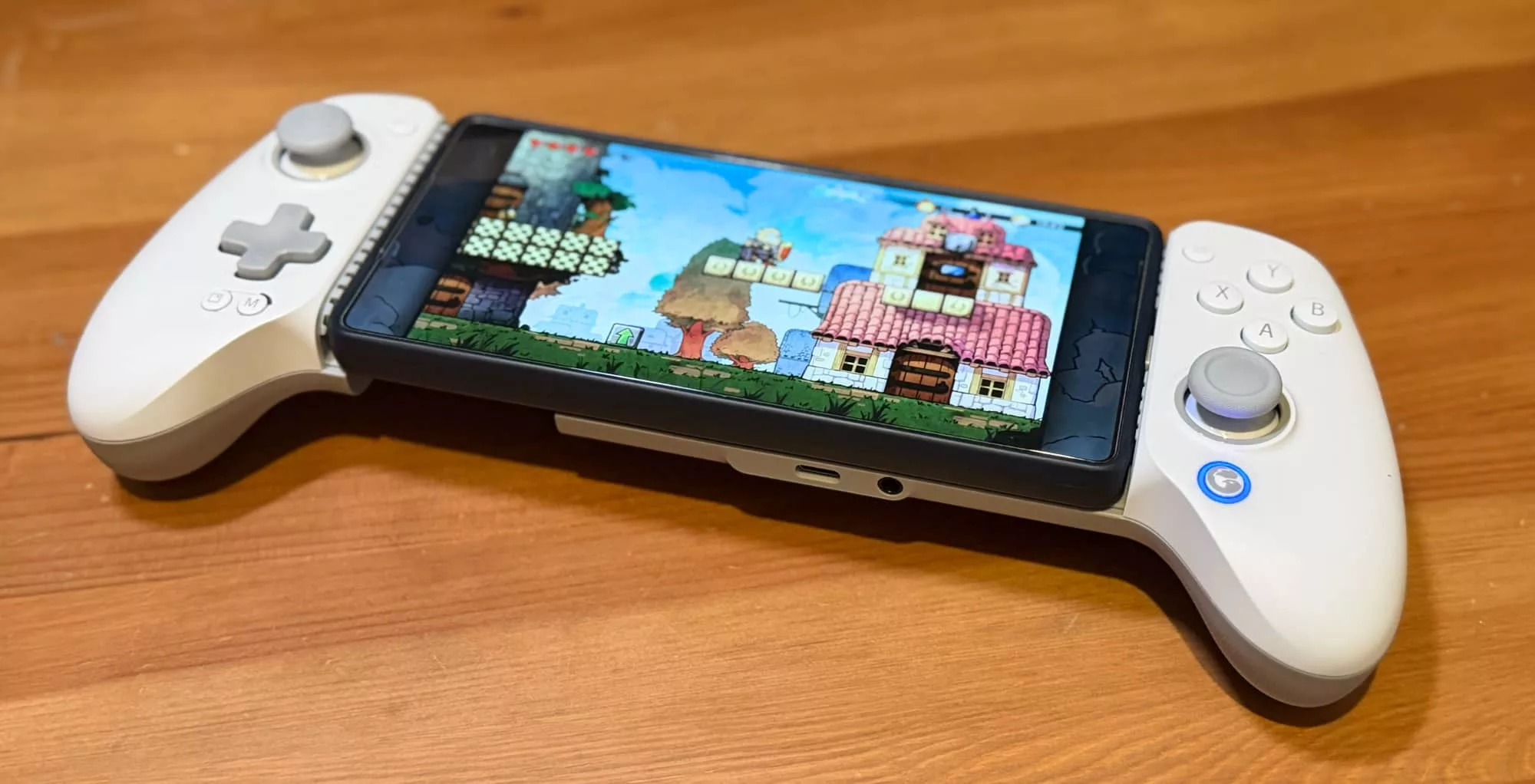
For the most part, it’s very good indeed. My own mobile gaming tastes tend towards retro titles, and those that know me won’t be shocked by that at all.
Here I did hit one minor and very subjective issue. The GameSir G8+ Galileo’s D-Pad has a slight indent in it, and that’s a style that I’ve never particularly liked. I prefer a fully flat D-Pad, but tastes 100% can vary on this, and it’s certainly not something that stopped me using it.
The thumb sticks both use magnetic hall effect sensors with excellent response even without tweaking dead zones, and button placement and response feels great.
Impact on battery life has been minimal during my review period, and you’re realistically going to hit much more of an issue with games themselves running down your phone’s battery than the amount of power the G8+ requires.
What needs work?
Clearly, the GameSir app could be a little bit more responsive to the idea that customers might never be using a specific GameSir Bluetooth connected device.
Removing the requirement to allow the app Bluetooth access and especially making it faster to recognise the connection of a USB-C wired device would go a long way to making it a better app.
I would personally advocate for a flatter D-Pad in a future revision. It’s not a removable part in the current version, otherwise I’d suggest just selling a flatter type to those of us who prefer that style.
Speaking of parts, it would be nice to see more customisable parts available to GameSir’s customers for this controller; not only faceplates for aesthetics, but also extra sticks and maybe even buttons for longer-term use.
Final thoughts (TLDR)
The GameSir G8+ Galileo is a very good mobile controller with nice cross-platform compatibility, and configuration options that range from physical to software tweaks to suit just about every mobile game that had support for real world controls.
It is a slightly expensive option if you just want to twiddle away on a single game every once in a while, however, because much cheaper Bluetooth controllers do exist and work well enough for most phones for basic gaming.
Bluetooth can be laggy and interruption-prone, however, and here having a direct wired connection does give the GameSir G8+ Galileo an edge… for a price.