

It can generate text seemingly from nothing, and it can make images much in that way, as well. You can build code and an app seemingly from little more than a prompt, and it appears you’ll be able to edit videos that way, too.
Two major video editing platforms have released additions supporting AI editing as part of how they work, with both Adobe and Blackmagic supporting artificial intelligence by way of ChatGPT and Claude, dealer’s choice, though depending on the version you use, you might see more than simple edits.
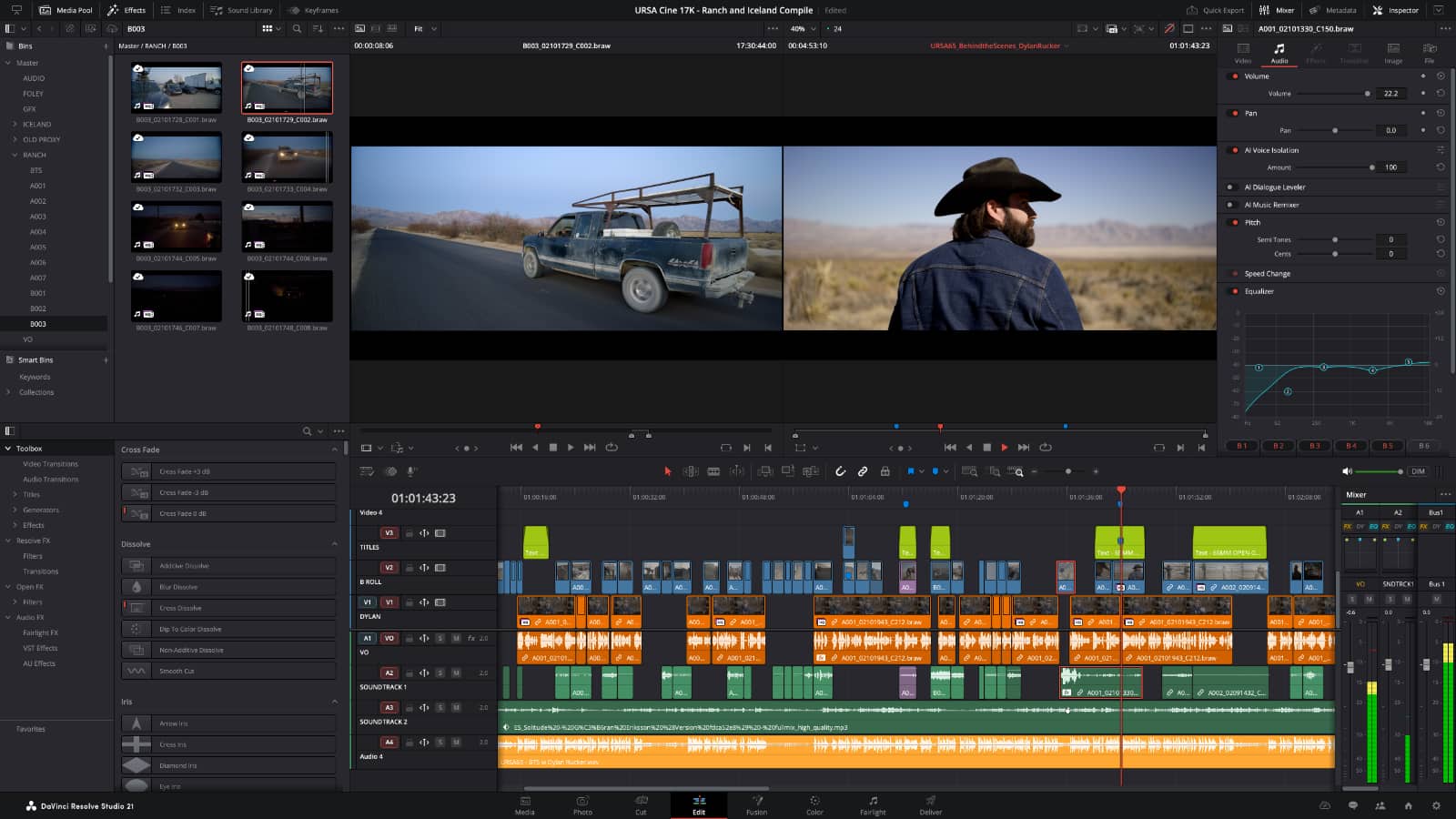
Over in the Blackmagic camp, the DaVinci Resolve 21.1 update brings support for AI assistants, essentially supporting organisation, settings changes, and rendering tasks from simple prompts, much like how those AI assistants normally work.
Blackmagic notes you’ll also be able to create highlight edits from longer videos and remove unwanted clips, processing it on the computer as opposed to the cloud. Essentially the instruction comes from the computer and the cloud chat system interprets, making it work on your device.
Meanwhile, Adobe is no stranger to AI edits, having included support for its AI technology in image editing and generation for Photoshop and Illustrator. Now it seems as though Premiere and After Effects will get the tech, too, with a “Generative Media” tool allowing editors to select a gap in a timeline and simply describe what should go there.
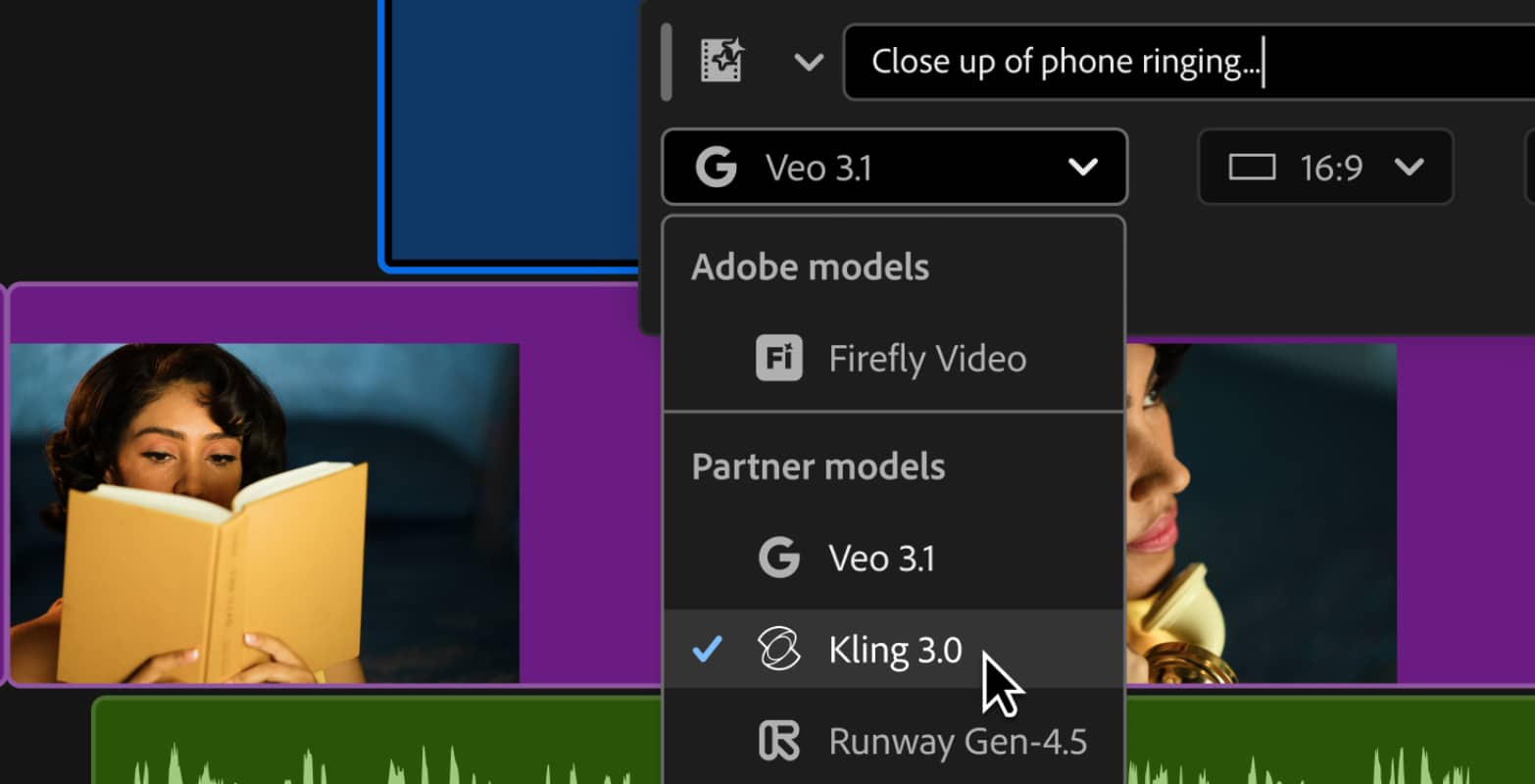
Using generative AI and reference images — typically the end of the previous clip and the start of the next — Adobe’s editor can use generative tools to create video to go right into a timeline, essentially dealing with potentially absent shots that either didn’t turn out, or maybe weren’t actually shot.
It’s just one of the AI features that’s coming to life over at Adobe, with support for sound effects generation and music generation, two things Premiere can now handle.
Meanwhile, After Effects will use an AI assistant similarly to DaVinca Resolve, making it work for some of the more chore-like tasks a video editor and effects artist might get frustrated by, such as renaming clips, organisation, and adding markers.
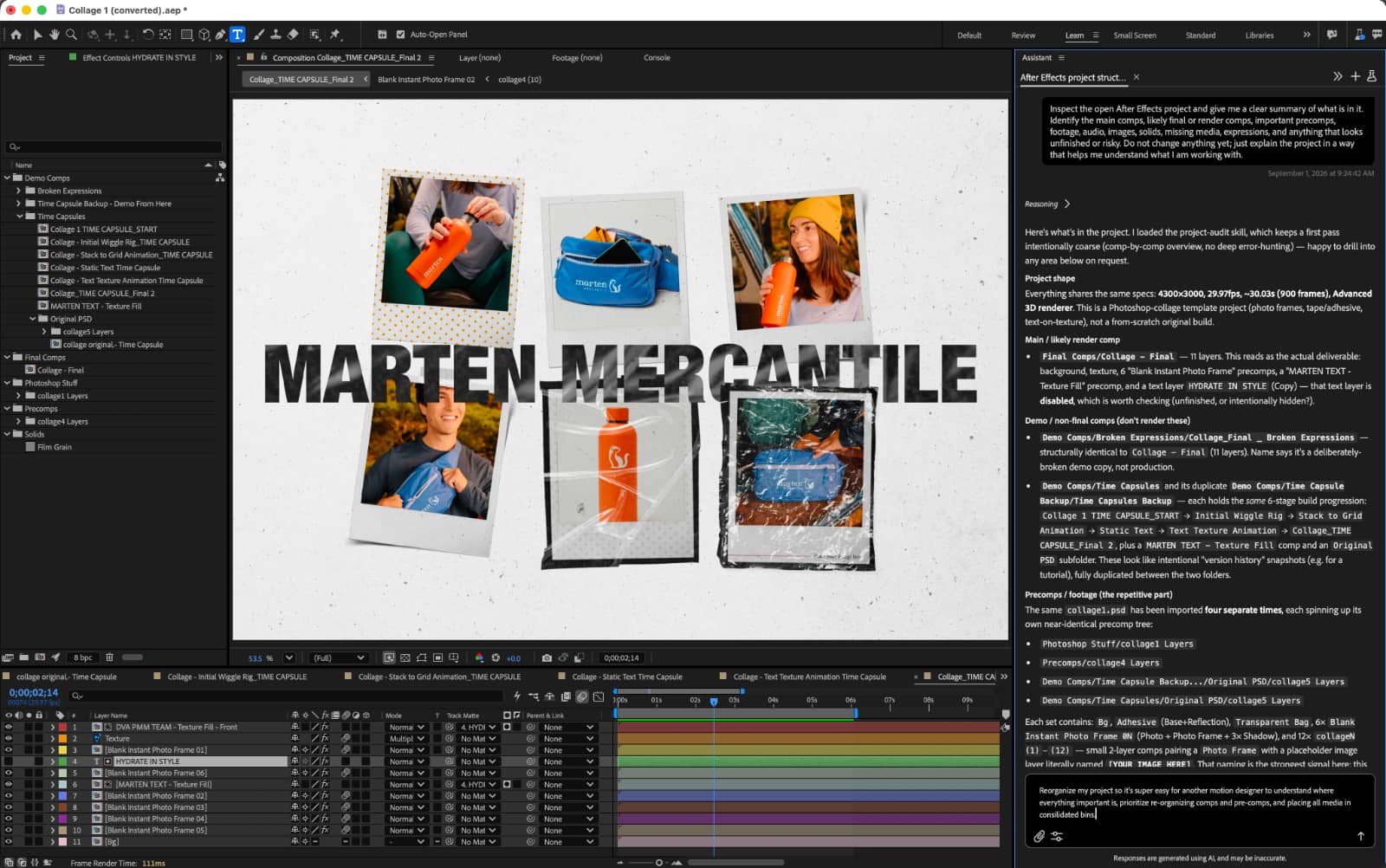
To do this, a built-in AI assistant will take instructions and work across a project in After Effects, with support for more complexity including creating motion effects with mere prompting.
Those features are rolling out to Adobe subscribers with an active paid subscription for Premiere and After Effects, while the Blackmagic AI addition can be found on DaVinci Resolve 21.1, a free video editing app available from Australia’s Blackmagic.