
Quick review
The good
The not-so-good
One of the better screen-free speakers for kids gets an upgrade and a little more independence. Is the Yoto Player 4th-gen a clever update, or merely more of the same?
Speakers are a dime a dozen and everyone has them, but not everyone makes them for kids. Technically, all speakers can be used for kids; provided you have a source — a phone or tablet — any speaker can be connected, usually over Bluetooth.
But you still need that source for kids in the first place. For many people, it’s a phone, possibly one with movies downloaded and cached ahead of time. It could even be just a bunch of music or stories read out, with the world of audiobooks springing to life from a phone or tablet.
And then there are the other devices.
For the past few years, if you’ve been looking for a kid-focused media player that also came with the benefit of keeping your kids away from a screen, the Yoto was one of your best bets. A box with a nightlight, speaker, and card-based media system, think of the Yoto Player as the modern-day equivalent of a tape player, but for kids.
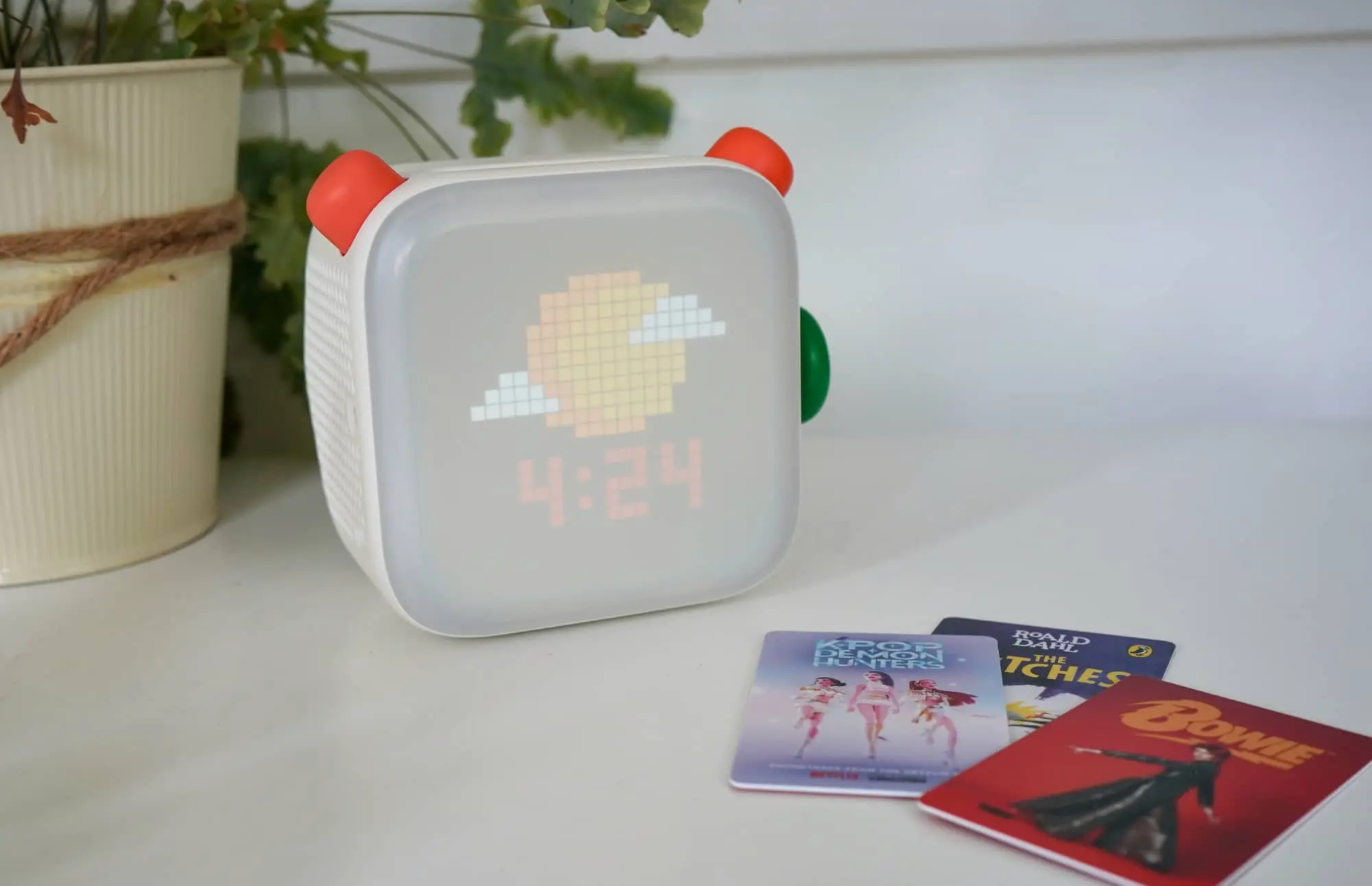
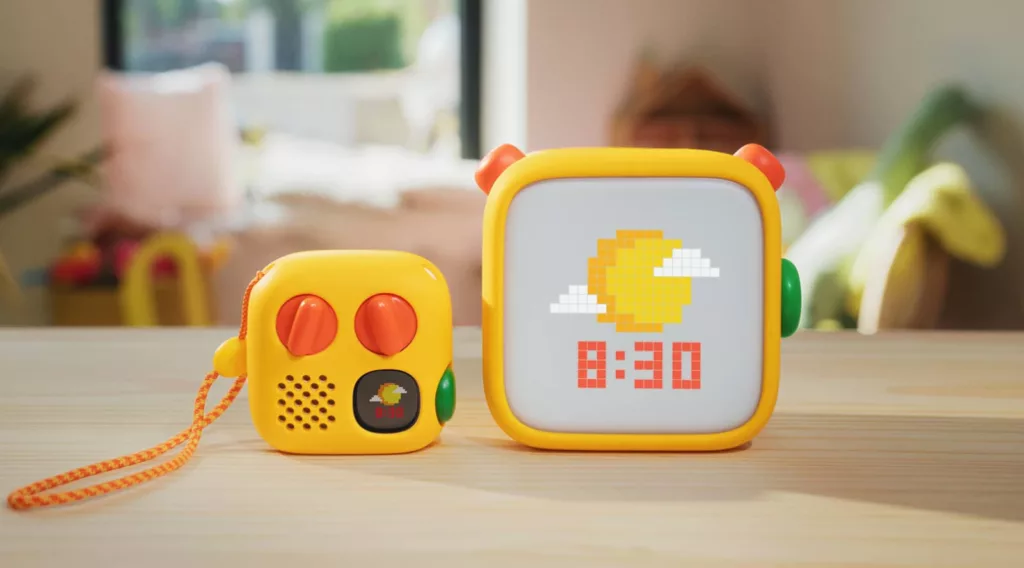
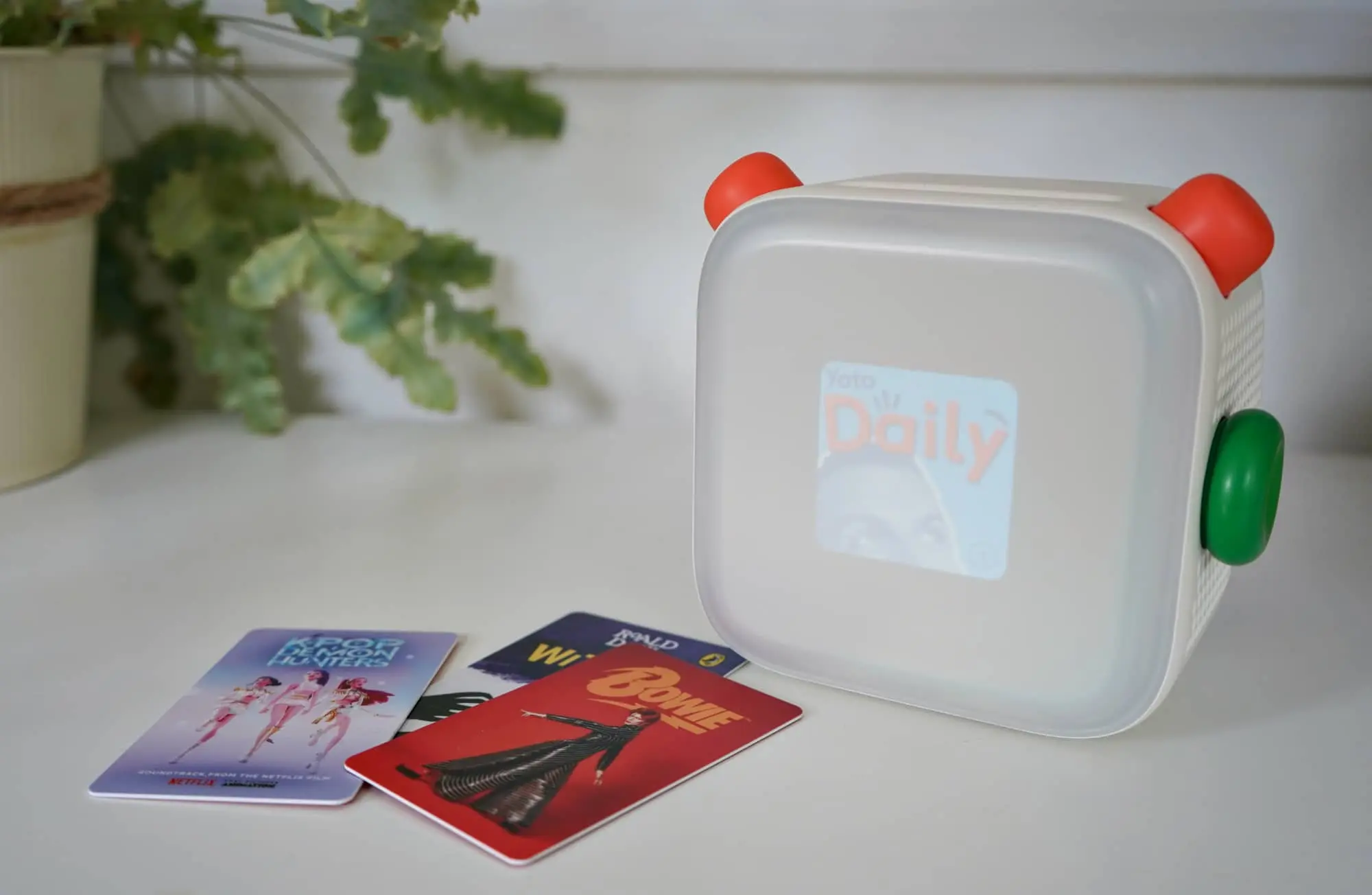
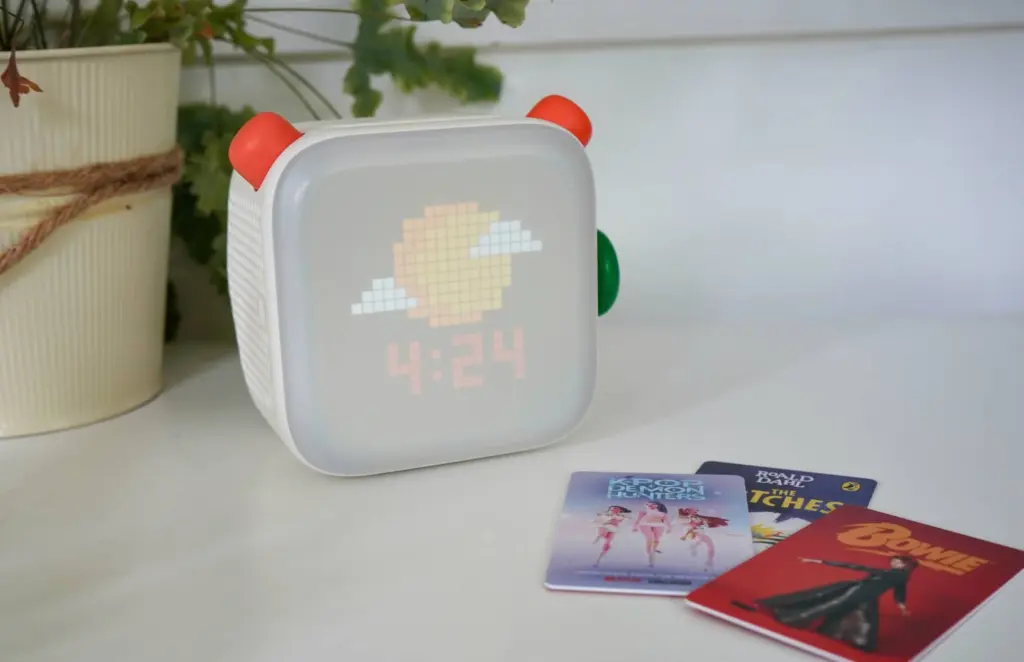
There’s a screen, but it has limited uses, mainly showing pixelated icons of what each song or book is represented by. It also shows the time and what station kids might be listening to.
Built for the little ones aged 3 to 12, it’s a media player with a built-in speaker so kids can listen to what they want, and do it without being hooked on staring at a screen. And while it wasn’t perfect, the third-gen model practically nailed the package, leaving us wondering what version four could possibly need.
Now we know: some internal upgrades and a new way to use the Yoto, as the Yoto Player 4th-gen arrives to end the year, and potentially impart a new way for the little ones in your life to be a little more independent.
Is this where screen-free tech goes next, or does it still need some work?
What is the Yoto Player 4th-generation?
A speaker and media player for kids, the Yoto Player 4th-gen takes what Yoto has made work for it over the years, with a replacement for tapes in cards, media downloads, and volume controls, and gives it a spin. Almost literally.
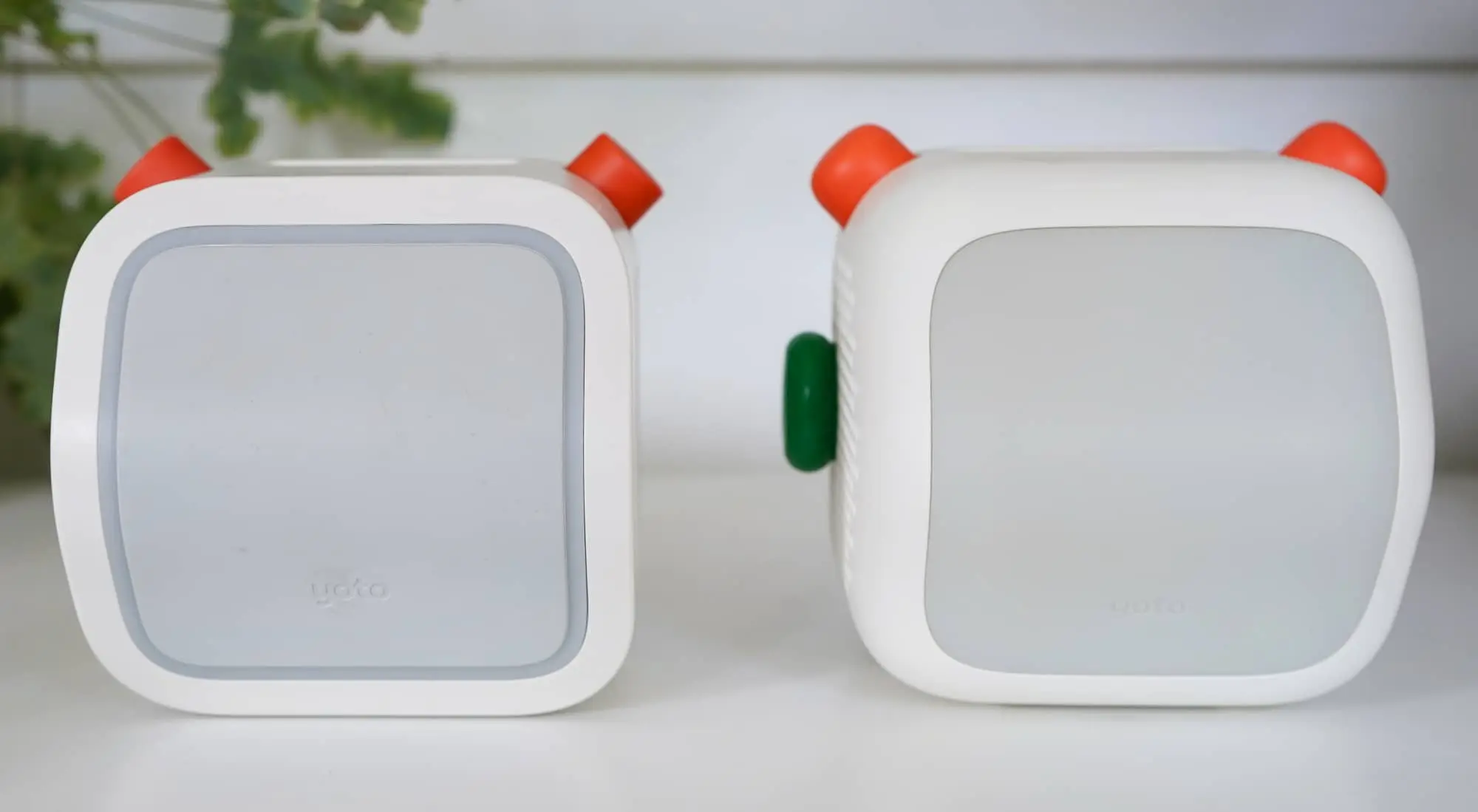
The gadget is very similar to its predecessor, but much chunkier, as if the style has been more directly focused on kids, even more so than its predecessor. The knobs are softer and wider, and the whole thing looks as if it has been inflated slightly, though the buttons seem better placed and the screen fits the shape better, too.
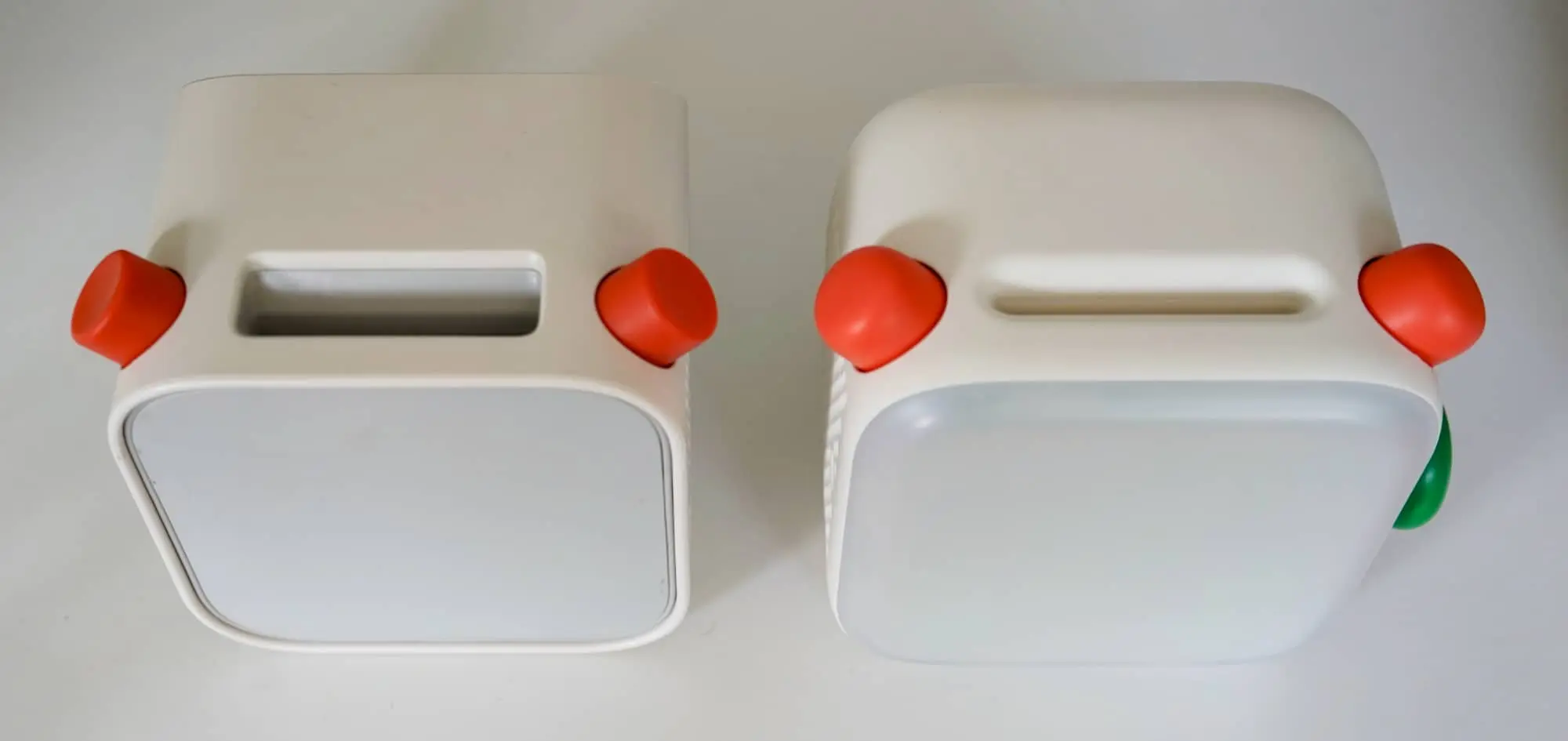
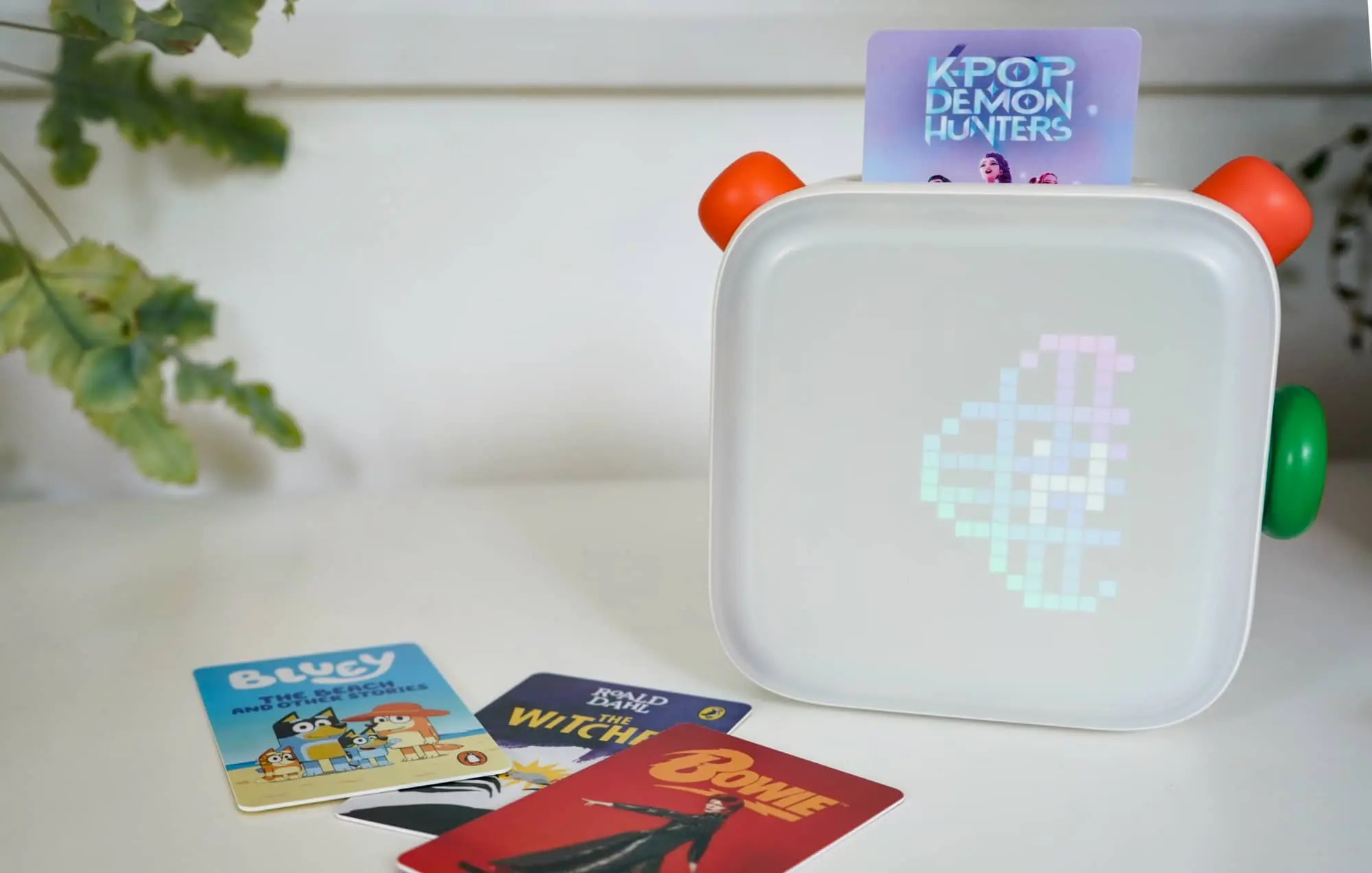
It’s a slight evolution on what worked prior, and there is now a new feature: a green button and knob allowing a little more independence, with parents able to program library additions without needing to reach for a Yoto card.
You’ll still find a USB-C port on the side, alongside a 3.5mm headset jack to turn the speaker off and let kids hear what’s happening sans-speaker. A Qi wireless charger sits at the bottom, and the entire back of the device is a night light that switches on when the speaker is tipped over, resting on the screen and lighting up like the roof of a house at Christmas.
What does it do?
The cards are still the most important aspect, and they are arguably what the Yoto Player does.
Connect the Yoto 4th-gen to your phone and network, and it will be ready to go, able to access your current library, or if you don’t have one, any of the cards you add to one.
For folks who have never used a Yoto previously, the idea is simple: think of the card system as like a cassette tape of sorts. Insert a card and the Yoto Player will download the tracks, storing them on the gigabytes of storage (64GB on this model) so they can be taken on the go, or simply streamed within reach of WiFi. Every track has an image attached to it, and tracks can be musical or audiobooks and the spoken word.
You can buy music. You can buy books. You can also record your own cards and upload files using your own Yoto account. You can even decorate the plastic card that represents the homemade card.
Think of it like a mixtape of sorts, but in a plastic card. You have all the control.
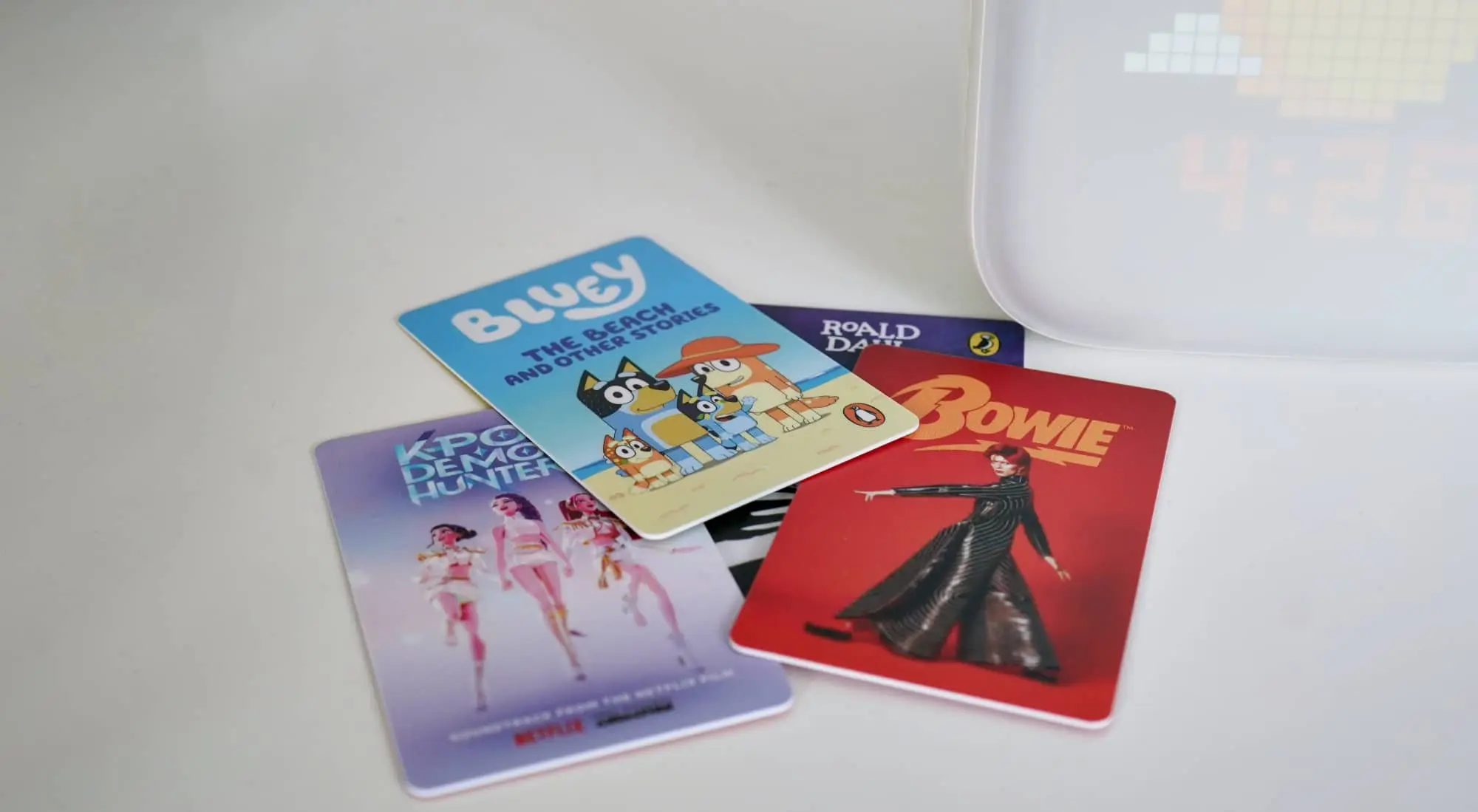
Insert the card and the tracks will play through the speaker found on the body, the left orange knob controlling the volume and the right orange knob dealing with track choice, controlling and clicking it in when you want to skip ahead or go back.
You can even connect a pair of wireless headphones to the Yoto Player 4th-gen or adopt a larger speaker. You can’t turn the Player into a speaker, but you can sync and connect a Bluetooth speaker to the Yoto, making the sound better.
But it all comes back to the card, however, and you need that to play.
At least you did until Yoto added the green button.
That green button
The newest feature of the bunch (and arguably the reason Yoto wants you to consider the fourth-gen model) is the green button, which is actually a green knob with a button. It’s a dial of sorts and a button, and it really serves two purposes.
On the one hand, the green dial actually gives Yoto’s users (kids) a little more freedom. In one hit, you can easily map cards they own and podcasts to the green dial, allowing them to activate parts of their library without reaching for a card.
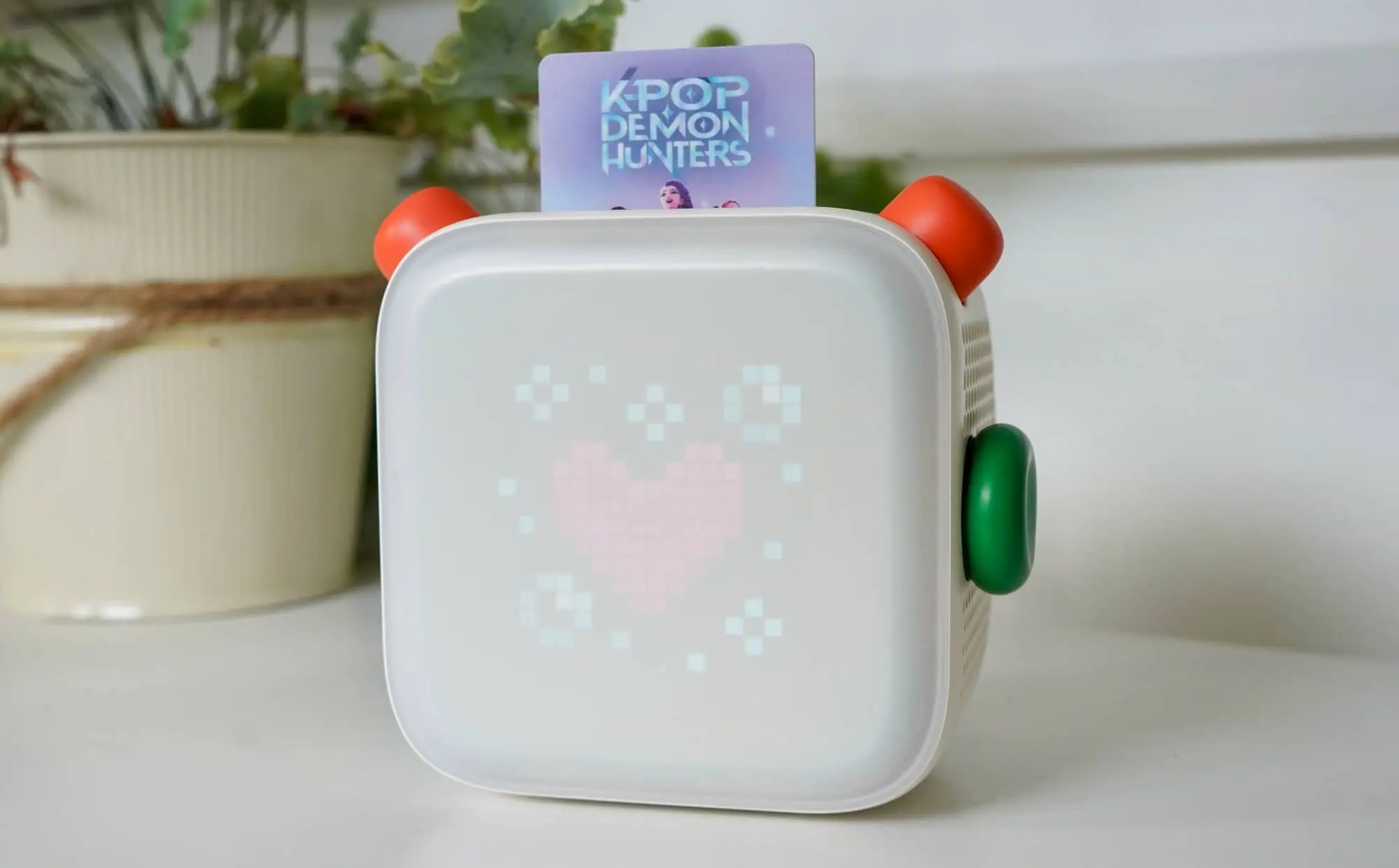
It’s that little bit extra degree of freedom, and especially handy if they happen to lose the cards. Any previously activated cards will already be on their account, and so they can be added all to the green dial all too easily.
And for Yoto, the advantage of the green knob is a bit of a boon because it also makes it easier to map digital purchases without having to actually buy a card. Given Yoto sells library items online, the combined green knob and button end up making a lot of sense this way.
Does it do the job?
Designed rather like an update to the old one, kids will be able to play music and stories and generally have a mostly screen-free solution with ease. This isn’t complex, and basically finds a way to make cards the new cassette tapes.
However, it’s also not the 3rd-gen model we checked out a couple of years ago. There are definite changes, like the screen where the Gen 3 felt more pixelated and softened and the Gen 4 comes off as sharper and clearer.
Even that rear nightlight has seen a change. When you put the player down, the ring light on its predecessor has been replaced by a full-colour LED panel which gives kids more to see. It’s like a proper light now, as opposed to merely a colour accent. The light is a proper feature.
The speaker also sounds a little better, with new tuning and a better delivery. Testing with the Pickr Sound Test (which we’ve made a card for), the audio comes out a little clearer, but still lacking in depth with virtually no bass whatsoever.
That’s not a total surprise, but any sense of earthy delights from the lows will be missing in action, whether that’s the drop of Tycho’s “Glider”, the punchy bass drum of Carly Rae Jepsen’s “Cut To The Feeling”, the thick bass on Mark Ronson’s “Uptown Funk”, or if you happen to have a kid ready to rock out with Rage Against the Machine, the obvious bass in any of that music.
There’s a smidgen of bass, but it’s mostly highs here, and given the type of speaker, it’s hardly much of a surprise. This isn’t meant to take on a proper cordless speaker and it clearly can’t. But kids won’t care, and when they do, they can upgrade to something a little more made for the parents.
And the green knob turns out to be a surprisingly useful feature rather than simply an unnecessary extra. Younger kids won’t care, and it may muddle the whole thing, giving them something else to control and potentially pausing music.
But older kids might like it because it means they can have more mapped to their speaker that goes without a card. It turns their Yoto Player into something more useful, like a media player where everything is built-in and ready to go, and they don’t have to risk leaving the card somewhere else.
There’s little doubt the green button is primarily there to help Yoto move more of its digital content from its systems, but it does two jobs with the one green button surprising well, imparting independence positively.
What does it need?
The problem is the fourth-gen Yoto Player can feel a little half-baked at times, and struggles to always work.
Tracks don’t always download, while our iOS app refused to work with the fourth-generation Player, and even forced us to reset the thing. Twice.
Curiously, only the Android app allowed the Yoto 4 to properly sync with the service, giving us an indication of the problem, and perhaps a nudge to Yoto’s team to fix it.
At the same time, the Yoto app also has problems with the Yoto Player 4th-gen, initially showing the brightness controls only to hide them a second later, and making it impossible to change either the screen or nightlight brightness for the gadget.
That’s a shame, because not only is the nightlight a great feature, but so too is the screen. Except that for our time conducting the Yoto Player 4 review, we found the brightness too bright for the first one and too dim for the second one. It’s just a bit of an issue.
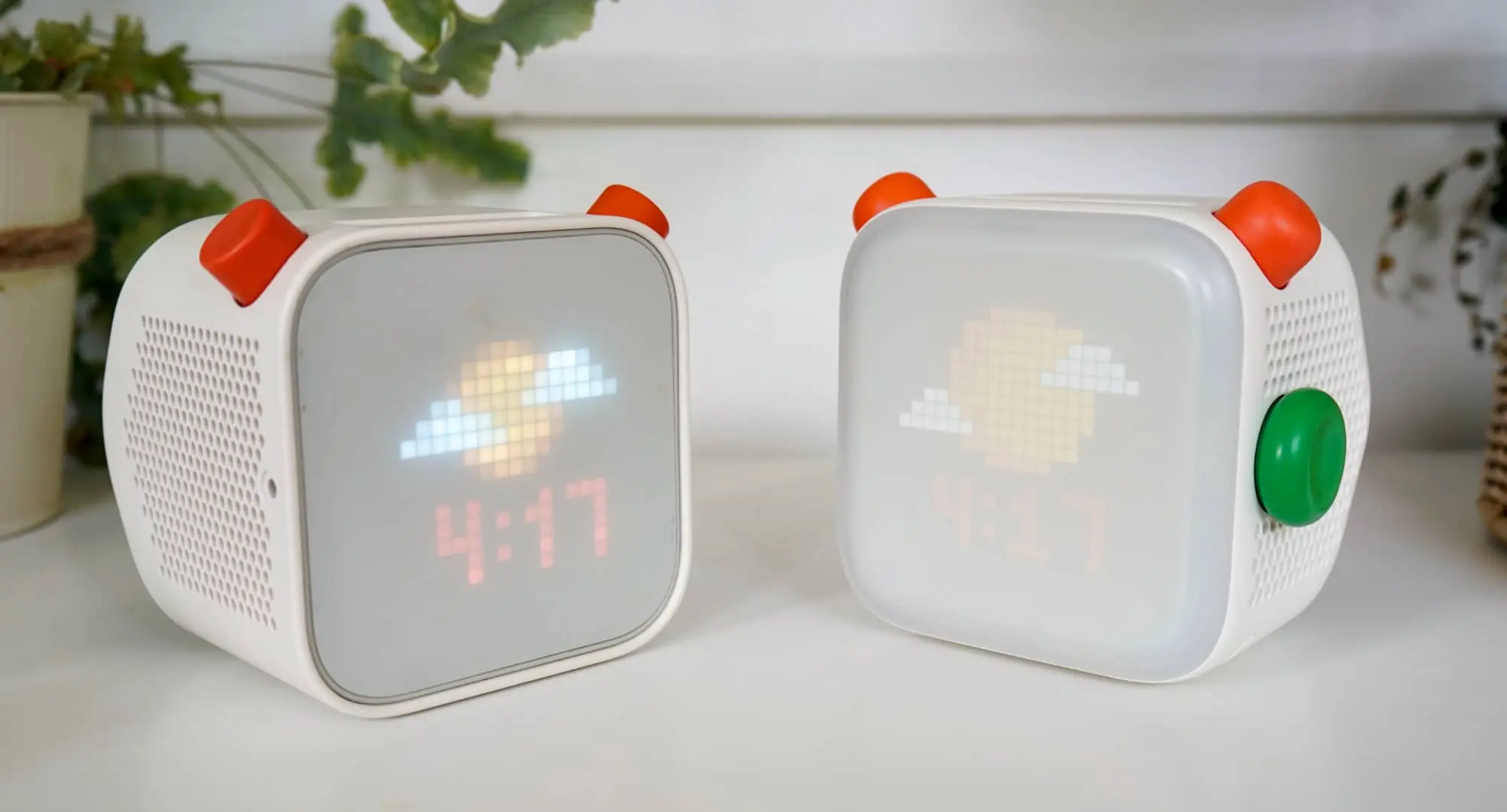
As is the continuation of things missing in action from the previous Yoto, such as a lack of supported music services, making it impossible to map playlists from Spotify, YouTube, or Apple Music. Or even the lack of local weather support, with the screen always showinf sun and clouds on the screen in daylight even when it’s raining outside, and always showing a moon and clouds at night, even when it’s totally cloudy and you can’t see a single thing beyond it.
It’s just really surprising that in the fourth generation, Yoto still hasn’t changed any of these, and has largely made the Yoto Player 4 more of the same, but with an extra knob and a slightly more bubbly design.
The look is something not everyone will go for, sadly, and even though the green dial and button actually have a better purpose than expected, the bugs and issues can make the update feel a little under-developed than a properly finalised product.
Is it worth your money?
Priced a little higher this year, the Yoto Gen 4 isn’t drastically more expensive. Rather, it just seems like it’s more expensive because everything else is.
At $230 in Australia, the model with the green button is roughly $30 more, which isn’t much to complain about. You do get twice the storage for that spend, now offering 64GB versus the 32GB of its predecessor, plus a better screen and speaker system, even if the battery is a touch lighter.
All up, the price increase isn’t remarkably unexpected, and may actually be marginally better value. It’s perhaps the one area we have such a small amount of complaints about, actually.
Yay or nay?
Three times may well be the charm, but by version four, we like to think that companies have worked most of the bugs out. In the Yoto 4, it seems like more bugs have been worked in.
In fact, several weeks after we started reviewing the Yoto Player 4th-gen, the iPhone app still doesn’t work properly on iOS 27, but handles every Android phone we have for testing rather easily. Our account should have access to the Players in our account, but on iOS, they’re nowhere to be found on the updated app.
That’s a problem Yoto needs to fix ASAP, as is the lack of brightness controls, and the fact that both apps just don’t seem to work as well as they once did.
When they’re fixed, the Yoto 4th-gen will feel better, and an actual update of sorts, as opposed to this unfinished gadget in between. Right now, “unfinished” is the polite way to describe what it is, as is the following: great for kids, but needing work elsewhere.
It’s a bringer of independence with a bit of a catch. The idea is sound, but the result needs work, and unfortunately, that catch may make parents edgy at times.
When your kids ask you to turn down the brightness on the nightlight and you just can’t, or when you try to pair the speaker and it just won’t. Catches like these break an otherwise good experience, and it’s a shame we’re here in version four.
When Yoto manages to fix these issues, the Yoto Player 4th-gen will be well worth checking out. Hopefully that won’t be too much longer, because these are the sorts of issues that will make a gift-giving morning into a bit of a nightmare.