Quick review
The good
The not-so-good

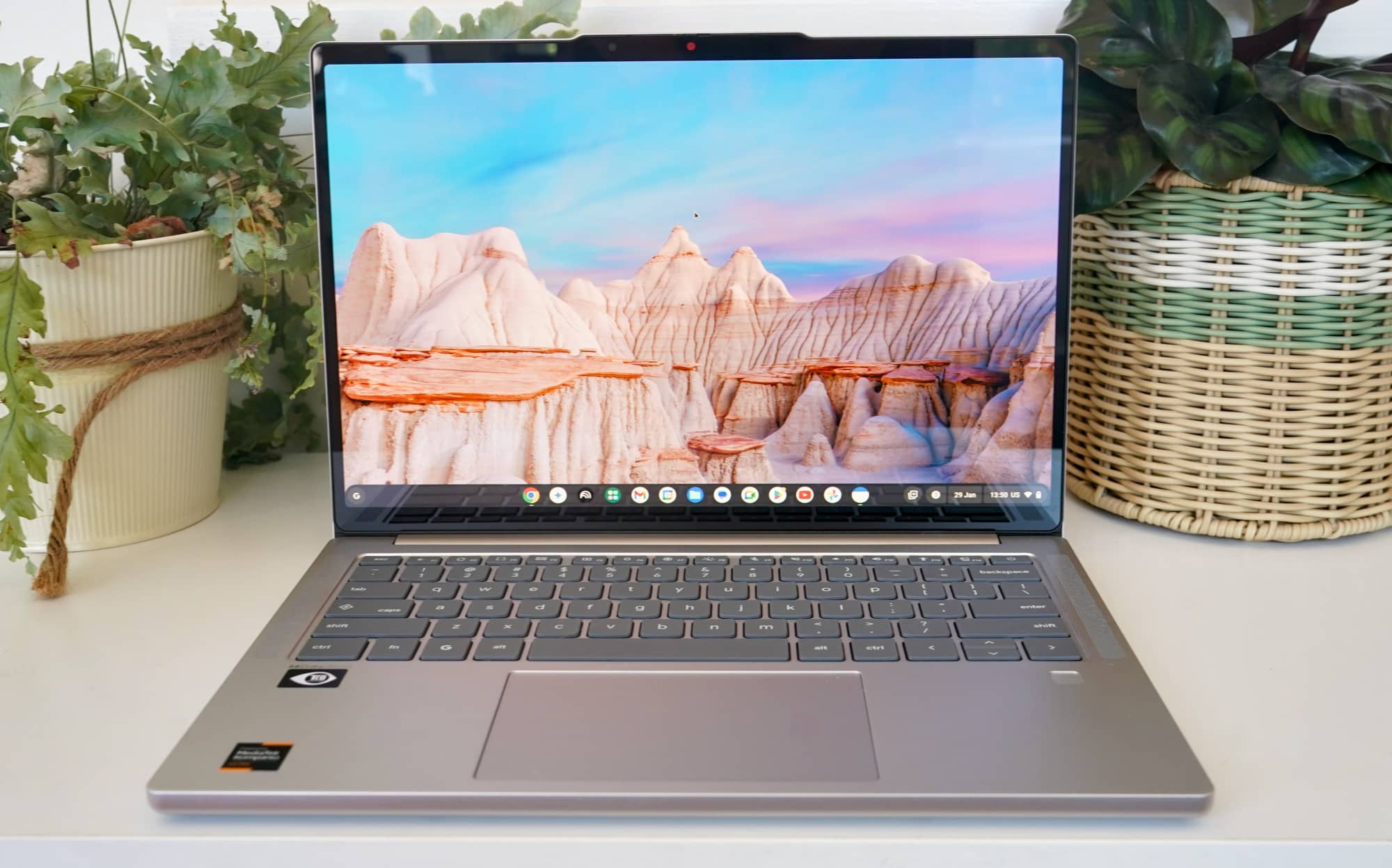
Chromebooks are relatively cost-effective laptop choices for anyone not looking to spend up, but what happens when you want the premium take on the tech? The Lenovo Chromebook Plus 14 shows up as a fine example.
If you’ve ever gone shopping for a laptop for your kids or checked out one of our back to school guides, there’s a good chance you’ve seen a recurring theme: some laptops are specifically made for students.
Budget laptops are often inexpensive and can bring Windows to a lower price point, but then there’s also another choice that keeps prices down: Chromebooks.
Easily described as an operating system that runs more like Google’s Chrome web browser, Chrome OS and the laptops they run on — Chromebooks — have long been an alternative for keeping prices down. More often than not, they’re inexpensive and just come with enough features to keep kids and parents happy. The kids get a decent laptop, and the parents get to save money while installing some parental controls. It’s a win-win.
But what if you want a premium Chromebook experience… is there even such a thing?
Lenovo is giving the idea a good solid go, as it launches the Chromebook Plus 14, a laptop that challenges expectations in the most surprising way possible: by making something that has never been premium and quality just that.
Design
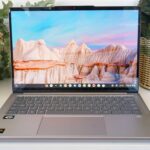
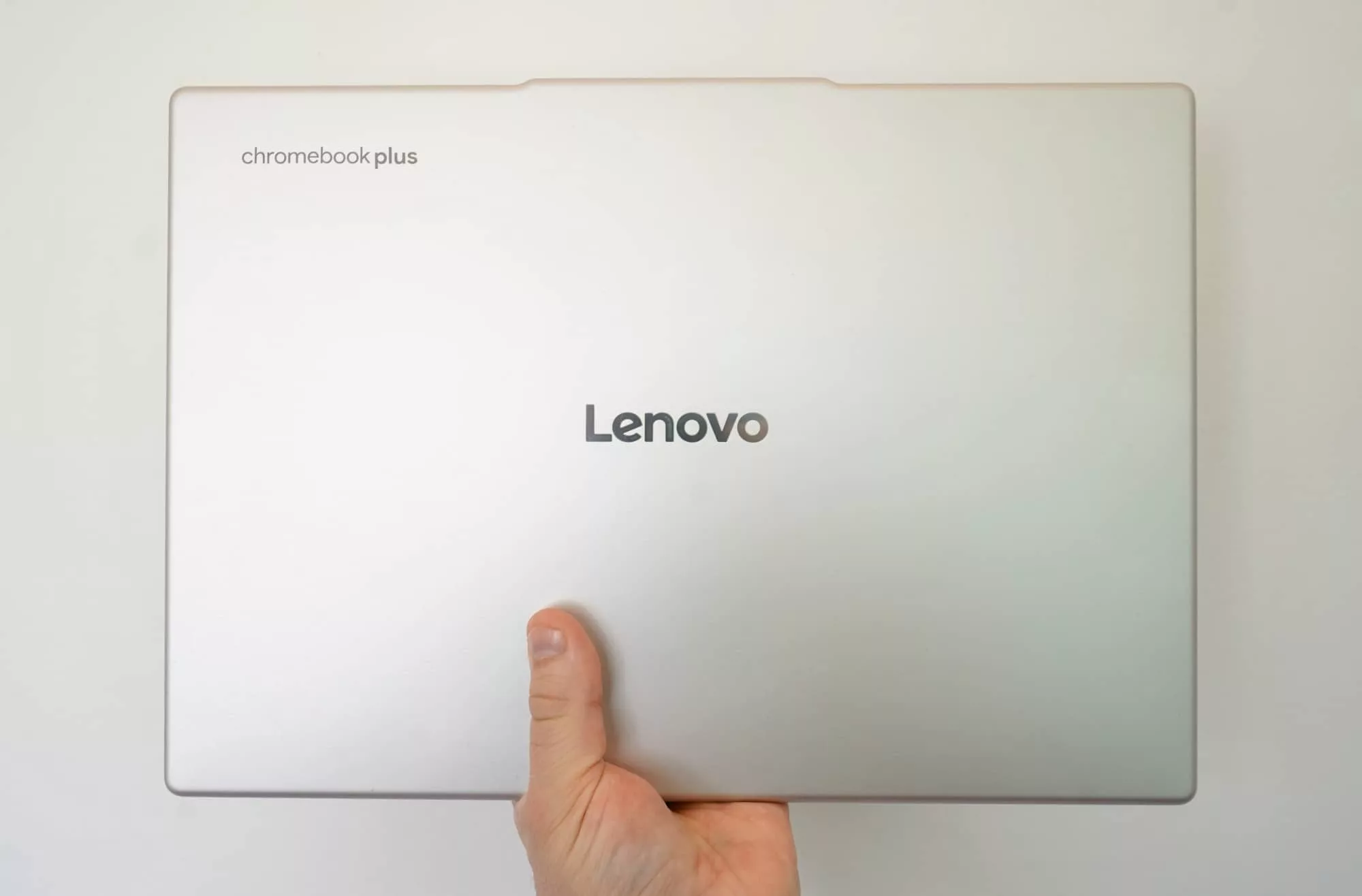
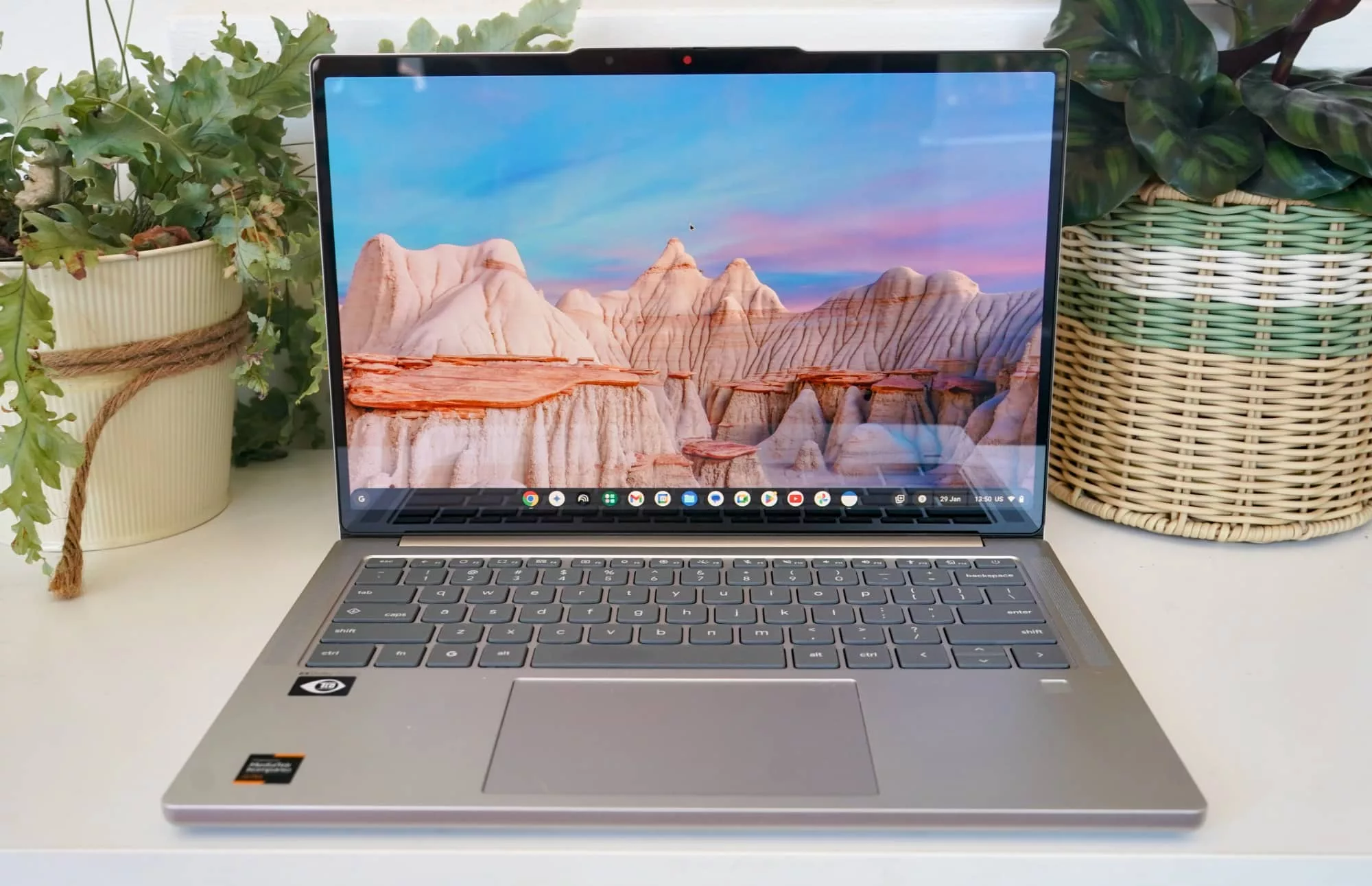
A combination of aluminium and plastic form the look of the Lenovo Chromebook Plus 14, which is a surprisingly sleek laptop in a unibody style design.
It’s not a Yoga nor is it a ThinkPad. Rather, this is something that kind of feels like it sits between, and yet manages to feel quite premium.
Weighing 1.17kg, the laptop isn’t very heavy, packing in what’s clearly a 14 inch screen — clear because of the name, as this could be any portable laptop — and everything else you’d expect a laptop to be.
Overall, it’s easy on the eyes, fairly pleasant, and feels well built. We’re told it also carries a MIL-STD-810H rating, which should make it a little more resistant than other laptops, but we wouldn’t go out of the way to throwing this thing down stairs. It might survive a splash or two, but don’t go Miley Cyrus “Wrecking Ball” on it.
Features
Inside the Chromebook Plus, Lenovo has found a neat little middleground between phone, tablet, and laptop, ignoring the typical Intel chips we’d expect to find on a Chromebook, and replacing it with something more like what you’d get on a phone.
Instead, there’s a MediaTek processor, the Kompanio Ultra 910 (MT8196), a chip paired with 16GB RAM and 256GB storage.
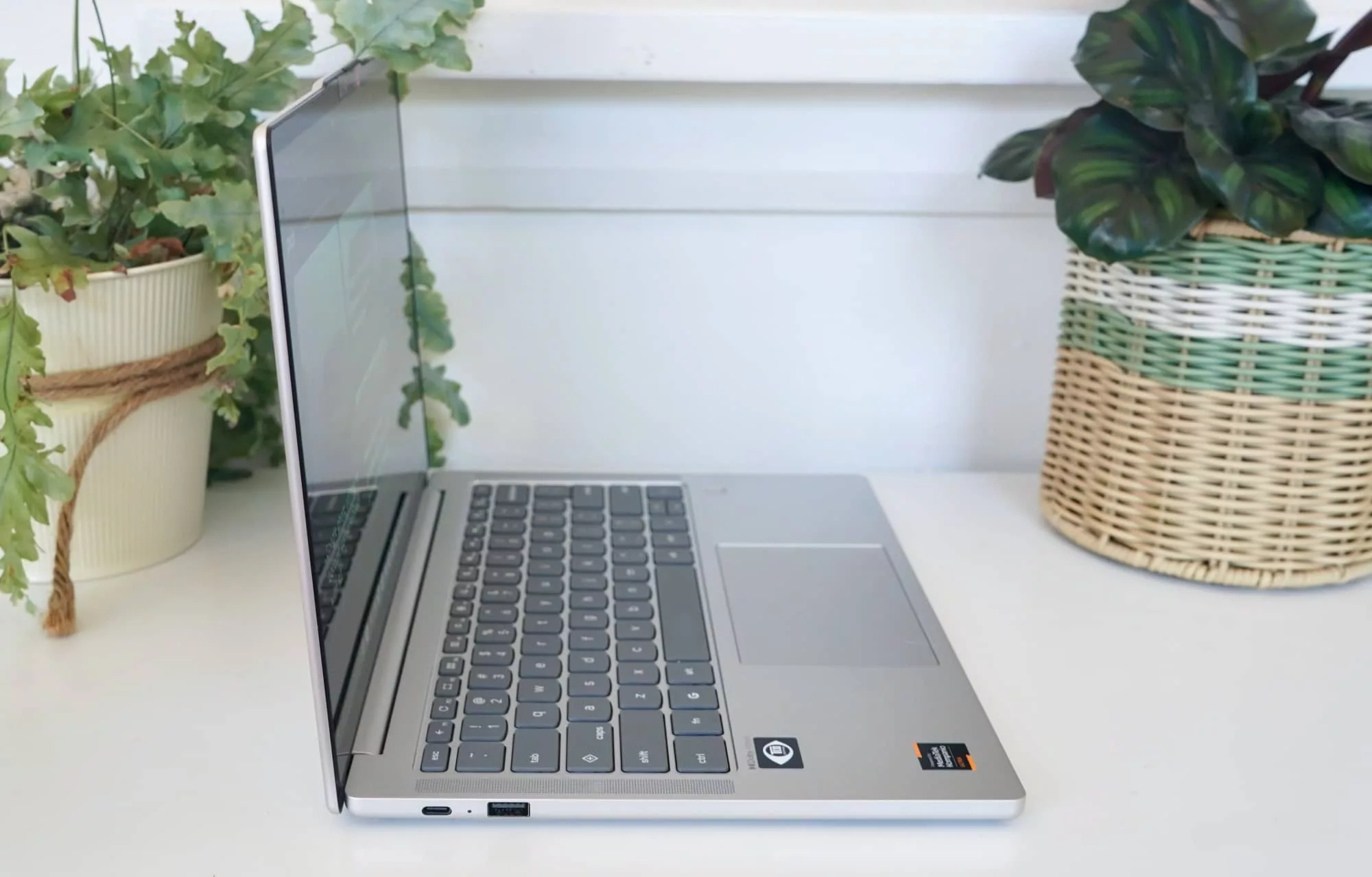
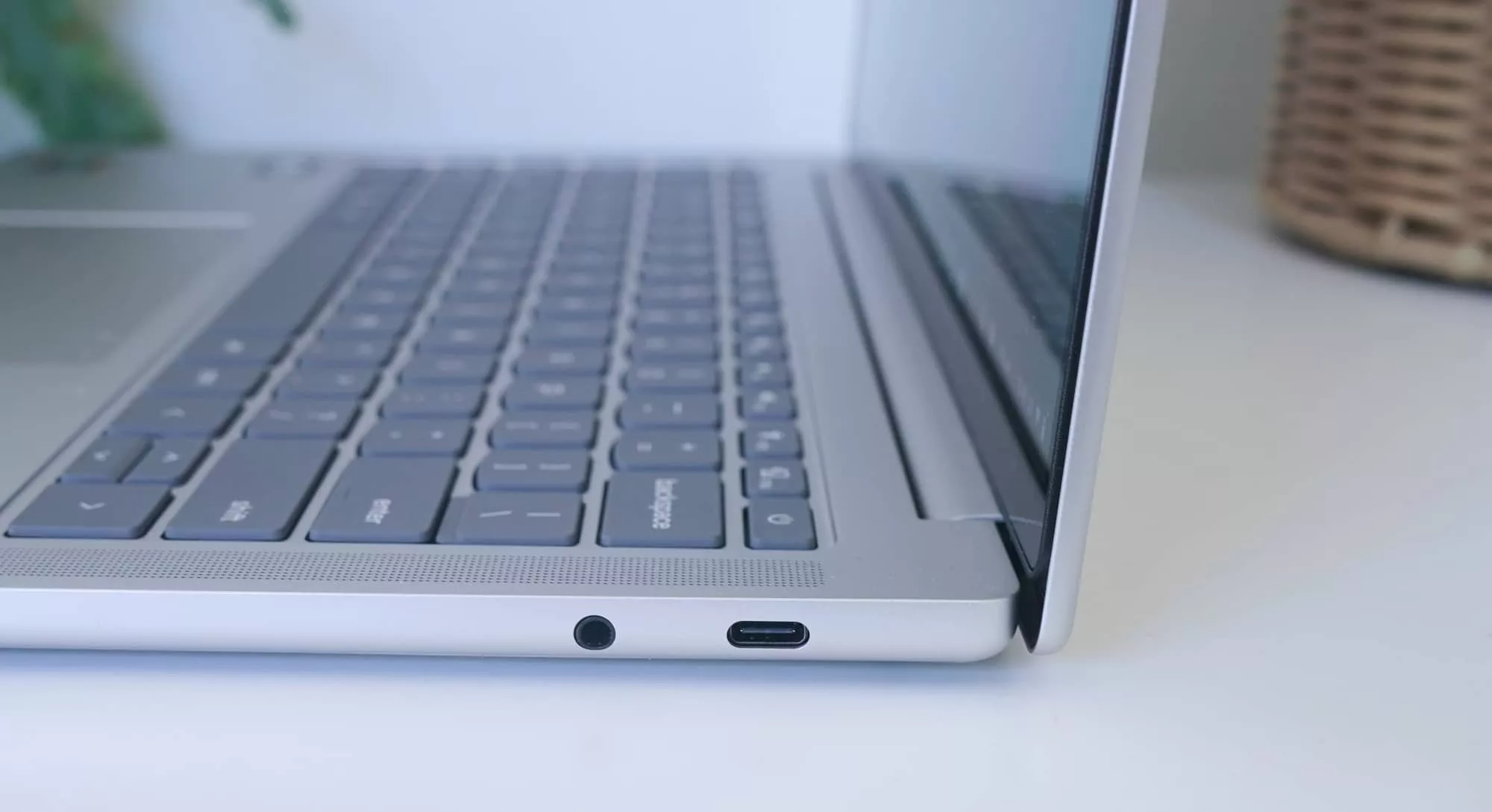
That chipset carries connections like a phone, minus the 4G or 5G. You’ll find Bluetooth 5 and WiFi 7 here, as well as three wired USB ports, covering two Type C, one Type A (the rectangular kind), and a 3.5 mm headset jack, just in case you still use one of those.
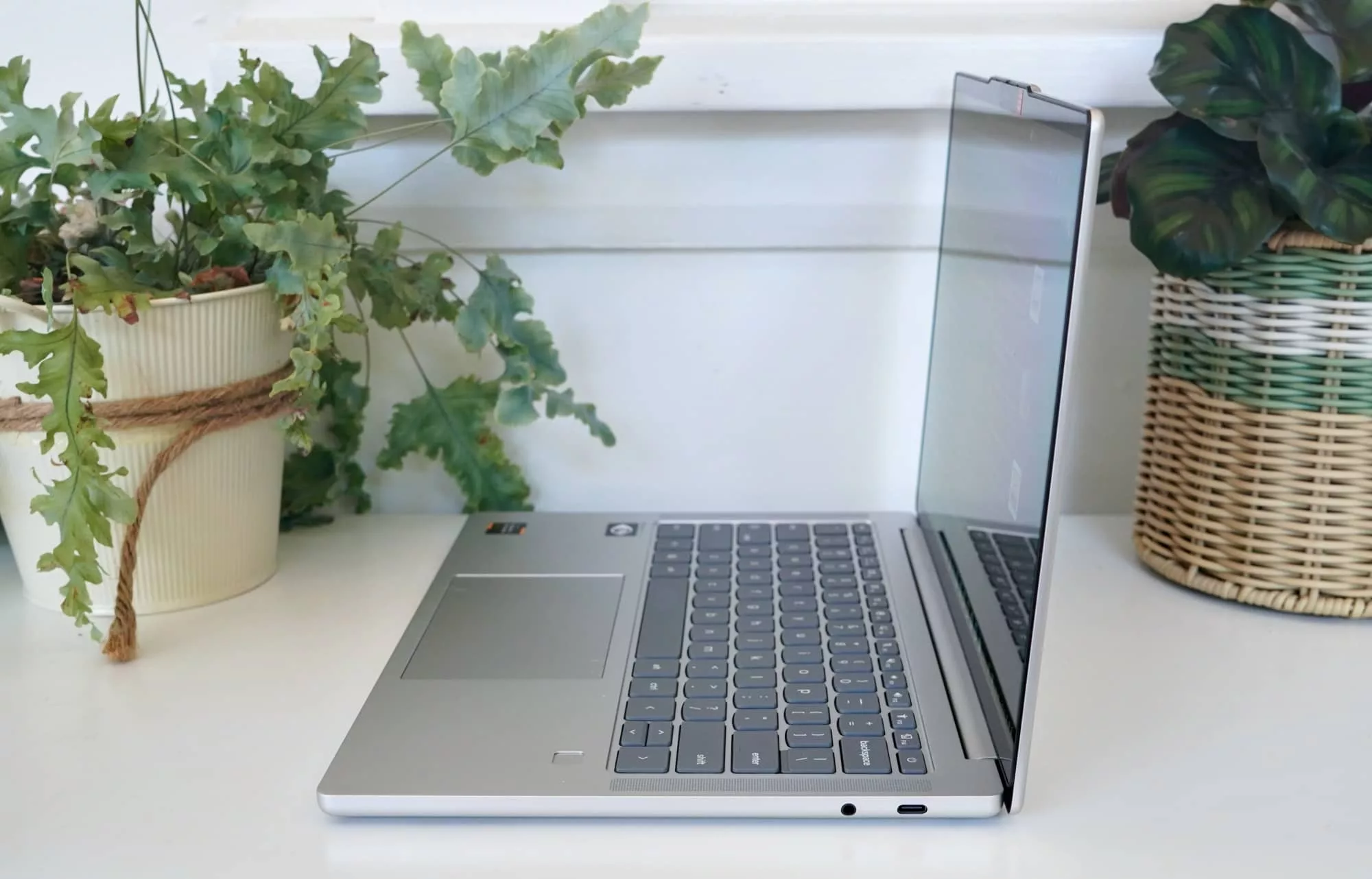
The keys are backlit on the keyboard, and there’s a 5 megapixel camera with a physical shutter you can close, a fingerprint sensor beneath the keyboard, plus four speakers to provide some sense of spatial sound, handled by Dolby Atmos on-board.
And then there’s the operating system, which as the name suggests is Chrome OS, Google’s web browser and portable operating system, which in this variation is more of the “Plus” variety.
What does the “plus” get you? We’ll get to that shortly. For now, let’s check out the other main feature: the screen.
Display
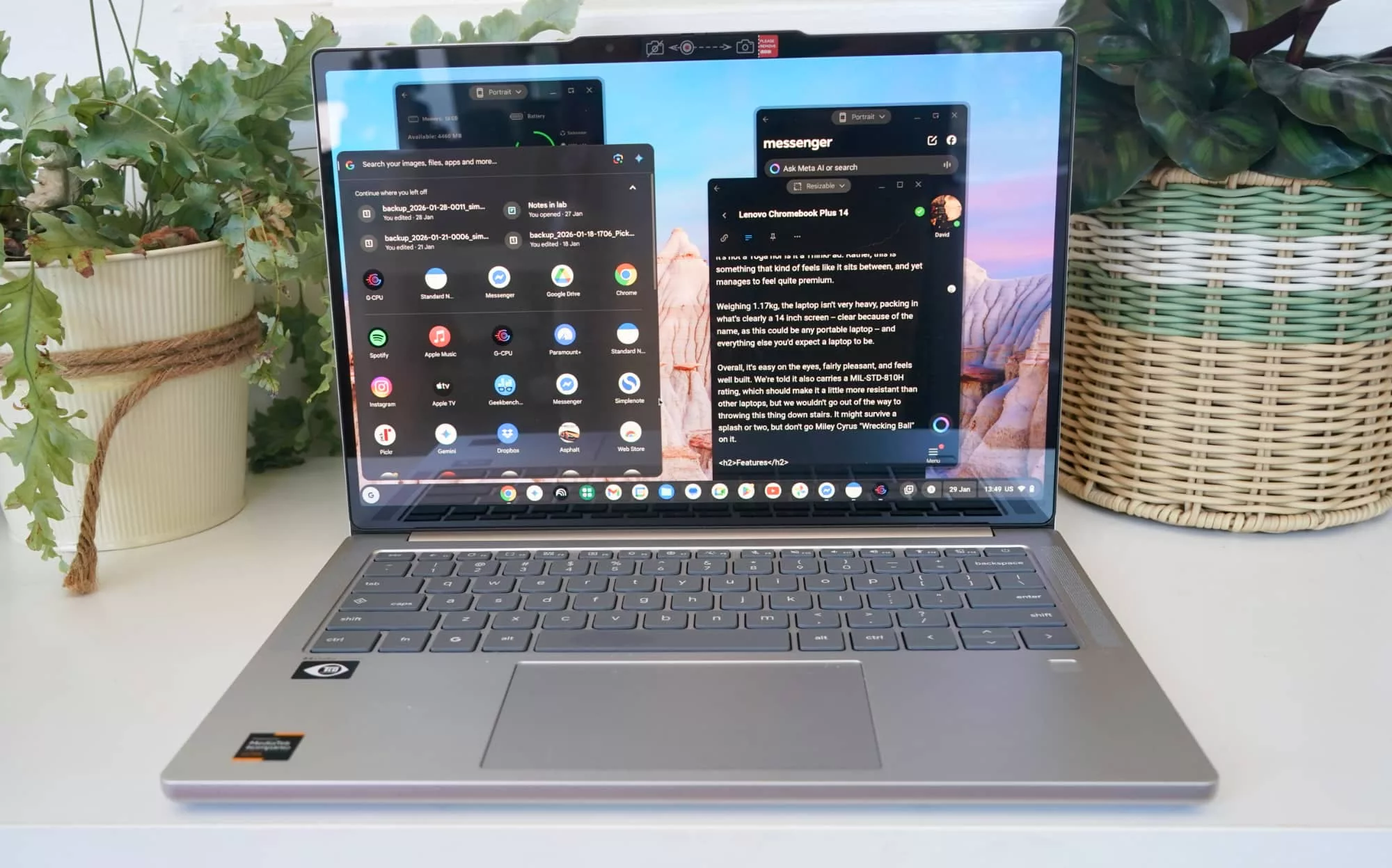
A 14 inch panel, the display in the Chromebook 14 Plus is as premium as more expensive machines, and that’s a genuine surprise. Frankly, it’s not something you typically see on any Chromebook.
Offering a 1920×1200 resolution, it’s a surprisingly sharp screen, and even offers a decent amount of brightness and crispness. We won’t complain about either; this is a lovely combination to find on any laptop of this size, and a total surprise.
Our model wasn’t just a lovely OLED screen, but one with touch, allowing you to push and prod and swipe, and in general just control the Chromebook with a combination of finger movements. On keyboard or on screen, you’ll be touching a lot of aspects of this laptop.
In-use
With a touchscreen and trackpad, you’ll find the Chromebook easy to use, even if ChromeOS doesn’t really care so much about touch. Like macOS and even modern day Windows, touch isn’t really the point. You’ll mostly get by using the mouse.
It all just adds to the experience of a premium laptop, even if this premium laptop runs Chrome OS, an operating system hardly famed for being “premium” in the first place.
Most of the time, though, you can expect to use the trackpad and keyboard, which is the conventional way of using a laptop, and even a Chromebook.
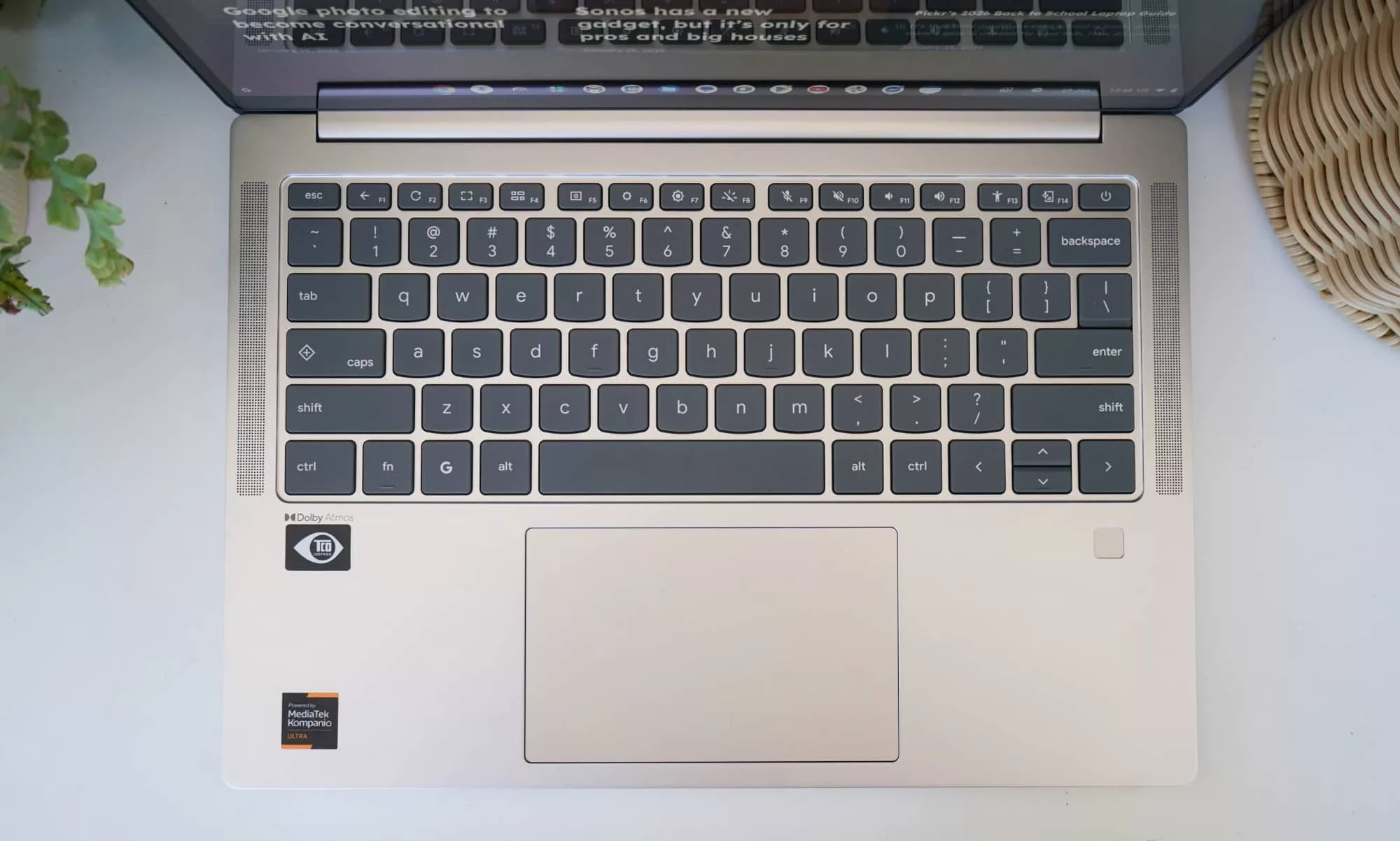
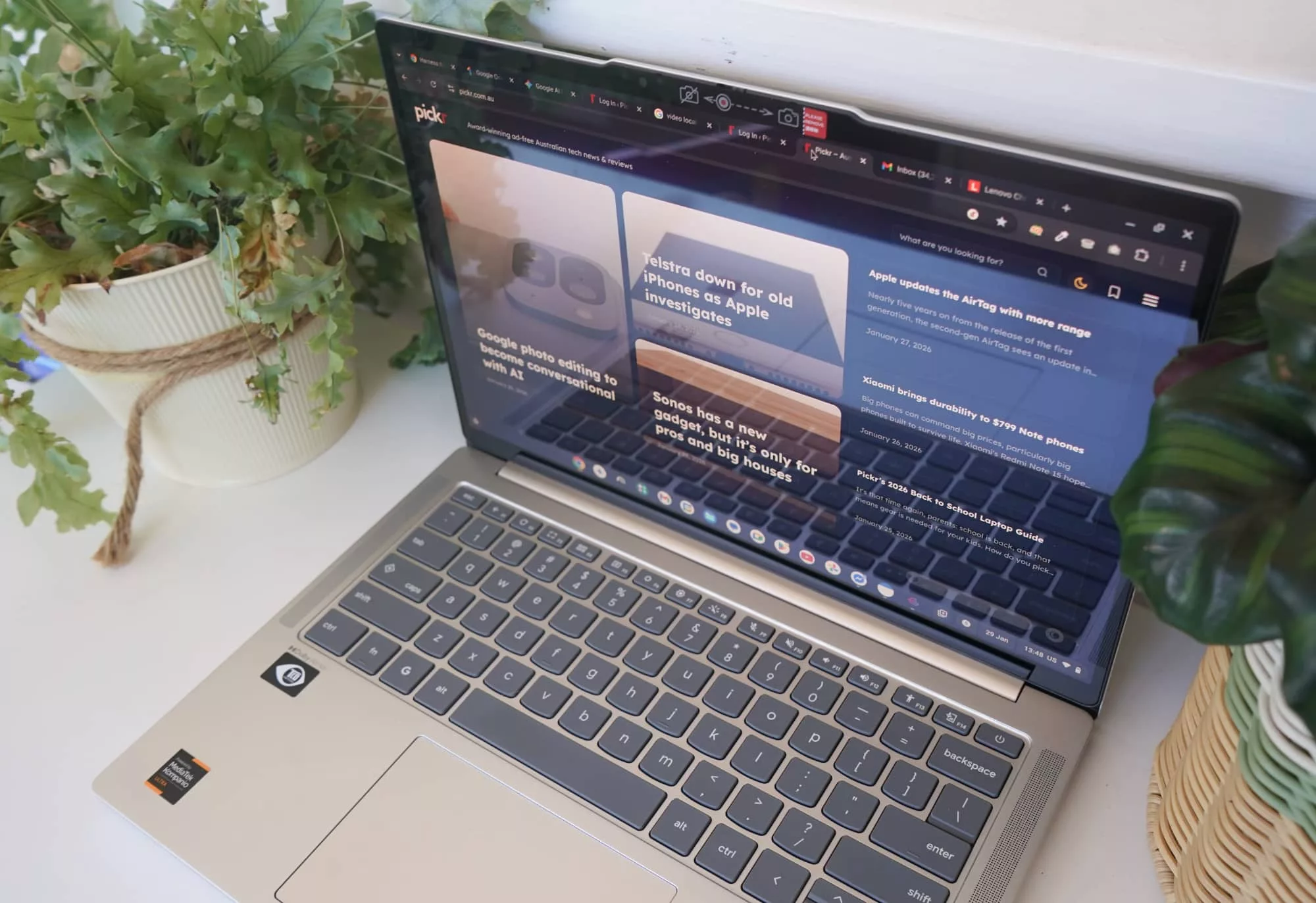
The keyboard is reminiscent of an IdeaPad, which is to say it’s comfortable to type on, but a touch plasticky if you type quickly. It’s not uncomfortable, though, and folks who type incredibly quickly will see each keystroke get through fine. We had little to no problems, and got used to this keyboard easily.
There’s even a degree of backlighting, but it is just one degree, with on or off the options here. In that you can have a simple keyboard backlight on, or you can simply turn it off.
But good news, because it will switch on if it’s dark anyway. So you can type in the dark all you want.
AI features
Now clearly, this laptop is made for 2026 because AI can be found on-board. That’s one of the features of the hardware, and something that connects with Google Chromebook, complete with support for Gemini and its AI features.
Technically, that means on-machine AI is supported as an AI PC, but there aren’t a lot of local AI applications just yet. Even your use of Gemini is in the cloud, as are most of the AI features Google advertises a Chromebook Plus with.
About the one upside is the inclusion of Google AI Pro, a paid account for Google that covers Gemini and NotebookLM, plus offers AI credits for generative images in Google Whisk and generative video in Google Flow, not to mention 2TB of storage. Normally something that costs $33 per month or roughly $400 per year, it’s a solid addition, though it’s one your laptop might not come with. When we looked at the terms, Google’s policy said this would have to be claimed by January 31 (2026), which may as well be too late for most people reading this review.
And that’s a shame, because given there’s not a lot that the on-computer AI is doing right now, this one addition helps make the Lenovo Chromebook Plus 14 feel like you’re getting something for that whole “plus” thing.
Once they take that way, it costs extra, and that’s not necessarily going to be a good thing. It is a trial, of course, so after that first year, you may want to cancel lest you be hit with $33 per month for AI features you may or may not use, but it’s a neat extra if you can get it.
At least Google has made the Chromebook range more app-friendly overall.
All the apps
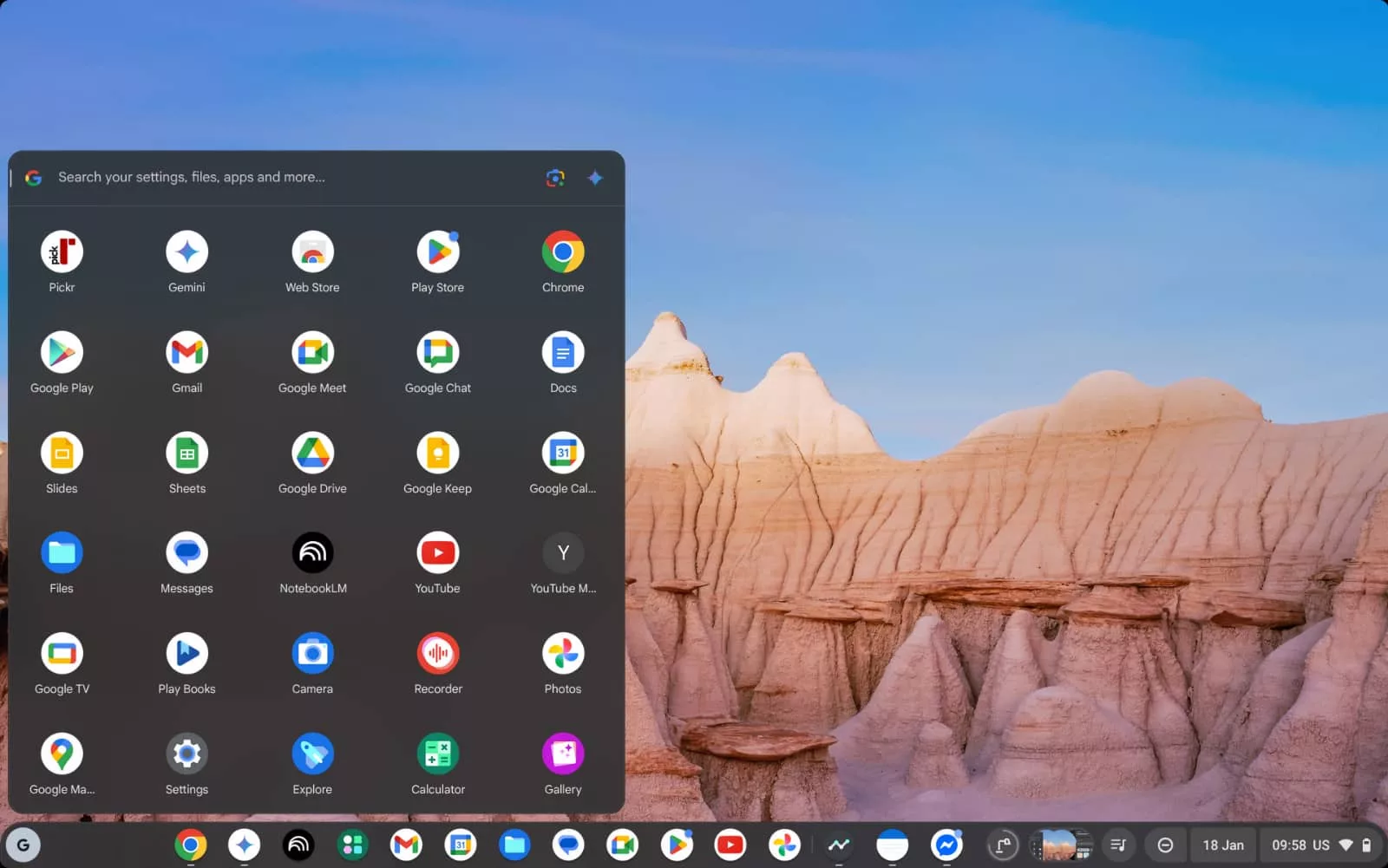
If you’ve come from an old Chromebook, you’d be excused for thinking these laptops lack the apps. At one point, that was definitely true, when they were basically just big versions of the Chrome browser and its extensions. These days though, these laptops offer a lot to work with.
Google Play Store comes with Chrome OS, and here it offers Android apps aplenty, meaning if you’re used to using an Android phone, or even an iPhone, you’ll find similar apps that can run on the Chromebook. Facebook, Messenger, Spotify, and all manner of things your phone is known for, minus the phone capability.
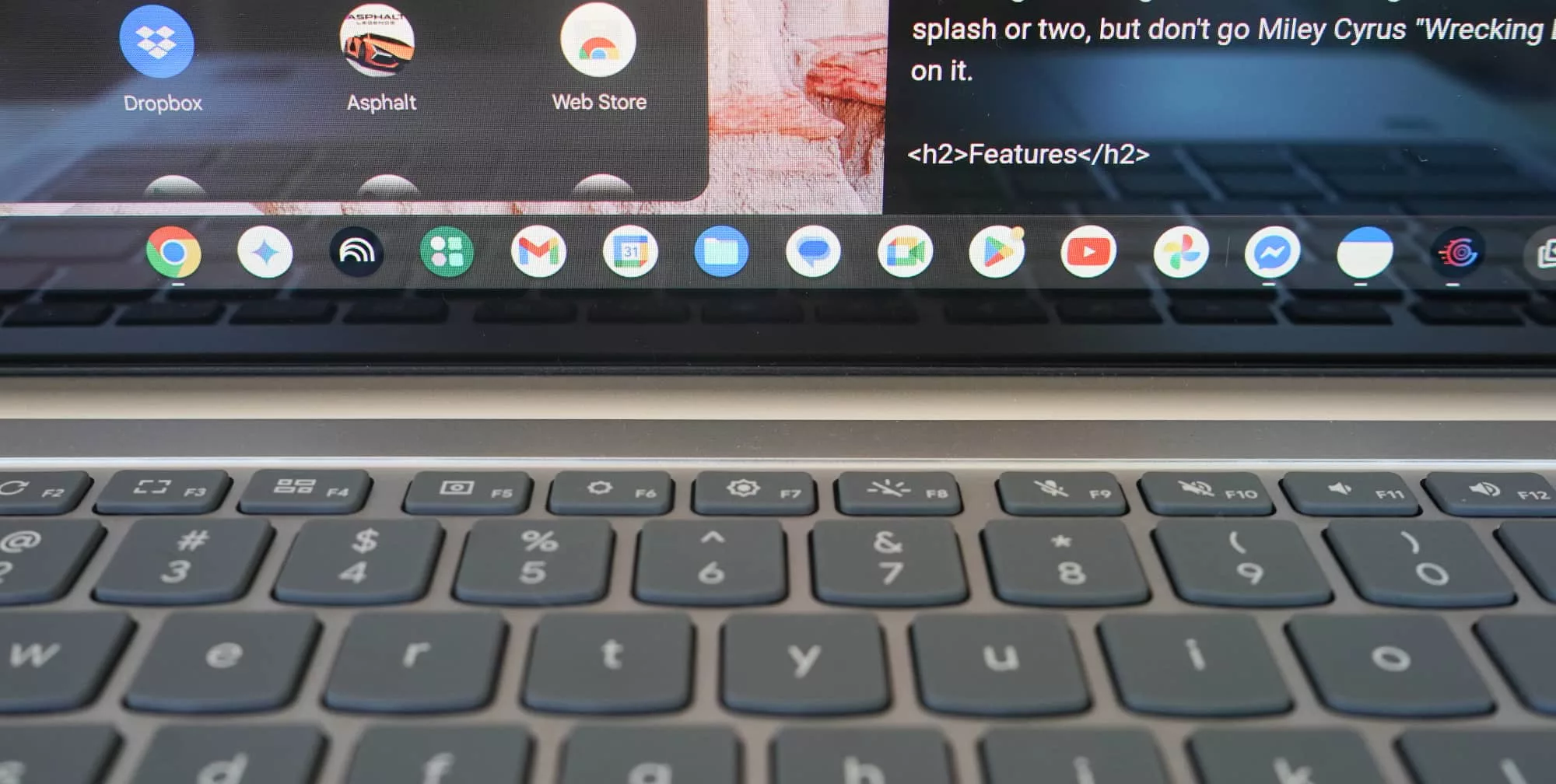
It really is one of the best features of Chrome as an operating system, and kind of makes using the Lenovo Chromebook Plus 14 like having a laptop and a phone together. Apps are used much like they are on a phone, and can be moved around the screen like on a laptop.
You can get most (if not all) of the apps your phone comes with, and then an operating system that works a whole lot like a browser. It’s an altogether great experience, and highly positive at that.
Performance
It’s not just the app selection that makes this laptop like a phone, either.
Under the hood, Lenovo’s Chromebook 14 is a little like a phone, too. Clearly, this clamshell laptop is not a phone, because it’s quite obviously a laptop, and lacks the mobile modem capability.
If you want it to message or even make calls, you’ll need an app and a WiFi connection. There’s no 4G or 5G in this laptop; just connect it to your phone’s hotspot.
However, the use of the MediaTek Kompanio Ultra 910 processor means the hardware is somewhat like one, and a little reminiscent of the approach Qualcomm’s Snapdragon PC processors take, or even how Apple Silicon in the M-series laptops is based on similar hardware to what has been built for the iPhone.
The Chromebook 14 Plus is also not a phone or an iPhone, but its performance is reminiscent, and similarly quite fast.
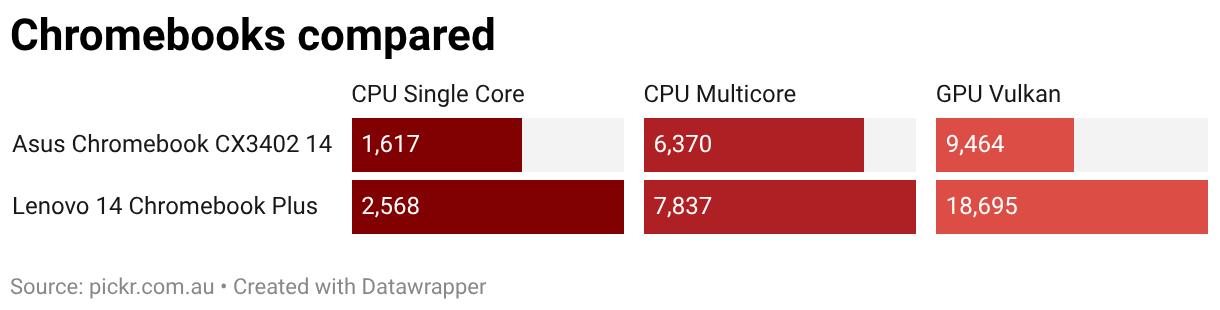
There aren’t a heap of Chromebooks in Pickr’s benchmark archive, but the few we have seen shows the Lenovo Chromebook can handle its own, and is clearly on top.
Things get even more interesting when you pit the hardware against other somewhat similar laptops, even if they use a different operating system.
Compared with both Windows and Mac laptops, which are clearly competitors given the bigger price tag for this model, the MediaTek Lenovo Chromebook fares better than expected, particularly on CPU performance, but is notably less a performer when talking about graphics.
That should probably come as no surprise; Chromebooks aren’t known for either gaming or graphical prowess, and while both app categories exist on this style of laptop, you won’t likely find games that need to flex that graphical muscle at all.
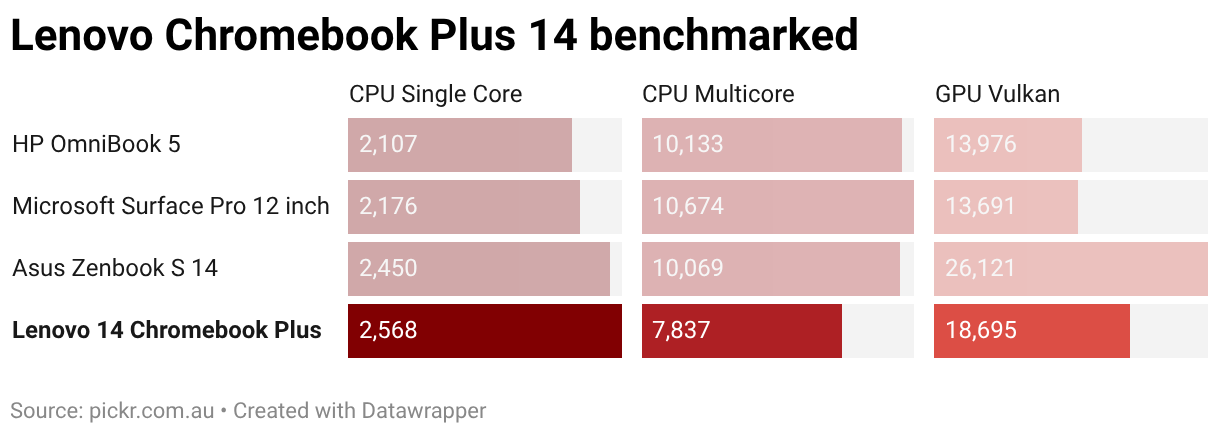
Despite this, the laptop holds its own fairly well, and it comes with another important benefit: battery life.
Battery
Take a phone processor and marry it to a bigger battery with just as many pixels to fire up as on a phone, and you potentially have a recipe for success.
Granted, the screen on the Chromebook is bigger than the 6 to 7 inch displays on most phones, but the pixels are simply larger, not exactly coming in a higher amount. That should mean the battery is able to handle its own… and it largely does.
Tested over several days, we found the Chromebook Plus 14 battery was able to get between 8 and 12 hours of life fairly easily, though a little more is possible likely depending on how you use it.
That’s reasonable battery life for sure, particularly for school or work or just simply needing a laptop for the basics. While it’s not quite on the same level as the 14 to 16 hours some other laptops can achieve, or even fetching towards the 20 hour mark minimum and two days expected from this year’s Qualcomm laptops, it’s still nothing to sneeze at.
This laptop will get you through a work or school day no worries.
Value
The price is the one place where we get a little stuck, not necessarily because the laptop isn’t worth the $1199 asking price, but because we’re not using to seeing the idea of a premium Chromebook.
Chromebooks are typically inexpensive offerings, and intentionally so. There’s nothing that says a Chromebook needs to be inexpensive, and Lenovo’s Chromebook Plus definitely (and somewhat definitively) proves that there can be such a thing as a premium Chromebook, but it’s still a little weird when you consider the value.
At $1199, it’s roughly $200 off the cost of an M4 MacBook Air, easily one of the best laptops you can find today and a Pickr Best Pick winner for the past year. That’s a laptop that comes with a full operating system that does more, and even manages similar battery life.
If anything, the $1399 MacBook Air underscores the precarious place the roughly $1200 Chromebook finds itself in. It’s just too much, especially given that Chromebook isn’t a full operating system.
What needs work?
The good news is that the price is perhaps the only major negative issue we have with the Lenovo Chromebook Plus 14, because everything else is otherwise excellent.
But the price isn’t. It’s just too difficult an argument.
At $999, it would be such a compelling laptop, undercutting the cost of more premium offerings. At $200 over, we’re a little less convinced.
What we love
Despite that confusing price, there are little things about Lenovo’s premium Chromebook that we love, and it could be Google bringing it together.
There’s a delightful little focus mode built into the operating system with built-in music, including automatic classical music, which makes for a good test of the Dolby Atmos speaker system that Lenovo has included on the laptop. That sound system is excellent: it’s loud and clear, and does feel wider than you’d find on another budget laptop, which this clearly is not.
You can even continue the focus music’s use of classical when it stops, picking up on the track and keeping it going, because it’s nice to keep listening to free classical music. Granted, you can also listen to YouTube Music in the Chromebook’s focus mode, but weirdly, you can’t switch that button to support Apple Music or Spotify. It’s just YouTube Music or focus sounds, something we hope Google fixes later.
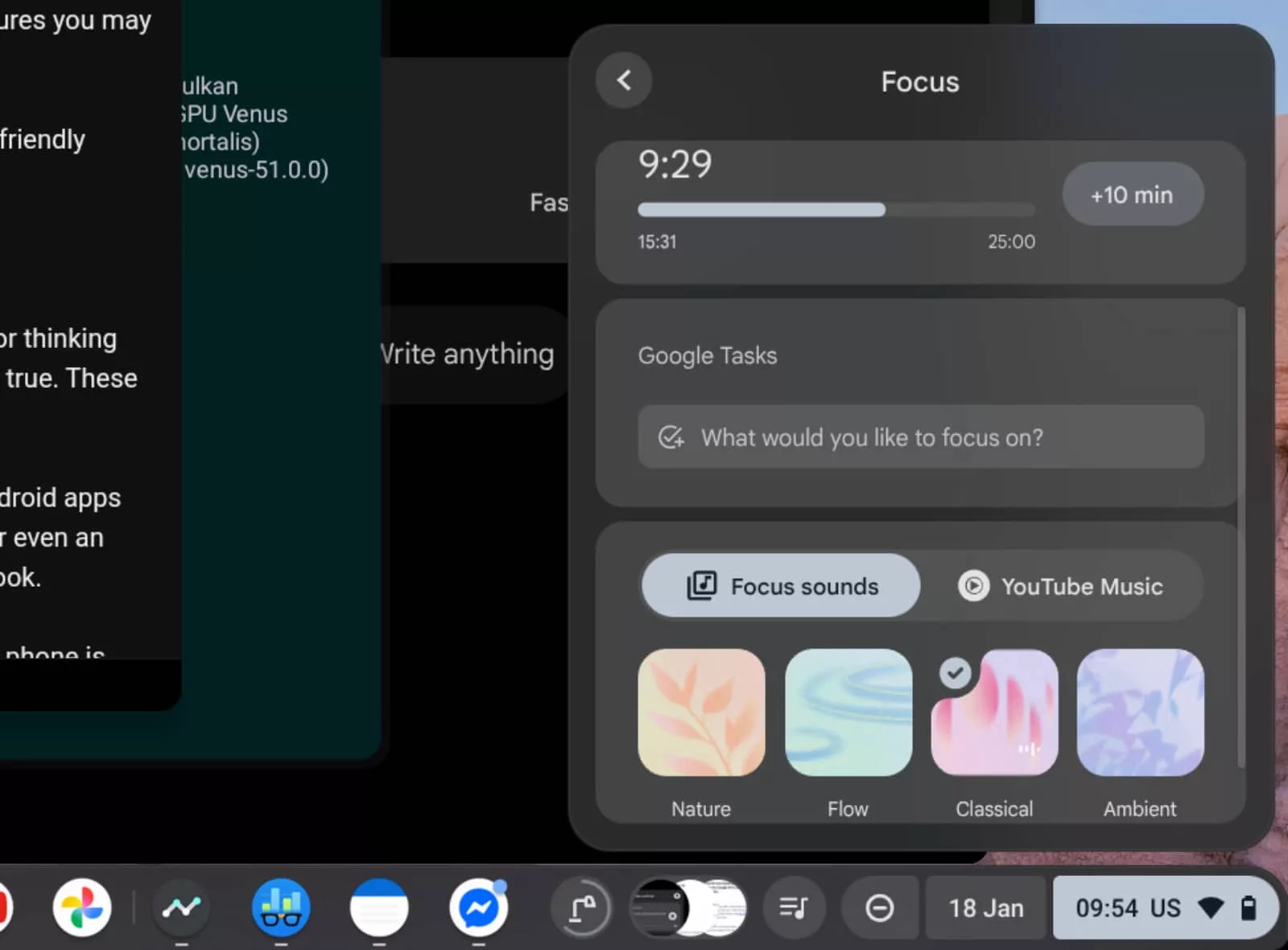
Minor bugs can be found, of course, but ChromeOS feels bigger, too.
The Google start menu more or less encompasses the history of anything you’ve browsed or viewed, making it easy to connect your online life to everything you use your computer for.
Even the use of Android apps together with Chrome’s extensions in the Web Store mean you get this pretty clever integration of phone and laptop, which could make it a great transitory option for someone with an iPhone who would never consider an Android.
That fingerprint sensor helps bring it together and this whole laptop just gels in a way we’ve not seen from a Chromebook prior.
Over a thousand dollars is more money for a Chromebook than we’ve ever seen, but the Lenovo Chromebook Plus 14 is clearly the most premium Chromebook around.
It makes a case for itself, and it’s a fine example of where Chromebooks can go.
Final thoughts (TLDR)
We’re a little stuck on the price, though, because as premium a laptop as the Chromebook Plus 14 is, it still seems confusing to hit a price so close to another premium laptop. But that is what this laptop is. It’s the premium Chromebook.
That’s important, especially when we talk about Chrome OS and where Chromebooks are largely placed.
Chromebooks aren’t known for quality. They’re typically inexpensive for a reason, largely focusing on students and cost-effective machines. But this goes in the other direction. It’s a delightful and largely unexpected change.
This is a quality Chromebook. It’s a shot in the dark that nailed the brief. We’d have never guessed a Chromebook could be so premium.
The price is still a touch jarring, but if you can afford what Lenovo asks — or even wait until the price falls — the Chromebook Plus 14 is a winner. It’s a much better laptop than you could ever expect. Surprisingly recommended.