Quick review
The good
The not-so-good
If all you want to do is type, it’s easy to pick up a keyboard these days for $20 or less. At just under $400, the Gravastar Mercury V60 Pro is for people who want a little more premium in something designed to be a little less in size.
If you’re spending just shy of $400 on a keyboard, you absolutely deserve to get something a fair degree more than just basic typing. This is primarily the domain of gaming keyboards, because for most everyday users outside some rather specific ergonomic setups, just about any set of letters, numbers and a few function keys will do.
It’s fair to say then that even in the often crowded and flashy gaming keyboard space, the Gravastar Mercury V60 Pro stands out, but again… $399.95 is a lot of cash to drop on a keyboard.
There has to be more to it than style… right?
Design
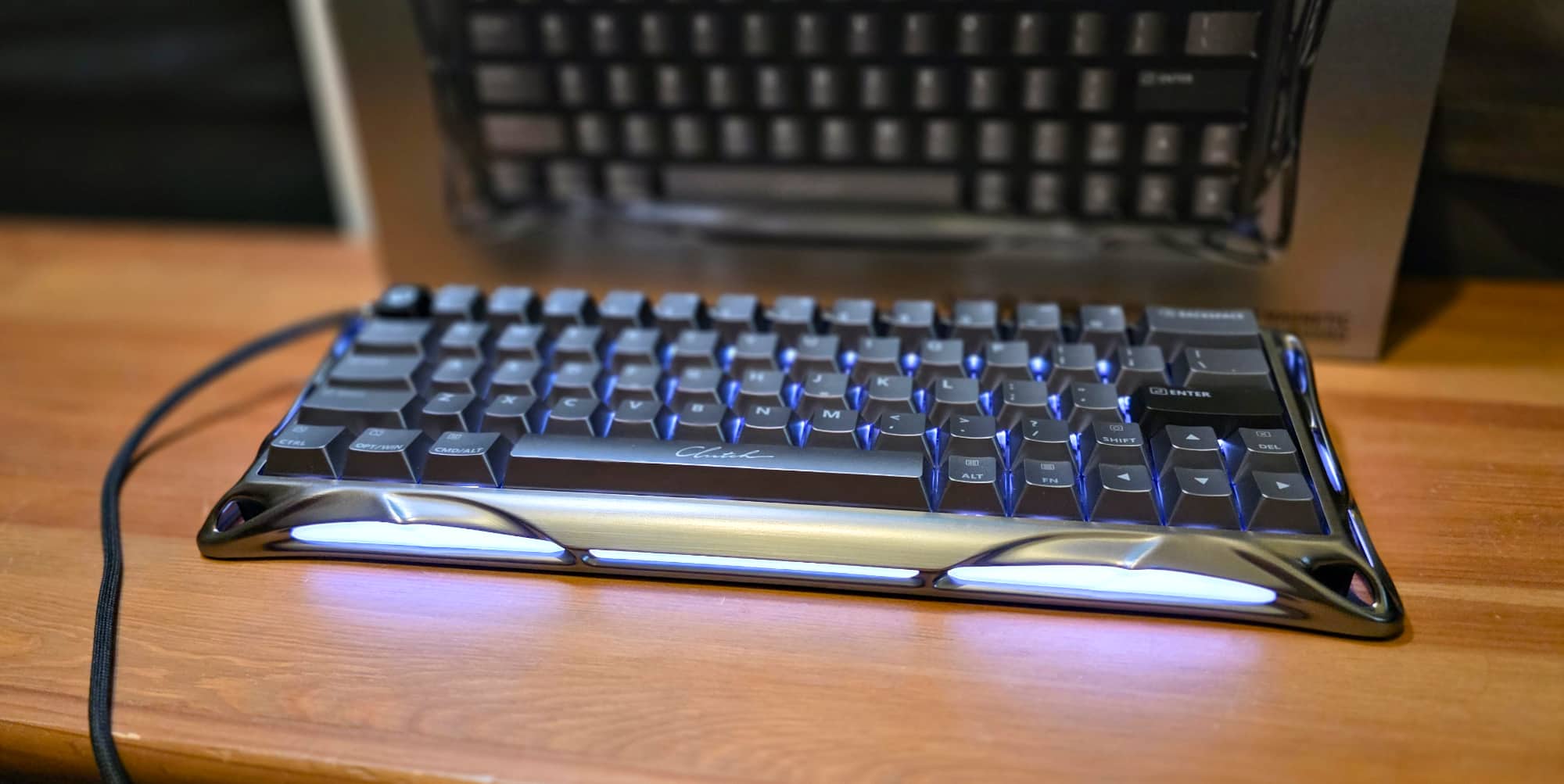
The Gravastar Mercury V60 Pro comes in quite premium packaging, with the kind of fold-out revealing cardboard I’d more typically associate with premium laptops or smartphones. You’re presented straight away with the keyboard itself, available either in GunMetal (as tested), Crystal Onyx or Chrome Silver finishes.
It’s a very solid little beast; the reason that it’s the “V60” is that it’s a 60% size keyboard. If you’re not au fait with the terminology here, being 60% sized means that it’s been built to be both compact and relatively portable, while also allowing for very easy and above all fast finger travel between keys.
This does involve some compromises in terms of layout that goes beyond just omitting a number pad or function keys.
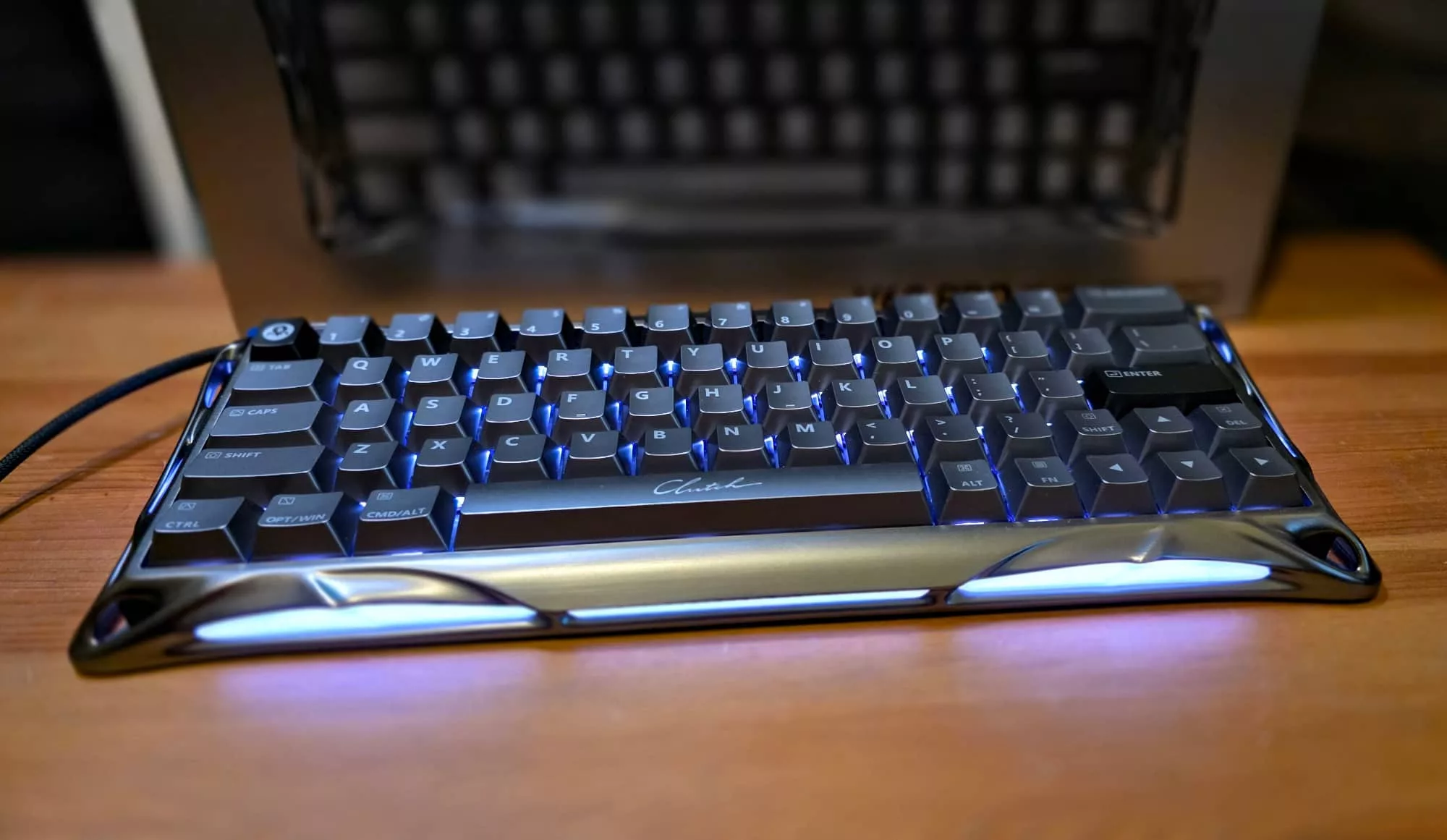
If you do frequently use the right shift key on your keyboard, good luck finding it without peering on the Gravastar Mercury V60 Pro, because it’s only the same size as the regular keys that surround it, in order to allow space for the cursor keys.
The gamer theory here – tastes can vary – is that having less space allocated to the keyboard makes for simpler command entry while also allowing for more desk space for sweeping mouse moves that’ll help you blow your foes away.
They’re likely to be blown away by the looks first, mind you, because the Gravastar Mercury V60 Pro is a really nice looking keyboard, as long as you’re OK gaming on something that looks like it came out of H.R. Giger’s cheese-fuelled nightmares.
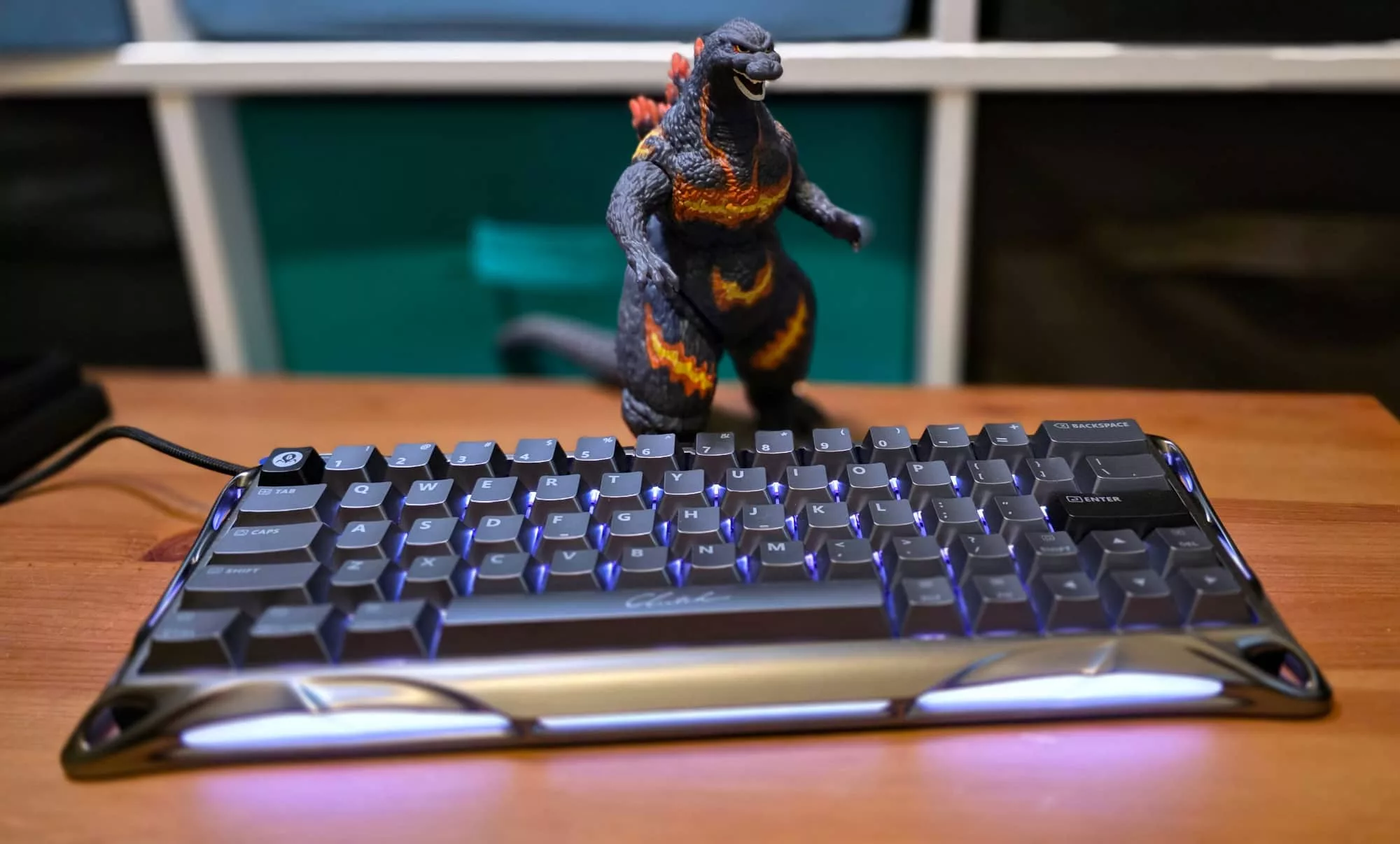
The body of the Gravastar Mercury V60 Pro is built around a polished and flowing aluminium chassis that’s one part Alien, one part Terminator 2, illuminated from the sides and within by a customisable RGB lighting rig. That’s no shock at all, this is a gaming product and the hordes simply won’t descend to buy anything gaming-related if it’s not suitably bedecked in as many blinkenlights as humanly possible.
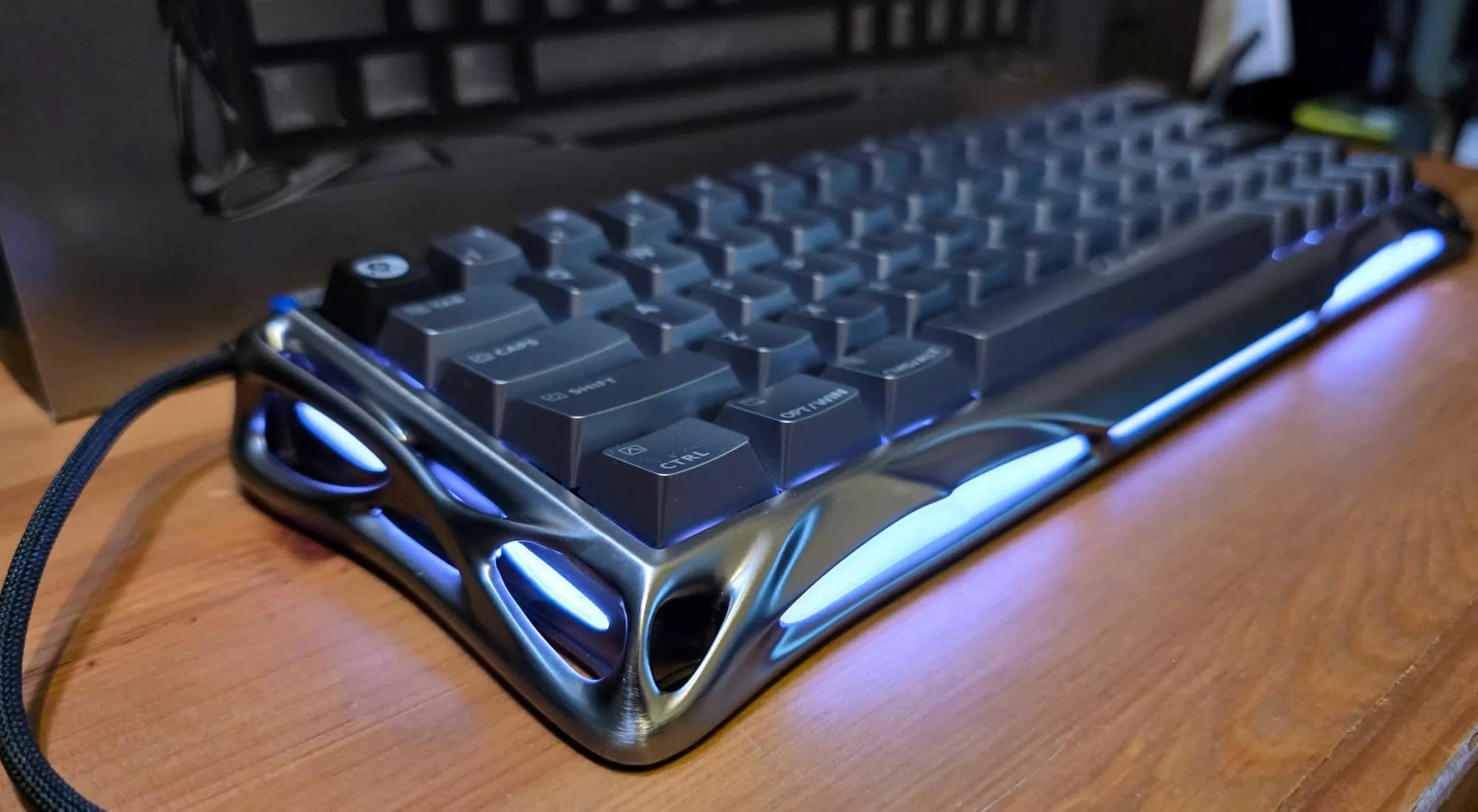
The use of a solid aluminium frame does give the Mercury V60 Pro absolute rigidity, though. I’m hardly the world’s strongest man… OK, I won’t really feature significantly in the top 64,000 there or anything of the sort, but the point here is that you’d have to be particularly brutal to the Gravastar Mercury V60 Pro make even the slightest of dents into its basic frame.
The one aspect here that I would have liked to see, at least as an option, would be the inclusion of riser feet to adjust the basic typing angle of the keyboard.
The Gravastar Mercury V60 Pro is small by design, but it’s not exactly lightweight at 860 grams all by itself. Connectivity is via a supplied braided USB-C to USB-A cable, so those looking for fast wireless connections will need to look elsewhere.
Connection to a PC or Mac is handled via a socket at the top left of the keyboard, while a button at the top right handles switching between four preset configuration profiles – more on this shortly.
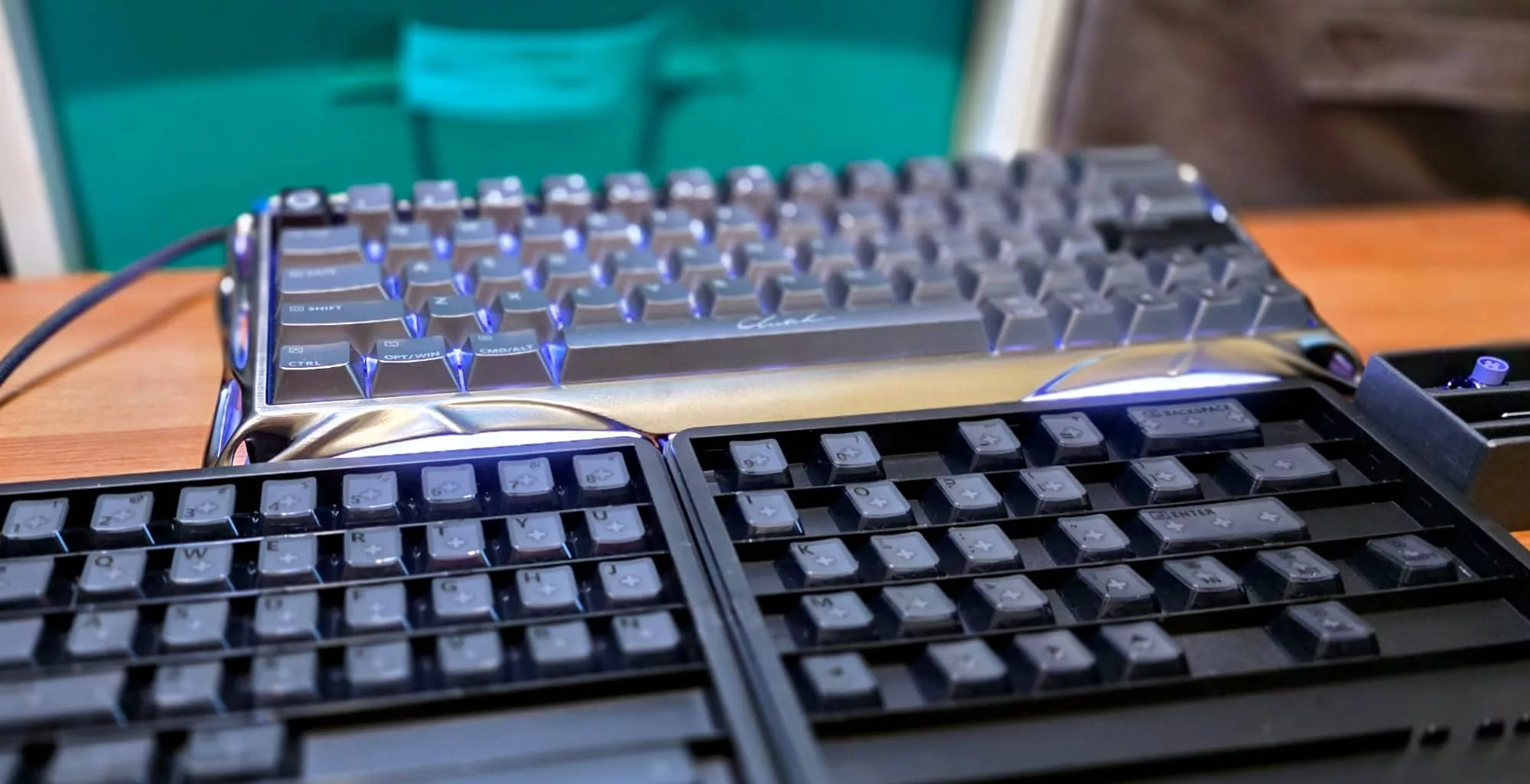
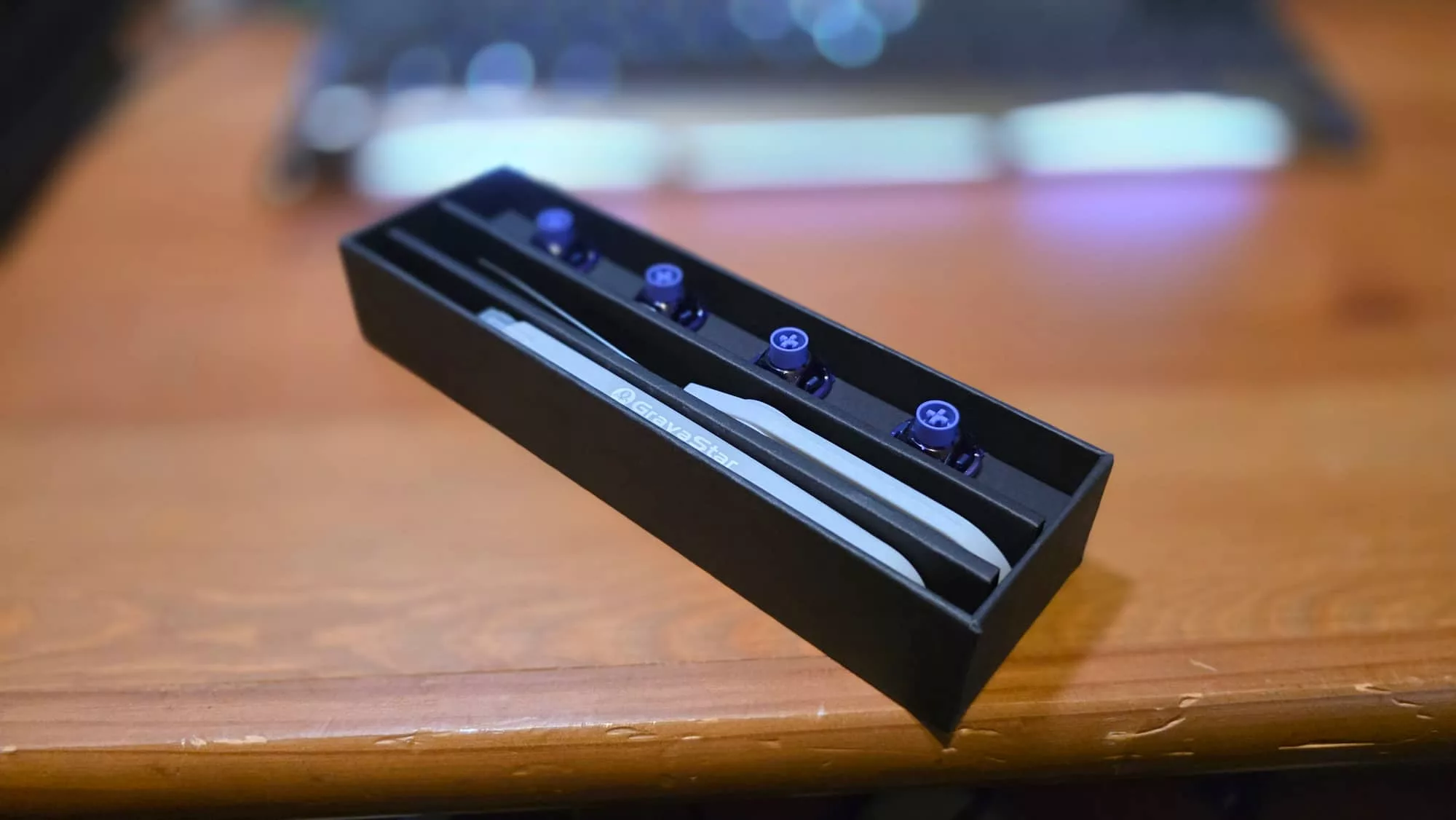
At its $399.99 asking price, you might expect a little more in the box, and you do get something. Gravastar also includes a stiff cleaning brush for all those gamer crumbs that fall into your keyboard, as well as key and switch pullers, a set of replacement magnetic switches and a full set of replacement key caps.
The preinstalled key caps on the GunMetal model reviewed are just in a silver/black colour, but if you really want to go to town with the individual key lights, you can switch them out for their translucent counterparts in the box, showcasing all those blinkenlights as you type. I’m not a fan of dazzling lights to that extent, but having the option is at least a nice step.
Features and Performance
The Gravastar Mercury V60 Pro has 64 keys, and unlike some smaller gaming keyboards, that does include cursor keys. In order to keep its size compact to that 60% stated size, though, there’s only minimal room between them.
For gaming functions not too onerous, given most PC gamers are going to be very well versed in where to place their fingers for precise WASD control, the V60 feels fine. But if you’re looking at it also as your everyday typing machine, there’s a definite learning curve here.
I’ve been a touch typist for decades now, and it took me more than a couple of days to get my fingers happy with my usual typing speed and accuracy.
Cutting a keyboard down to size like this does raise the question of what you’re meant to do for keyboard shortcuts and without function keys.
The answer here is the use of the function key combined with a lot of other standard keys to a significant degree, covering lighting functions, switching between gaming and office modes and switching between layouts that’ll make more sense to PC or Mac users respectively, especially if they’re used to laptop keyboard combinations.
You’re still doing without some functions that you might expect on a keyboard at this price point such as audio controls, though presumably the thinking there is that the gamer crowd might be managing that from dedicated headsets anyway.
In-use
The basics of USB keyboard control have been standardised for many years now, so it is entirely feasible to just plug the Gravastar Mercury V60 Pro into a PC or Mac and get to using it, but that’d be largely missing out on its very wide array of customisation features.
The Gravastar Mercury V60 Pro uses Gravastar’s own magnetic switches that allow for some very precise actuation settings. If you’re not across that, actuation is the point at which a keyboard registers the press of a key as being the input from that key.
This might not matter much beyond simple comfort when you’re, for example, typing out a gaming keyboard review, but if you’re using that same keyboard for gaming and particularly any kind of fast response gaming, being able to adjust that for faster pressing, or just to suit your gaming style can in theory make a big difference.
The Mercury V60 Pro’s magnetic switches can work with actuation distances up to 3.5mm, which is basically the full travel depth of the key to as little as 0.05mm, which really isn’t much at all.
Trust me when I say that you will remember if you set some keys to 0.05mm and then sit down just to do some web research, because you’ll hit a lot of extra keys on the way until you remember. I’d swear that sometimes they fired up just because I breathed in their general direction.
There’s been something of a shift in the way gaming keyboard makers handle their customisation software. One very common complaint amongst gamers for a long time has been the need to install customisation software onto their PCs or Macs, because it’s often been seen as buggy and inefficient software at best.
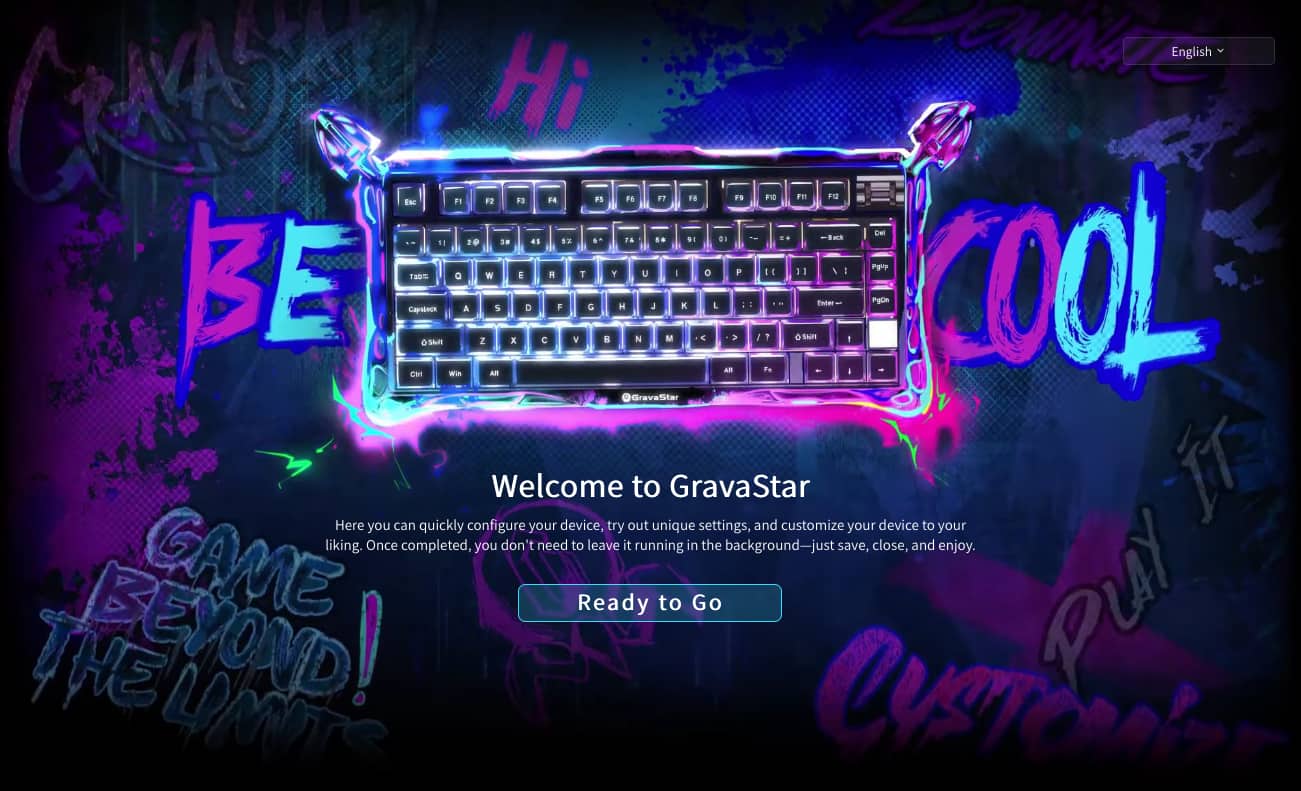
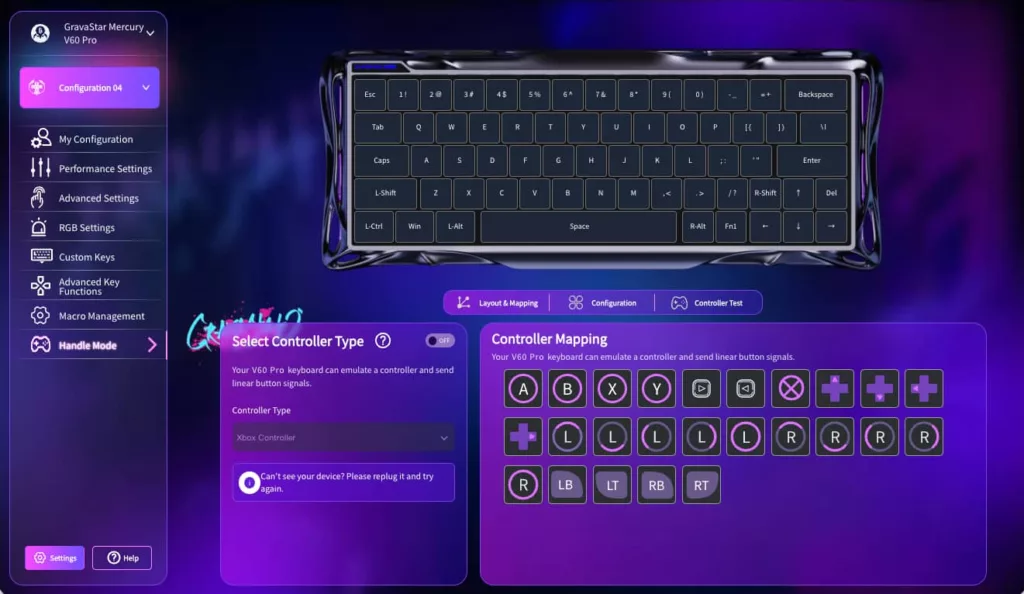
Gravastar isn’t the first to market with the concept of having a web-based configurator, but it is still quite a welcome step, because it means you don’t have to fuss around with crash-prone apps and it’s easy to configure and store your setups onto your keyboard even if you do move between machines.
The only caveat here is that Gravastar’s web interface doesn’t seem to work with every browser; on Firefox I could enter the configuration page but it constantly threw up errors, something I didn’t hit while using Google Chrome on the same system. I didn’t test Safari, but the performance on Chrome made me wonder if other browsers not based on Chromium would have problems.
The web configurator is also where you can set up additional gamer-specific details, such as macros, whether or not you want SOCD to bind together multiple keys for faster in-game movement, or even getting the magnetic movement of the Gravastar Mercury V60 Pro’s keys to mimic game controller inputs as desired.
This is also where you can set your choice of RGB lighting to taste. I did briefly mess around with this, and it can be quite granular depending on your tastes, though I do feel, at least for the GunMetal variant, that pulsing white lighting suits it best in style terms.
That typing sound
One very pleasing aspect of the Gravastar V60 Pro that feels very odd to comment on is the sound.
I’m rather old-school in my typing approach, and that’s probably because I can genuinely say that I learned how to type on an actual typewriter. Yes, I’m old, but that’s not the point I’m making here.
The Gravastar V60 Pro has a really pleasing tactile sound to most key hits whether you’re using it to trounce foes online or just work your way through another tedious spreadsheet.
And importantly, it’s a sound that reminds me a lot of the very old school mechanical IBM typewriters I learned my craft on way back in the day. The only slight exception here is the space bar, and that’s undoubtedly a function of it being a wider key that hits and reverberates with a slightly different audio aesthetic to the rest of the onboard keys.
Gravastar rates the hall effect switches on the Mercury V60 Pro as being good for up to 100 million clicks. I do type a lot and quite quickly, and I’m fond of gaming too, but it’ll take me a little longer than I’ve had the Mercury V60 Pro to properly assess just how true that is.
It’s probably better to simply assume they’ll last a while, which for a $400 keyboard is a positive sentiment.
The nice detail here for Australian consumers is that (while strictly speaking this is not legal advice because I’m not a lawyer) Australian Consumer Law is quite explicit in how manufacturer claims should stand up over time, so you should in theory be protected some time from now if your Gravastar Mercury V60 Pro wears out before the 100 million click deadline hits.
How you’re going to keep count that long is entirely up to you, mind.
Value
The price is another issue altogether.
At one level, spending $399.95 on just a keyboard is ridiculously indulgent, and there’s no questioning that you can spend a lot less on many keyboards, including a lot of gaming-specific ones.
The Gravastar Mercury V60 Pro is very nicely designed, but it’s also in a terribly specific niche. That niche has shown that it is willing to pay premium money for premium experiences, and that does require something of a recalibration of what you think of as “value” in this context.
In Australia, the street price seems to range between $399 and $400, though Gravastar’s own site seems to suggest lower is possible, with a price around $320. Either way, it’s a pricey keyboard.
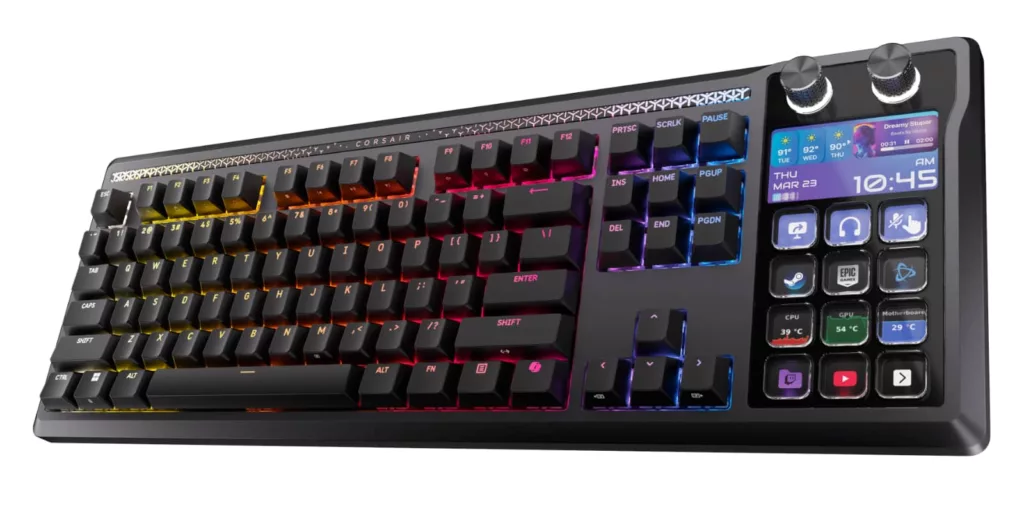
Comparing to what else is out there, you can find keyboards made for work for over $200, so it’s not as if there aren’t expensive keyboards around. There’s even a Stream Deck-enabled keyboard on the way that likely won’t be cheap.
Pricey keyboards exist, it’s a thing, get used to it.
For everyday use, however, it’s ridiculous overkill at a very high price, but for a certain type of gamer who prizes its portability, speed and durability above all else. It’s essentially just one among many options and the price won’t matter anywhere near as much.
What needs work?
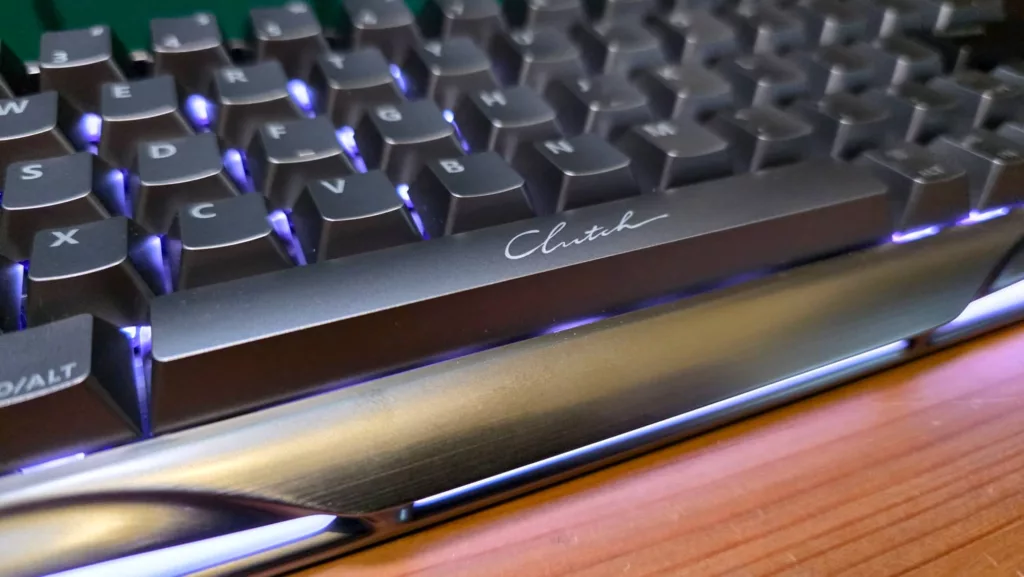
While I do quite like the visual design of the Gravastar Mercury V60 Pro, there’s one onboard feature I’m not a fan of, and that’s the printing on the space bar.
This is the smallest and pettiest complaint to make, but amidst the flowing, almost organic metal and pulsing lights of the keyboard, the way that the word “Clutch” has been printed just on the space bar looks discordant to my eyes.
If it was on a fashion handbag, no worries, but here it doesn’t look to my eyes like it fits. Maybe that’s just me, and maybe over time, as I’ve found with many other keyboards, the heavy use of the space bar will cause that imprint to fade.
It can feel minor, especially when there are other less useful omissions, such as the aforementioned lack of feet to set the angle of typing, some of the unusual keyboard combinations to get to functions, or even simply that it’s not a wireless keyboard. Plug it in and you’re fine, basically.
But since you have to look down at a smaller keyboard, the word “Clutch” simply being there stood out when all it had to do was, you know, not be there. Nearly everything else is customisable on the look of this thing, so clearly this should have simply been a sticker.
Final Thoughts (TLDR)
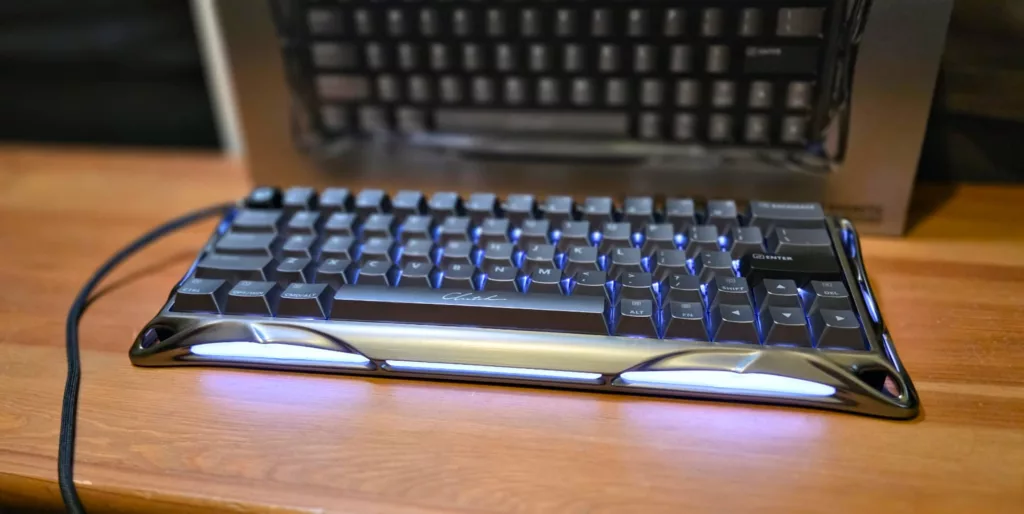
The Gravastar Mercury V60 Pro is a very specific keyboard for a very particular kind of keyboard user. I do love the sound it makes when I’m working away at it, whether that work involves wrestling with verbs and nouns, or battling with alien foes and Bubble Dragons, respectively.
It has a superb premium look, ‘clutch’ space bar notwithstanding and while it’s beyond my capabilities to fully test out just how durable its magnetic switches really are, I have little doubt that they should last a good long time.
Web configuration is a highly welcome step as well, as I’ve lost track of the number of times that specific apps have either crashed out when trying to use them, or more frequently gobbled up system resources to the point of a system crash even when they’re meant to be sitting in the background.
However, there’s not much getting around that $399.95 price point, or as close to it as it seems. This is a $400 keyboard. And if that didn’t throw you, it’s a $400 gaming keyboard. It’s a pricey gaming keyboard, even in a world where gaming gear can command hefty price tags. But the Mercury V60 Pro is also something different, with the near-$400 tag offering Giger-inspired gaming (at a serious price).
There’s no getting around that tag. It sticks out because it’s so high. However, if that’s chump change to you as part of your gaming aspirations, then go for it: you won’t be disappointed. For those of us on more constrained budgets, it’s a bit much.