Quick review
The good
The not-so-good
Gaming laptops aren’t always easy on the eyes, and are usually built to attract others. Acer’s Nitro 16S AI tries a little tact, while keep the system spec friendly.
It’s not always easy being a gamer and buying a new computer. The problem is something’s gotta give.
A big laptop with lots of specs is a given, but a big laptop with great specs and screen and battery life isn’t always the balance, and you may struggle with one or more of those factors. And if it’s not these factors, it’ll be the look, with a design that not everyone connects with.
As we said, something’s gotta give.
In Acer’s latest gaming laptop, a balance is being attempted. A black notebook made to be somewhat thin houses performance-level specs and a set of keys that light up. It could be everything you ever wanted in an inconspicuous design.
Is it the year’s best gaming laptop early?
Design
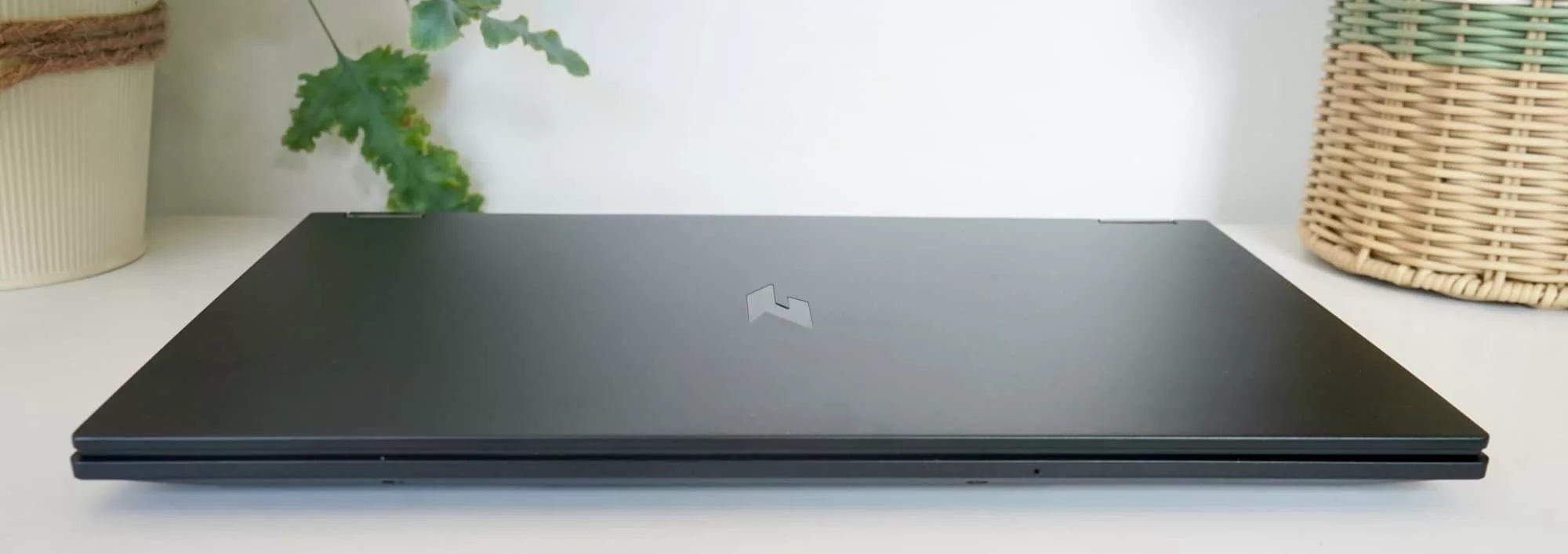
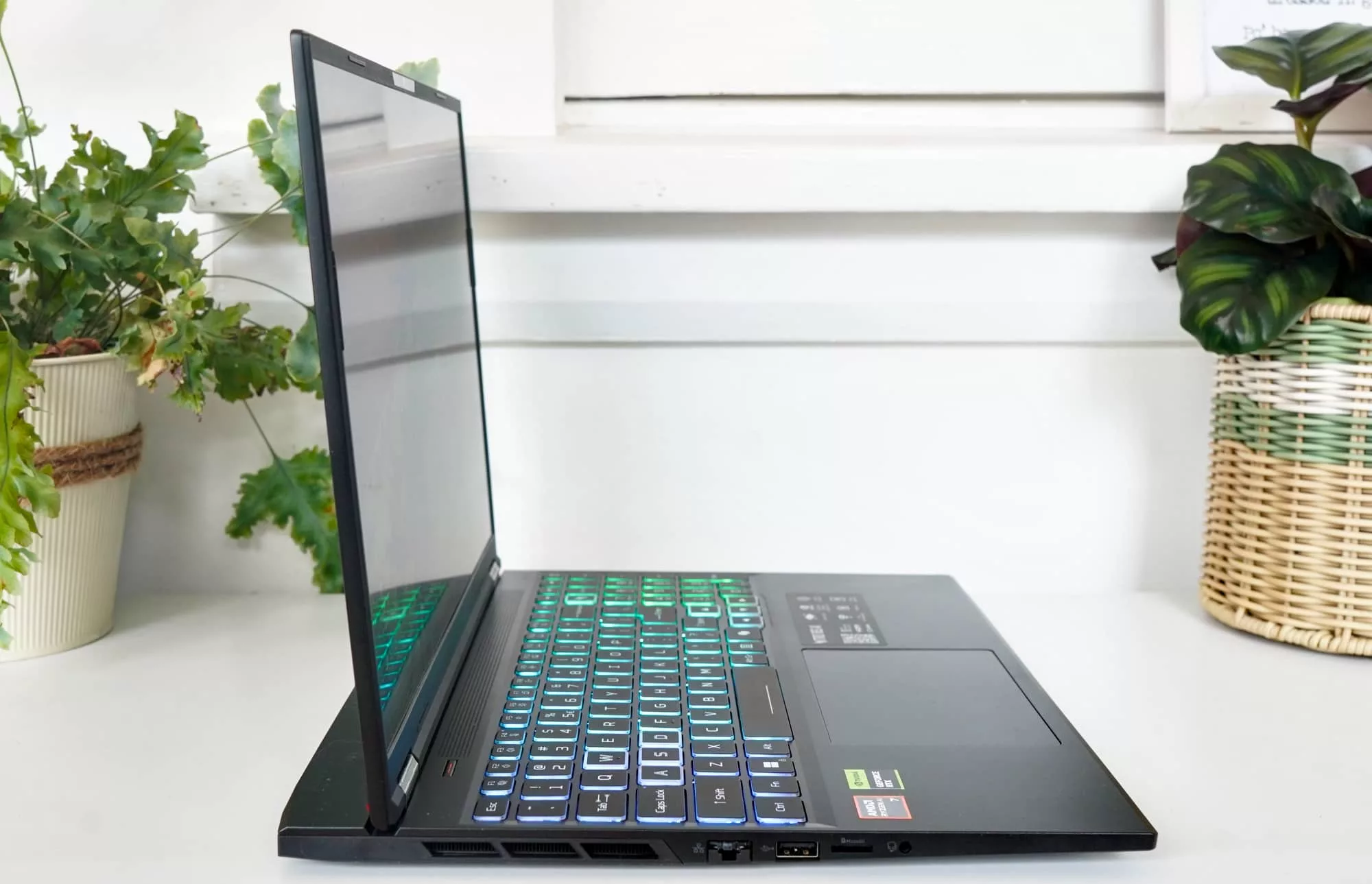
Built to be a slim representation of a big gamer machine, the Acer Nitro 16S AI boasts a thickness of just 19.9 mm, which is just under 2 centimetres for those people playing along at home. Because visualising is easier if someone is giving you the measurements as the answers.
That design is a little edgy, but also manages to be somewhere between sleek and stealthy, the angular black combination of plastic and alloy and obvious edges mark the Acer Nitro 16S AI as a clear gamer laptop.
According to the spec sheet, this laptop’s chassis is made of aluminium, but after playing with it, you’d never realise it. The casing may be slightly durable, but it feels like plastic, or feels plasticky enough to not be as hardened or durable as other alloy laptops.
You know how the Dell XPS feels premium with glass and alloy, and the aluminium MacBook Air and MacBook Pro both feel like metal machines? The Acer Nitro 16S AI does not. It feels like plastic, rather than the aluminium marked on its specifications. That’s not a good thing.
The design on the other hand is easier on the eyes, and very deep, offering a look more like a stealth bomber. It may not be as durable as one, but the matte black shine-less look does make the Nitro 16S AI a touch more inconspicuous some other gaming laptops.
That is until you open it up and use what’s inside.
Features
Underneath is an assortment of tech worthy of gamers, offering recent AMD processing hardware married to Nvidia graphics gear.
For the processor, you’ll find a Ryzen AI 7 350, an eight-core processor paired with 32GB RAM and Windows 11 Home. A good 1TB of solid-state storage provides plenty of room, and then there’s the graphics hardware, which is an Nvidia GeForce RTX 5060 with 8GB RAM.
That combination is certainly formidable on paper, or formidable enough, and there are a bunch of ports and connection options on this laptop, too. Certainly enough to make it fairly future-friendly and focused on the future.
That includes some of neat hardware under the hood, including two fans drawing air from under the keyboard, before expelling it on the side and rear, all in an effort to keep the whole thing cool.
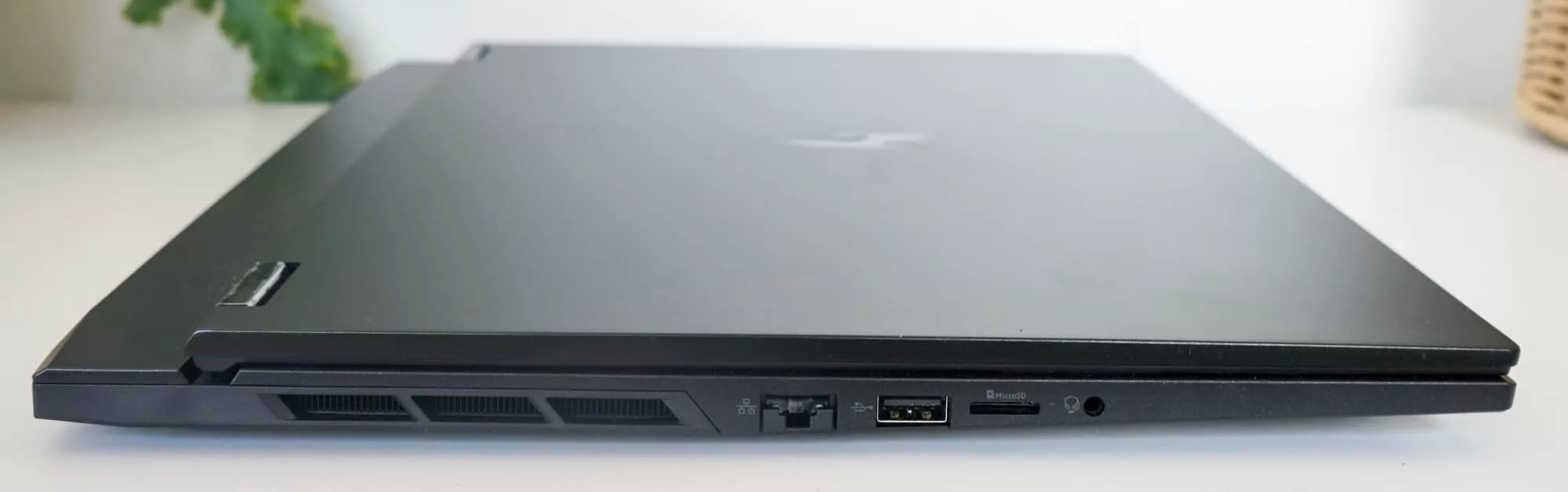
It includes Bluetooth 5.3 and 802.11a/b/g/n/ac/ax WiFi 6E, while wired Ethernet is thrown in, as well, providing 2.5 gigabit Ethernet from its Killer Ethernet port on the left edge.
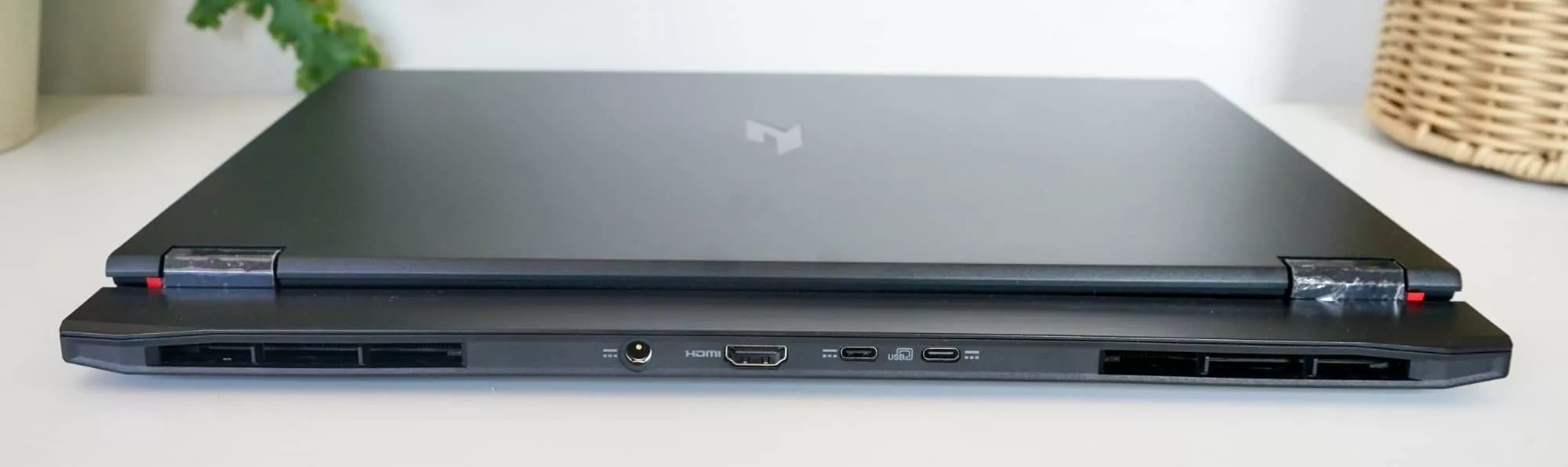
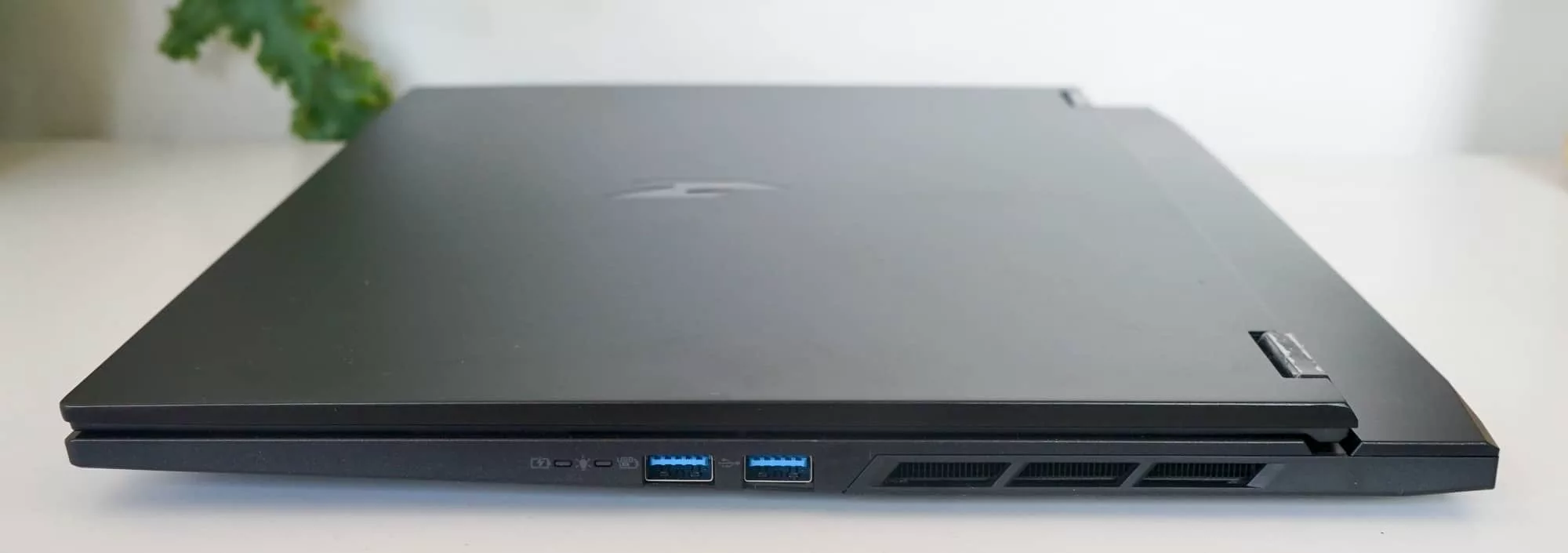
Speaking of wired connections, you’ll find three rectangular USB-A ports, the left side being USB 2 and the right side offering USB 3, while two USB-C ports can be found on the back, though Thunderbolt doesn’t appear to be a part of the system spec package. There’s even a microSD slot here, a surprise feature we definitely didn’t expect.
And in a bit of a twist for the laptops we review at Pickr, the key ports are at the back of Acer’s Nitro 16S AI, which is a bit of a thing having a moment in gaming laptops. This approach pushes the charging ports and HDMI (plus USB-C) at the rear, so if you had to plug it into a TV or power strip, your sides remain unencumbered.
Display
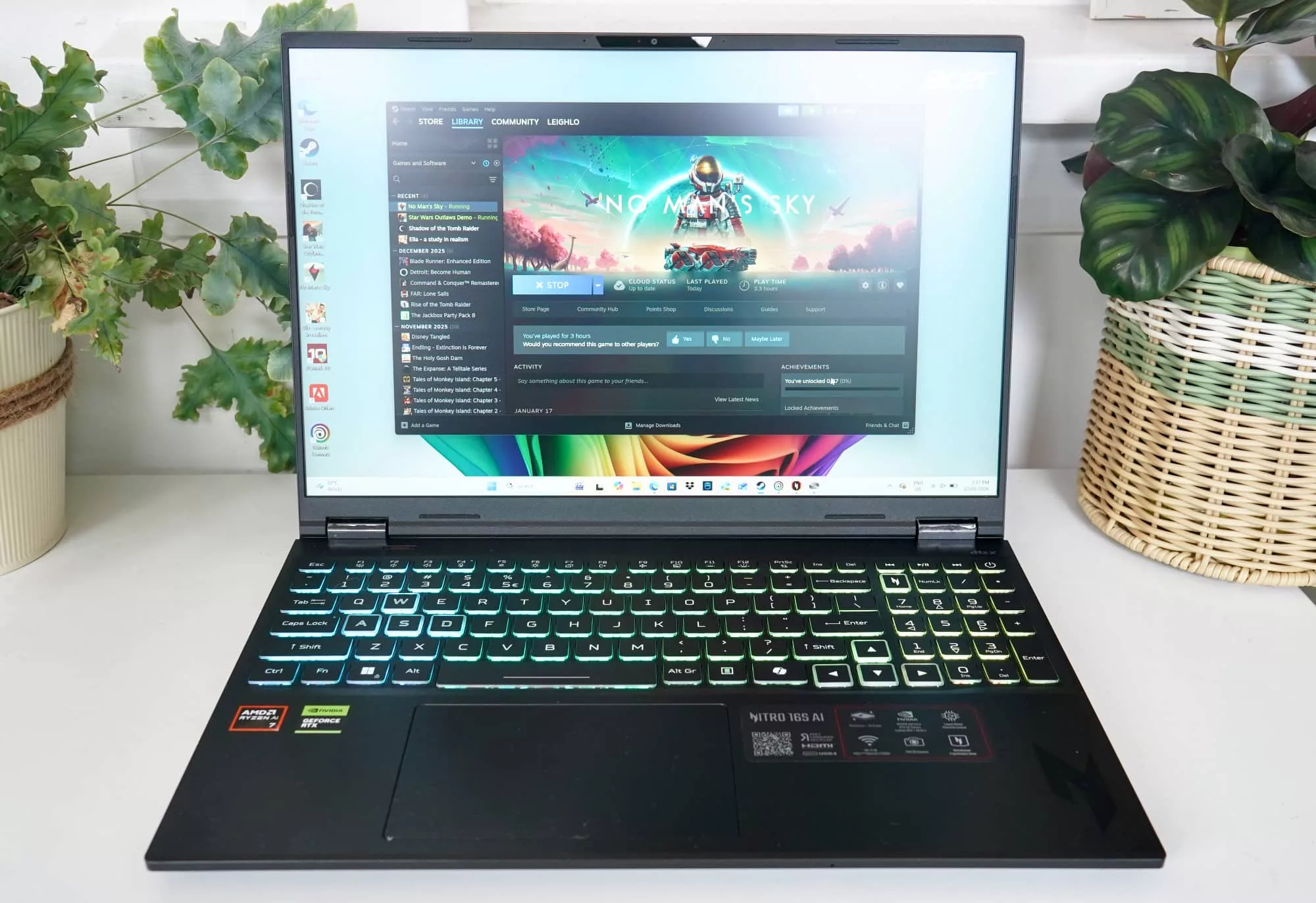
Connected to the hardware is a 16 inch screen exactly as the model name suggests, providing a WXGA resolution of 2560×1600 and a solid refresh rate for gaming, covering 180Hz.
One thing you won’t find here is a glossy screen, with the display matte and largely glare-free. However, the screen is also an In-Plane Switching IPS display, making it fast and clear, but lacking the panache of something more premium, such as an OLED display.
The good news is it’s bright enough, though it could always be nicer and brighter overall. We’d definitely take the pristine crispness of OLED if it was an option, which it doesn’t appear to be.
In-use
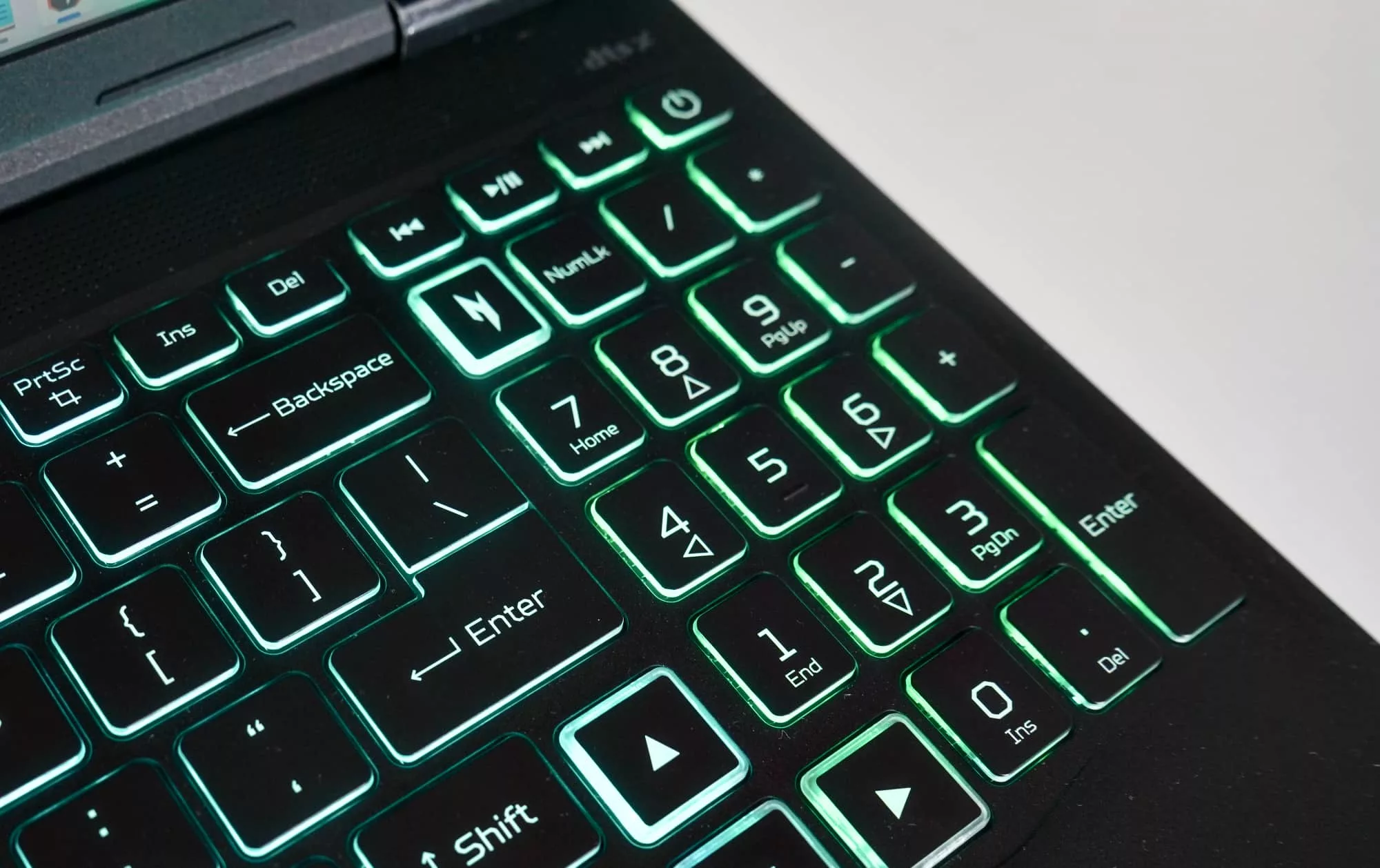
But the good news is the 16 inch size means you get a full-size keyboard, though the right shift key is a touch small thanks to the directional keys. We lean on WASD in games, but if you’re someone who expects a full-size shift, just be aware, Acer has had to make a compromise or two.
Fortunately, the rest of the keyboard is actually quite decent. Typing is comfortable, albeit a little soft, but there was more travel than we expected, and the experience was better than most Acer keyboards we’ve played with.
Your trackpad is fine, but will probably be replaced quickly. It serves the purpose, though, and isn’t going to be hated on for use in a pinch.
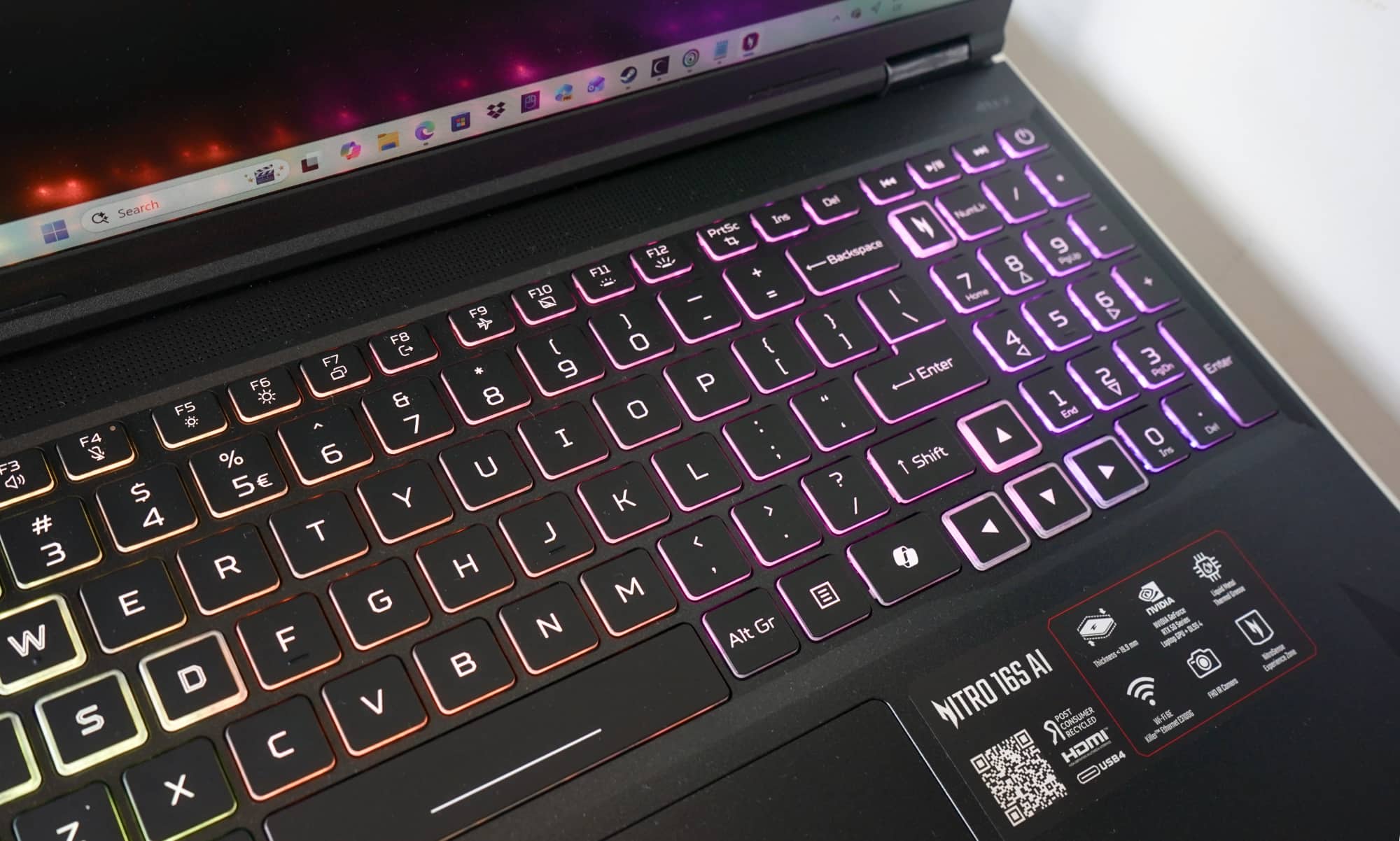
There’s also that dedicated Copilot key Microsoft has started using, even if the AI on this laptop isn’t much to get exciting about. Some image generation and a mediocre assistant are largely it. Local AI still clearly isn’t there yet, with no bright ideas from this laptop.
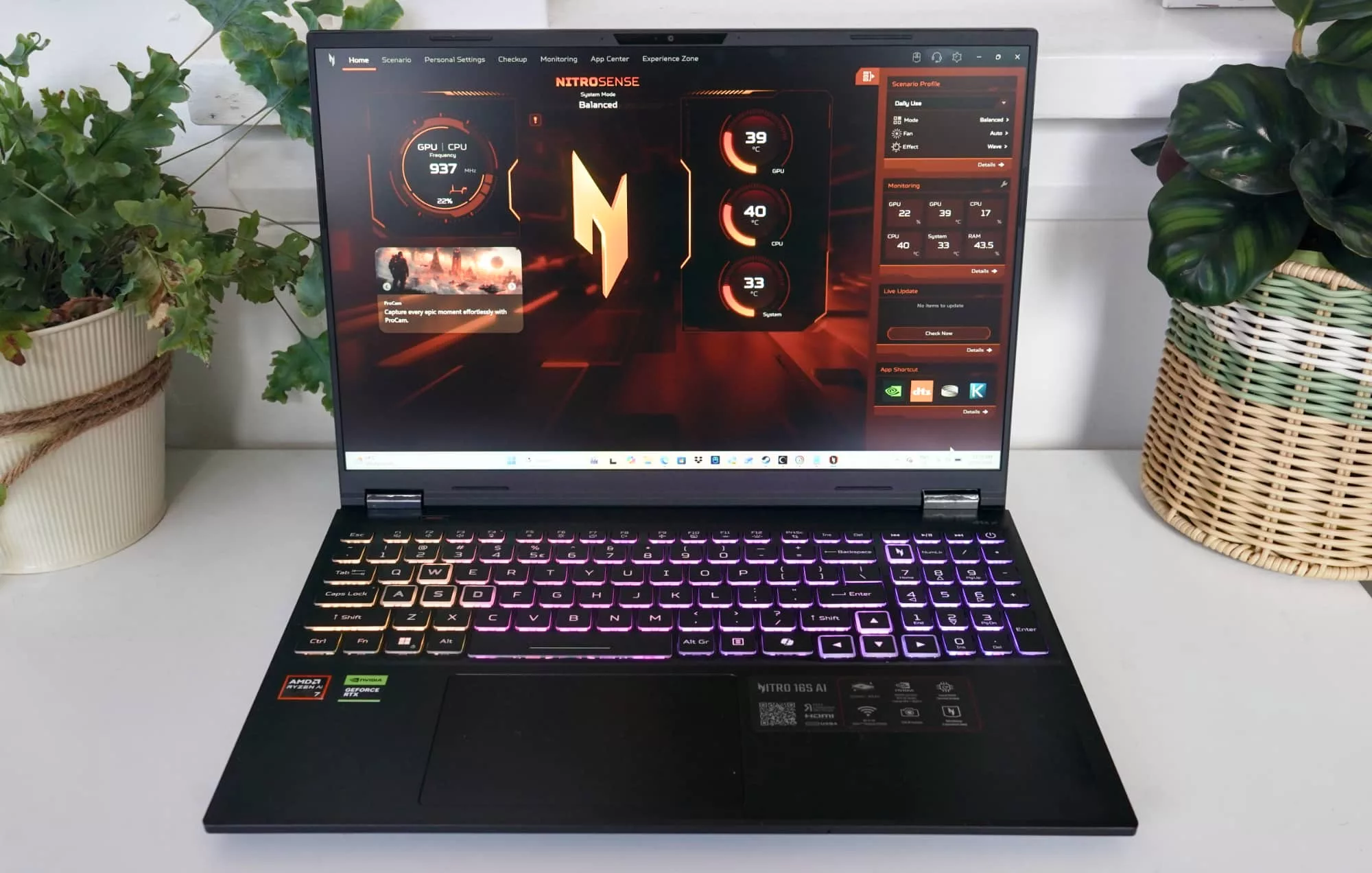
Acer also has its own “Nitro” key above the 7 on the number pad, and it opens up the NitroSense app, a system monitor of sorts with updates, shortcuts, system temperatures, and profiles you can jump between. The look is about as gamer-focused as it gets, a concept we probably don’t need to explain. You’ll know it when you see it.
But gamers who dig that style are sure to appreciate the light-up colourful keyboard, which can be controlled using the Pulsar Lighting part of the NitroSense app.
Performance
Of course, a gaming laptop needs to be more than a spiffy design and colourful keys. It needs the specs to play the games, too. Ultimately it needs performance.
Here as one of the first laptop for 2026, we’re hoping for big things, and the benchmarks don’t lie.
Tested against some of the more capable machines we’ve seen in the past couple of years, the Acer Nitro 16S AI can hold its own, delivering similar multi-core performance to the meaty Lenovo Yoga Pro 9 but better single-core processing power, yet not quite meeting its graphical capabilities.

Acer’s Helios still holds an edge, but that was a beast of a machine by comparison. You certainly can’t comfortably carry the Helios 15 around like you can this model.
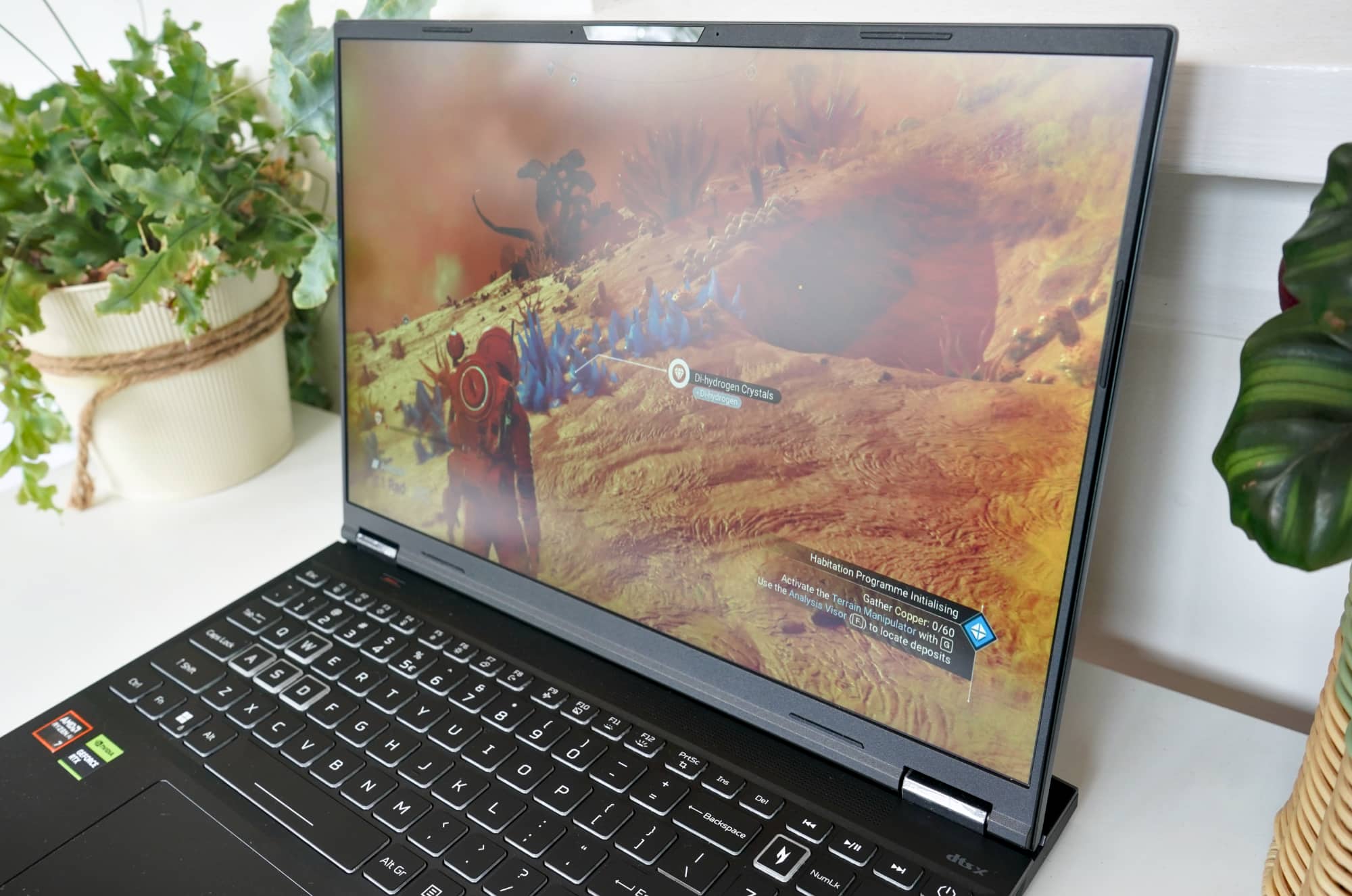
In real-world gaming, both No Man’s Sky and Shadow of the Tomb Raider delivered excellent visuals with decent frame rates, roughly to the point where we didn’t need to look. Running at the screen’s 2560×1600 resolution meant the picture was fairly sharp and clear, and as good as we’d want to go, which is rather the point.
Battery
Maximising portability does come with a catch, however, and that catch is battery life, resulting in a laptop that’s a little hit and miss.
In fairness to Acer, it isn’t alone facing these struggles. However, the new processor doesn’t exactly lead to leaps in the problem. If anything, everything just stays the same.
For gamers, that means a maximum battery life of roughly two-and-a-half hours, but not much more, and likely less. And for regular work, we found a battery rundown using PC Mark 10 showed not even 5 hours, achieving just under it.
That’s a less than stellar battery life, though one Acer isn’t alone in. Every gaming laptop struggles in this way.
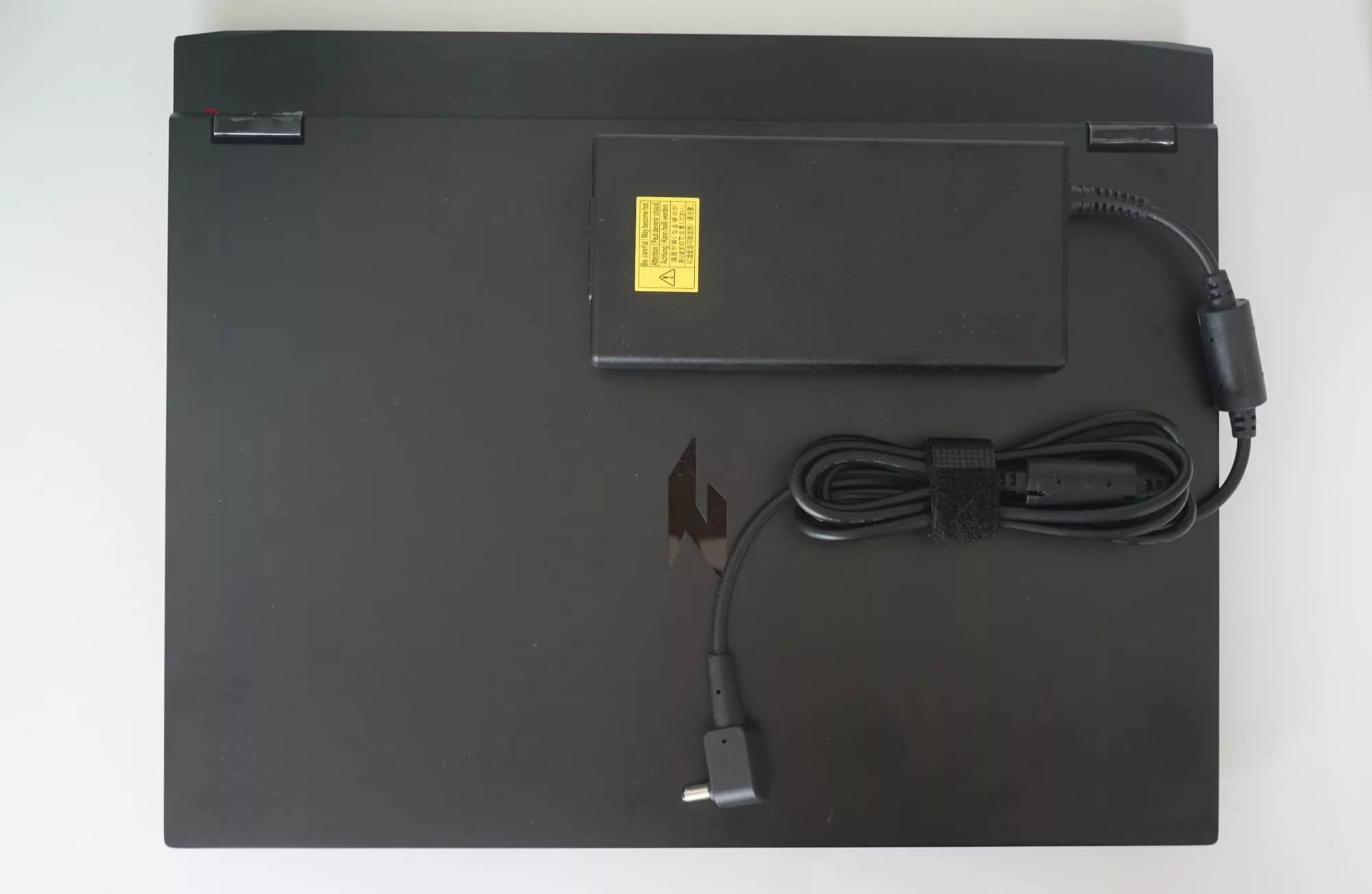
However Acer has done the Nitro 16S AI no real favours with a massive power pack to keep the thing charged. You can bring a USB-C cable, but you’ll want to pack in at least a 140W GaN charger to keep this thing happy, and frankly, we’re not sure it likes anything other than its own hardware.
Value
Priced at $3399, Acer’s Nitro 16S AI has value somewhat going for it, especially when it comes to snagging a laptop with solid and modern specs.
It’s not as expensive as it could be, and the Nitro 16S AI is one of the first 2026 laptops out of the gate, offering a new AMD chip, recent Nvidia graphics chip, and a reasonable amount of power to boot.
Compared to the competition, the Acer 16S AI is about where we’d expect it to be, neither undercutting or going too far beyond where gaming laptops tend to be.
We feel it could be a little more competitive, though. While Acer may have upped the hardware, you’re missing out on the latest Thunderbolt and better screen technologies, aspects that competitors at least offer, albeit for a little more money all things considered.
If anything, the 2026 Acer Nitro 16S AI feels like it’s made to compete with last year’s releases, which saw technology like the GeForce RTX 5060 and WiFi 6E arrive in hardware, similar to what’s inside this model.
What needs work?
Our biggest issue is with the battery, which just doesn’t help the laptop feel portable. That is, of course, the very point of a portable gaming computer, as opposed to leaving it at your desk, and is why Acer has attempted a 2 cm maximum thickness for the notebook.
It’s a relatively slender gaming machine to take with you, but you won’t get much battery, and that power pack isn’t going to help much. You’ll need to bring it with you and camp near a port, and that’s a problem because even the power pack could be better. You’ll find it uses a standard circular port rather than our love for USB-C, and worse, it’s so big it beggars belief.
Yes, it’s a gaming PC, so we largely expect this, but we’re also in that modern era where power packs can be slimmed down thanks to Gallium Nitride also known as “GaN”.
And yet here on the Nitro 16S AI, you’ll find a certainly sizeable 230W charge pack, complete with a jug plug power connector. A jug plug. Seriously.
We’re also not a huge fan of the amount of bloatware included, with extras including:
- Dropbox (directly labelled as “Dropbox promotion”)
- Elvenar
- ExpressVPN
- Forge of Empires
- Google Play Games beta
- Planet9 (which has actually been discontinued, making it even more pointless)
- Sweetlabs App Explorer
You’ll also find McAfee preinstalled, which is less bloatware and more an included reminder to get yourself some internet security. An Adobe offer popped up at one point, even though no Adobe app could be found on the laptop, giving you an idea of just how much bloatware is tied into Acer’s own software.
Most of these are just likely nudges to get you to install the full thing, links to the app rather than full bloatware, but they’re also entirely unnecessary. They don’t need to be here. They certainly shouldn’t.
If you’re buying a gaming laptop, you likely know what sort of games you plan to use on the thing. You don’t need advertisements from Acer and its partners on your laptop, and these shouldn’t be here.

Final thoughts (TLDR)
Gaming laptops tend to come in a specific style, sporting sharp looks, bright lights, and lots of specs, and the Acer Nitro 16S AI is no exception. It is the 2026 edition of the same old theme.
And yet this time around, Acer is playing a little differently. You’ll still get the bright lights and big specs, but you’ll also find a look designed to be a little more inconspicuous while still clearly being out there.
It’s an aesthetic that works, and one that gives gamers a slender yet stealthy look. You won’t stand out with the Nitro 16S AI, but you should be happy with what it can do.
The problem is portability and longevity don’t exactly go together with the Nitro 16S AI, at least not without a nearby power point.
If you can live with the idea that the Nitro 16S AI will probably stay on a desk except for rare cases out and about, Acer’s portable is a good start for the year. When the price drops around sales time, however, it’ll be even more worthwhile.
The Nitro 16S AI isn’t likely to be the year’s best gaming laptop, but it’s a good start for sure.