Quick review
The good
The not-so-good
Performance and portability don’t always go together, at least when you’re talking high-end specs. The Lenovo Yoga Pro 9i aims to change that. Does it succeed?
Desktops may not have the attention of the computing world the way they once did, but they still have something over their laptop cousins: power and raw performance. Try as you might, you just can’t beat what a desktop can do, thanks to the ability to expand and drive the most power hungry of components and hardware.
Laptop makers are slowly getting there, though, balancing specs, strength, and a system that can sustain your use through the course of a day. It’s a real effort to achieve that balance, because typically, something has to give.
Much like the classic “Fast, Cheap, or Good” iron triangle, high performance laptops ideally should power (system spec), portability (weight and design), and battery performance, but achieving all three isn’t always possible.
In the Yoga Pro 9i, you can see Lenovo reaching for the entire lot. Does it succeed?
Design
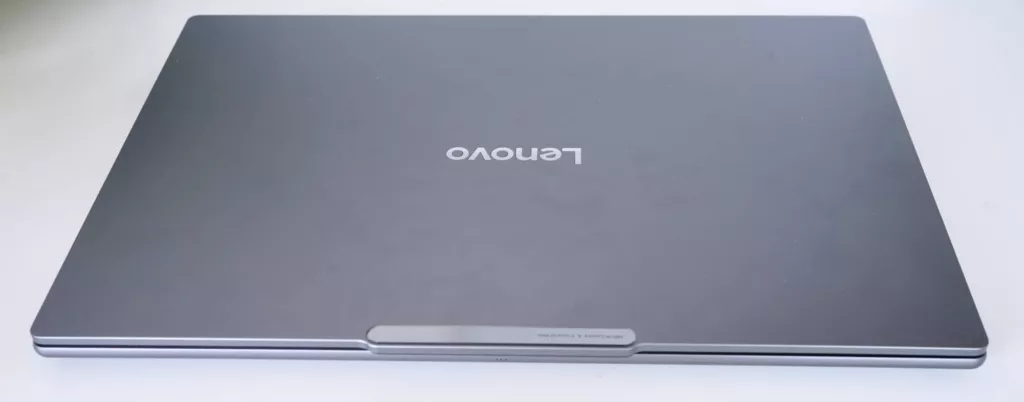
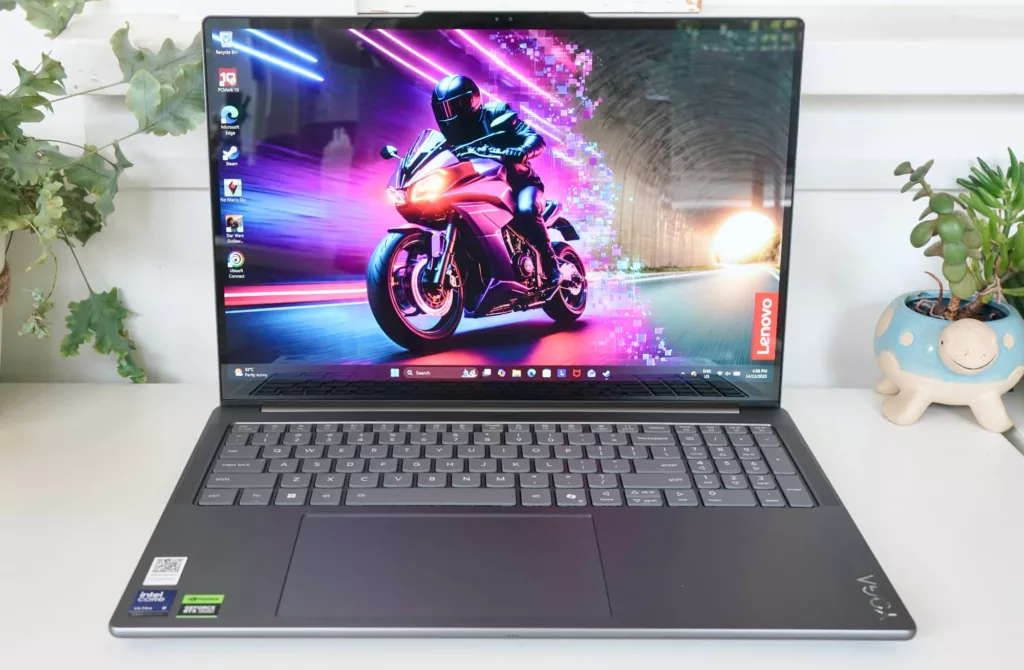
Laptops don’t usually break any moulds lately, and the Yoga Pro 9i definitely looks like Yoga models we’ve seen this year, as well.
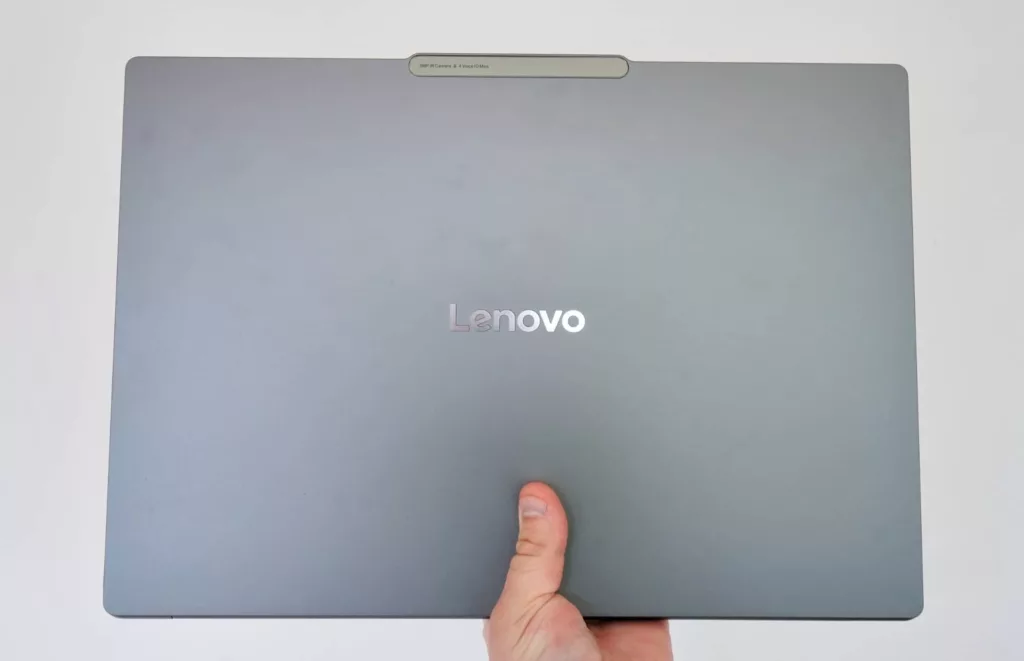
There’s an aluminium casing with softened edges, using the alloy for the top and bottom, and arriving with little accents that make it stand out as not just another clone.
That includes a slight lip in the lid where you can lift the display, a badge running along that lip citing the camera and microphone specs, and bottom of the machine coming out just a little bit from the lid itself.
This laptop isn’t as slim and flat as other machines it competes with. The Yoga has its own personality, though also feels a bit different, bringing a 16 inch screen and a good two kilograms to the laptop package. Given it’s technically the tenth generation of this breed of laptop, it definitely should.
Features
Inside, Lenovo has set up the system spec to be a little more interesting than yet another ultra-light machine.
We’ve seen a bunch of Intel Core Ultra 7 models this year, but the Yoga Pro 9i goes further again, opting for the 2nd-gen Core Ultra 9 285H, and pairing it with a lot of memory and storage, plus choices of a Nvidia graphics chip.
Lenovo’s Yoga Pro 9i review unit was spec’d to the teeth, delivering one of the best set of feature sets we’ve seen on a Windows laptop in ages: 64GB RAM, 2TB storage, and the 8GB GeForce RTX 5070, basically telling you this thing was ready for action and then some.
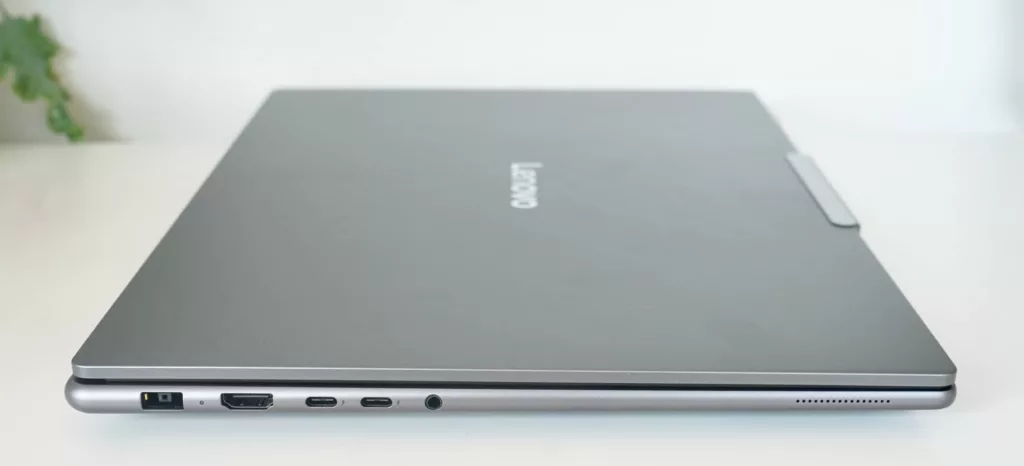
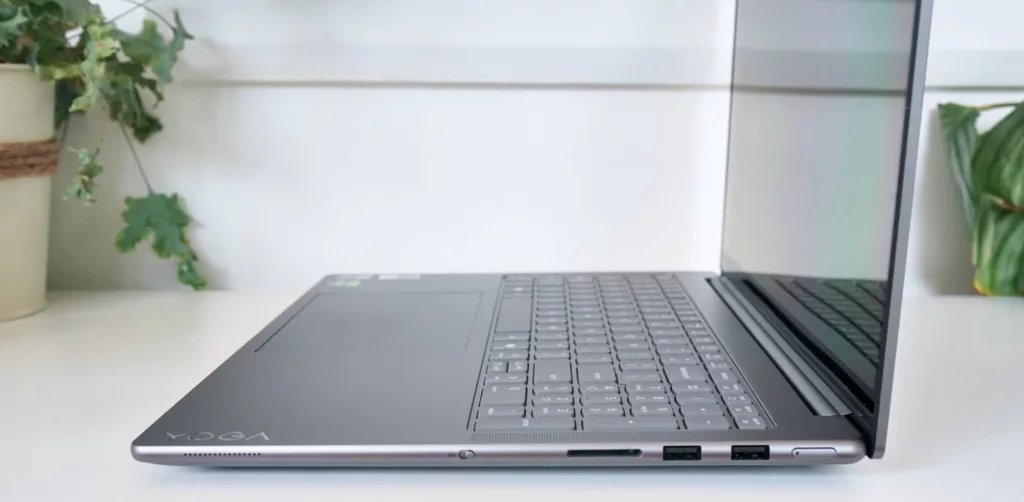
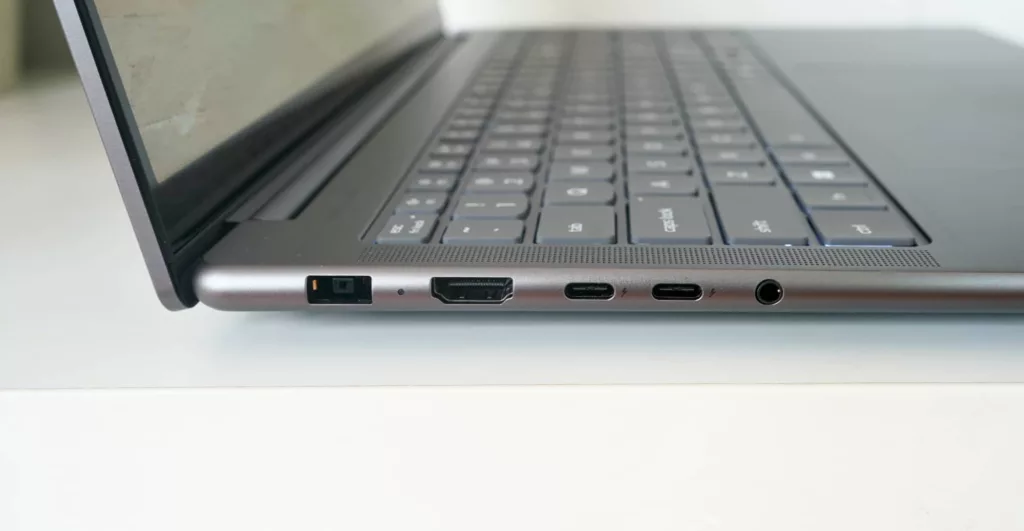
Regardless of how you choose to spec the machine, the Yoga Pro 9i will come with WiFi 7, Bluetooth 5.4, and a decent assortment of wired connections, including HDMI, two Thunderbolt 4 Type C connections, two rectangular USB-A connections, 3.5mm headset, an SD card reader, and a switch to disable the camera on the side of the laptop.
There’s no fingerprint reader in the power button like you might expect, but biometric security is handled using the infrared sensor associated with the 5 megapixel camera at the top using Windows Hello.
Display
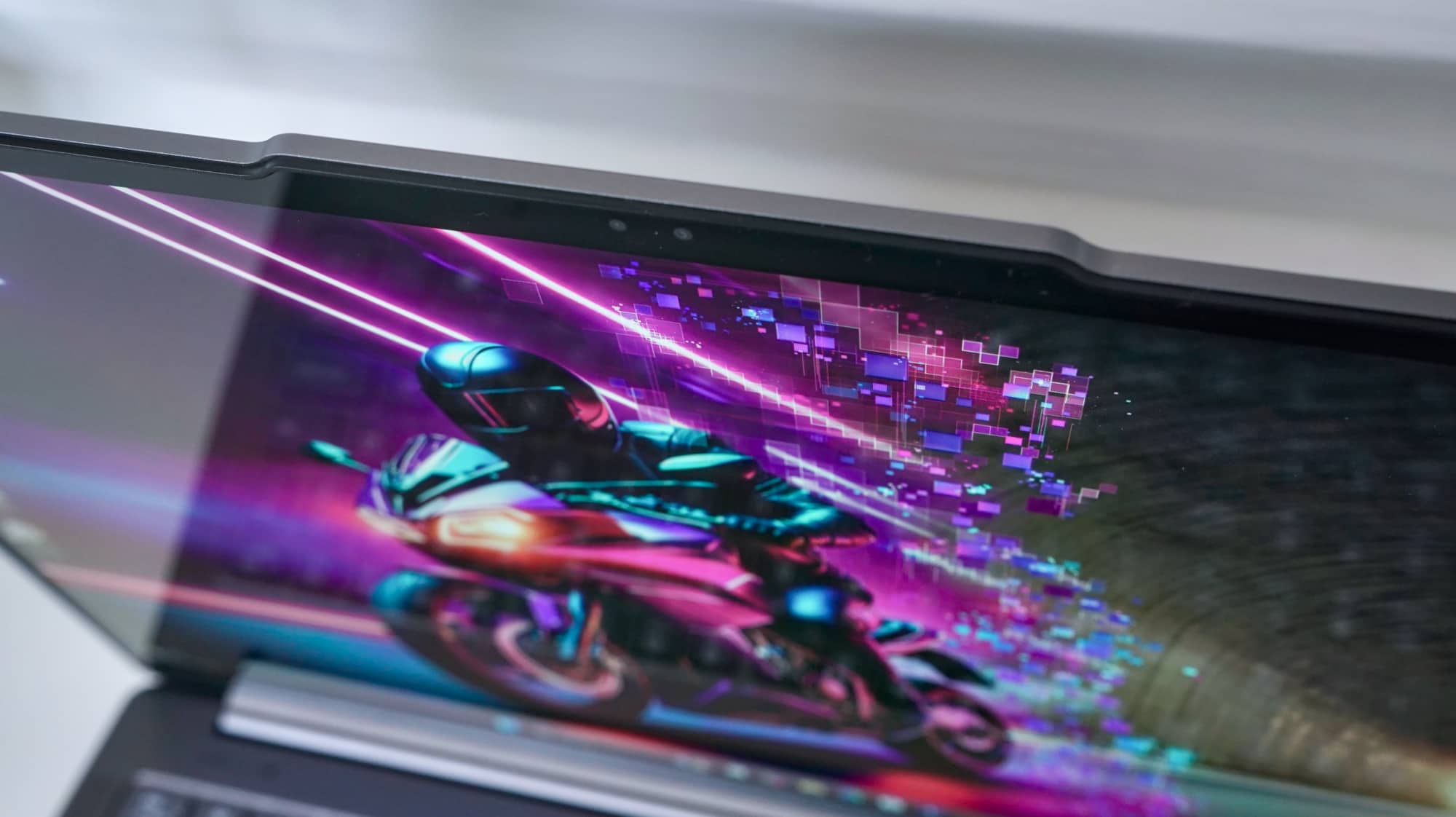
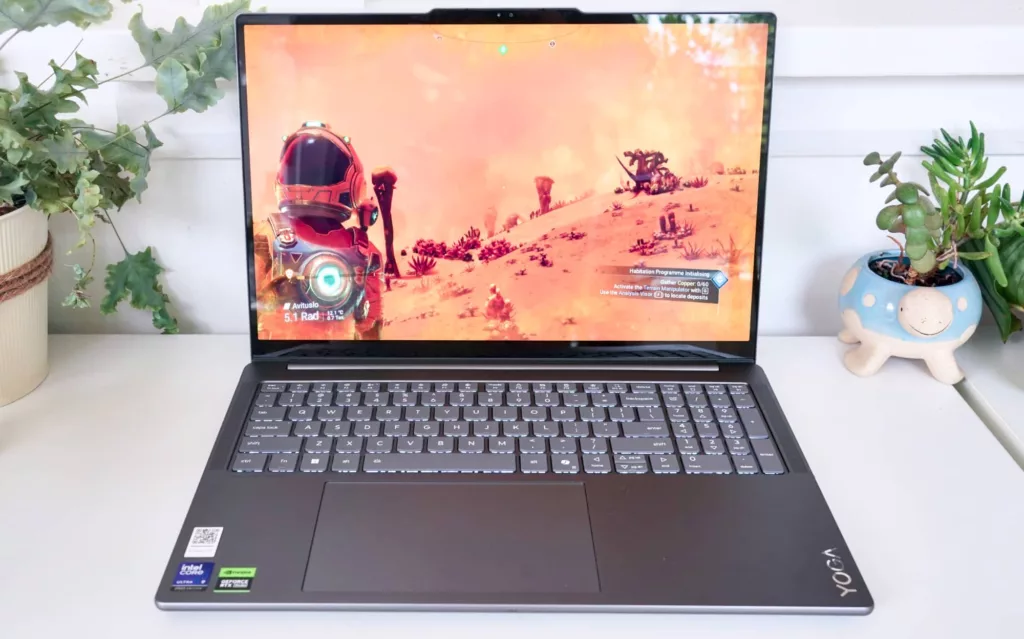
Beyond the specs and hardware underneath, one of the biggest features is the screen, which measures 16 inches and delivers a 3.2K resolution with OLED running at 120Hz. It’s thin, it’s bright, and the colour is lovely, giving you an idea of just how premium this hardware really is.
Specifically, it’s a 3200×2000 screen, complete with touch, meaning you can touch and prod and push the display, and have it actually respond.
Granted, you won’t find the hinge as a 360 degree 2-in-1 hybrid design; the display does go flat, handy for durability, but you can’t use the 16 inch Yoga Pro 9i as a tablet. It just goes flat as you need it.
We’re less bothered by that, and more happy that the screen includes touch. That’s more of a “nice to have” feature these days, and adds to the usability of the laptop. Ever so slightly, anyway.
In-use
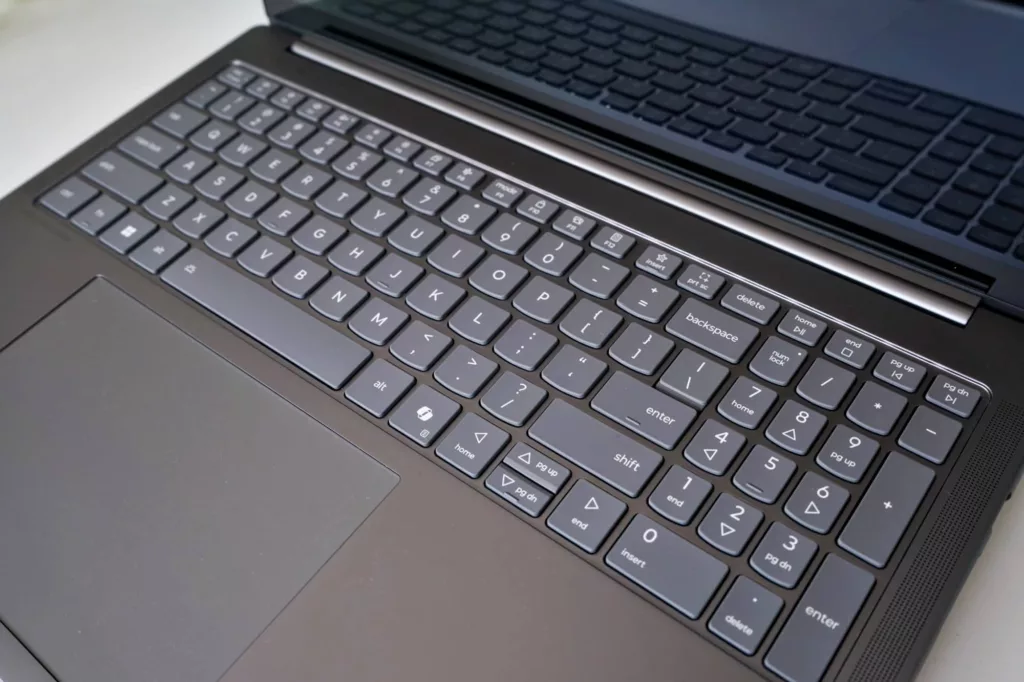
Lenovo already makes some of the best keyboards in the world in the “Think” range, and while this model is a Yoga, this keyboard is no slouch, either.
A deliberately spaced full-width island-key keyboard with decent travel awaits you in the Yoga 9i Pro, complemented by a spacious trackpad that takes much of the underside of those keys. It’s big and wide and super responsive — just the kind we like.
On the keyboard side of things, the extra width 16 inches affords means you get a numeric keypad slightly squished in, but for a nice change, it doesn’t impact the overall key placement for the rest of the keyboard.
That means there’s no squished or constrained shift or enter key, and yes, you get the Copilot key if that’s really helpful. It’s not for this reviewer, but some people really love their built-in AI.
AI features
Lenovo also has its own AI key, the function key for “Insert” where the star is, with “Lenovo AI Now” requiring a login to work.
Once you do that, however, you’ll get what appears to be a local AI system, creating your own knowledge base and rough RAG system, or what is basically a way for an AI to check your documents a little like Google’s NotebookLM, but on your PC.
It’s probably a touch more helpful than AI simply removing noise from your camera, and it can also help with controlling your computer in simple ways. Can’t work out where the performance settings are? All good, just ask your PC to do it for you.
There’s also a cloud AI counterpart that lets you dabble between OpenAI’s GPT-4o and 4o Mini, but it will cost money, as Lenovo even points out it’s a “free trial for a limited time”. This feels very much like another variation of Microsoft’s Copilot, but with a way to hand money to Lenovo, if that suits.
The problem is the model isn’t that smart. In testing the AI’s chat system, it repeated the same script to us at times, and then couldn’t find information from the computer’s knowledge base and suggested we use the cloud chat. That suggests Lenovo’s AI is a little on the basic side, and probably under what you can do with something like Unsloth or LM Studio, free alternatives you can also run locally.
Lenovo’s AI additions are at least something different, but with AI not that difficult to run locally on the same PC, it feels like the company needs to do more. There’s little reason why you’d use this over the cloud, meaning it probably would get minimal use in the first place.
Performance
The part that really shines is the performance, delivering just an absolutely stellar result from benchmarks and from real-world use.
On the benchmarks, the Yoga Pro 9i leaps ahead of some of the world’s most serious high-performance laptops, delivering better graphical scores against the hardware of the 16 inch MacBook Pro with the M4 Pro, but just sitting under the impressive Core i9 used in the Acer Helios 15.
It’s not completely perfect, mind you. The Core Ultra 7 variant LG uses in its Gram 16 Pro 2-in-1 has a little more grunt from the CPU than the Yoga manages from its Core Ultra 9, but it’s not a staggering issue.
| Device | CPU Single Core | CPU Multicore | GPU OpenCL |
|---|---|---|---|
|
LG Gram 16 Pro 2-in-1 (2025)
Intel Core Ultra 7 255H
|
2663
|
14909
|
30890
|
|
Apple MacBook Pro 16 (2024)
Apple M4 Pro
|
3907
|
22524
|
70272
|
|
Lenovo Yoga Pro 9 Aura Edition (2025)
Intel Core Ultra 9 285H
|
1751
|
12452
|
109651
|
|
Acer Predator Helios 15 Spatial Labs Edition (2024)
Intel Core i9
|
2404
|
16333
|
164625
|
This is a fast PC. You can feel it as you work. You can see it as you play games, too.
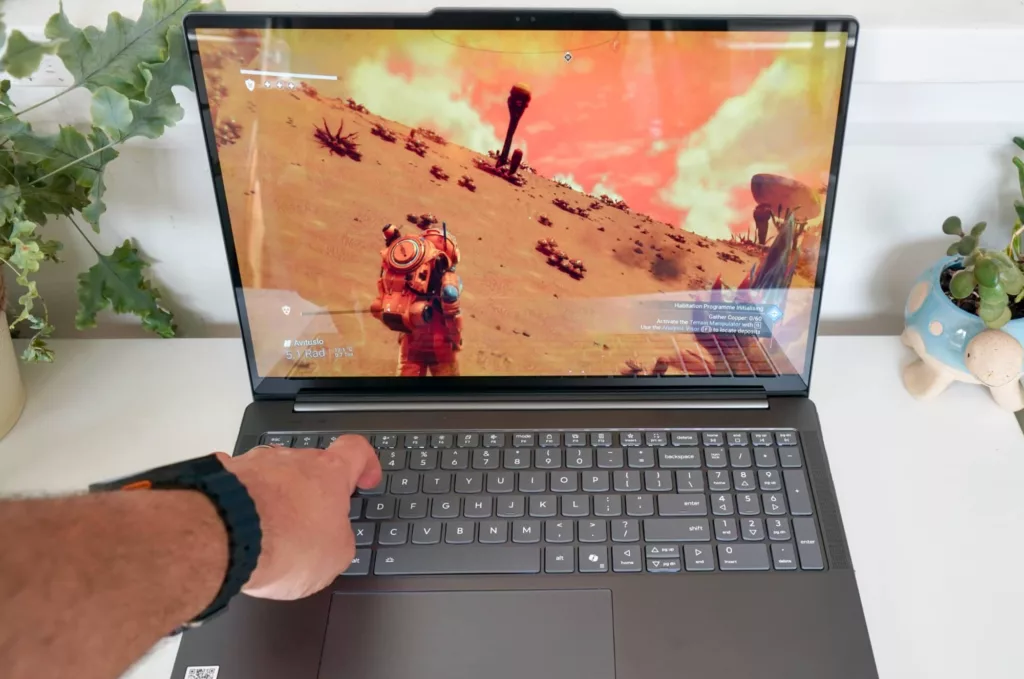
Testing No Man’s Sky with the Yoga Pro 9i Aura, we found it looked and performed well, providing a little bit of lag from camera changes, but not a heap of them. It mostly delivered the speed you’d expect, something that’s likely helped by the Nvidia hardware under the hood, as well.

Battery
Getting great performance comes with a downside: the battery isn’t crash hot.
Tested with PC Mark’s battery run down (which we’ve been using for laptops lately), the system barely clocks in at 5 hours, struggling to get past it when you use the hardware.
Charging the laptop sees you using a massive 170W adaptor, but that also interestingly uses a proprietary charge port, a surprise given we’re living in a USB-C and Thunderbolt world. Someone tell Lenovo.
Granted, there’s also a more convenient USB-C port to charge from, making life that little bit easier all the same. We opted to lean on that, using the more common standard than Lenovo’s forced rectangular port.
Regardless of how you decide to charge the machine, this isn’t likely to be an all-day laptop unless you’re simply using it for productivity, and if that’s you, you’re also missing the crux of why you’d use the Yoga Pro 9i.
Value
This computer is like a workstation, only with a touch more fun. Sure, there’s no pro-grade graphics chip here, with the consumer-focused GeForce RTX 5070 under the hood.
But the specs are high-end, and the price to match.
Costing $5499 in Australia, the Lenovo Yoga Pro 9i isn’t cheap at all. It’s probably too expensive for what you get, arming you with high-end specs — 64GB RAM, 1TB storage, the Core Ultra 9 chip from Intel — but missing out on the excellent battery life, to boot.
For all intents and purposes, this is a beast of a machine, even though it’s difficult to know where it’s placed. Is it a laptop for gamers, for creatives, or for powerhouses users that want the best they can find?
All three technically match, but it still feels more expensive than it should. At $5500, we struggle with the price tag, but if it were maxed out at $4500, we’d probably be a little happier with it.
What needs work?
The good news is the price is about all that’s really wrong with the Lenovo Yoga Pro 9i Aura Edition. We’re not enamoured with the weird proprietary charging port Lenovo has used, and feel like it should have just stuck with Type C, but it’s a minor issue in the grand scheme of things. You still can use Type C, you just have another port option to use, as well.
Overall, the Yoga Pro 9i is a well made machine with a great spec sheet, even if those AI features are a bit of a miss.
Mind you, it’s difficult to throw the blame entirely at Lenovo for the AI issues. It’s not as if AI PCs have given us a heap to fall in love for, so that’s not exactly Lenovo’s issue. It just doesn’t move the needle positively, either.
Final thoughts (TLDR)
There are some really solid reasons to consider Lenovo’s more “pro” edition Yoga, and performance and spec lead them. The hardware on offer pretty much puts the laptop in pole position for the Yoga range by delivering plenty of room to move over the next few years.
That’s what you want: a laptop that can stay in use for several years and not manage to feel slow. It’s a win for powerhouse portability.
But it’s also the end of the year as we write this, and so all it takes is a new generation to beat this model in the exact way it needs to: battery life.
Battery is where the Yoga Pro 9i falls over, because it’s just not in a good place.
Laptops should last more than a few hours these days, even models that focus on high-end parts. The rough five hours of rundown we found just isn’t enough, and you might do better with something that balances performance and battery life better than the Pro Yoga.
If what you’re looking for is a high-performance laptop that you won’t need to replace or move for a while, the Yoga Pro 9i is a solid bet. But we’re rather curious what’s around the corner, and if Lenovo has managed to make its semi-portable powerhouse into the picture of true portability.