Quick review
The good
The not-so-good
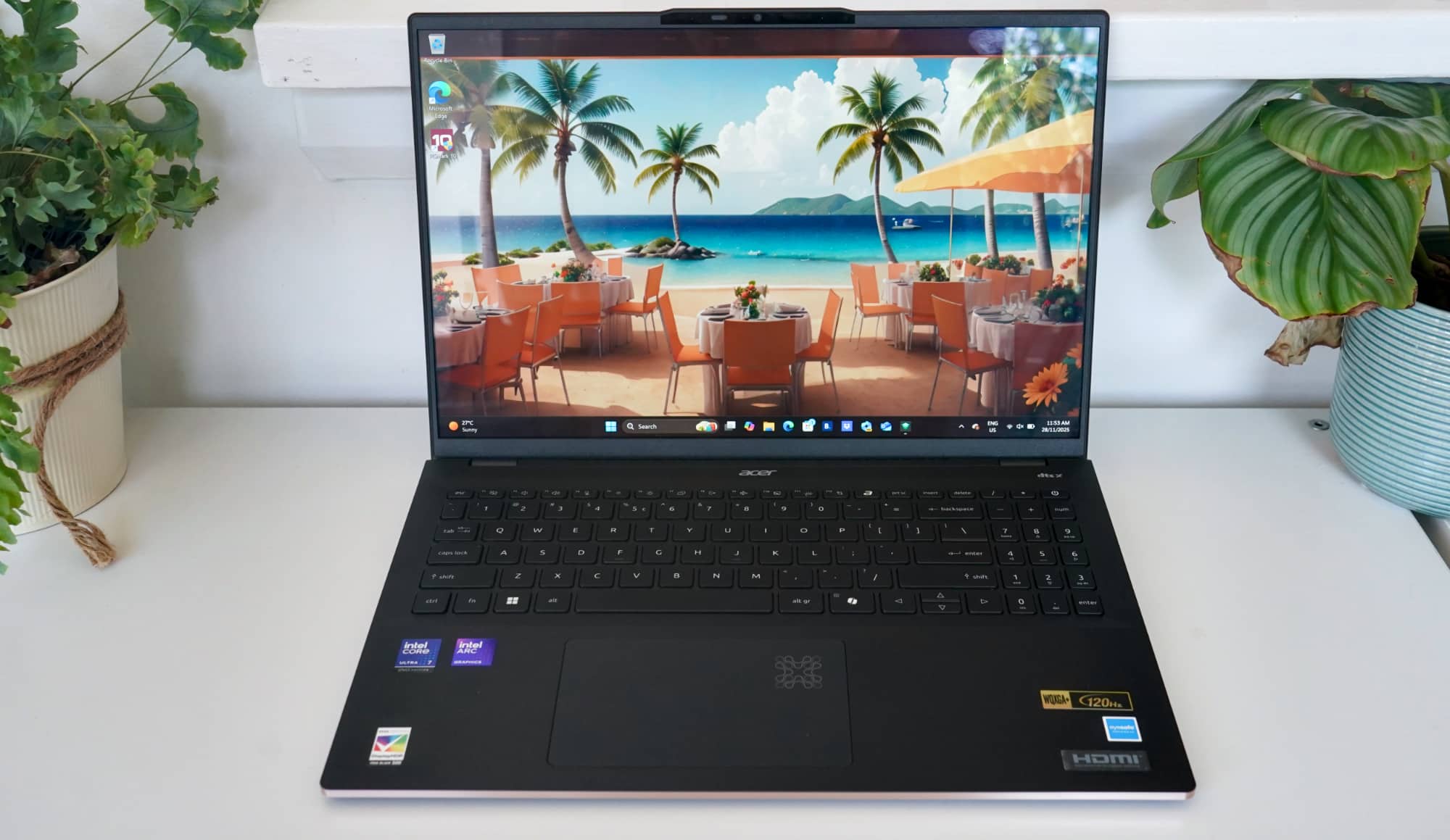
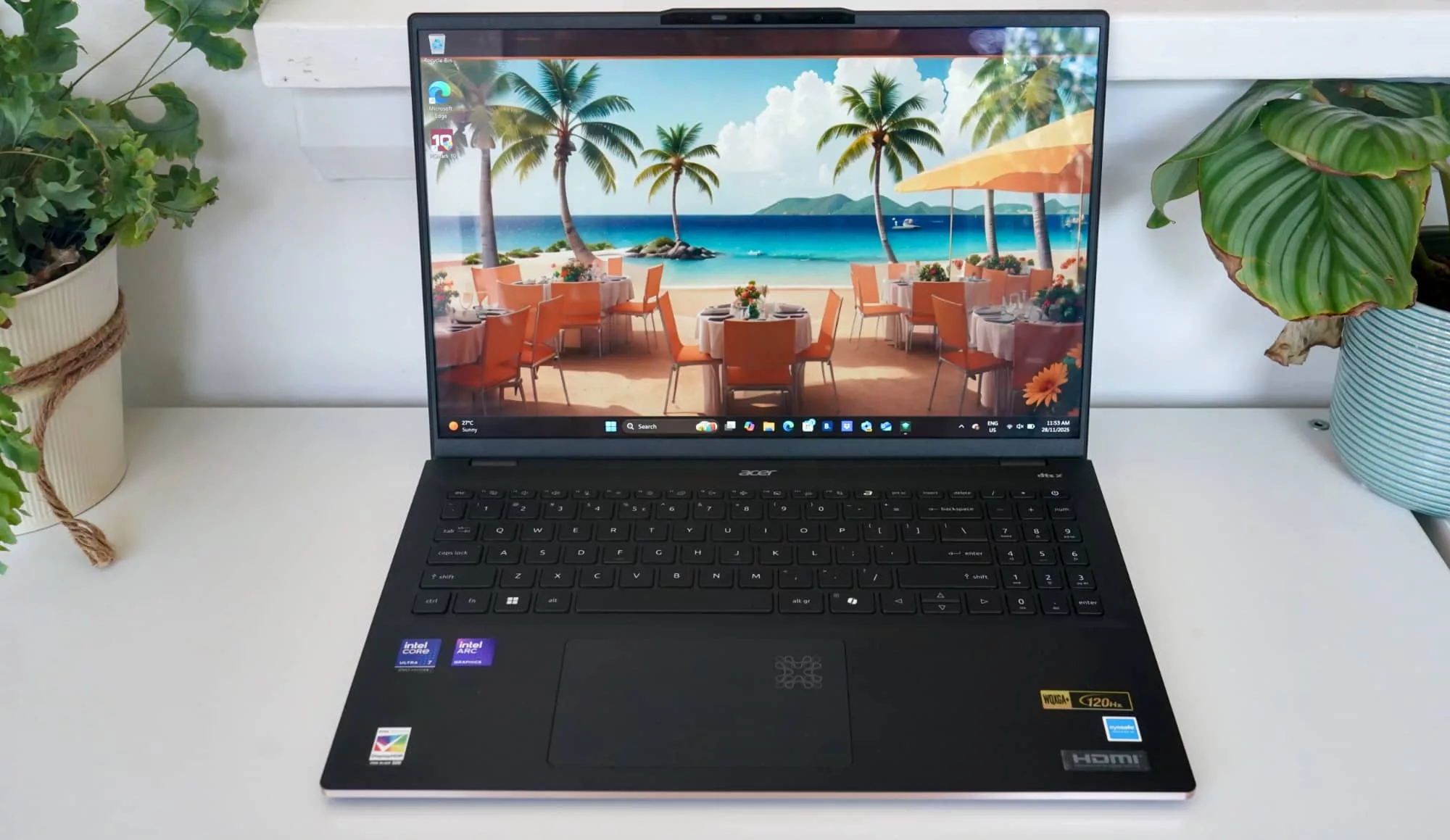
A big 16 inch screen in a durable design are features Acer thinks are important in the Swift 16 AI. And Acer could be right, with this being a great portable workhorse.
Laptops come in all sorts of shapes and sizes, and exist for lots of different reasons, but if you’re someone looking to take a lot of power to go with a big screen, you’re possibly looking at a portable desktop of sorts.
While the hallmark of performance and portability typically sits in the 13 and 14 inch form-factors — and an even easier carry in the limited screen sizes below that often belonging to tablets — the moment you cross over into 15 to 17 inch laptops, you’re looking at machines styled like a desktop.
A big screen and a slim design is what modern portability can look like, and in Acer’s latest laptop, that’s what the company aims to offer.
The Swift 16 AI bundles in a familiar set of specs with a fairly slender approach to notebook design, plus some rather interesting resistance to the world. Is it one of the better laptops around?
Design
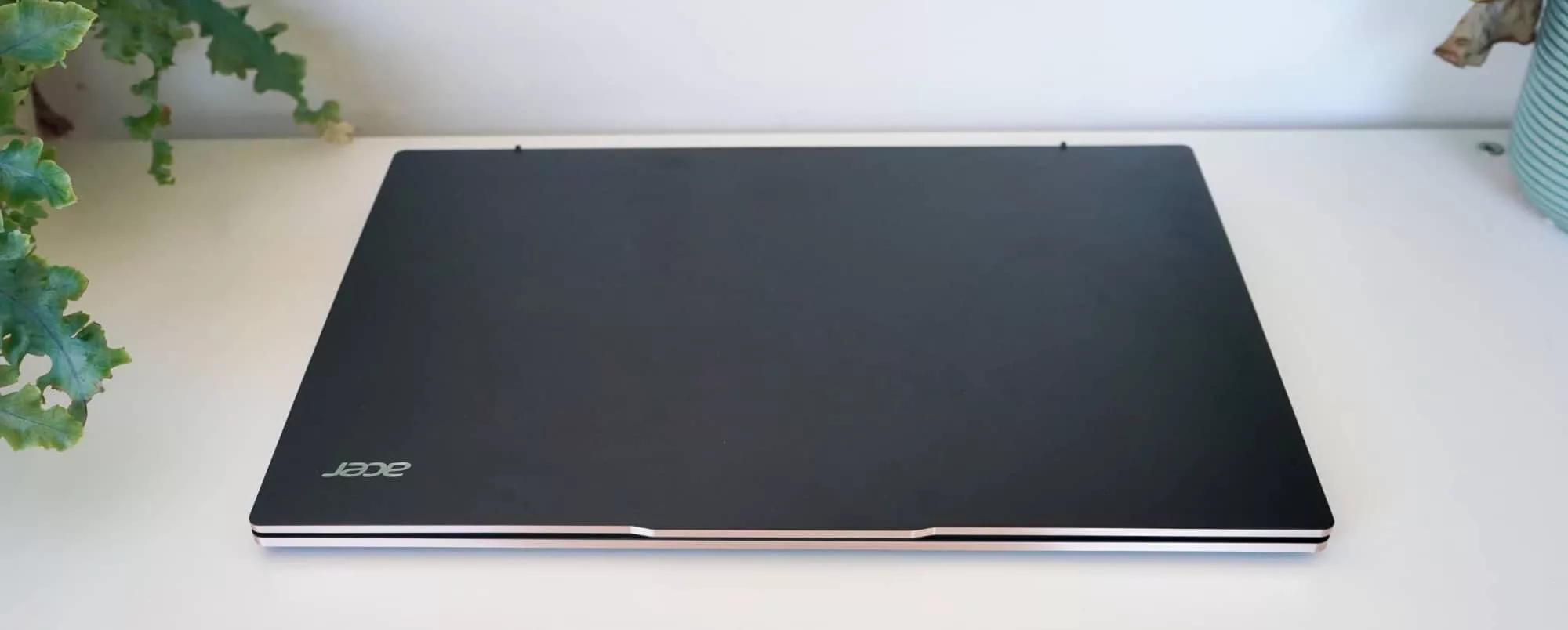
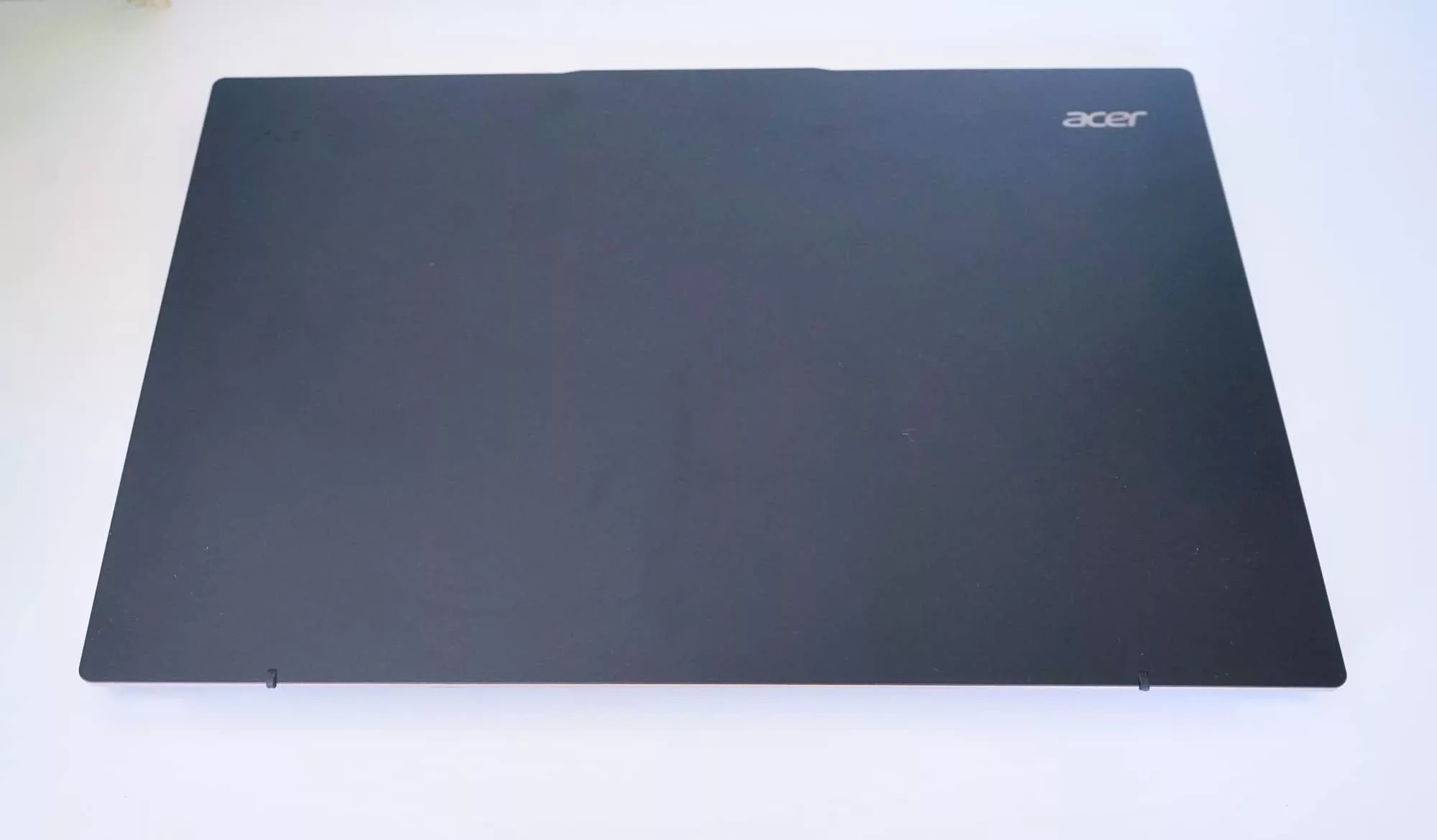
Slick in a matte exterior with a shiny metal edge, the Acer Swift 16 AI is built to be a little more premium than the typical assortment of polycarbonate you might expect.
Officially, it’s an all metal chassis, with magnesium alloy used in the casing from what we can tell, a design that helps keep it light and yet also solid.
Interestingly, it sports a MIL-STD-810H rating, meaning it can survive a little bit of shock and temperature and possibly some small amounts of water, though we’d probably steer clear from taking this laptop to a pool.
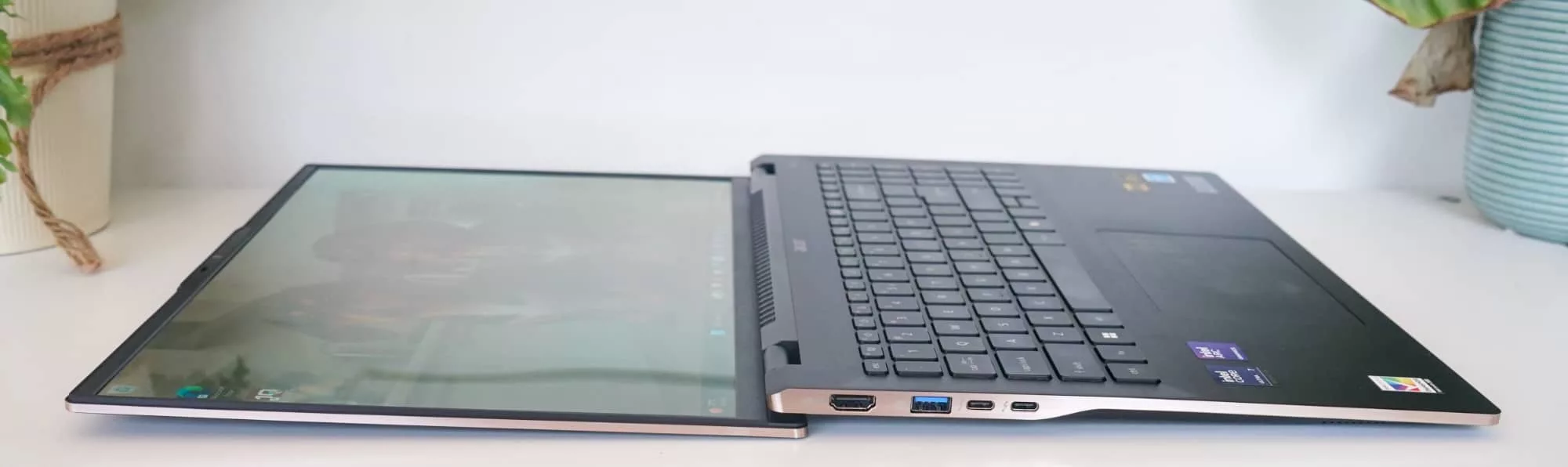
The whole thing weighs 1.46 kilograms, which seems light for a 16 inch laptop, and only manages to be a millimetre thicker than the iPhone 17 Pro Max, measuring 9.92mm thick.
Features
Inside, you’ll find one of Intel’s 2025 model processors, the Core Ultra 7 258V, clocked at 2.2GHz and and paired with 32GB RAM and 1TB of solid-state storage. Acer also makes a more premium model, upgrading the chip to a Core Ultra 9 288V.
For the purposes of this review, we’re looking at the Core Ultra 7 258V edition, and pretty much everything else is the same.
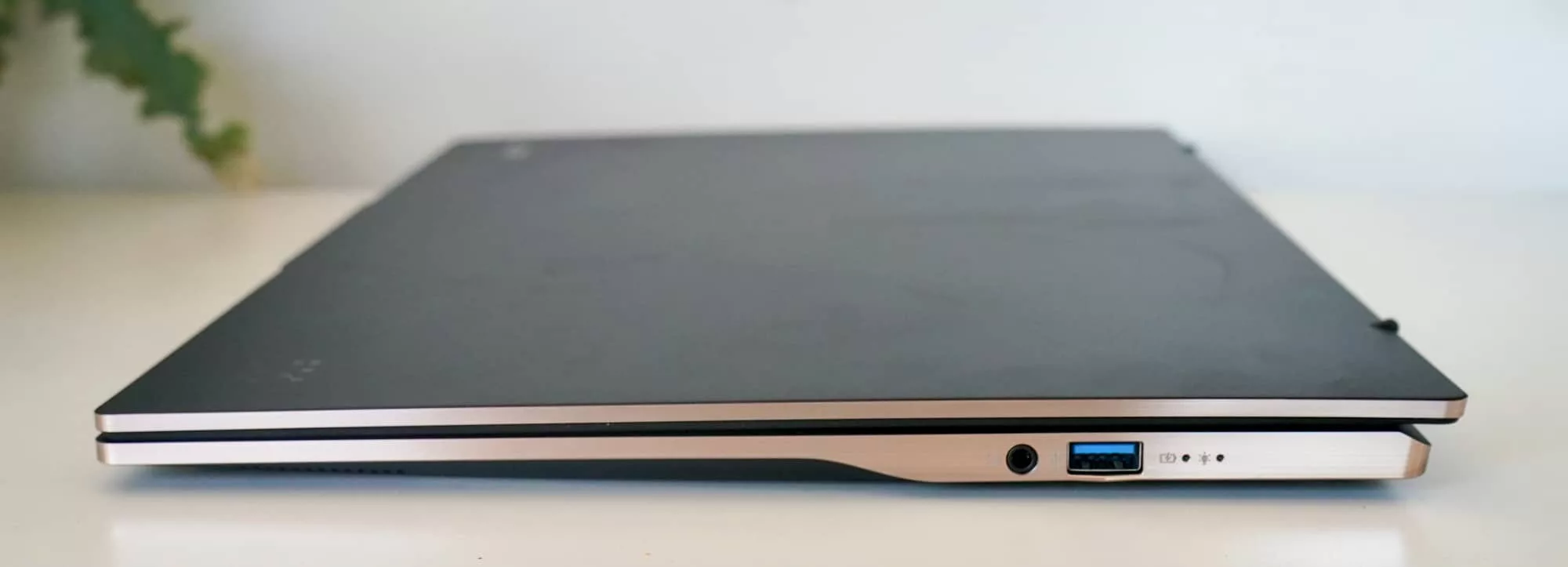
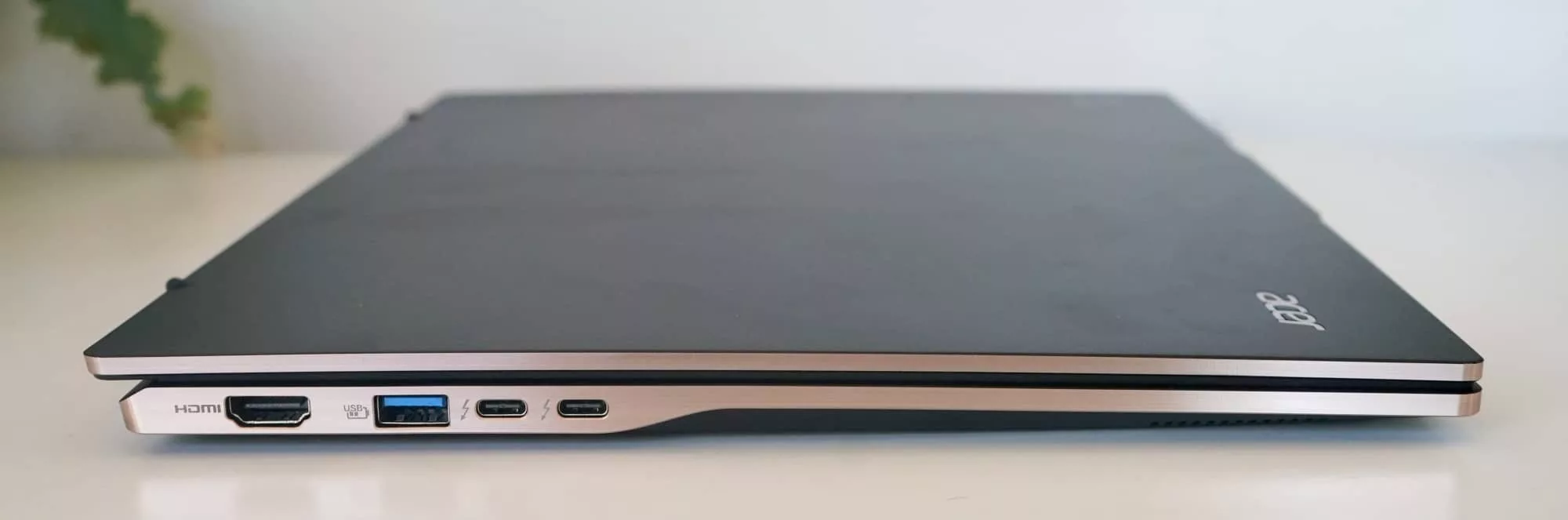
There’s support for 802.11a/b/g/n/ac/ax/be WiFi 7, Bluetooth 5.4, with the wired ports including two USB-C with Thunderbolt 4, two USB-A (the rectangular kind!) with USB 3, one HDMI 2.1 port, and a standard ol’ 3.5mm headset jack.
You’ll also find a fingerprint reader in the keyboard under the power button, a spot of facial security with the infrared camera, a microphone, two speakers, and that webcam for chats and logging in.
And then there’s the screen.
Display
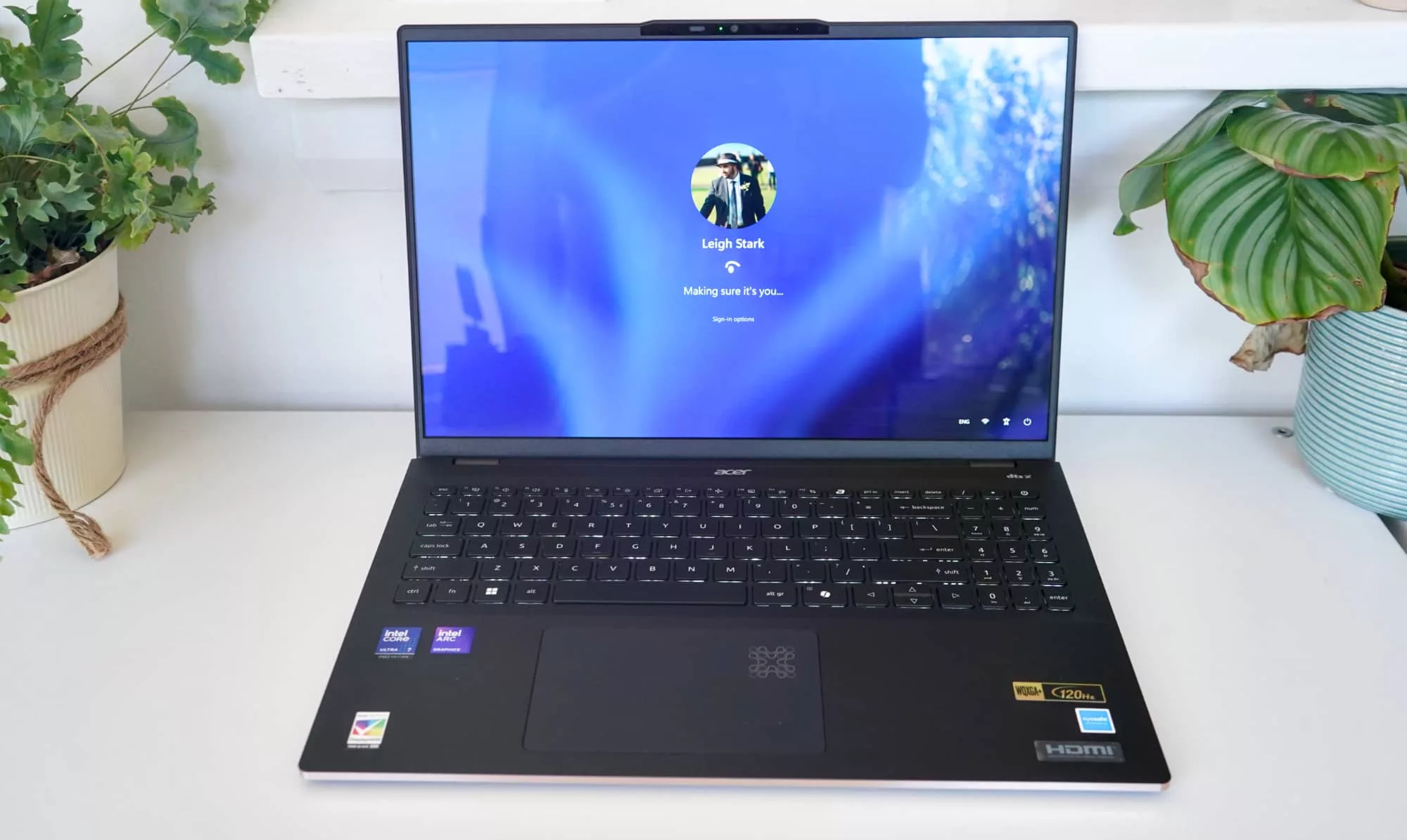
A large 16 inch screen is part of the package here, and it’s a decent one, at that.
At 16 inches, it’s definitely sizeable, designed to give you a lot of screen real estate to work with in a fairly slim design.
There’s an interesting hinge here, too. The screen can lay completely flat, though not for any great reason. It’s not like you get a touchscreen to work with, and the hinge isn’t one of those fancy 360 degree options, either. Rather, it simply lays flat, and we suspect it’s from a durability standpoint.
Either way, it’s a decent screen, offering OLED, 120Hz, and a resolution of 2880×1800, making it spacious and clear. You only need to glance at the colours and blacks to see that Acer’s option to include an OLED screen of this type is a winning decision.
All that’s left is for you to open the laptop and start using it.
In-use
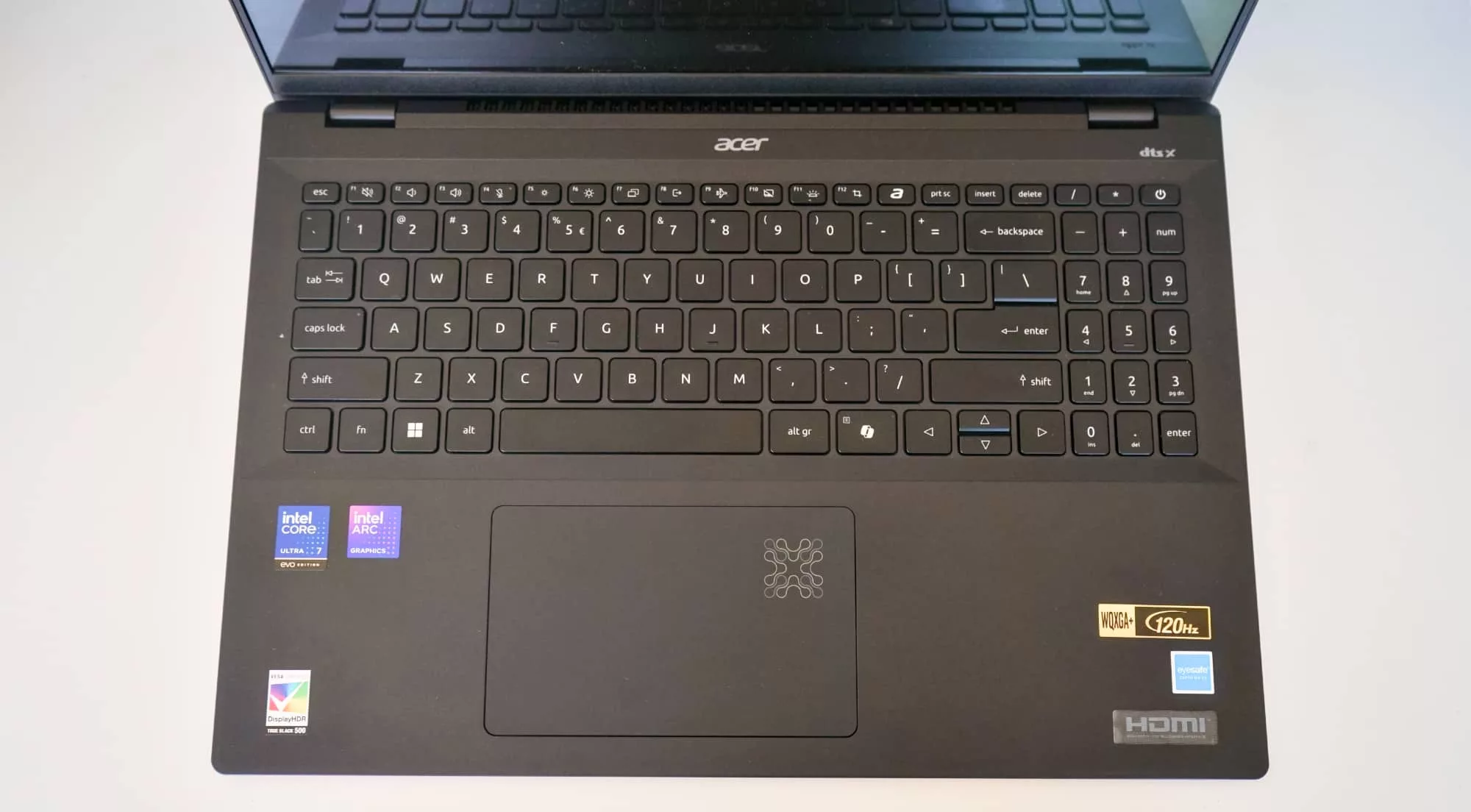
First running the Swift 16 AI, you may find Acer’s lappy lacks the niceties of a machine more or less ready out of the box. Numerous times, we had to just force our way through pressing “Yes” and letting the system finish setting itself up, recalling another Acer laptop that did something similar.
Once that’s done, however, it’s an easy shift into using the laptop, with a spacious full-size keyboard that’s easy to adjust to, though can be a touch springy. We’re not going to say it’s the best keyboard we’ve experienced, but it was comfortable to type on and the travel was slightly better than we expected.
Case in point, this review was written on the Swift 16 keyboard, and the error rate wasn’t all that high. It’s an acceptable keyboard for writing, and thanks to that 16 inch size, Acer has also managed to throw in a cramped numeric keypad on the side, plus two levels of backlighting (and off).
The trackpad, by comparison, feels small, but also manages to be effective. Like most other laptops, the touchpad is one giant button, but you may need to keep your fingers over to the left to keep it clicking properly, as right click seems all too easy to trigger.
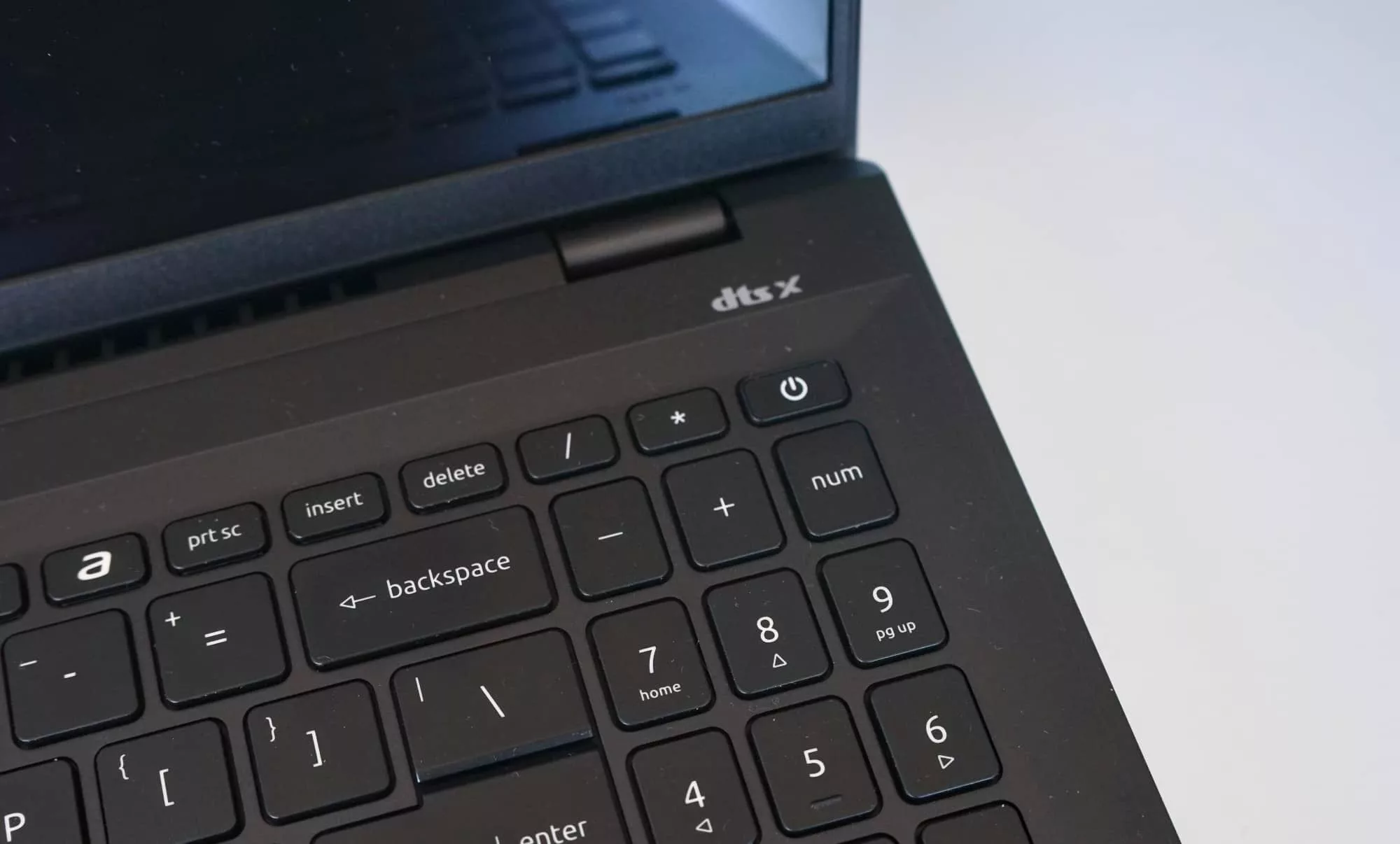
Finally there’s how you’ll keep the laptop secure from other people: your login. Typically we find laptops offer either facial security or fingerprint access, with Windows Hello covering both.
Acer is doing double duty in the Swift 16 AI, giving you access to both. That’s going to be handy depending on where you are, but we found facial security was often so reliable, we almost never needed to touch the power button, which doubled up as a fingerprint security.
Performance
Like other Core Ultra 7 laptops we’ve seen this year, there’s a reasonable amount of grunt in the machine, handy for your workday and a little more, though not quite any games you’ll want to chuck its way.
Testing the Swift 16 AI by writing much of the review on the laptop, we found it definitely handled productively nicely, making itself handy for the day-to-day everyday life that being a good little netizen can be.
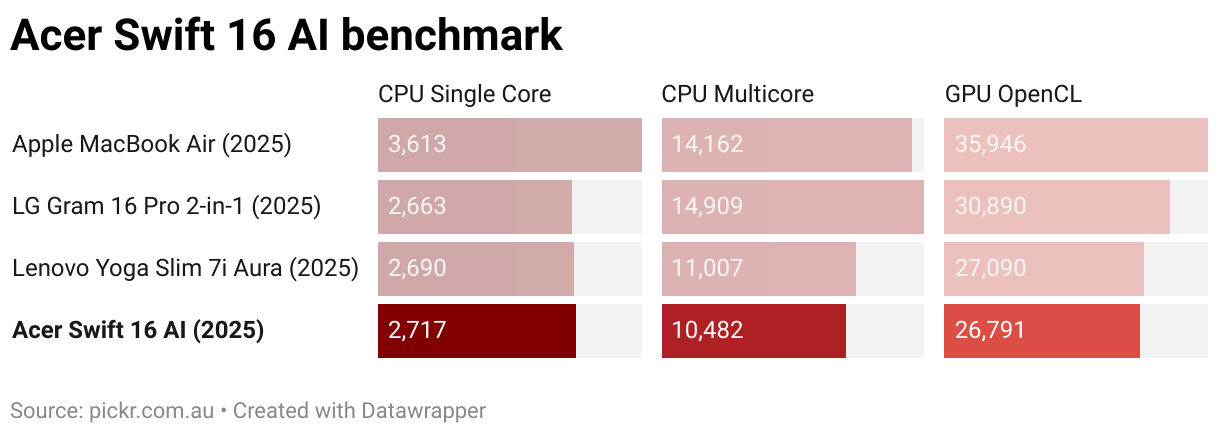
In the benchmarks, Acer is near other models with similar specs, but falls under where it should be. The most obvious of which is the Lenovo Yoga Slim 7i Aura edition, which is very close to what Acer delivers in performance in the Swift 16 AI and even comes with the same MIL-STD-810H durability rating, even if the screen size is slightly smaller.
Clearly, 15 inch laptops compete with 16 inch laptops, and there’s one other big player here.
The other obvious competitor is in Apple’s 15 inch M4 MacBook Air, this year’s entry in the Air lineup that outperforms every other 16 inch PC we’ve seen this year, but also runs a totally different set of apps and operating system.
Battery
Productivity and the day to day is mostly what the Acer Swift 16 AI is good for, and not just from a productivity standpoint, but from a battery one, as well.
Using PC Mark’s battery bench (as we’ve adopted for our Windows laptop reviews this year), the Acer Swift 16 AI managed a run time of 13:55 of regular “modern office” run time. That’s not bad, at all, and certainly qualifies as “all day life”.
The practical run time wasn’t far from this either, though, with about 8 hours of battery life for actual use, which certainly isn’t bad.
Like most laptops today, there’s a USB-C port to charge from, giving you a fairly easy way to top the Acer Swift 16’s battery up should you need to.
Value
The price is where things get interesting, largely because while its rough $2500 RRP is a little on the high side, the street price for the Acer Swift 16 AI is much better, and easily found.
While we’re sure Acer would love stores sell this 16 inch at its regular price point, the street price is closer to $1898 for the Core Ultra 7 model, and $100 more for the Ultra 9 edition. And really, no matter how you slice it, that’s a stellar value.
A good 32GB RAM and 1TB of storage is decent for under $2K, but over it with the standard price, it’s merely acceptable value.
There are few major quibbles either way, but one is definitely a better value than the other.
What needs work?
Beyond the recommended retail price, there isn’t much about the Swift 16 AI that feels like it needs work, at least in a way that stands out. The 16 inch screen is nice, the system is capable, and it’s a lightweight system to carry around.
About our only major quibbles are with the design, which includes metal, but still comes off feeling cheap.
There’s definitely something about the metal and plastic design that makes it feel cheaper than say the magnesium or aluminium laptops we’ve seen from other brands. It feels plasticky at times, and while that bodes well for the weight, we don’t have a lot of confidence that it would look great at the end of a year or survive anything particularly hefty in our bags.
There’s also that whole “AI” thing that’s in the name.
The AI features
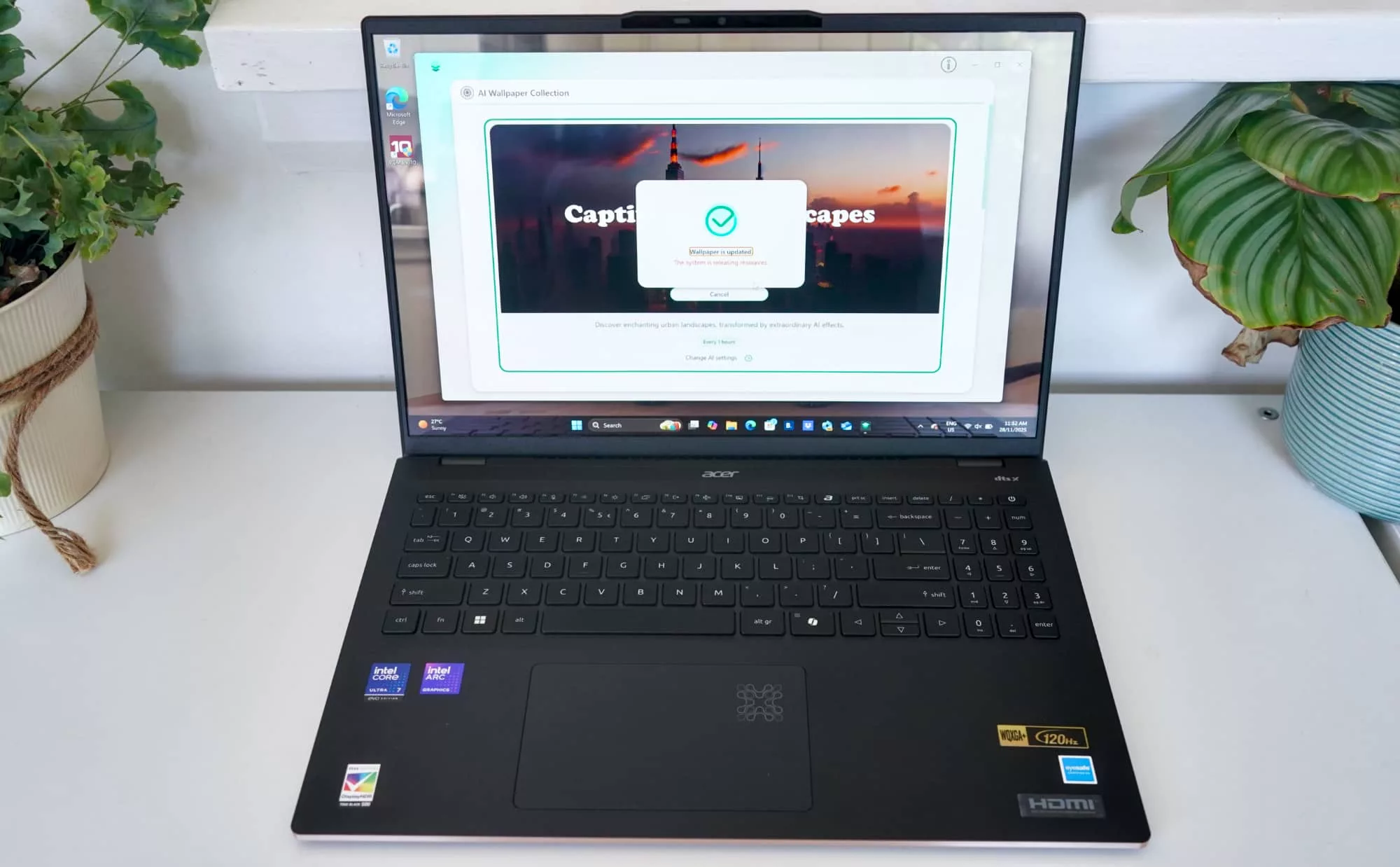
It’s everywhere these days, of course, and here in the Acer Swift 16, the AI is a clear part of the package. Find a use for it, though, because we’re not sure Acer has.
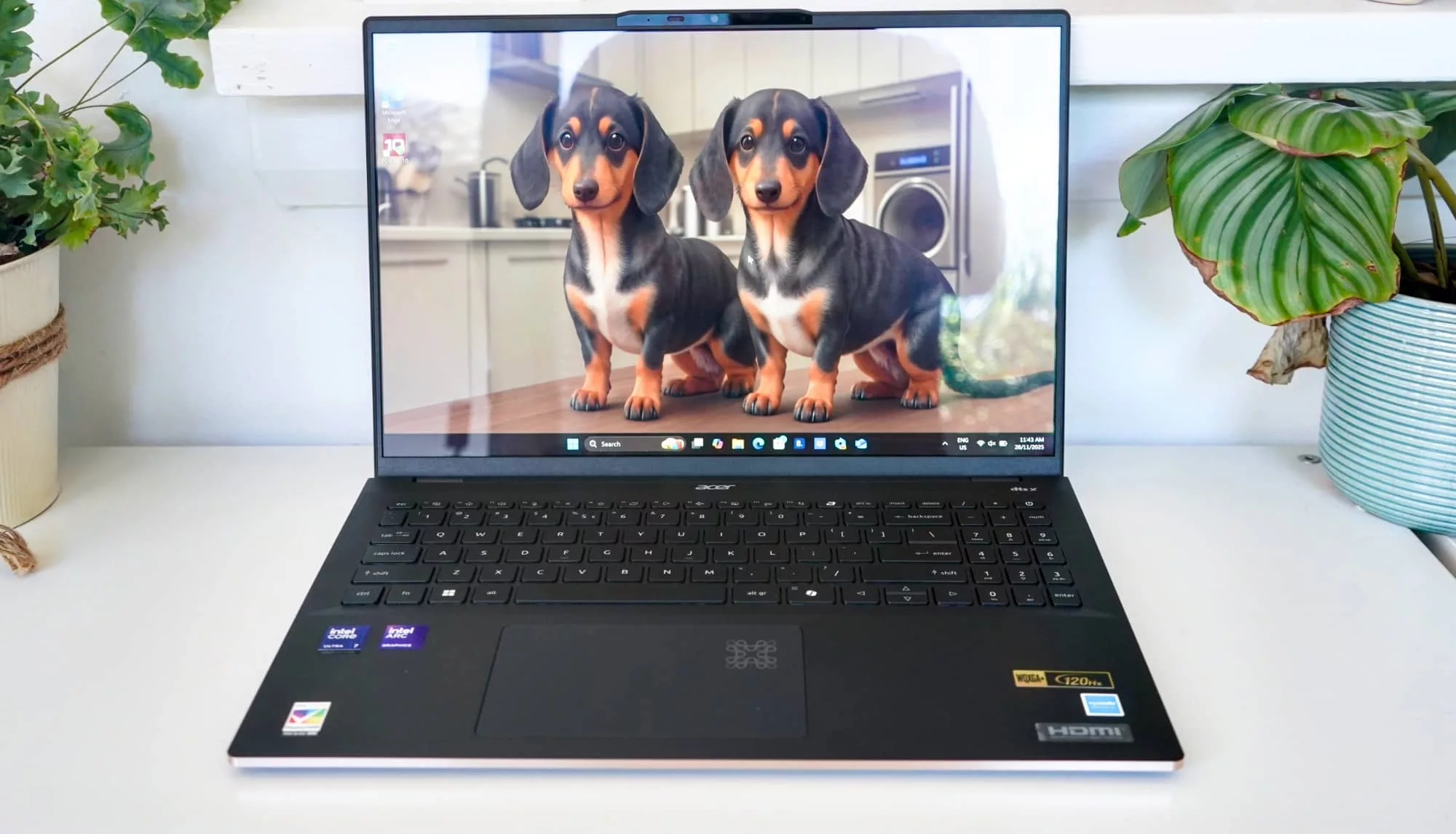
One of the features, Acer VisionArt, is basically an AI image generator for laptop wallpapers, and it will even light up some of the art on the trackpad when the AI is doing something. You can make artificial landscapes or artificial pets, but not both. Some of the results are just hideous and scary monsters of an AI creation. They’ll probably make you regret using the AI features to begin with.
But wait, there’s more.
There’s an AI art maker for styles and stickers that never feels usable and comes with a weird futuristic look that almost makes it worse than it ever could be, a microphone clarity system you can apparently use with podcasts (but you should probably most definitely use an actual microphone for), and even an extra Acer AI assistant you can install extra if you’d like to.
None of it ever feels like it gives you a reason to use the AI. It’s all a bit of a waste, to be honest.

Even though Intel includes neural cores and processing power for AI, nothing Acer has included gives you a reason to take advantage.
And if you spend your time looking down at the quirky art on Acer’s trackpad, it seems to be a light-up icon to let you know the AI is doing something. Okay then.
The reality is that even if these features feel lackluster — and they do — you can’t technically escape the addition of AI even if you wanted to; the Microsoft Copilot key is here on the right side of the keyboard, waiting for you to ask it questions and spruce up your text.
Despite its name, the “Acer Swift 16 AI” doesn’t really do much to make people want to use AI. Frankly, if we see another scary dog AI wallpaper, we might just be turned off AI altogether.
Final thoughts (TLDR)
The good news is you don’t need to spend any time with the AI in the Acer Swift 16 AI. It can be ignored and your life will be better for it.
And as far as laptops go, the Swift 16 AI is easily one of the better Acer models we’ve checked out in years, checking off key points positively.
It’s fast. It’s slim. Its screen is easy to look at. And it’s lightweight.
The Acer Swift 16 AI does just about everything you might want from a portable desktop made to take with you. If you can find it for even less than Acer’s RRP, you’re nailing it.
It’s an everyday done well kinda vibe. Recommended.